Office Viewer: DOCX, PPTX & XLSX
unlistedby Zovo
View Word, PowerPoint and Excel files in your vault: page layout, slides, sheet tabs, search, tracked changes and Markdown export. Read-only and offline.
Office Viewer for DOCX, PPTX and XLSX files in Obsidian
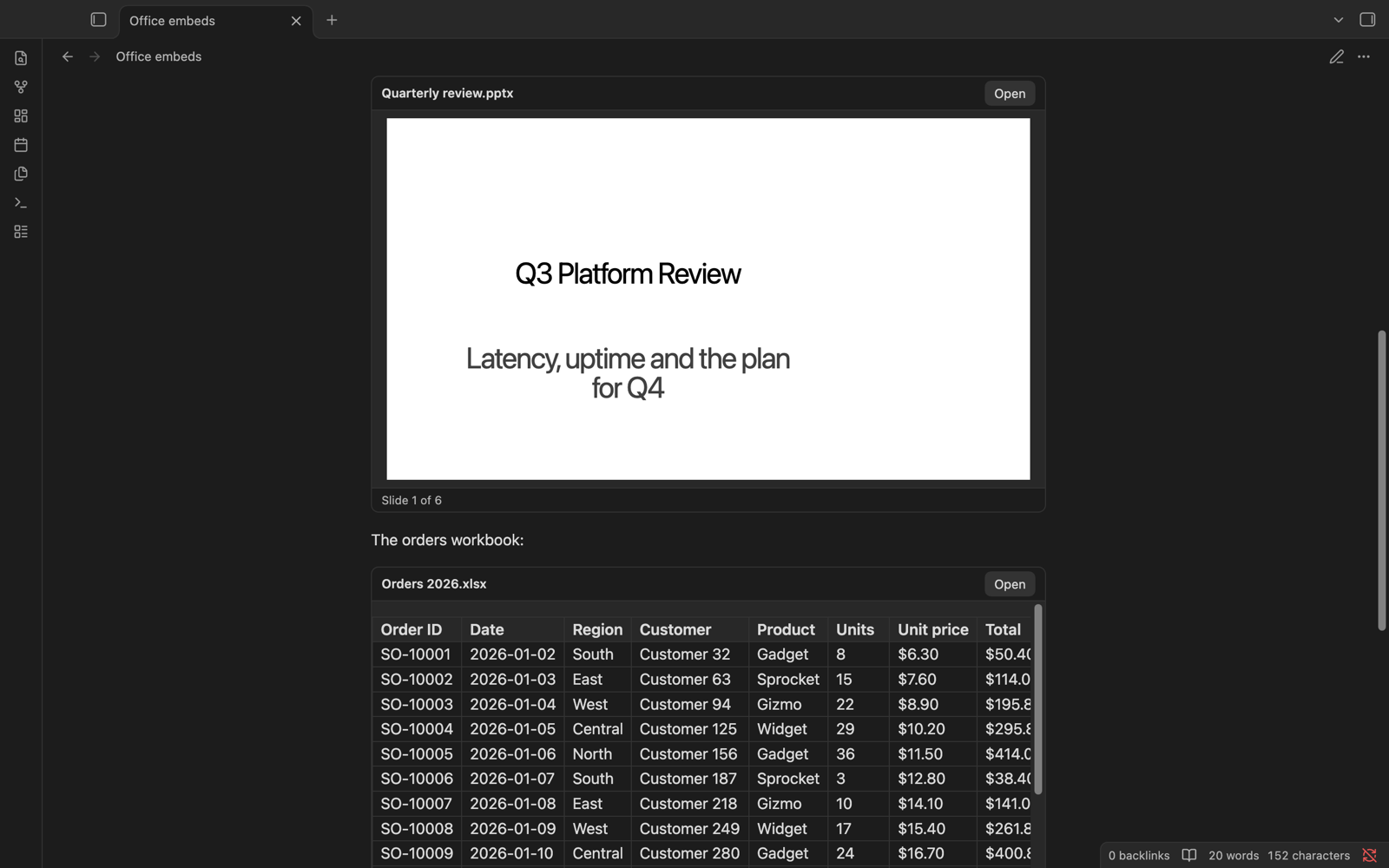
View Word, PowerPoint and Excel files in your Obsidian vault. Click a .docx, .pptx or .xlsx file and it opens in a normal tab: Word pages with their real layout, slides with speaker notes, and spreadsheets with sheet tabs. You can also embed a file in a note with ![[report.docx]].
The viewer is read-only and works offline. It never changes your files.
Features
Word (.docx, .docm, .dotx)
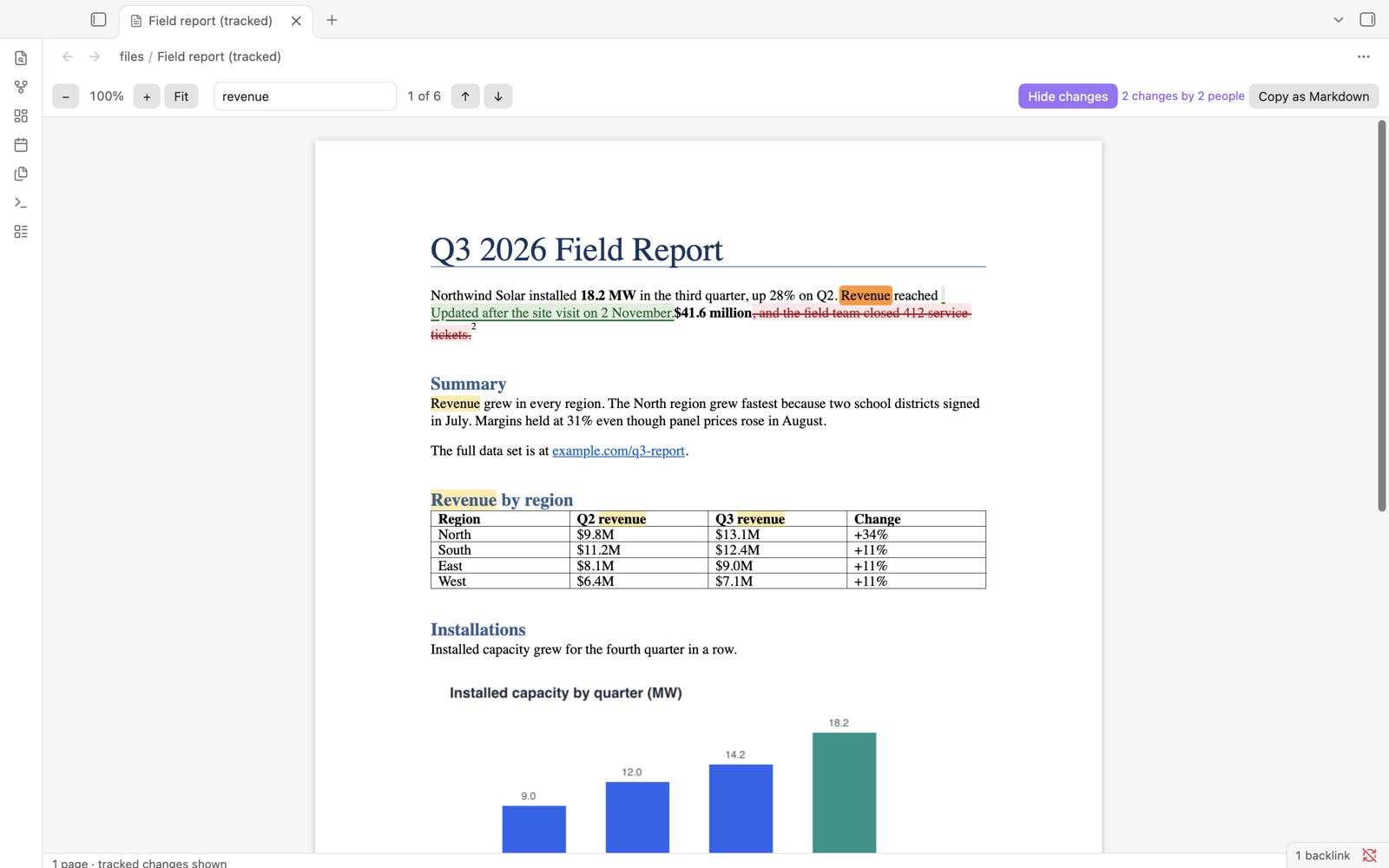
- Pages laid out as in Word: fonts, tables, headers, footers, footnotes and images.
- Zoom in and out, or fit the page to the width of the pane.
- Find in document with Ctrl+F (Cmd+F on macOS). Enter and Shift+Enter move between matches.
- Tracked changes: the toolbar says how many changes there are and by how many people. "Show changes" marks insertions and deletions in the text. "Hide changes" shows the document with all changes accepted. Nothing is written back to the file.
- "Copy as Markdown" puts the text of the document on the clipboard as Markdown, ready to paste into a note.
PowerPoint (.pptx, .pptm, .ppsx, .potx)
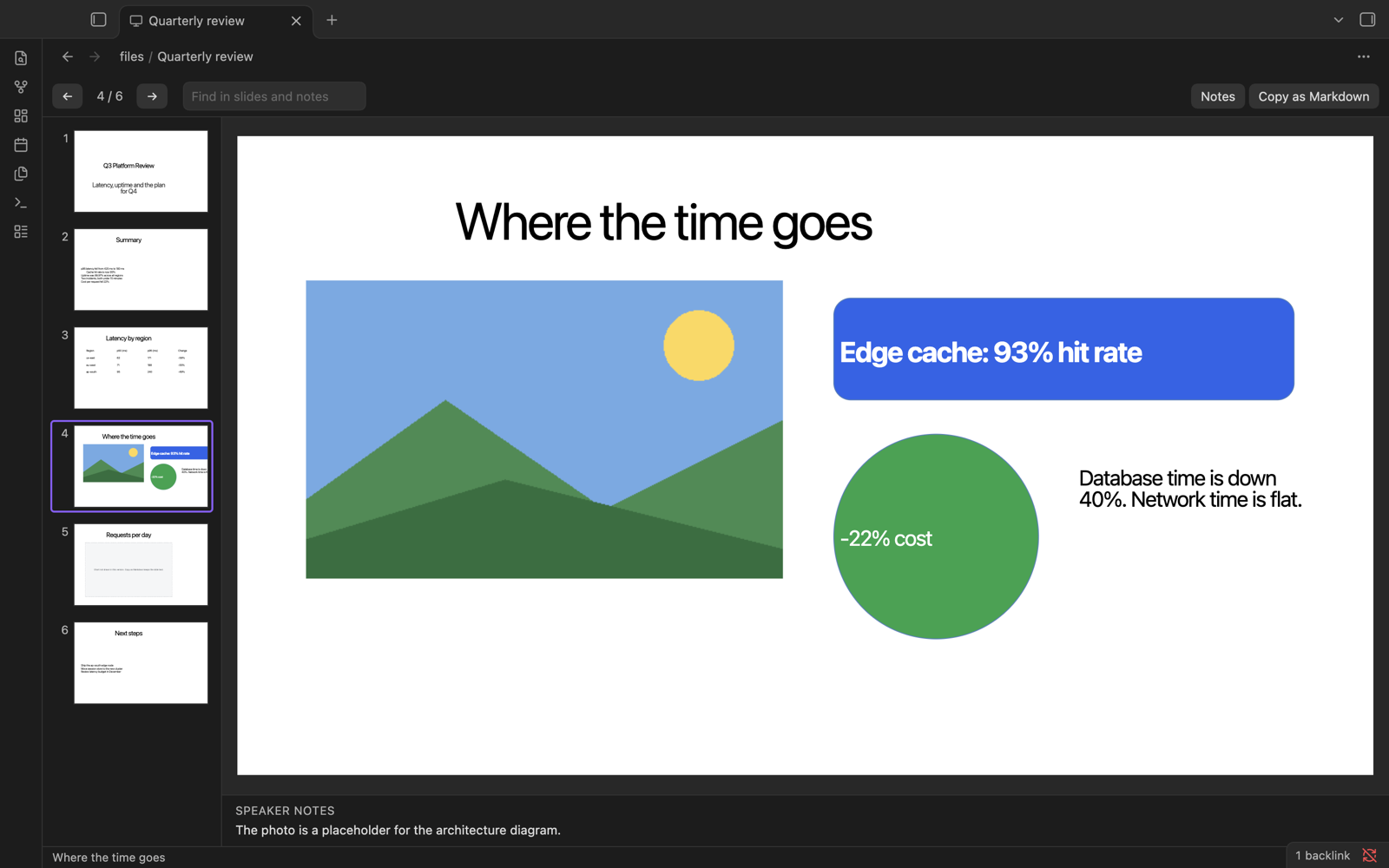
- A strip of slide thumbnails and the large slide next to it.
- Arrow keys, Page Up and Page Down, Home and End move through the deck.
- A speaker notes panel under the slide. Turn it off with the "Notes" button.
- Find in slide titles, text, tables and notes.
- "Copy as Markdown" copies every slide as a heading with its bullets, tables and notes.
Excel (.xlsx, .xlsm, .xls, .ods)
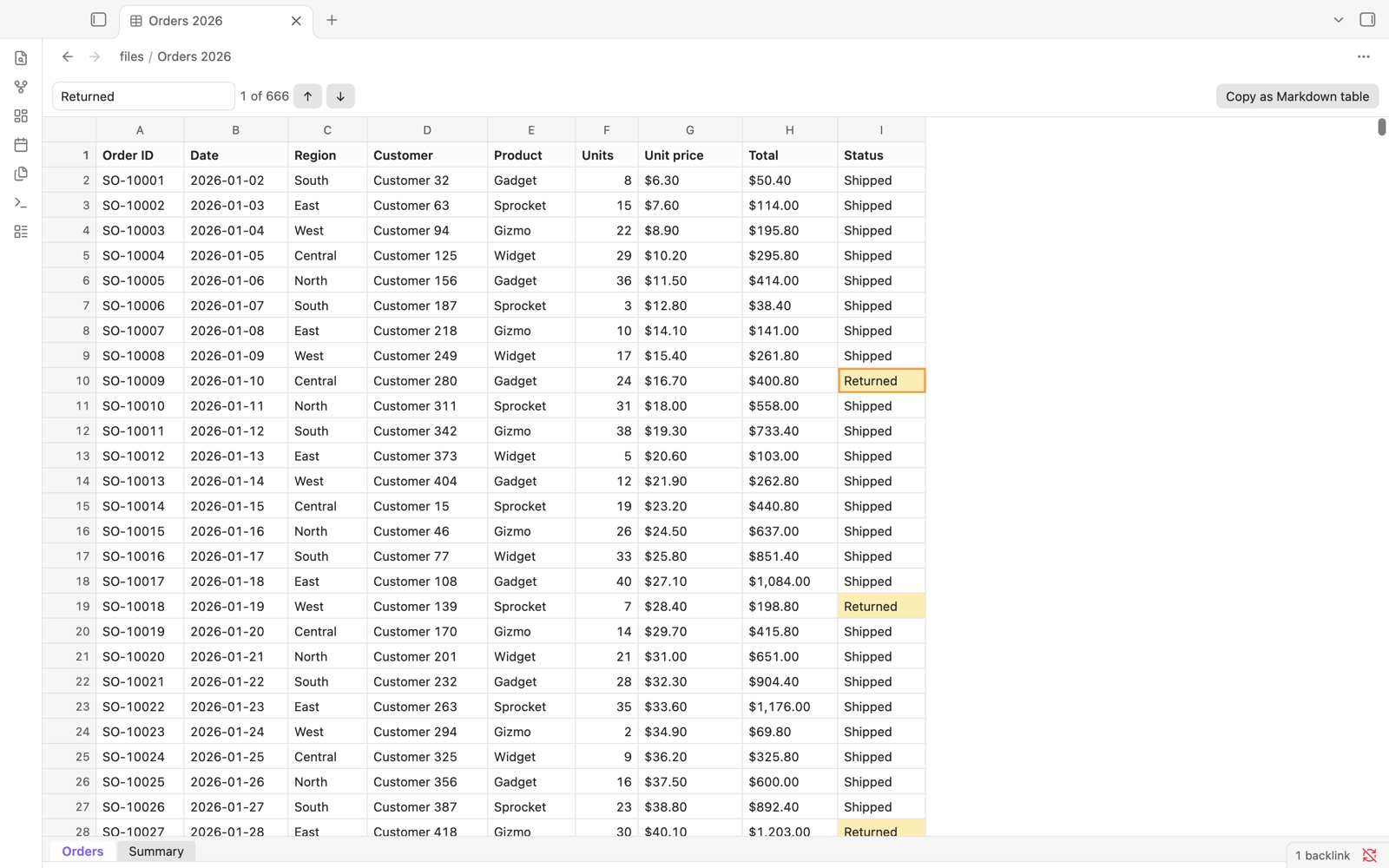
- Sheet tabs at the bottom, like in Excel.
- A fast grid: only the rows on screen are drawn, so long sheets scroll smoothly.
- Column letters and the first row stay at the top while you scroll.
- Cells show the text Excel shows, with number, currency and date formats applied.
- Find in sheet highlights every matching cell. Enter jumps to the next one.
- "Copy as Markdown table" copies the sheet (up to 1,000 rows) as a Markdown table.
Embeds in notes
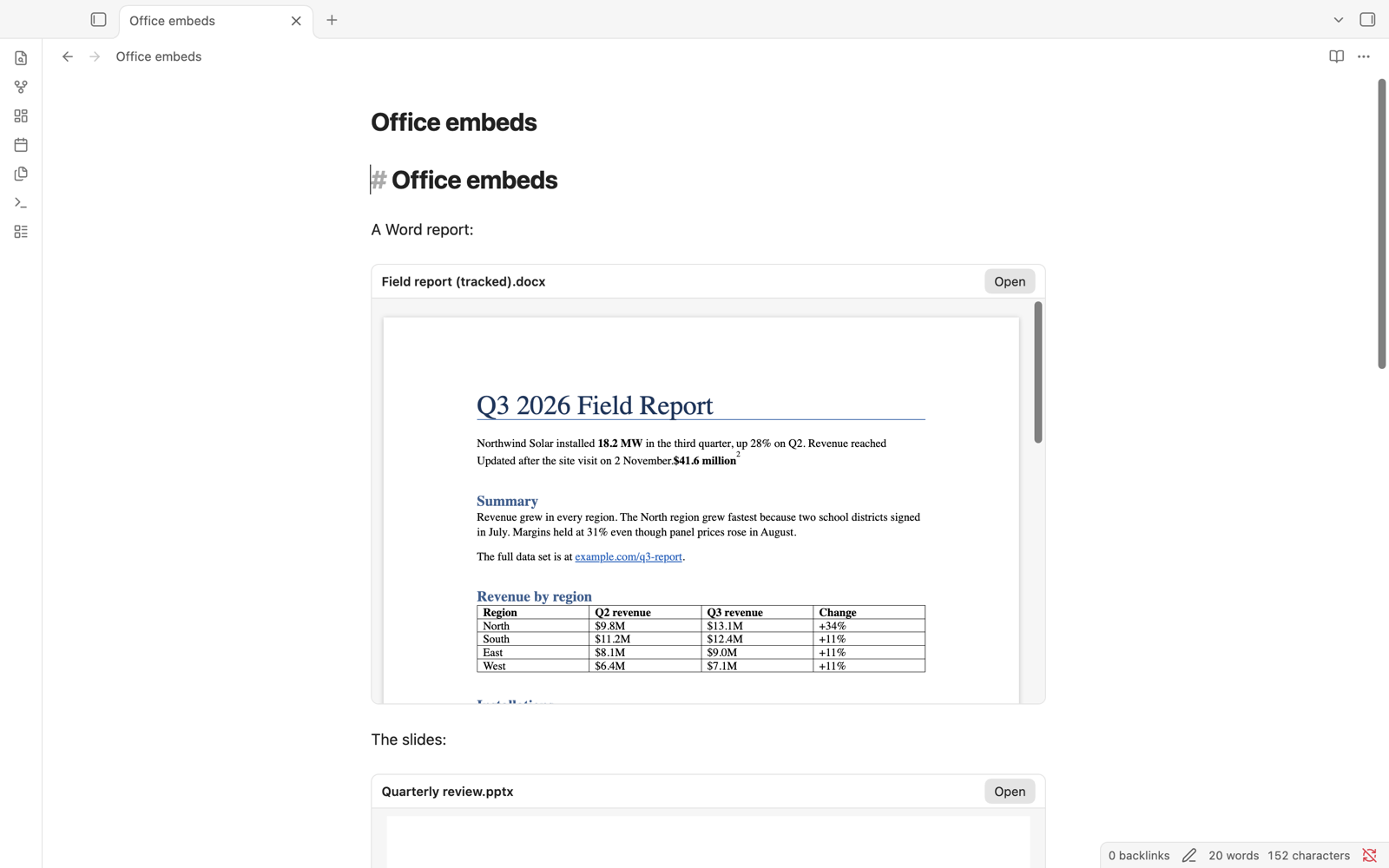
Write ![[file.docx]], ![[deck.pptx]] or ![[book.xlsx]] in a note. The note shows the first page, the first slide or the first rows of the first sheet, with an "Open" button for the full view. Embeds work in Live Preview and in Reading view.
Theme
The toolbar, grid and panels use the colors of your Obsidian theme, light or dark. Word pages and slides stay white like paper. Turn on "Dark pages" in the settings if you want them dark too.
Commands
Open the command palette and type "Office":
- Copy document, slides or sheet as Markdown
- Show or hide tracked changes
- Find in Word document
None of them has a hotkey by default. You can add one in Settings, Hotkeys.
Settings
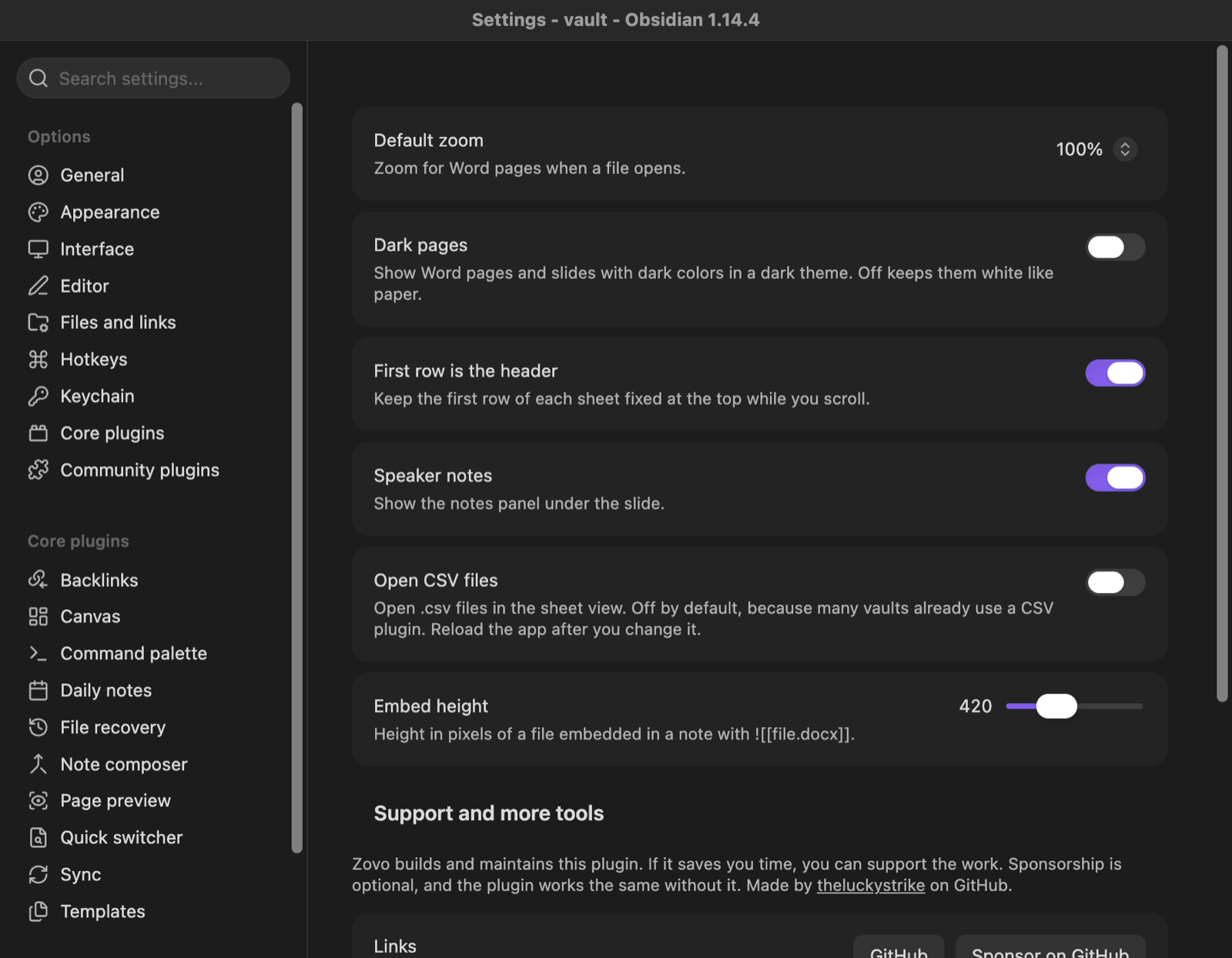
- Default zoom for Word pages.
- Dark pages for Word pages and slides in a dark theme.
- First row is the header: keep row 1 of each sheet fixed at the top.
- Speaker notes: show the notes panel under the slide.
- Open CSV files: off by default, because many vaults already use a CSV plugin. Turn it on to open
.csvfiles in the sheet view, then reload Obsidian. - Embed height for files embedded in notes.
Install
From Obsidian: Settings, Community plugins, Browse, then search for "Office Viewer". Select Install, then Enable.
By hand: download main.js, manifest.json and styles.css from the latest release. Put them in <your vault>/.obsidian/plugins/zovo-office-viewer/, reload Obsidian and enable "Office Viewer: DOCX, PPTX & XLSX" under Community plugins.
Limits
- Old binary files (
.doc,.ppt) are not supported. Save them as.docxor.pptxfirst. - Charts inside slides are not drawn in this version. The slide shows a box in their place, and "Copy as Markdown" keeps the slide text. SmartArt, video and audio are not drawn either.
- Word layout comes from docx-preview. Complex layouts (text boxes, columns, some page breaks) can look a little different from Word.
- Tracked changes show inserted and deleted text. Formatting changes and comments are not shown.
- A sheet shows its first 500,000 rows. Password-protected workbooks can't be opened.
- Obsidian does not respond while a workbook is read. A workbook larger than 10 MB asks before it opens; a 30 MB file took about 5 seconds on a Mac.
- On phones and tablets, large workbooks use a lot of memory. Files of a few MB work well.
Privacy
Everything happens on your device. The plugin reads the file from your vault and draws it. It makes no network requests, has no telemetry and never writes to your files. Remote images that a document links to are not loaded; an empty box shows in their place.
Support Zovo
Zovo builds and maintains this plugin, and every feature stays free. If it saves you time, you can support the work on GitHub Sponsors. Sponsorship is optional, and the tool works the same without it.
Bug reports and ideas go to GitHub issues.
Zovo is made by theluckystrike on GitHub.
More tools by Zovo
- DOCX Viewer, Word Viewer & DOCX Preview (Dark Mode) for VS Code. Previews Word and ODT files with dark mode, an outline and search.
- PPTX Viewer & PowerPoint Viewer, PPT Slide Viewer for VS Code. Shows PowerPoint slides, thumbnails and speaker notes.
- PDF Viewer & PDF Reader for VS Code. Reads PDFs with a real dark mode, search, an outline and thumbnails.
- DOCX & PPTX Viewer for JetBrains IDEs. Opens Word and PowerPoint files read-only in an editor tab.
- All Zovo tools on GitHub. Free tools for VS Code, JetBrains IDEs, Obsidian, Apify and Atlassian.
Build from source
npm install
npm test        # unit tests for the Word, PowerPoint and Excel readers
npm run lint    # eslint-plugin-obsidianmd, the linter of the community review
npm run build   # writes main.js
License
MIT. The bundled libraries keep their own licenses; see THIRD-PARTY-NOTICES.md.
For plugin developers
Search results and similarity scores are powered by semantic analysis of your plugin's README. If your plugin isn't appearing for searches you'd expect, try updating your README to clearly describe your plugin's purpose, features, and use cases.