Canvas Loom
approvedby woxin667
This plugin has not been manually reviewed by Obsidian staff. Add functionality to the Canvas for merging, splitting, copying content, and adding markers.
Canvas Loom
官方要求介绍必须是英文,中文版介绍请看:README-ZH.md
Multi-language versions will be launched in the future, so stay tuned!
Canvas Loom is an Obsidian Canvas plugin for splitting, sorting, merging, previewing, and cleaning up Canvas text cards.
It turns scattered Canvas text cards into a repeatable workflow: split long notes into cards, sort selected cards by position or badge, preview the merged result, export it, and clean up the layout without leaving Canvas.
Hero Demo
Core Workflows
Split Cards
Split one long text card by a custom delimiter, blank lines, or Markdown heading level. Canvas Loom keeps the original card in place and creates the remaining content as new Canvas cards.
Merge Cards
Merge selected cards directly, or send them to the Loom workspace first to sort, preview, and export the final text.
Sort by Position or Badge
Position sorting follows the visual layout of the Canvas. Badge sorting follows numeric badges such as 1, 2.1, or 10.3.2, so output order can stay stable even when card positions change.
Clean Layout
Resize cards to fit their text and arrange selected cards with cleaner horizontal or vertical spacing.
Screenshots
 | 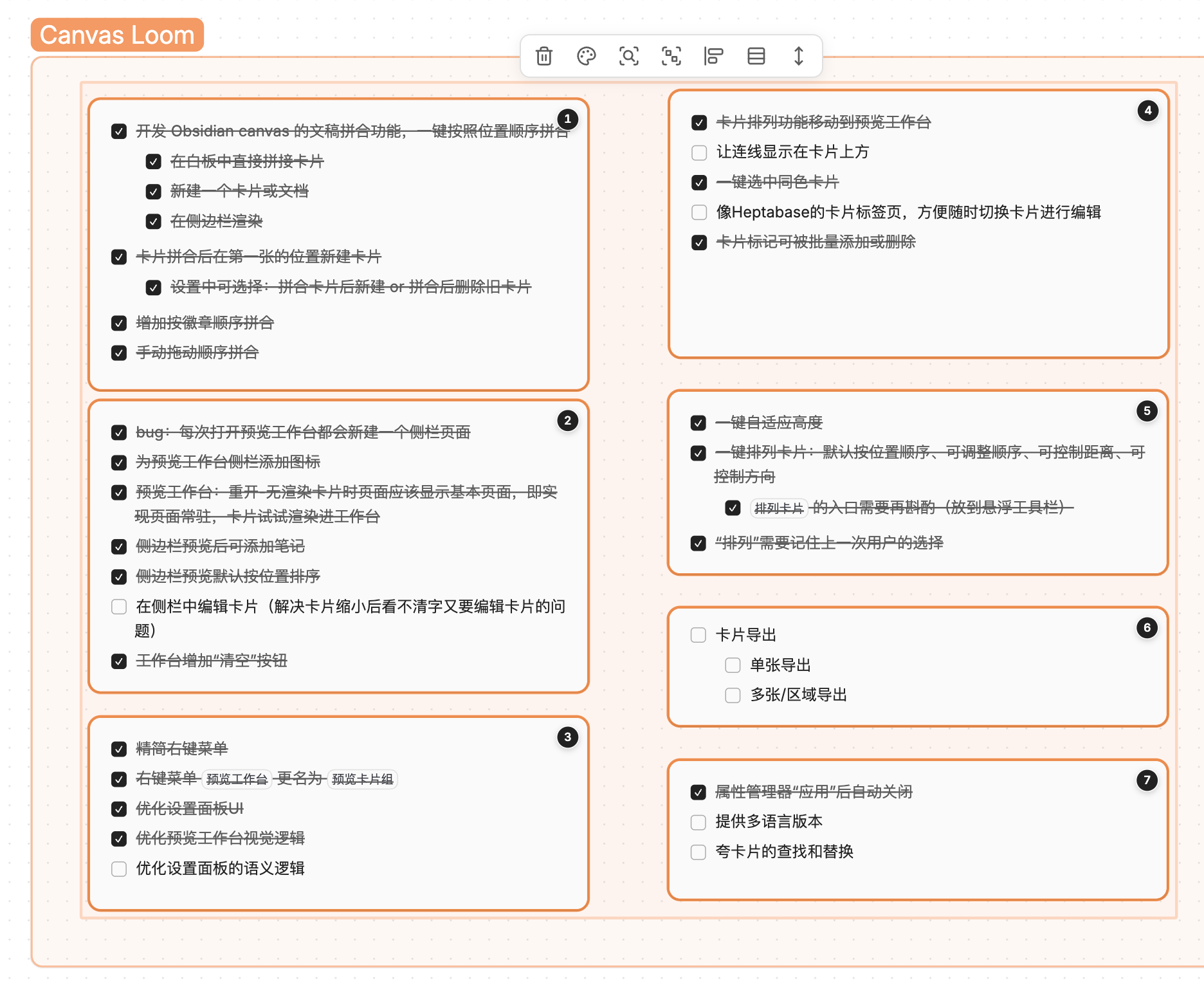 |
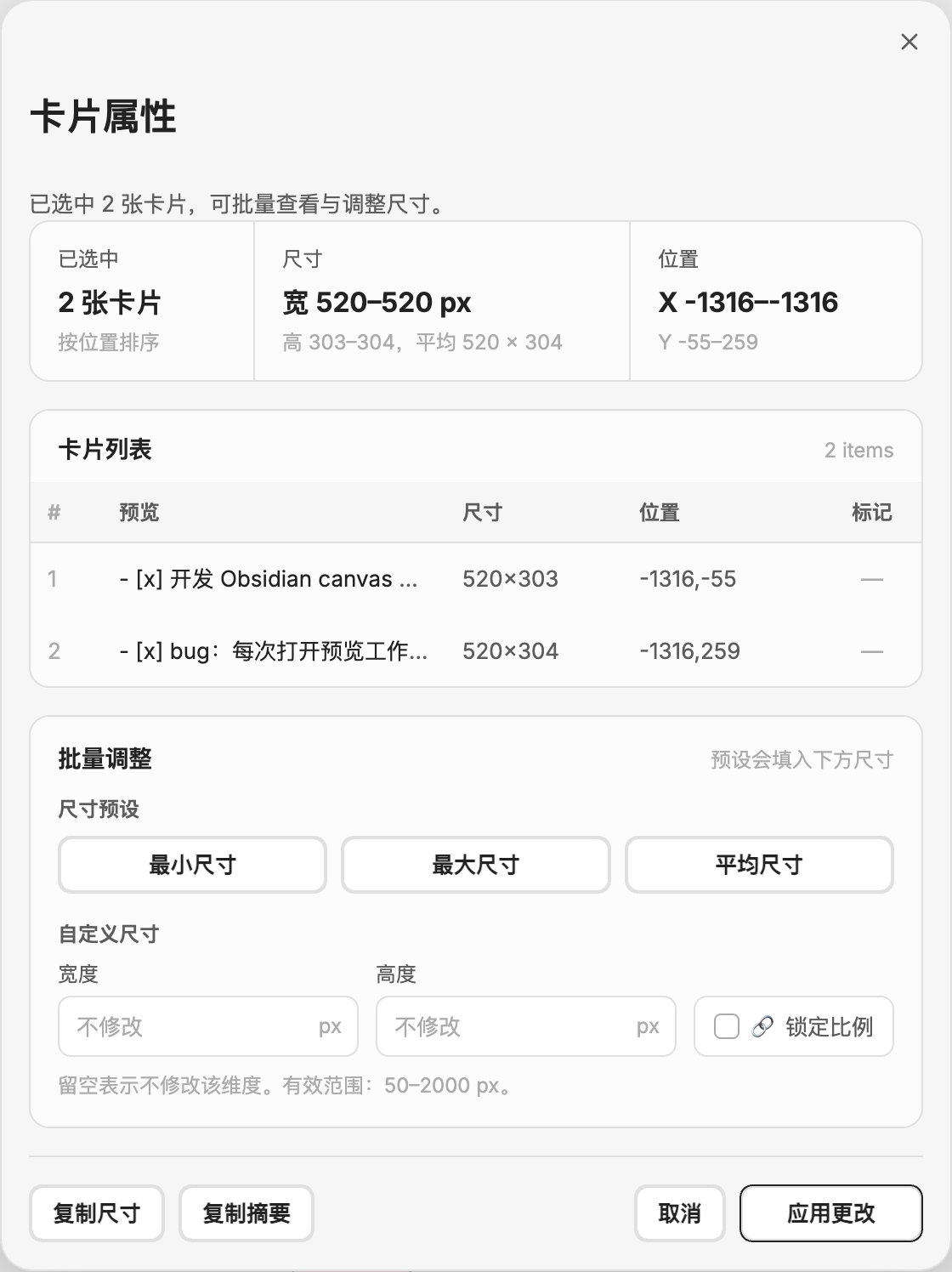 | 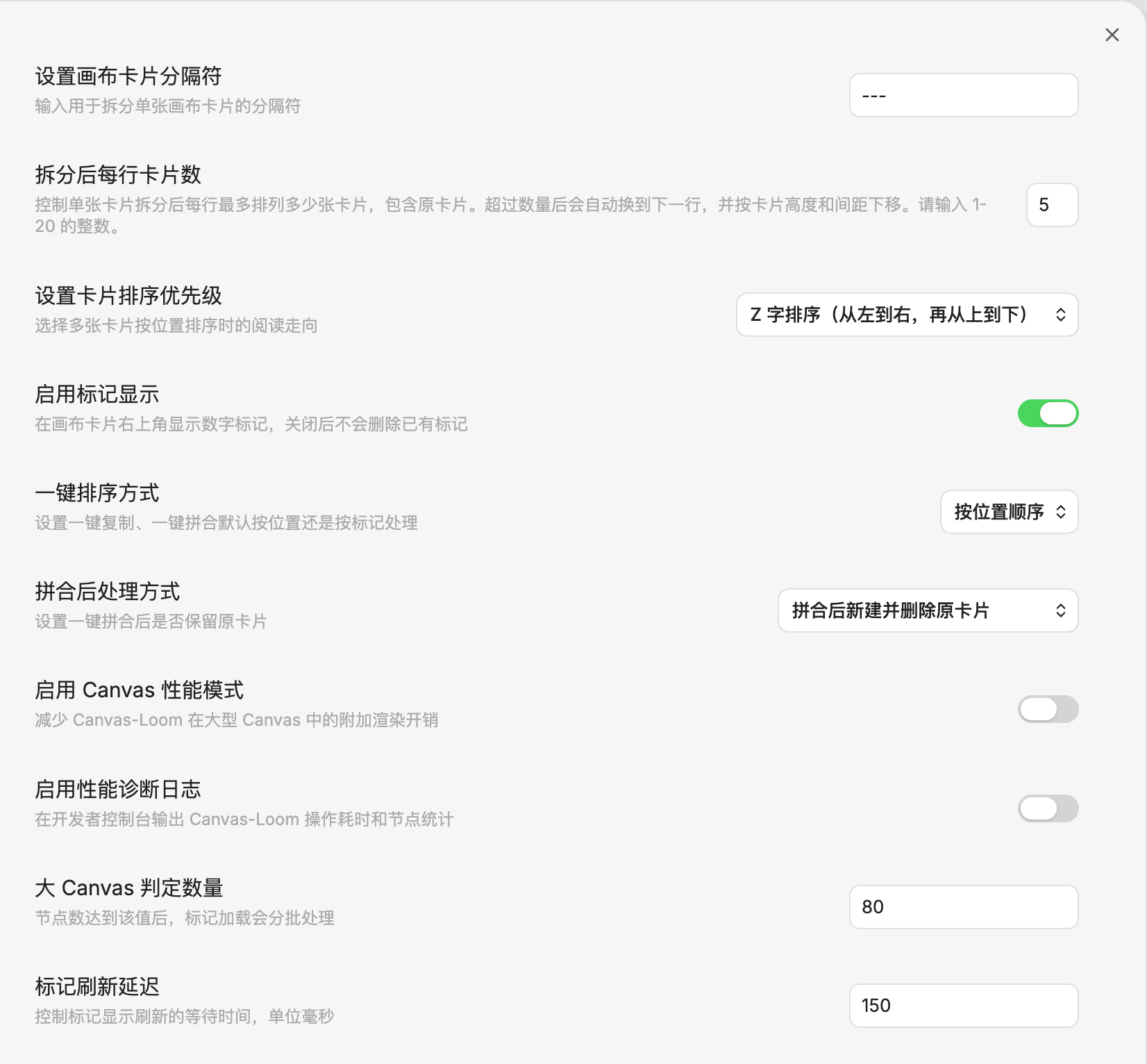 |
Feature Overview
Split card...Split one text card by a custom delimiter, blank lines, or Markdown heading level.Preview card groupLoad selected text cards into the Loom workspace, change sorting, drag-adjust the current order, preview merged output, and export it.Quick copy/Quick mergeProcess selected cards with the default sorting mode from settings.Add/Edit badgeAdd numeric outline-style badges such as1,2.1, or10.3.2.Manage card propertiesInspect one card or batch-adjust selected card dimensions, width, height, aspect ratio, and layout.Arrange spacing/Auto-fit heightClean up selected Canvas cards with toolbar actions.Select same color cardsSelect text cards with the same Canvas color and open them in the preview workflow.
Settings
Canvas card delimiter: controls the delimiter used when splitting cards.Card sorting priority: controls whether position-based sorting prioritizes vertical or horizontal order.Quick action sorting mode: controls the default sorting mode for quick copy and quick merge.Enable badges: controls whether card badges are shown.Show edges above cards: places Canvas connections above regular cards while keeping selected or edited cards above connections.Merge cleanup mode: controls whether source cards are kept or deleted after creating a merged card.Canvas performance mode: reduces Canvas Loom's additional rendering cost on large canvases.Performance diagnostics: logs Canvas Loom operation timing and Canvas statistics to the developer console.
Privacy
- No account required
- No paid service integration
- No ads, telemetry, or uploaded user content
- No proactive network access
- Reads Canvas or Markdown content only when the user runs a command
- Creates or modifies files in the current vault only when the user explicitly exports, merges, or creates a note
- Supports copying selected card content to the system clipboard
Installation
Install from GitHub Releases
- Open the repository Releases page.
- Download
main.js,manifest.json, andstyles.css. - Put the three files in
.obsidian/plugins/canvas-loom/. - Enable the plugin in Obsidian.
Build Locally
npm install
npm run build
Development
npm run dev: development buildnpm run build: production buildnpm run version: sync version metadata
Documentation
The documentation index is available at docs/README.md.
Suggested reading:
docs/功能-拆分Canvas卡片.mddocs/功能-卡片内容复制与排序.mddocs/功能-卡片标记.mddocs/功能-查看和编辑卡片属性.mddocs/技术实现细节.mddocs/技术实现-Obsidian官方上架与发布流程.md
Credits
Early development referenced joshuakto's open-source project obsidian-cardify.
For plugin developers
Search results and similarity scores are powered by semantic analysis of your plugin's README. If your plugin isn't appearing for searches you'd expect, try updating your README to clearly describe your plugin's purpose, features, and use cases.