Unread+
approvedby Lucy
Marks new files with a dot. Propagates unread counts up the folder tree. - This plugin has not been manually reviewed by Obsidian staff.
Unread+
Track unread files in Obsidian. New files get a colored dot — folder badges propagate counts up the entire tree so you always know where to look, even in a collapsed vault.
Features
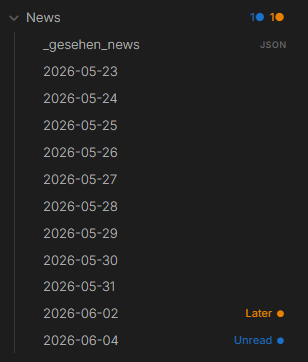
Colored dots — Unread (blue) and Later (orange) by default. Fully customizable — add any status with any color, and optionally a custom icon/emoji instead of the default dot.
Folder badges — each parent folder shows a per-status count (1● 1●) at every depth, even collapsed. Hover a segment to see which status it is.
Status bar — total unread count visible at the bottom of Obsidian at all times.
Dot aging — fresh dots start at full opacity and fade slightly each day. Files you've been sitting on for a week look the part.
Snooze — right-click → Snooze 1 day / 3 days / 1 week. The dot disappears and comes back automatically when the time is up. All currently snoozed files are also listed in Settings, with remaining time and a one-click unsnooze.
Offline detection — files created by scripts or sync tools while Obsidian was closed are picked up automatically on the next launch, with a configurable grace period so files you create and edit yourself very quickly aren't mistakenly flagged.
Open Next/Previous Unread — Ctrl+Shift+U steps through unread files one by one, showing progress ("3 of 12"). Step back with the Previous in review command if you went too far.
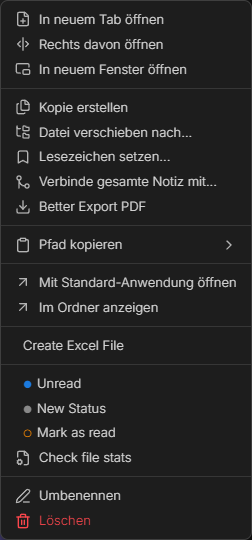
Colored context menu — each status shows its own colored circle. No guessing.
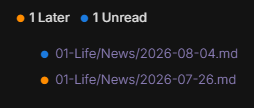
Unread overview codeblock — embed a live, filterable overview of your unread/later files directly in any note (e.g. a daily-note template):
```unread-overview
status: unread, later
folder: Projects
limit: 5
sort: created
```
Installation
- Download
main.js,manifest.json,styles.cssfrom the latest release - Copy to
.obsidian/plugins/unread-plus/in your vault - Settings → Community Plugins → enable Unread+
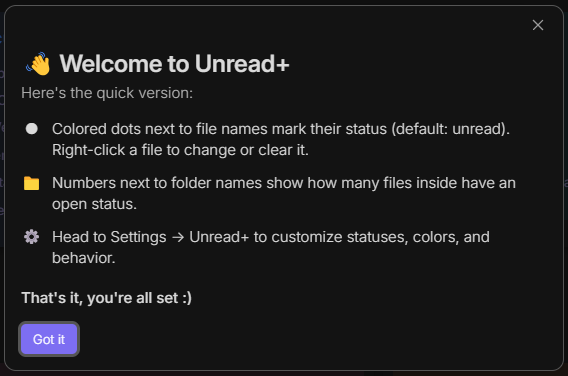
On first install, a short welcome modal explains dots, folder badges, and right-click statuses.
# From source
git clone https://github.com/kashicards/unread-plus.git
cd unread-plus && npm install && npm run build
Usage
| Action | How |
|---|---|
| Set status | Right-click file → pick status |
| Set selected files unread | Select files → right-click → Mark selected as Unread |
| Clear selected files | Select files → right-click → Mark selected as read |
| Clear status | Right-click → Mark as read |
| Snooze | Right-click → Snooze 1 day / 3 days / 1 week |
| Open next unread | Ctrl+Shift+U |
| Open previous unread | Command palette → Previous in review |
| Mark all as read | Command palette → Mark all as read |
Settings
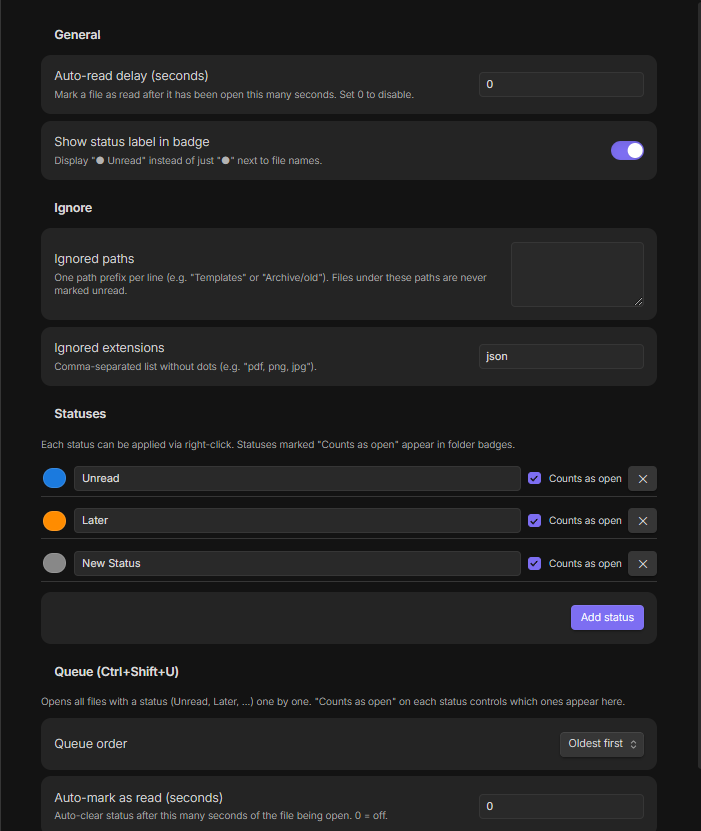
- Auto-read delay — auto-clear status after N seconds of the file being open
- New file grace period — how long a newly created file is watched for becoming active before it's marked unread (protects fast create → paste → switch-away workflows)
- Show label in badge — display
Unread ●instead of just● - Ignored paths / extensions — never track certain folders or file types. Folder paths are typed with autocomplete suggestions from your vault;
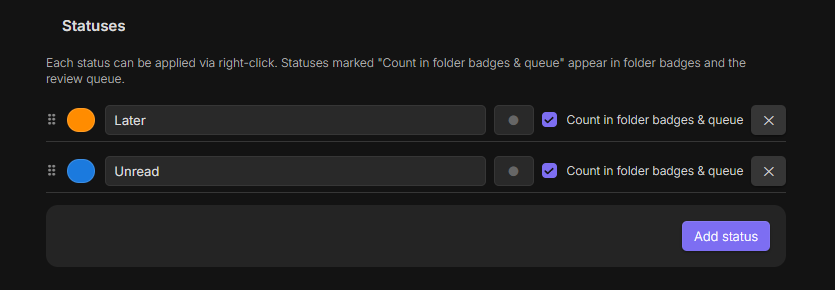
jsonis excluded by default. - Statuses — add, rename, recolor, give each an optional icon/emoji, and reorder them by drag-and-drop. "Count in folder badges & queue" controls folder badges and queue inclusion. Deleting a status asks for confirmation and shows how many files are affected.
- Snoozed files — overview of every currently snoozed file with remaining time and a one-click unsnooze button.
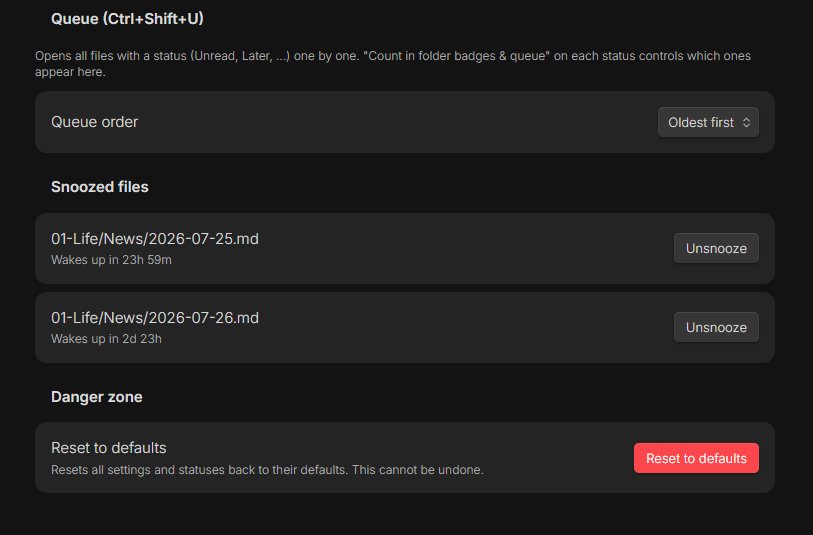
- Queue — order and auto-mark behavior for
Ctrl+Shift+U - Reset to defaults — resets all settings and statuses back to their defaults, behind a confirmation dialog
For plugin developers
Search results and similarity scores are powered by semantic analysis of your plugin's README. If your plugin isn't appearing for searches you'd expect, try updating your README to clearly describe your plugin's purpose, features, and use cases.