by chilipeppers
Build, normalise, validate and organise UTM tracking links with channel presets, a Markdown registry and Bases support.
UTM Vault
⭐ If UTM Vault saves you time, a star helps other marketers find it. Found a bug or have an idea? Open an issue.



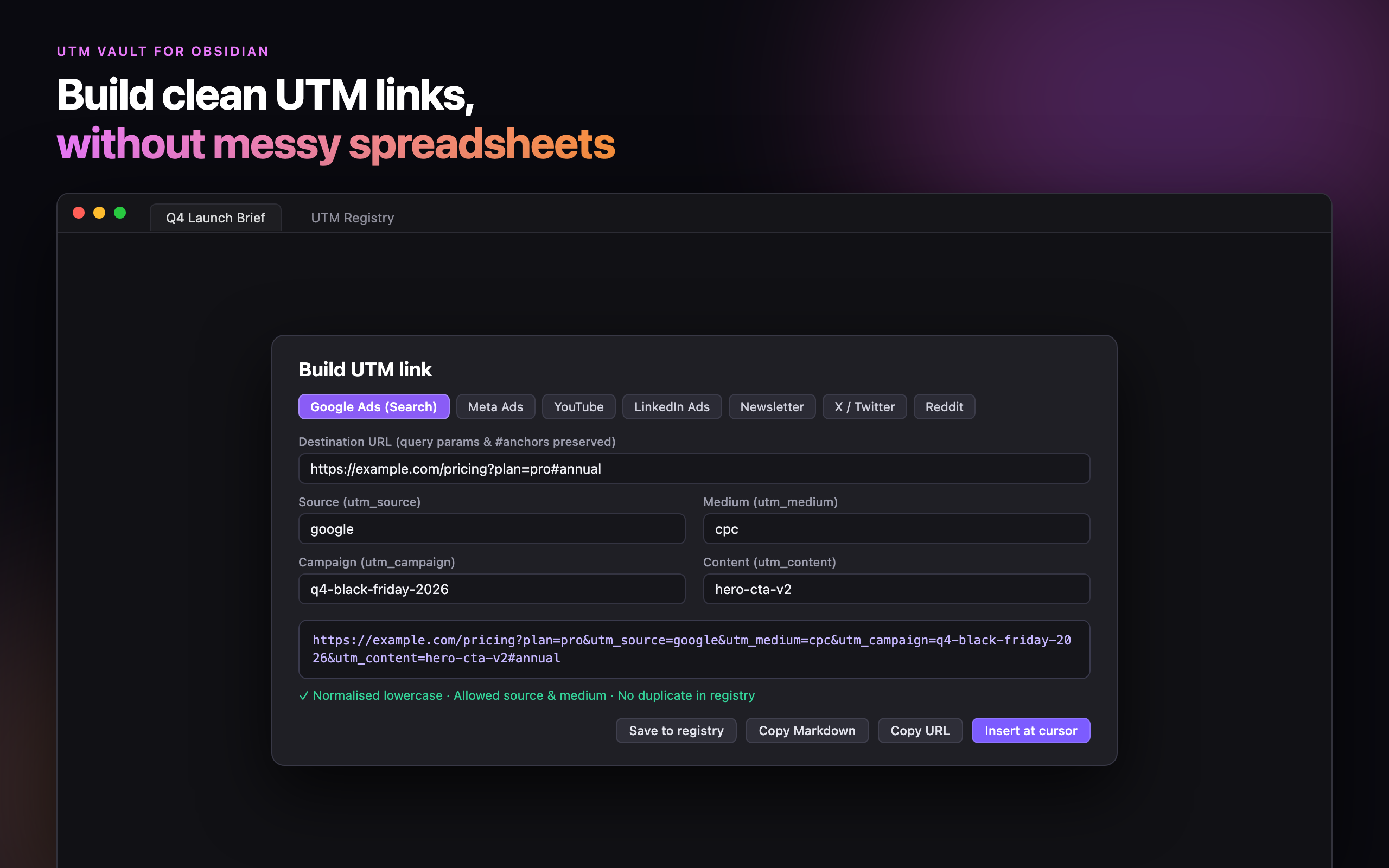
Build, normalise, validate and organise UTM tracking links right inside Obsidian — no messy spreadsheets required.
Features
- Channel presets: one-click presets for Google Ads, Meta Ads, YouTube, LinkedIn, Newsletter, X, Reddit and Affiliate (fully editable in settings)
- Strict normalisation: automatic lowercase, space-to-hyphen/underscore conversion, preserving existing query parameters and
#hashfragments without duplicating UTM tags - Live validation & duplicate detection: warns on missing required tags, non-standard sources/mediums, or links already in your registry
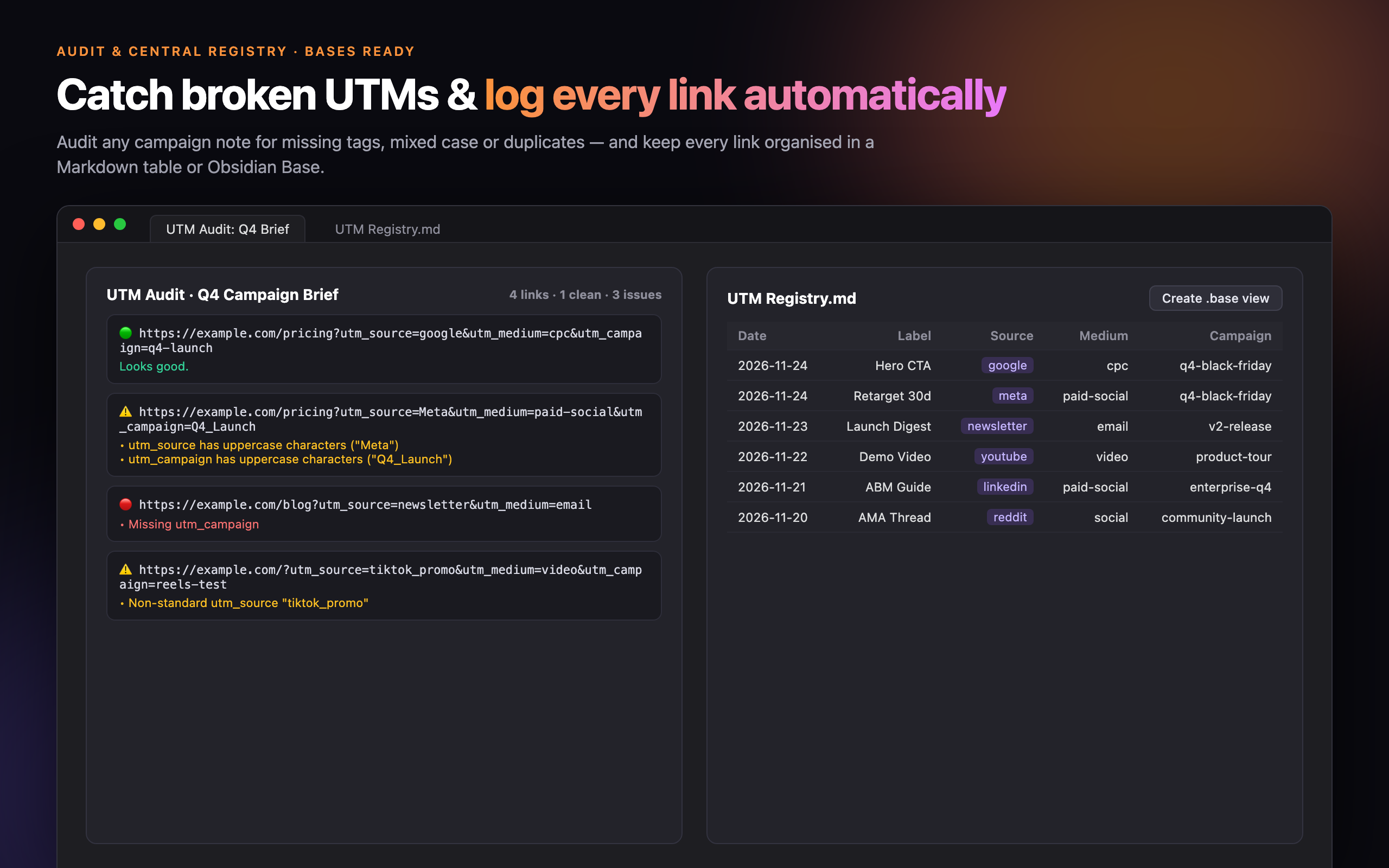
- Markdown registry: automatically logs every created link in a clean Markdown table (
UTM Registry.md) - Obsidian Bases mode: optionally creates one note per UTM link with YAML properties (
utm_source,utm_medium,utm_campaign,utm_url…) and includes a one-click command to generate a ready-to-use.baseview - Note UTM audit: scan any campaign brief or note for broken, inconsistent or duplicate UTM links
- Clipboard parser: parse and edit any existing UTM URL straight from your clipboard
- Works on mobile & zero external dependencies
Audit & Registry
Commands
| Command | What it does |
|---|---|
| Build UTM link | Opens the interactive UTM builder modal |
| Insert UTM link at cursor | Builds a UTM link and inserts it into the active note |
| Parse and edit UTM link from clipboard | Pre-fills the builder from a URL in your clipboard |
| Audit UTM links in current note | Checks all UTM URLs in the open note for errors and inconsistencies |
| Open UTM registry | Opens (or creates) your Markdown UTM registry table |
| Create Obsidian Base view (.base) for UTM links | Generates a .base table view for your UTM notes folder |
Privacy
UTM Vault makes zero network requests. Everything stays locally in your vault.
Install
Install manually by copying main.js, manifest.json and styles.css from the latest release to <vault>/.obsidian/plugins/utm-vault/ and enabling the plugin.
License
MIT © 2026 David (chi-li-peppers)
For plugin developers
Search results and similarity scores are powered by semantic analysis of your plugin's README. If your plugin isn't appearing for searches you'd expect, try updating your README to clearly describe your plugin's purpose, features, and use cases.