Vault Name
approvedby gapmiss
Display and customize the vault name (title) in the side navigation file explorer.
★ 6 stars↓ 2,412 downloadsUpdated 1mo agoMIT
Vault Name
An Obsidian.md plugin for customizing and displaying the vault name (title) in the side navigation file explorer, similar to pre 1.6.0 versions of Obsidian.
Pairs well with the Legacy vault switcher plugin.
Installation
Install from community.obsidian.md
From Obsidian's settings or preferences:
- Community Plugins > Browse
- Search for "Vault Name"
Manually:
- download the latest release archive
- uncompress the downloaded archive
- move the
obsidian-vault-namefolder to/path/to/vault/.obsidian/plugins/ - Settings > Community plugins > reload Installed plugins
- enable plugin
or:
- download
main.js,manifest.json&styles.cssfrom the latest release - create a new folder
/path/to/vault/.obsidian/plugins/obsidian-vault-name - move all 3 files to
/path/to/vault/.obsidian/plugins/obsidian-vault-name - Settings > Community plugins > reload Installed plugins
- enable plugin
Screenshots
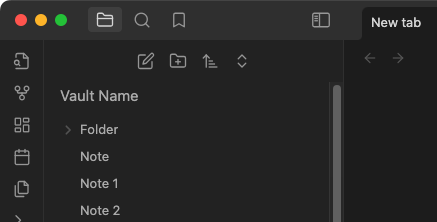
Default styling
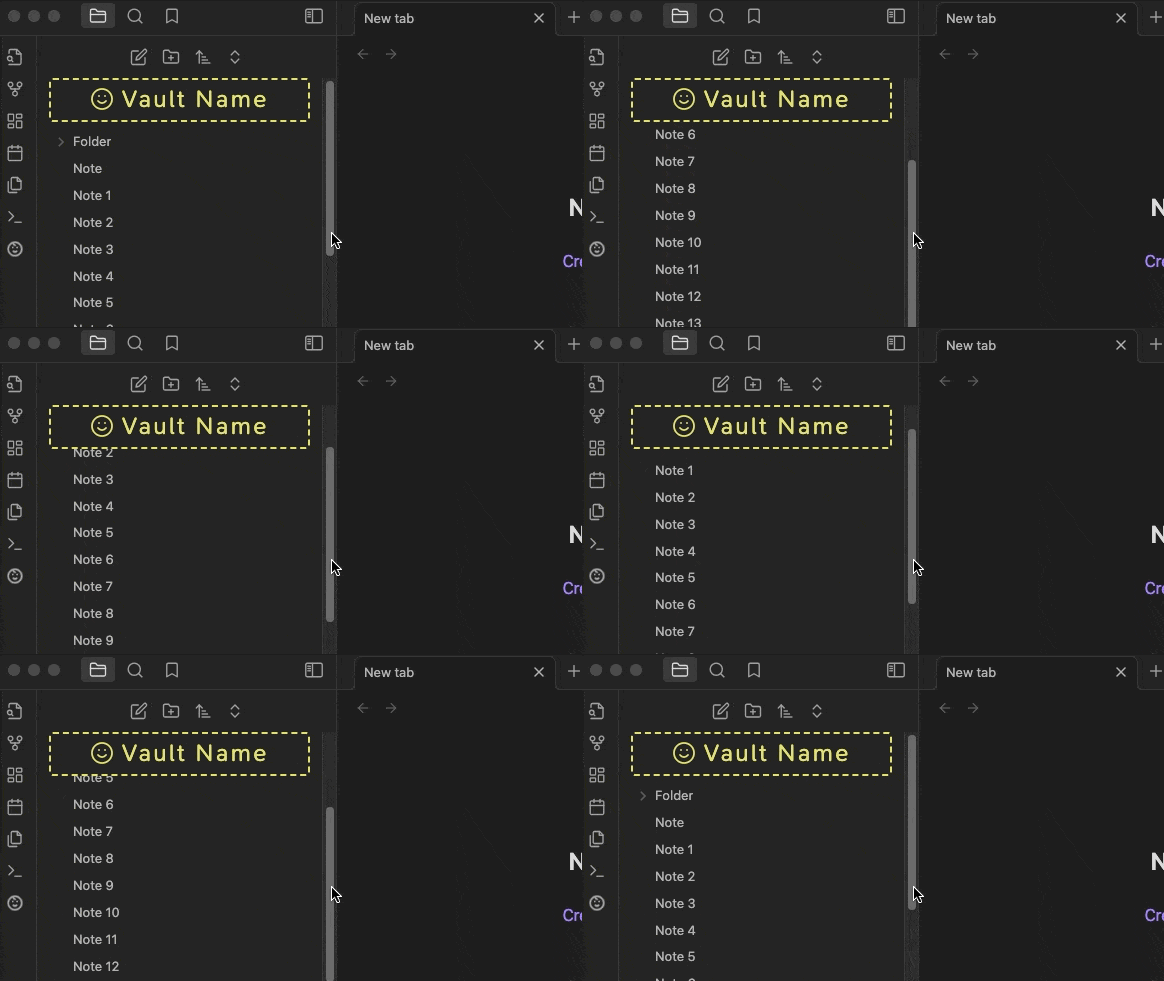
Customized styling with sticky position
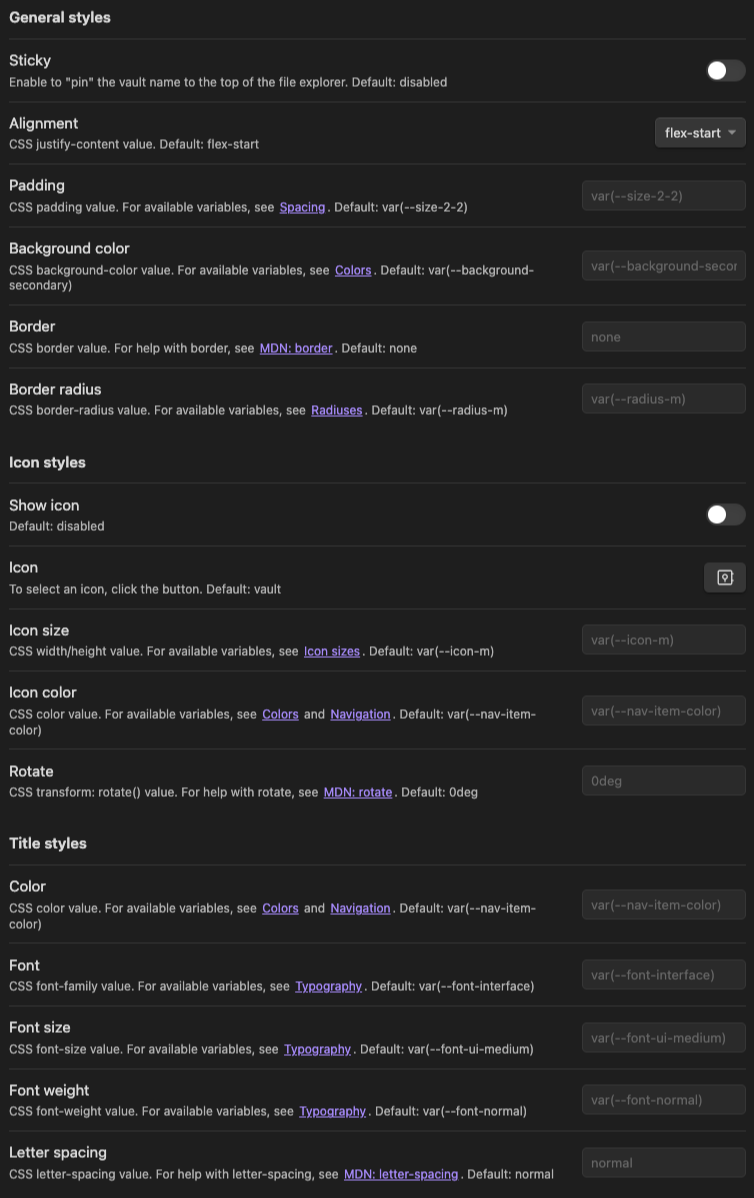
Settings tab
For plugin developers
Search results and similarity scores are powered by semantic analysis of your plugin's README. If your plugin isn't appearing for searches you'd expect, try updating your README to clearly describe your plugin's purpose, features, and use cases.