Version Control
approvedby Yuichi-Aragi
A local, snapshot-based version control system. Lets you create finite number of versions of any note.






Version Control for Obsidian
Not another Git wrapper. Not automatic backup. This is version control for your thoughts.
If you're a writer, a perfectionist, or someone who iterates through multiple drafts before finding the right words—this plugin was made for you. It's for those moments when you want to save something meaningful, not because a timer went off, but because you decided this version is worth keeping.
🎯 A Different Philosophy
Git is amazing, but it wasn't designed for writers. Git treats your entire vault as a single branch, but when you're writing, you don't want to version a folder—you want to version a note. A single piece of writing. A specific idea.
This plugin flips that model:
- Git versions folders → This plugin versions individual files
- Git treats a vault as a branch → This plugin treats each note as its own repository
- Git makes you leave the file to branch → This plugin lets you branch within the note
Think of it this way: you're writing a note about a complex idea. You want to explore two different angles—maybe a technical explanation vs. a philosophical one. With Git, you'd need to create separate files or switch branches. With this plugin, you branch your thoughts right there in the same note, each with its own independent history.
💡 The Core Philosophy: Conscious Milestones
At its heart, this plugin is about intentionality—saving versions when you decide they're worth saving. When you've reached a milestone. When you've captured something meaningful that you might want to return to later.
- For perfectionists: Save each iteration as you refine your ideas, without cluttering your vault with "Copy of..." files.
- For writers: Mark meaningful drafts ("First complete thought," "After research," "Final before rewrite") instead of generic timestamps.
- For thinkers: Branch your ideas to explore different directions, then merge back what works.
This intentional approach to version control is the core philosophy of this plugin—it's designed for people who want to be in control of their creative evolution.
But we also have your back. Alongside intentional Version History, this plugin offers an optional Edit History feature—automatic, passive snapshots that work in the background as a safety net. You get the best of both worlds: conscious milestones when you want them, and invisible protection when you need it.
🤝 Works With Git, Not Against It
Because this plugin operates at the file level (not the vault level), it plays perfectly alongside Git:
- Use Git to manage your vault structure, sync across devices, and track large-scale changes
- Use this plugin to manage the fine-grained evolution of individual notes, with meaningful milestones and experimental branches
No conflicts. No competition. Two complementary tools for different scales of version control.
📝 What This Plugin Supports
As of now, this plugin provides version control for:
- ✅ Markdown files (
.md) – Your notes, your writing, your ideas - ✅ Obsidian Bases (
.base) – Fully supported!
🚀 Key Features That Transform Your Workflow
💾 Save Intentional Snapshots
Create meaningful version milestones with custom names and descriptions. Save "First complete thought," "After research," "Final before rewrite" – exactly when YOU decide it's worth preserving.
🔍 Advanced Comparison (Diff) Engine
See exactly what changed between any two versions with multiple comparison modes.
- Side-by-Side View: Compare versions left and right (like standard developer tools).
- Unified View: See changes inline for a streamlined reading experience.
- Granular Diffs: Choose between Line, Word, Character, or Smart Diff to catch even the smallest modifications.
- Panel or Window View: Choose how you want to review changes.
🌿 Branch Within Same Note
Need to try a different direction within the same file? You can create multiple branches to work on parallel ideas.
Crucially, every branch is a fully isolated environment. When you switch branches, you aren't just changing the text; you are switching contexts. Each branch maintains its own independent:
- Timeline: An isolated chronological view for both history types within that branch.
- Settings: Unique configurations (retention, auto-save rules) specific to that branch.
- Edit History: Automatic background snapshots unique to that branch.
- Version History: Intentional milestones saved only within that branch.
🕰️ Timeline & Search
Don't remember in which version you made a specific change?
- Global Search: Search through the content of your history. The timeline lets you search diffs between all versions and edits to find that one paragraph you deleted three days ago.
- Visual Timeline: See your note's evolution as a chronological list with expandable details.
📊 Deep Statistics
Get granular insights into your writing progress.
- Track lines, words, and characters for every version and edit.
- Stats: View counts with or without Markdown syntax included.
- Dashboard Heatmap: Visualize your productivity with a contribution graph based on the number of versions/edits saved over time.
⚙️ Customizability
We give you more flexibility that we think you'll likely need, because your workflow is unique.
- Global Settings: Apply rules to all tracked notes.
- Per-Branch Overrides: Set specific settings, retention policies, or auto-save rules for individual branches or histories.
- Auto-Registration: Automatically start tracking any note based on criteria.
- Auto-Save Triggers: Configure saves based on a timer, number of lines changed, or file modification events.
📦 Efficient Storage & Compression
Want to keep your history forever without bloating your hard drive?
- Compression: Enable optional GZIP compression. Versions are compressed before saving to disk. (They remain accessible—just change the extension to
.gzand open the archive). - Sync-Friendly: Edit history is stored as compressed diffs in
.vctrlfiles, making them efficient to sync across devices.
📢 Automatic Changelog
Stay in the loop without checking the repo. The plugin features an automatic changelog view that appears on new updates, detailing exactly what has improved.
The Interface
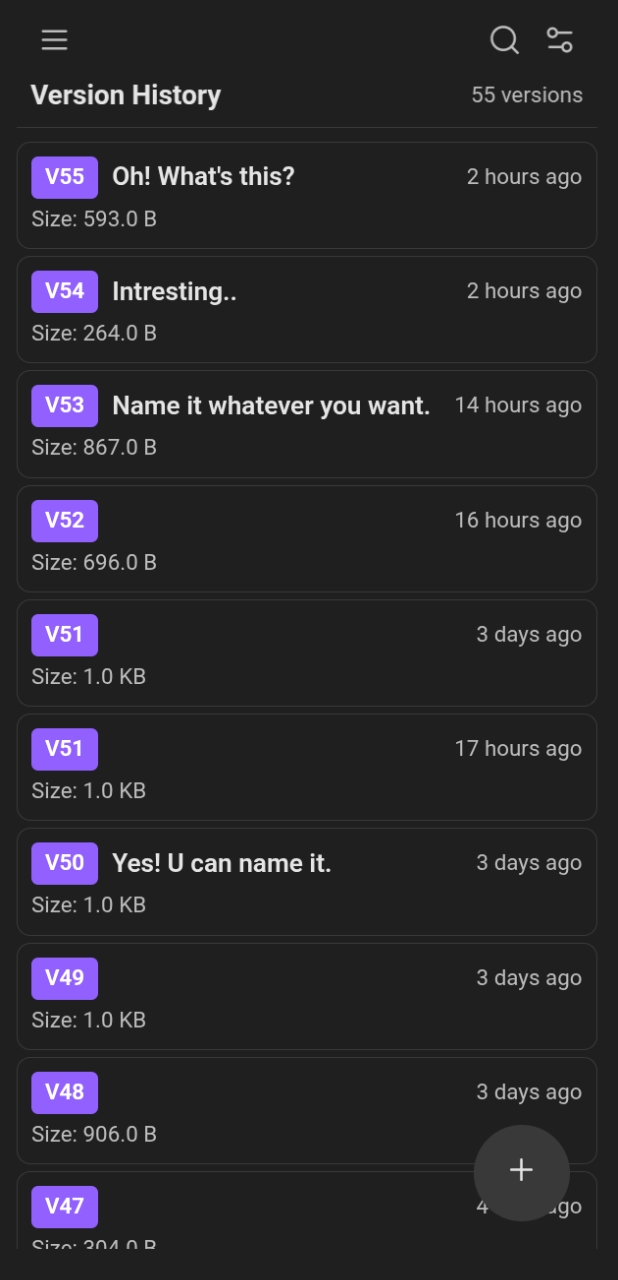
The plugin is designed to be intuitive and fit seamlessly with your Obsidian theme, whether you prefer light or dark mode.
| Card View (Light) | Card View (Dark) |
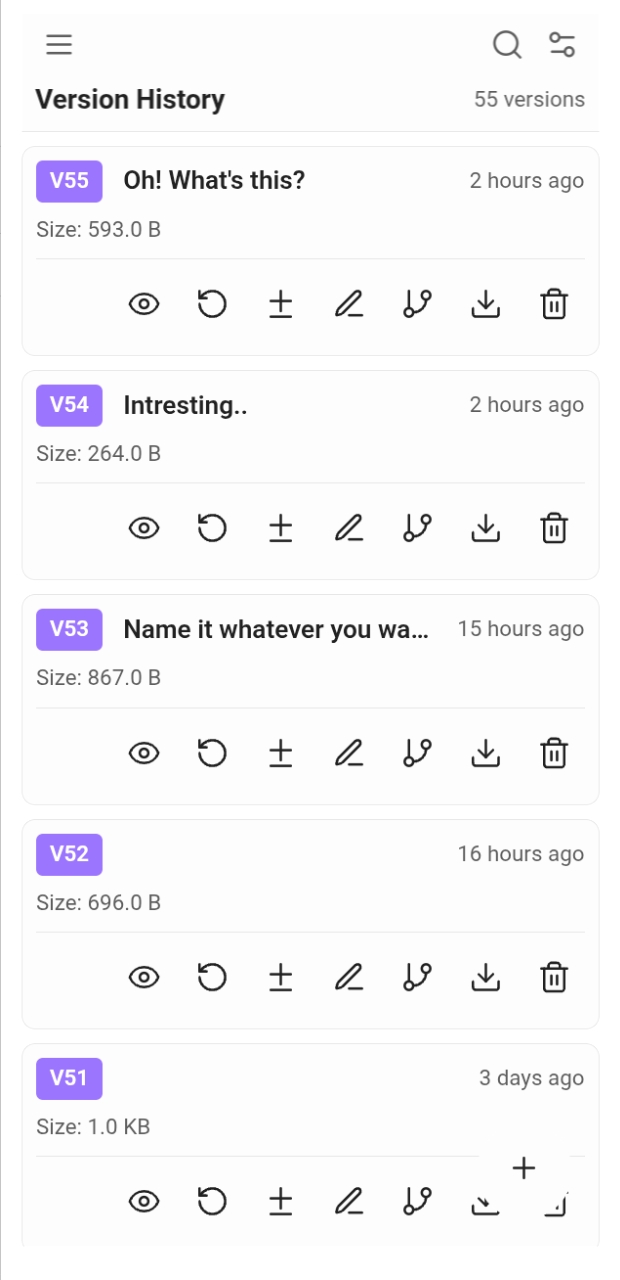 | 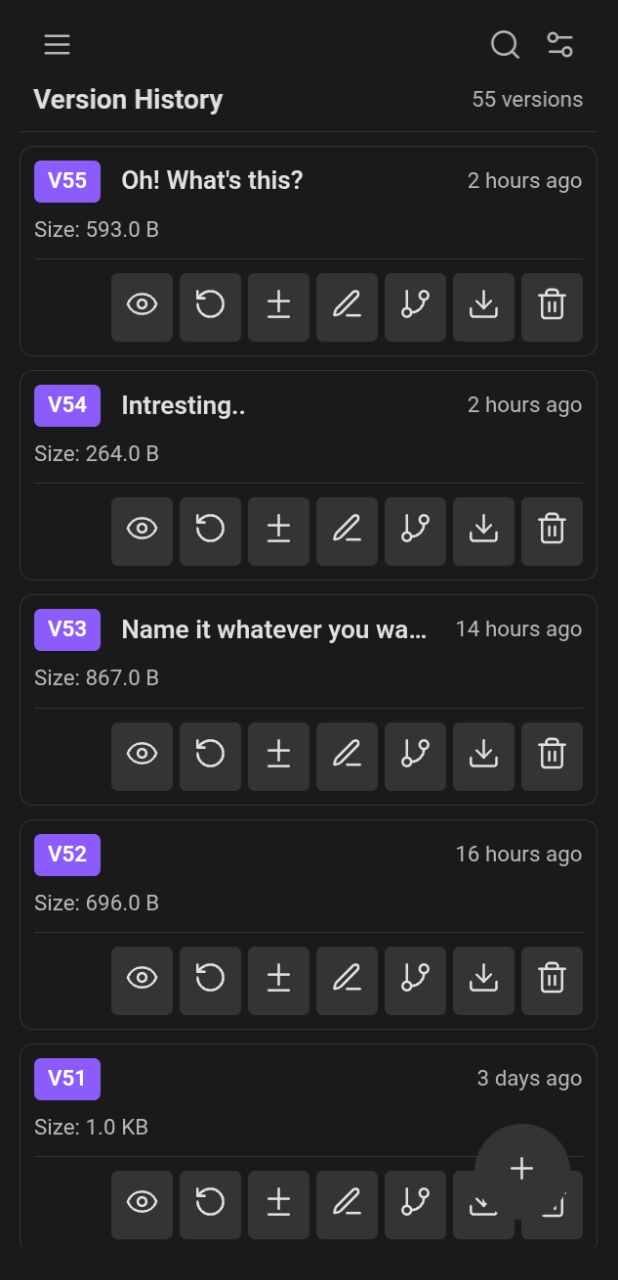 |
| List View (Light) | List View (Dark) |
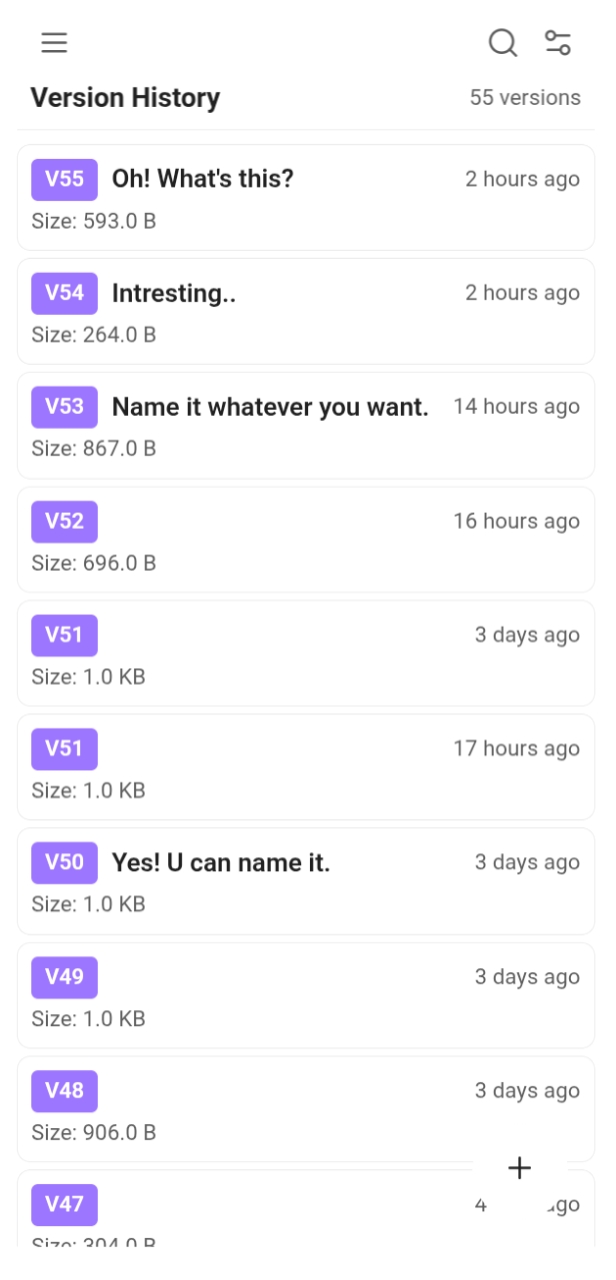 |  |
How is this different from Obsidian's File Recovery?
Obsidian File Recovery: A basic, passive safety net for "oops" moments.
Version Control (This Plugin): A comprehensive toolkit—intentional milestones for your creative workflow plus automatic edit tracking for peace of mind.
Here's the key differences:
| Aspect | File Recovery | This Plugin |
|---|---|---|
| Control | Automatic snapshots only | Manual, intentional milestones + automatic protection |
| Naming | No custom names | Meaningful names like "Brainstorming complete" |
| Search | None | Search text within diffs across history |
| Storage | Hidden internal DB | Accessible files (MD or compressed) |
| Features | Basic restore | Branching, Side-by-Side Diff, Timeline, Heatmap |
| Visibility | On-demand | Integrated into your daily workflow |
Two Types of History
This plugin offers two complementary approaches. Both are opt-in—you are in control.
🎯 Version History (Intentional Snapshots)
- When: Only when you explicitly choose to save (or via specific auto-save rules).
- Purpose: Creative milestones and meaningful drafts.
- Storage:
.versiondbfolder (in your vault). - Format: Full Markdown copies (optionally compressed).
- Best for: Perfectionists and conscious creators.
⏱️ Edit History (Automatic Snapshots)
- When: Based on your settings (timer, lines changed, modification).
- Purpose: Safety net and session recovery.
- Storage:
.vctrlfiles (in your vault). - Format: Compressed diffs. This is highly space-efficient and designed to be sync-friendly.
- Best for: "Oops" moments and seeing how you evolved.
Quick Start Guide
For immediate use:
- Save your first version: Click the
+button in the bottom-right corner. - Switch between histories: Click the menu button (☰) → "Edit/Version history".
- Access settings: Click the gear icon in the top-right corner.
- View timeline: Click the menu button (☰) → "Timeline".
- Create branches: Click the menu button (☰) → "Branches".
Platform Support
- ✅ Mobile (iOS & Android)
- ✅ Desktop (Windows, macOS, Linux)
⚖️ Open Source & Licensing
We believe in the freedom of software. This plugin's source code is available under the MIT License.
If you find that our vision doesn't perfectly align with yours, or if you want to make drastic changes to the core functionality, you are encouraged to fork the repository. Under the MIT license, you are free to modify, redistribute, and build upon this work—you don't even have to give credit to us. We want this tool to be a foundation for better versioning, however that looks for you.
🛠️ Maintenance and Contribution
This project is a passion project maintained by Yuichi Aragi and Lae Aragi. To keep our relationship with this community healthy and transparent, we want to be clear about how we view this work:
- Why we are here: I built this because I wanted it to exist, and I manage it because I want to. I am here because I want to be, not because I have to be.
- The "Ride": Software is ephemeral. Don't build your life around this plugin; rather than striving for obsessive future-proofing, enjoy the ride while it lasts.
- Status Updates: If I decide to abandon this project someday, you will know it immediately by looking at the status badge at the top of this README.
- What "Abandoned" means: Flipping the badge to "abandoned" isn't necessarily a sign of "I will never manage this plugin again." It simply means that, for the time being, you shouldn't expect support or updates. However, don't get your hopes high for a return.
- Contributions: We are not accepting code contributions or Pull Requests. We want to maintain a specific vision and code standard.
- Feedback: If you have Feature Requests, Issues, or Suggestions, please tell us. Open an issue on GitHub, and if it aligns with our vision, we will handle the implementation.
Download
To jump straight to the Version Control plugin in Obsidian, try this:
- Click the URI: Copy and paste or click this link, which should launch the app: obsidian://show-plugin?id=version-control
- Alternatively (Search): If the link doesn't work, go to your Obsidian Settings and search for 'Version-Control' in the Community Plugins list.
Final Thoughts
This plugin was born from my own workflow frustrations. As someone who constantly modifies and perfects the same note, creating many variations until I'm satisfied, I needed a solution that gave me control. Not vault-wide version tracking. Not hidden modals. Just simple, intentional milestones for my ideas—with the option for automatic protection when I want it.
If that resonates with you—if you're someone who wants to consciously manage how your thoughts evolve, while also having a safety net for those inevitable "oops" moments—then this plugin might be exactly what you need.
Made with ❤️ for writers, perfectionists, and conscious creators.
For plugin developers
Search results and similarity scores are powered by semantic analysis of your plugin's README. If your plugin isn't appearing for searches you'd expect, try updating your README to clearly describe your plugin's purpose, features, and use cases.