Vertical Tabs
approvedby oxdc
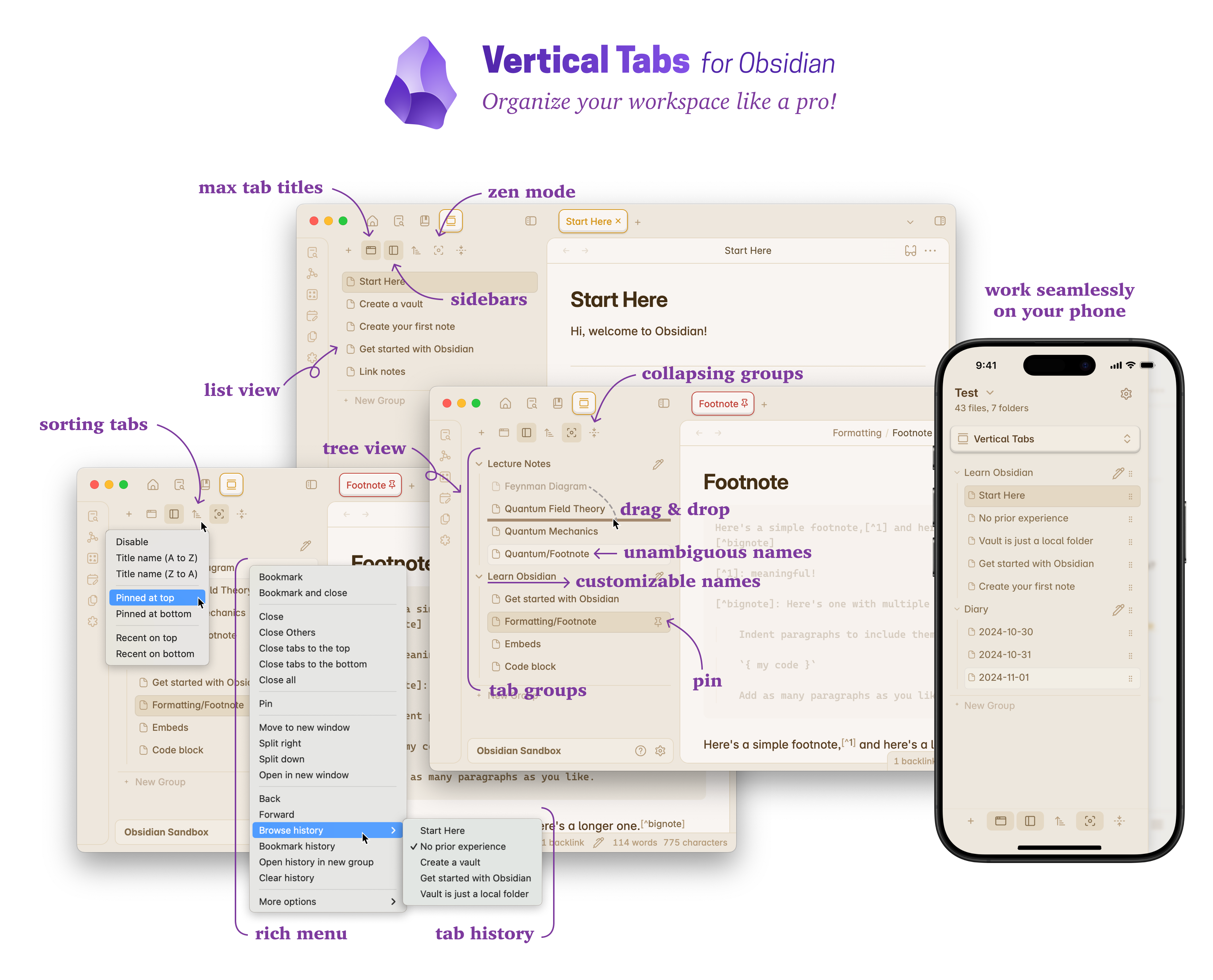
Offer an alternative view that displays open tabs vertically, allowing users to group and organize tabs for a better navigation experience.
Vertical Tabs for Obsidian
Subscribe to the Beta Program for exclusive early access to the latest updates!
Subscription ($1.99/m) is only required to download beta versions. Once installed, you may use it as long as you want.
To get started with Vertical Tabs, you can take a quick look at the feature tour to get a glimpse of all the features. If you want to jump right in and start using Vertical Tabs, the quick start guide is a good start point.
Productive users of Obsidian often find themselves juggling a large number of open notes, and the default horizontal tab layout can make it challenging to locate and switch between them. As more notes are opened, tabs become narrower, making titles harder to read. This can lead to decreased productivity and increased frustration.
Vertical Tabs offers a solution by introducing a vertical list of tabs, allowing users to group and organize tabs for more efficient navigation.
As the workspace manager for Obsidian, Vertical Tabs provides many handy features like per-tab zooming, zen mode, tab history browser, and an extended keyboard tab switcher. Additionally, it supports advanced tab navigation with customizable presets, such as IDE mode, which delivers a VSCode-like experience with ephemeral tabs and automatic tab deduplication. Users can also create personalized tab navigation strategies for finer control.





For plugin developers
Search results and similarity scores are powered by semantic analysis of your plugin's README. If your plugin isn't appearing for searches you'd expect, try updating your README to clearly describe your plugin's purpose, features, and use cases.