Media Embed
approvedby punkyard
Automatically converts pasted YouTube links into your preferred embed format on an empty line. - This plugin has not been manually reviewed by Obsidian staff.
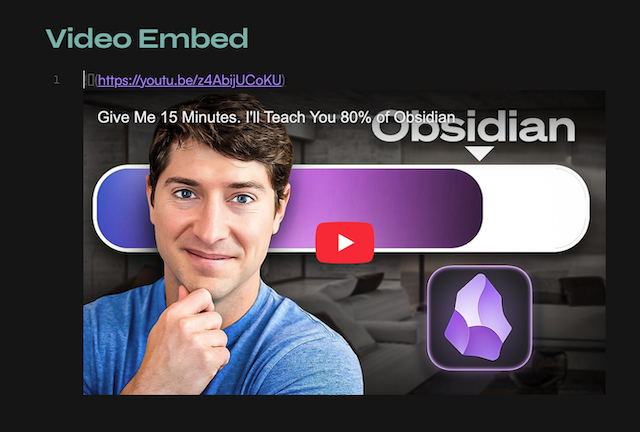
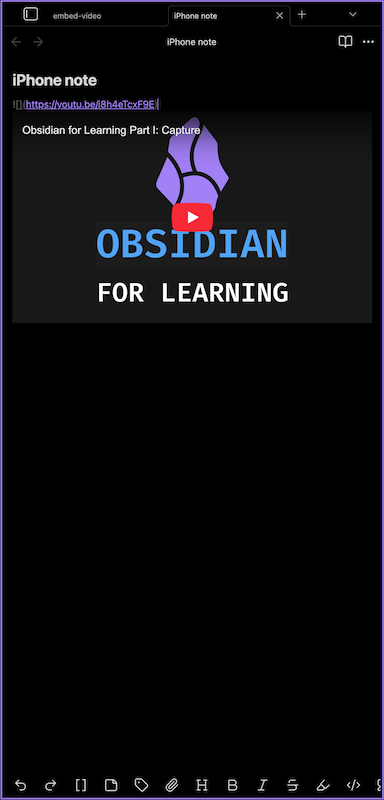
Simply paste a YouTube URL on an empty line in an Obsidian note and it's instantly converted into your preferred embed format (markdown, iframe or div).
⭐️ Roadmap unlocks with GitHub stars:
- 100 GitHub ⭐ : more video providers (Vimeo, Dailymotion, local files…)
- 1 000 GitHub ⭐ : auto-import video metadata (title, thumbnail) from URL
Features
- intercepts YouTube URLs pasted on empty lines
- youtu.be
- shorts
- embed URLs
- three preview options to choose from
- simple markdown
- responsive in iframe and div modes
- alternative embed server support for restricted videos
- toggle in settings to route embeds through an Invidious instance
- bypasses YouTube embed blocks (Error 153)
- configurable URL — swap instances if one is down
- works on desktop and mobile
Embed styles
Choose your preferred embed mode in Obsidian Settings... → Media Embed.
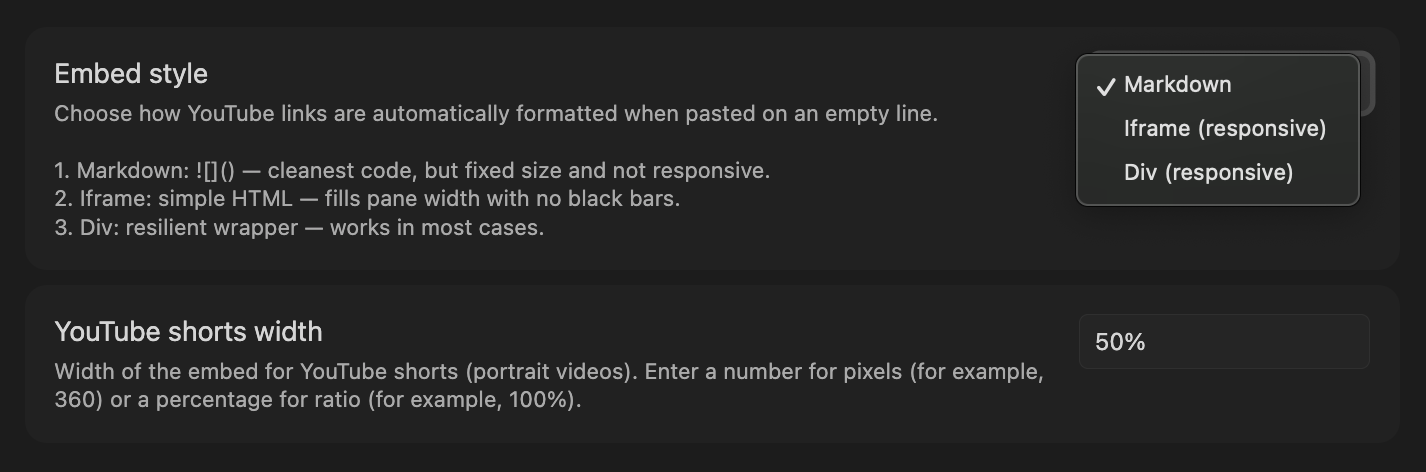
| Style | Output | Responsive |
|---|---|---|
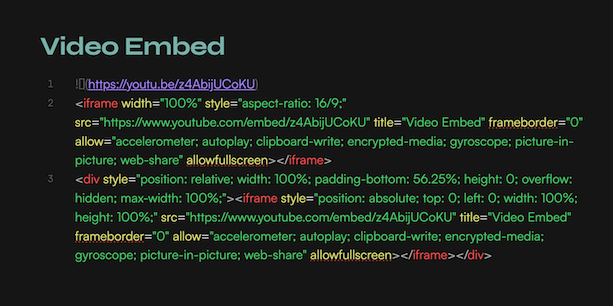
| markdown | ![]() | no — fixed size |
| iframe | <iframe ...> | yes — fills pane width |
| div | <div><iframe ...> | yes, in a frame — bulletproof |
Not sure which to pick? See pros & cons and edge-case guide.
Alternative embed server
Some YouTube videos have embedding disabled by the uploader. When pasted in iframe or div mode, they show a blank player (YouTube Error 153).
Enable Use alternative embed server in settings to route embeds through an Invidious instance instead.
Results in source mode:
Usage
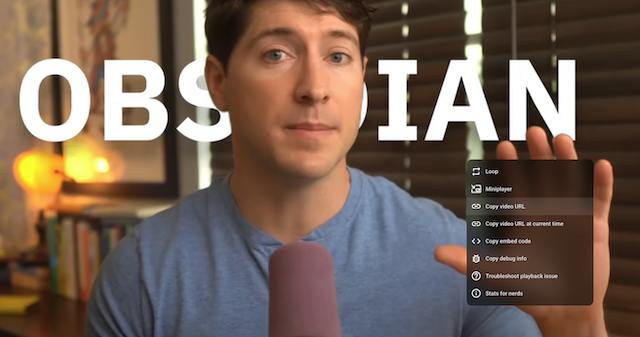
- copy YouTube video URL (right-click on it: Copy video URL)
- open any note
- place your cursor on a blank line
- paste the YouTube URL (
Cmd+V/Ctrl+V) - the URL is automatically replaced with the embed
Supported URL formats:
https://www.youtube.com/watch?v=...https://youtu.be/...https://www.youtube.com/shorts/...https://www.youtube.com/embed/...
Installation
From Obsidian Community Plugins
- open Obsidian Settings... → Community plugins
- disable
Safe modeif prompted - click
Browseand search forMedia Embed - install and enable the plugin
- open
Optionsand choose your preferred style (markdown, iframe, div)
Manual
- go to the latest release and download
main.jsandmanifest.json - create a folder
<your vault>/.obsidian/plugins/video-embed/ - place both files in that folder
- reload Obsidian and enable the plugin in Settings → Community plugins
Contributing
Found a bug or have a suggestion? You're welcome to open an issue. See CONTRIBUTING for development setup and pull request guidelines.
License
This project is licensed under MIT.
made with ⏳ by punkyard
For plugin developers
Search results and similarity scores are powered by semantic analysis of your plugin's README. If your plugin isn't appearing for searches you'd expect, try updating your README to clearly describe your plugin's purpose, features, and use cases.