YouTube Links
approvedby Yash Bavadiya
Paste YouTube links and they automatically expand into a readable link with the channel name and video title. - This plugin has not been manually reviewed by Obsidian staff.
YouTube Links




Paste a YouTube URL into any note and it instantly becomes a clean, readable link showing the channel name and video title, just like Notion does it.
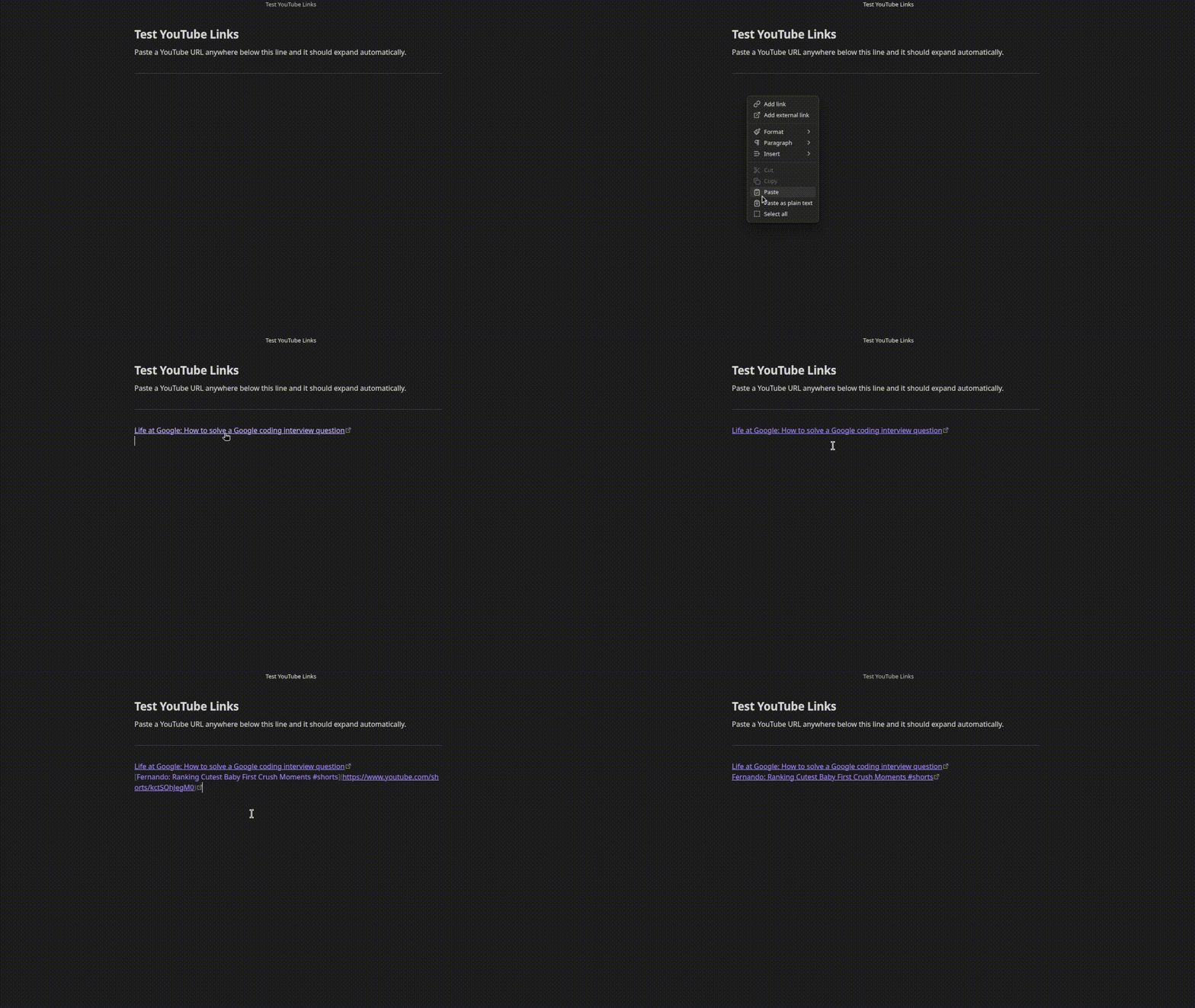
Before: https://www.youtube.com/watch?v=dQw4w9WgXcQ
After:  [Rick Astley: Never Gonna Give You Up](https://www.youtube.com/watch?v=dQw4w9WgXcQ)
No API key needed. Works with regular links, short links, and Shorts.
Supported URL formats
https://www.youtube.com/watch?v=...https://youtu.be/...https://www.youtube.com/shorts/...
Settings
Open Settings > YouTube Links to configure:
- Link format - choose between
Channel: Video Title, video title only, or embed the video inline - Show loading text - show
Loading...as a placeholder while the title is being fetched
Installation
Search for YouTube Links in Settings > Community plugins > Browse.
Manual
- Download
main.jsandmanifest.jsonfrom the latest release - Create a folder
.obsidian/plugins/youtube-links/in your vault - Copy both files into that folder
- Enable the plugin in Settings > Community plugins
Support
If this plugin saves you time, consider buying me a coffee or sponsoring on GitHub.

For plugin developers
Search results and similarity scores are powered by semantic analysis of your plugin's README. If your plugin isn't appearing for searches you'd expect, try updating your README to clearly describe your plugin's purpose, features, and use cases.