Youtube Iframe Timestamps
approvedby nilsleo
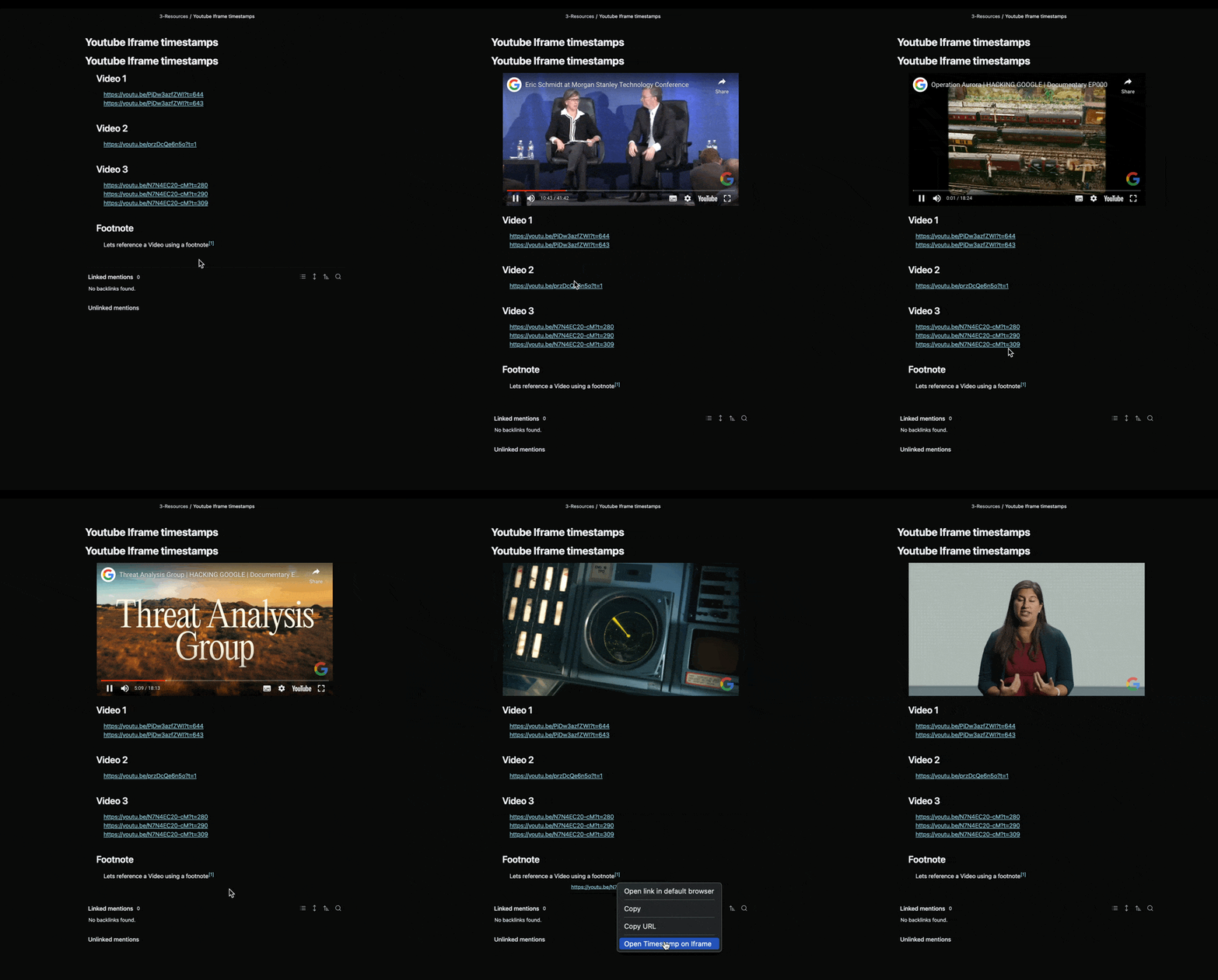
Allows you to embed YouTube videos with timestamps directly in your notes, enabling seamless referencing and note-taking without needing to open a separate browser window.
YouTube Iframe Timestamps Plugin for Obsidian
This Obsidian plugin allows you to embed YouTube videos with timestamps directly in your notes, enabling seamless referencing and note-taking without needing to open a separate browser window.
Demo
Features
• Automatically embeds YouTube videos with timestamps in an iframe inside Obsidian
• Quickly jump to specific video timestamps by clicking on the YouTube links
• Helps you stay focused while taking notes, especially for video-heavy workflows.
Prerequisites:
Limitations
[!IMPORTANT] As of right now, Iframes only show up in the Reading View when the Editing mode is set to Source mode.
For one-off usage go into editing mode, open the command Palette and click on
Toggle Live Preview/Source modeTo switch to Source mode by default, go to
Settings → Editor → Default editing modeand set it toSource mode
Installation
To install this plugin:
- Download the latest release (the main.js and manifest.json )files from https://github.com/NilsLeo/obsidian-youtube-iframe-timestamps/releases and place them in an empty folder
- Copy the folder to them to your Obsidian vault under the
./.obsidian/pluginsdirectory. - Restart Obsidian or reload the plugins under Settings → Community Plugins.
- Enable the plugin by going to Settings → Community Plugins, and toggle on the “YouTube Iframe Timestamps” plugin.
Alternatively, when available in the Community Plugin marketplace, you can install directly from there.
Usage
Embedding YouTube Videos with Timestamps
To use this plugin, create a note with YouTube links that include timestamps. You will also need an empty
Viewing Timestamps
Here’s an example markdown note that uses YouTube links with timestamps:
<div id="video-player" class="video-player"></div>

## Video 1
https://youtu.be/PjDw3azfZWI?t=644
https://youtu.be/PjDw3azfZWI?t=643

## Video 2
https://youtu.be/przDcQe6n5o?t=1

## Footnote

Let's reference a video using a footnote[^1].

[^1]: https://youtu.be/N7N4EC20-cM?t=279
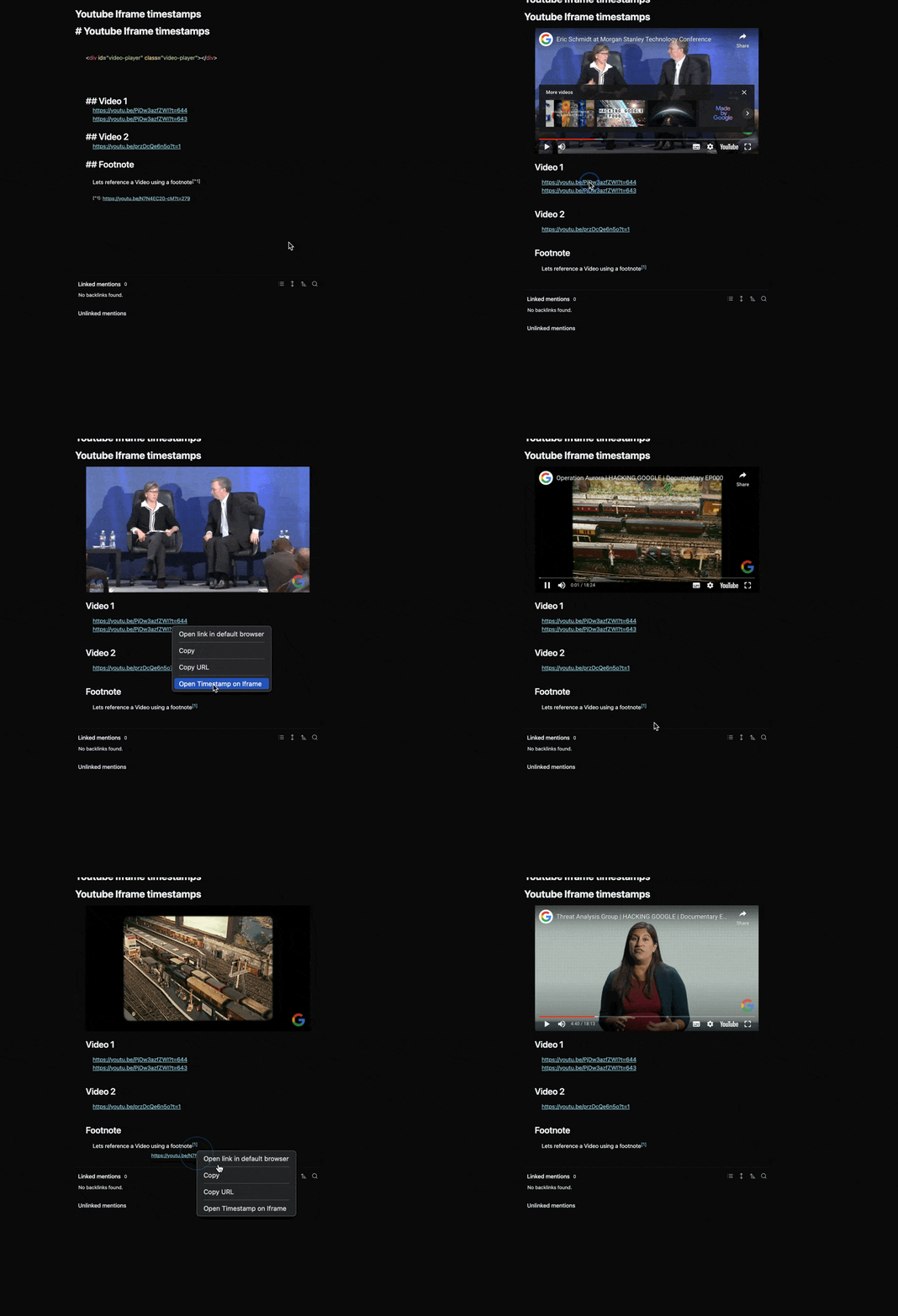
Once the note is created, right-click on any YouTube link and select “Open Timestamp on Iframe.” The video will be loaded inside the iframe at the specified timestamp.
Adding Timestamps to YouTube Links
To add a timestamp to a YouTube link:
- Navigate to the desired time in the YouTube video.
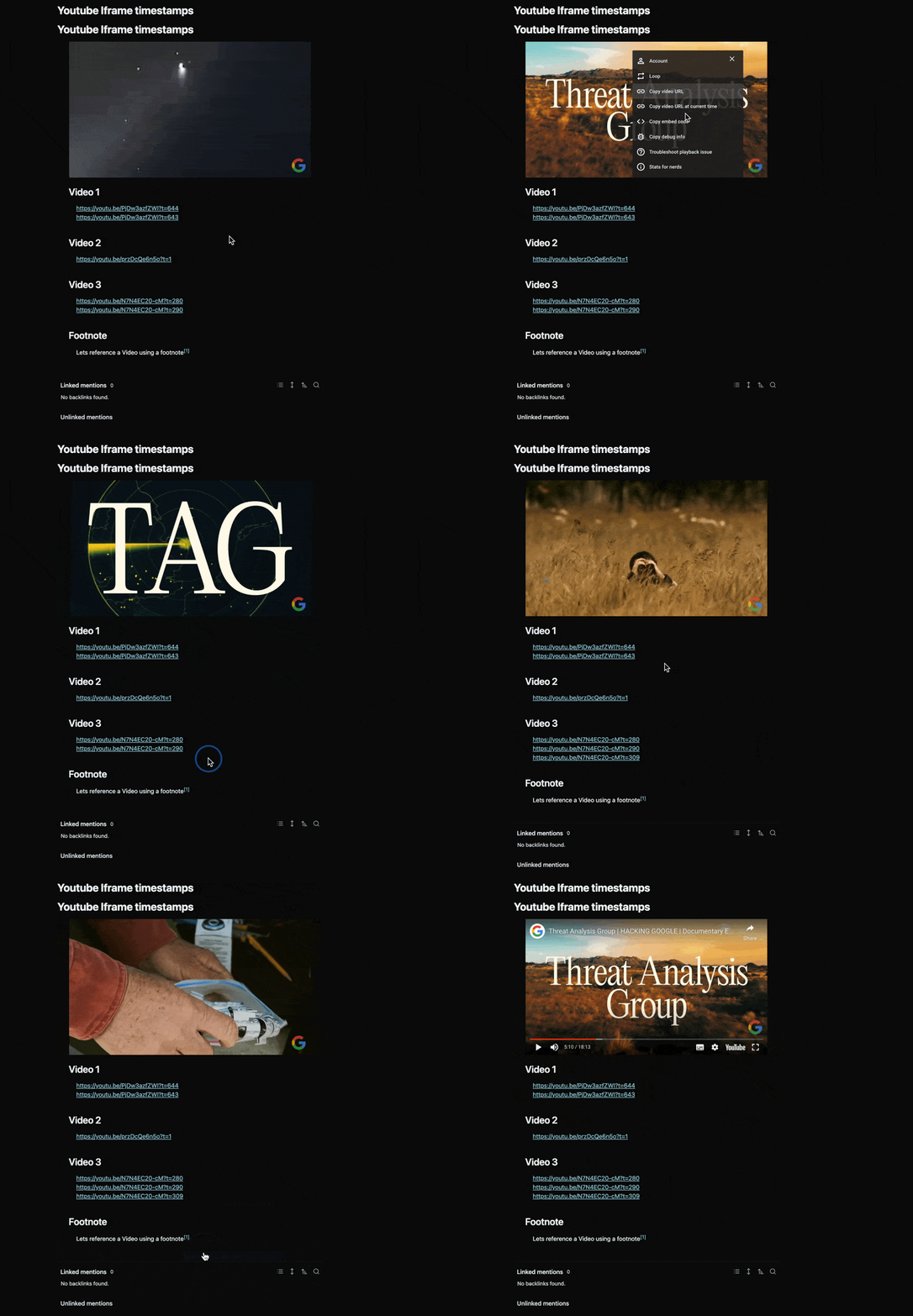
- Right-click on the video player and select Copy video URL at the current time.
- Paste the link into your Obsidian note.
This will allow you to jump to the specific time in the video directly from Obsidian.
Development Setup
If you are interested in contributing or tweaking this plugin:
- Clone the repository.
- Run npm install to install dependencies.
- Use npm run dev to start development mode.
- For production builds, run npm run build.
Attribution
https://github.com/gajus/youtube-player - This package facilitated the integration of the YouTube iframe API
For plugin developers
Search results and similarity scores are powered by semantic analysis of your plugin's README. If your plugin isn't appearing for searches you'd expect, try updating your README to clearly describe your plugin's purpose, features, and use cases.