by Daniel Bösch
Run terminals, coding agents and dev servers as live tiles on your canvas. They keep running in tmux when you close Obsidian.
Vivarium
Live programs on your Obsidian Canvas.
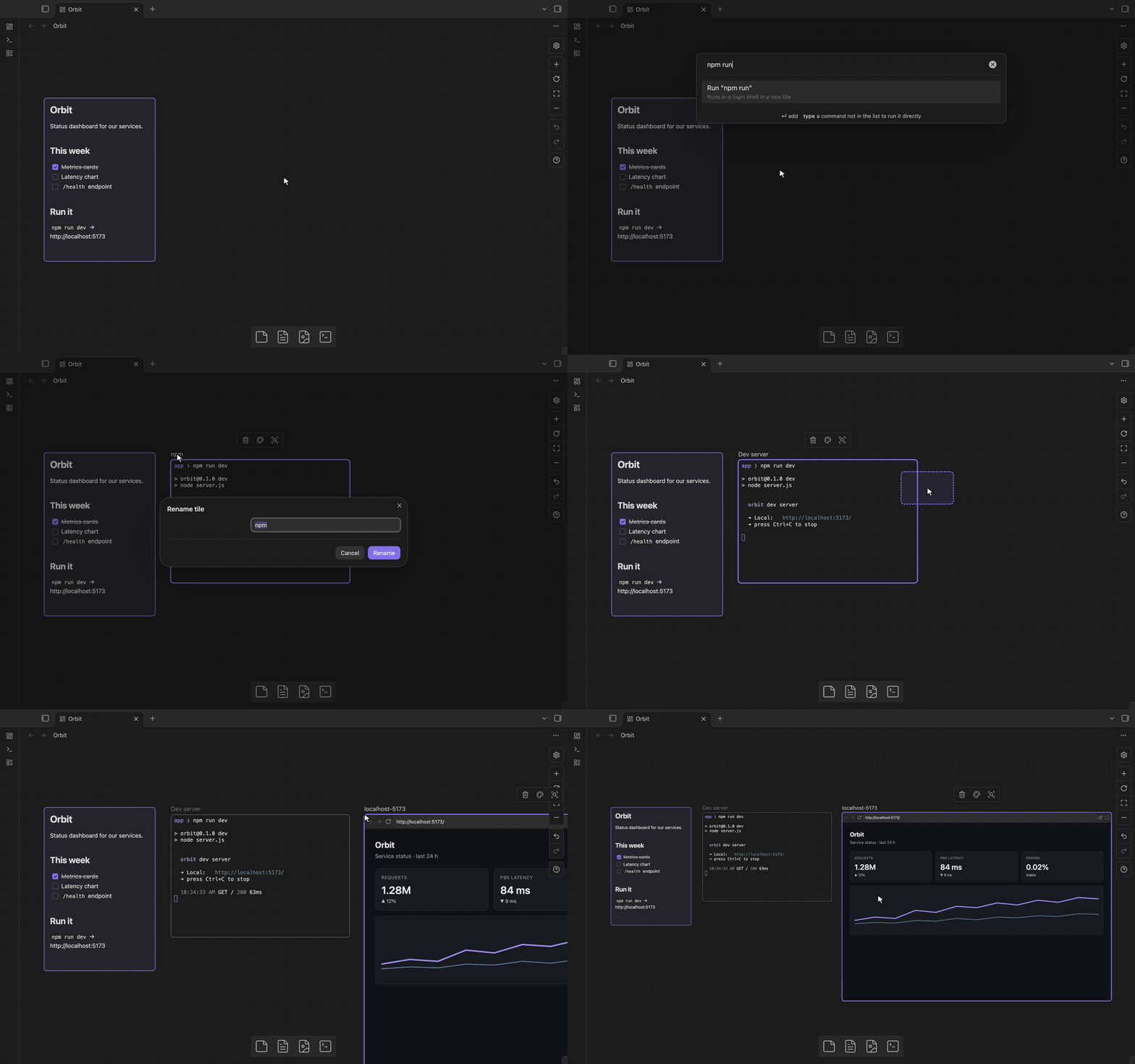
Vivarium puts terminals, coding agents, dev servers and web pages on a canvas, next to your notes. They keep running when you close the canvas or quit Obsidian.
Note: This project was built for personal use. The highest priority was a working prototype, quickly, so AI was used extensively. If that makes you uncomfortable, please don't use it.
Features
- Terminal tiles run any command (
zsh,claude,codex,npm run dev,htop) in a real terminal. - Web tiles show a page, like the app your dev server is serving.
- After a reboot or crash, tiles start again where they were. Claude Code and Codex tiles resume their own conversation.
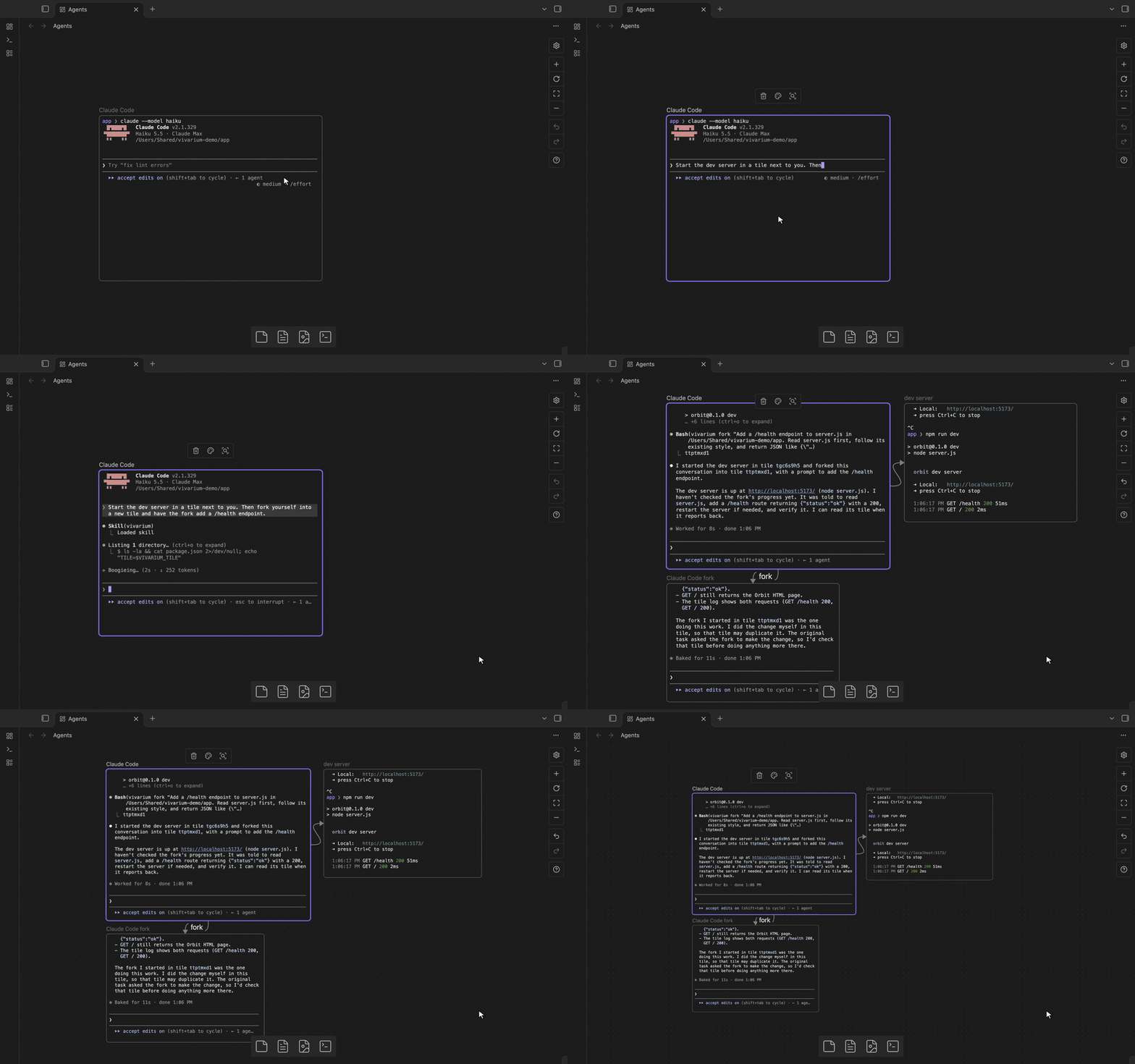
- Coding agents in a tile can open tiles next to themselves, fork their conversation into a new tile, and read or type into other tiles:
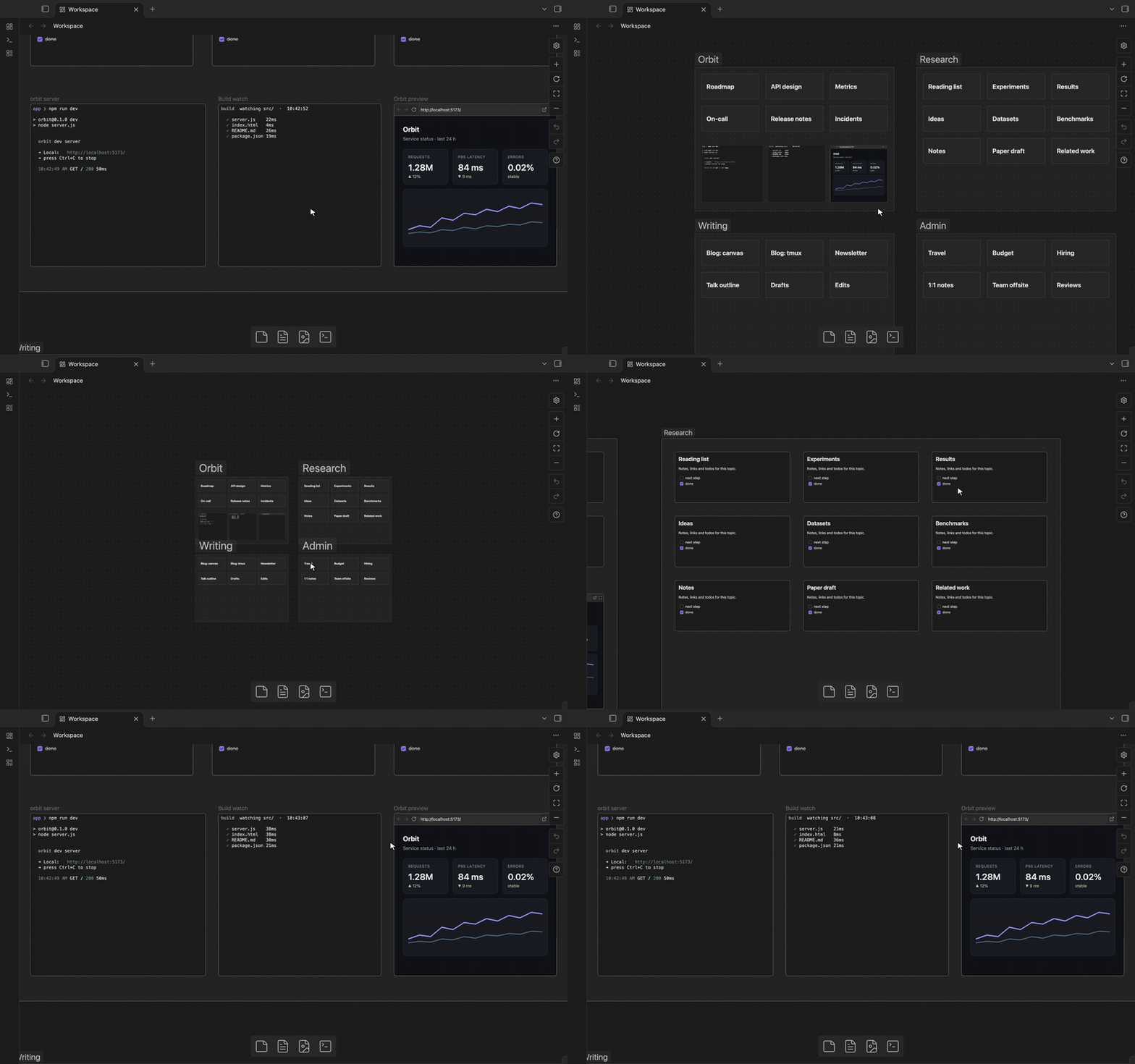
- Zoomed out, card titles stay readable:
Install
You need Obsidian 1.8.7+ on macOS or Linux, and tmux (brew install tmux or sudo apt install tmux).
Vivarium isn't in the community plugin directory yet. To build it from source (needs Node 20+):
git clone https://github.com/Encrux/vivarium.git && cd vivarium
sh scripts/update.sh ~/path/to/your/vault
Then turn on Vivarium in Settings → Community plugins. To update, run sh scripts/update.sh again
and turn the plugin off and on.
Usage
Right-click an empty spot on a canvas and choose Add program…, or use the >_ button in the
canvas toolbar. Type a command or a web address.
- Click a tile to select it, click again to type into it.
- Double-click a tile's name to rename it.
- Each tile is a small file in
Vivarium/. Delete the file to stop the program. - In a terminal every key goes to the program, except Obsidian's shortcuts (Cmd on macOS, Ctrl+Shift on Linux).
- Programs keep running when you close Obsidian. Stop all programs in the command palette ends them.
Agents
Turn on Let coding agents use the canvas (Vivarium asks once, or in Settings). Agents running in
a tile then get a vivarium command and a skill that explains it:
vivarium add -- npm run dev          # start a program in a new tile next to mine
vivarium fork "try it with SQLite"   # continue this conversation in a new tile
vivarium send <tile> "npm test" --wait
vivarium read <tile>
Codex asks before each use because of its sandbox. Settings → Coding agents can allow the commands that only read or arrange the canvas.
Git and sync
Committing your vault with its tiles is fine, for example as a backup. A tile file holds the command, not the running program, and a tile that arrives through a pull or sync doesn't start until you press its Start button. Don't put secrets into commands or URLs, since those are saved in the tile files.
What Vivarium does outside your vault
Obsidian asks plugins to list this. Vivarium needs it because programs run outside Obsidian, in tmux.
| What | Where | When |
|---|---|---|
| Runs your tiles' commands in tmux | tmux server -L vivarium (keeps running after you quit Obsidian) | always |
Remembers which program and conversation each tile runs, for restoring after a restart. Every 10 seconds it lists your processes (ps), reads Claude Code's session files (~/.claude/sessions) and which files Codex has open | Obsidian's local storage, per device | always |
| Saves recent terminal output | ~/.vivarium/snapshots (readable only by you) | setting, on by default |
Local socket for the vivarium command | ~/.vivarium/<vault>-<id>.sock (only you can connect) | always |
The vivarium command | ~/.vivarium/bin, linked from ~/.local/bin | only with the agent setting |
| Agent skill | ~/.agents/skills/vivarium, ~/.claude/skills/vivarium | only with the agent setting |
| Codex rule (fewer prompts) | ~/.codex/rules/vivarium.rules | only with that setting |
| tmux in its own systemd scope (Linux) | your user's systemd | setting, off by default |
Network: Vivarium itself contacts no servers and has no telemetry. Web tiles load the pages you open in them; text typed into a web tile's address bar that isn't an address is searched on DuckDuckGo.
To undo all of it: run Remove files installed outside the vault and Stop all programs from the command palette, then uninstall the plugin.
Platforms
| Platform | Support |
|---|---|
| macOS | Supported* |
| Linux | Supported, tested on Ubuntu 26.04 |
| Windows | Not supported, no tmux (#3) |
| Obsidian mobile | Not supported |
On Linux, web tiles are less tested than on macOS, and programs can keep running through a logout
(setting, plus loginctl enable-linger).
Roadmap
Ideas, not scheduled. Comments welcome on the issues.
- App tiles: other programs' windows on the canvas. Built and working on the
app-tilesbranch, left out of the plugin because they need native helper programs and screen-recording permissions - Several people working on one canvas (#1)
- Continue a tile on another machine (#2)
- Windows support (#3)
More
- How it works: architecture, performance, crash recovery, git details, caveats
- Contributing: building, testing, releasing
Vivarium is MIT licensed and includes xterm.js (MIT, see notices).
*Inspired by FlutterFlow's Campus. If you're using MacOS, your experience will be much better using Campus
For plugin developers
Search results and similarity scores are powered by semantic analysis of your plugin's README. If your plugin isn't appearing for searches you'd expect, try updating your README to clearly describe your plugin's purpose, features, and use cases.