Wave TOC
Wave TOC turns the active note's outline into a compact floating navigation rail beside the document. Move across the ticks to preview headings and nearby content, follow the current section while scrolling, or jump directly to any heading—without giving up sidebar space.
Designed for long notes, it stays accurate in both Editing and Reading views and keeps the interaction calm: scrolling changes only the active color, while the smooth wave animation appears on hover.
Requires Obsidian 1.13.0 or later.
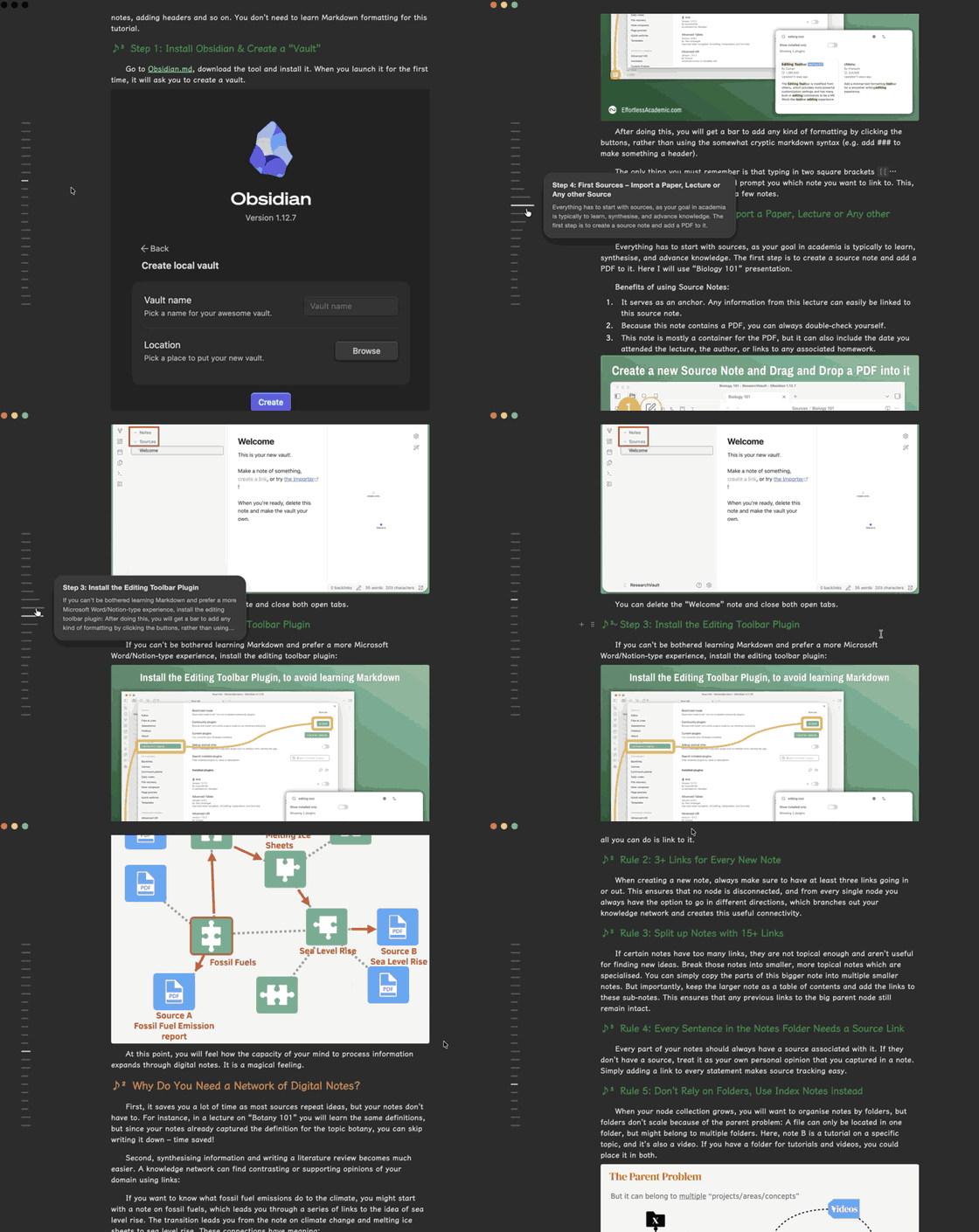
Highlights
- Floating H1–H3 rail inside the active note
- Smooth multi-tick hover wave and heading bubble
- Theme-aware or custom highlight color with a fading gradient across neighboring ticks
- Optional hover-card previews: title only, first paragraph, or a locally extracted section summary
- Current section indicated by color without changing tick length
- Configurable navigation: follow the pointer or jump only after click
- In Editing view, hovering scrolls the note without moving the cursor or clearing the selection
- Direct tick clicks and taps work without hovering first
- Long outlines scroll within the rail, and hovering generates the selected preview on demand
- In Editing view, choose scroll or cursor tracking. Reading view always follows scrolling
- Local heading search with hierarchy and line numbers to distinguish duplicate titles
- Localized settings with Chinese and English interfaces
- Searchable settings through Obsidian's native settings search
- Stable Obsidian 1.14 setting identities, so renamed or reordered settings keep reliable search references
- Source-line-accurate heading navigation in Editing and Reading views, including virtualized long notes
- Local heading parsing for Markdown files opened from outside the vault in Obsidian 1.14
- Window-aware animation and event handling for pop-out notes
- Automatic updates when headings change
- System-preferred text sizing for readable hover cards on mobile and with accessibility scaling
- Configurable side, automatic RTL-aware placement, heading depth, and rail height
Jump to a heading
Run Wave TOC: Jump to heading from the command palette, or assign it a shortcut in Settings → Hotkeys. Type to filter the current note’s headings, then press ↑/↓ and Enter or choose a result directly. On touch screens and when the rail overflows, the list button below the rail opens the same picker.
Build
npm install
npm run build
Copy manifest.json, main.js, and styles.css into:
<Vault>/.obsidian/plugins/wave-toc/
Then reload Obsidian and enable Wave TOC under Community plugins. Highlight color, hover-card content, navigation, and scroll-tracking behavior can be changed under Settings → Wave TOC. The settings interface is available in Chinese and English.
Privacy
Wave TOC works locally inside Obsidian. It does not send note content to external services, collect telemetry, show ads, or require an account.
Acknowledgements
Functional research for this independent implementation included Next TOC and Floating TOC. No source code or assets from those projects are included in Wave TOC.
Wave TOC is an independent project and is not affiliated with or endorsed by OpenAI.
License
MIT © 2026 Hanser
For plugin developers
Search results and similarity scores are powered by semantic analysis of your plugin's README. If your plugin isn't appearing for searches you'd expect, try updating your README to clearly describe your plugin's purpose, features, and use cases.