by marchell
Move, delete, and select one word at a time in languages that do not use spaces (e.g. Chinese, Japanese, Thai, etc.)
↓ 53 downloadsUpdated 15d agoMIT
Word Segmentation
Move, delete, and select one word at a time in languages that do not use spaces.
In Japanese, Chinese, Thai, and similar scripts, words run together. Obsidian’s default editor treats a whole sentence as one word. This plugin uses the browser’s built-in word segmenter so each word stands on its own.
Demo
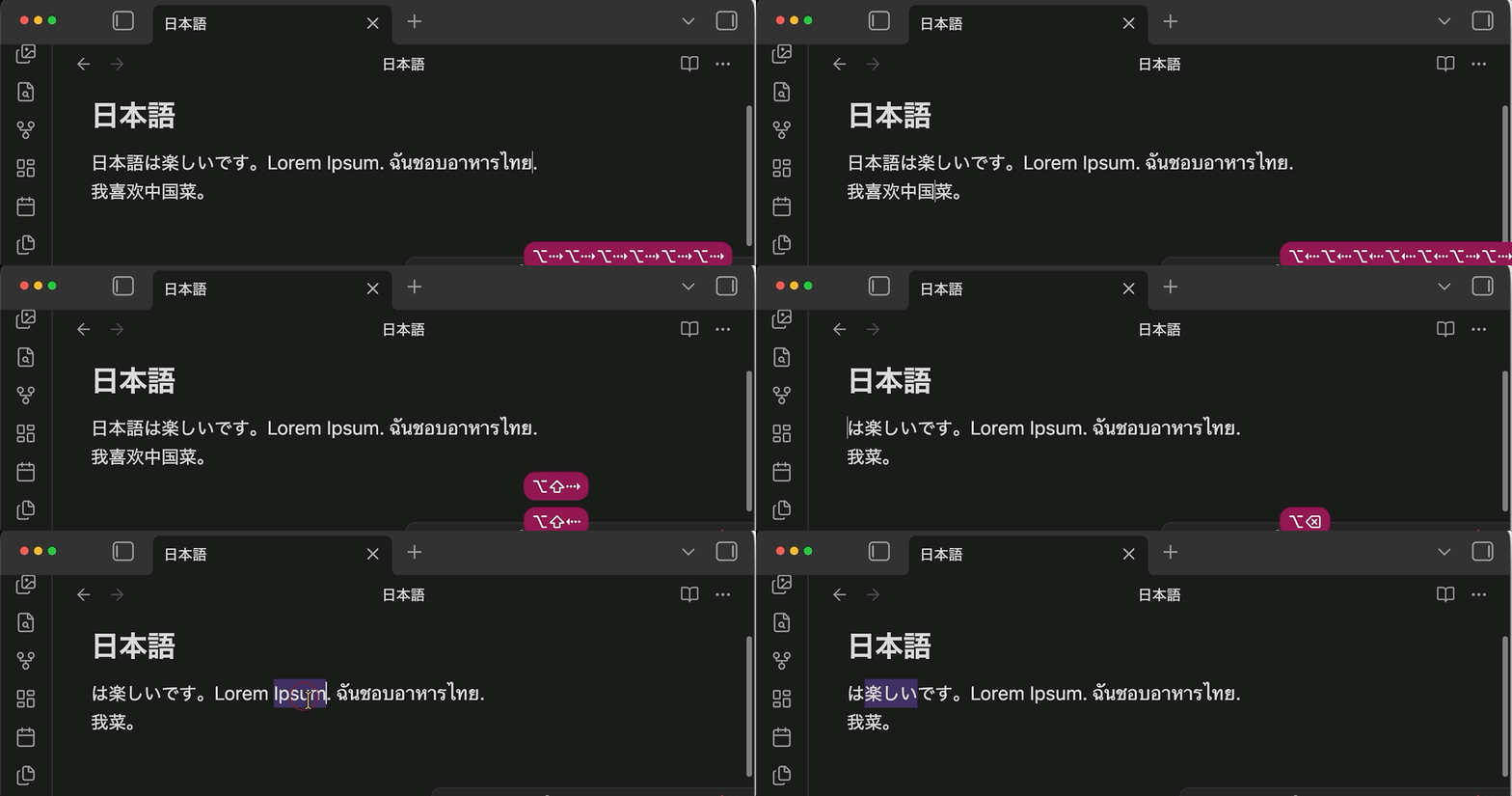
word move, word delete, and double-click.
Why you’ll like it
- Real words in Japanese, Chinese, Thai, Lao, Khmer, and Burmese
- Every word shortcut you already use: move, select, delete back, delete forward — Option on Mac, Ctrl on Windows and Linux
- Double-click (and double-tap on phone and tablet) selects one word
- Works with several cursors at once
- English and other space-separated languages behave exactly as before
- Zero setup: no settings, no downloads, fully offline, tiny
Shortcuts
| Action | macOS | Windows / Linux |
|---|---|---|
| Move by word | Option+Left / Option+Right | Ctrl+Left / Ctrl+Right |
| Select by word | Option+Shift+Left / Option+Shift+Right | Ctrl+Shift+Left / Ctrl+Shift+Right |
| Delete previous word | Option+Backspace | Ctrl+Backspace |
| Delete next word | Option+Delete | Ctrl+Delete |
| Select word | Double-click or double-tap | Double-click or double-tap |
Install
- Open Settings → Community plugins
- Select Browse, search for Word Segmentation
- Install and enable
License
MIT — see LICENSE.
Docs
For plugin developers
Search results and similarity scores are powered by semantic analysis of your plugin's README. If your plugin isn't appearing for searches you'd expect, try updating your README to clearly describe your plugin's purpose, features, and use cases.