by xinn
Bilingual Qwen assistant that reads your vault: understand, organize, and integrate your notes.
希XI
A bilingual (中文 / English) Qwen assistant that lives inside your Obsidian vault — understand, organize, and integrate your notes.
双语 Qwen 笔记助手:用你自己的模型网关,理解、整理、整合你的整个知识库。 回答带引用角标,点击直达原文;整理只出建议(或在白名单文件夹内半自动写入), 永不静默修改你的笔记。
What it does
Three tabs in one sidebar panel:
| Tab | Tools | Writes to your notes? |
|---|---|---|
| Chat 对话 | Multi-session chat (new / switch / rename / delete, survives restarts; each session remembers its own context scope); vault-wide Q&A with [1][2] citation chips that jump to the source note and section; per-note anatomy (summary / key concepts / open questions); selection "Ask Xi" without leaving the note | No |
| Organize 整理 | Related notes (similarity-scored, one-click [[link]]), semantic search (chunk-level hits), tag suggestions (prefers your existing tag vocabulary), near-duplicate detection | Tag suggestions only — auto inside whitelisted folders, one click to apply elsewhere |
| Integrate 整合 | Compare 2–10 notes (consensus / divergence / complementary), merge notes into a structured draft with per-point sources, knowledge-gap analysis ("what is my vault missing to answer this?") | Only when you click "create note" |
All UI strings are fully bilingual — switch language in the sidebar header or in settings (it can also follow your Obsidian locale).
Requirements
- Obsidian 1.12.7+ (desktop or mobile)
- Any OpenAI-compatible endpoint with a chat model and an embedding model.
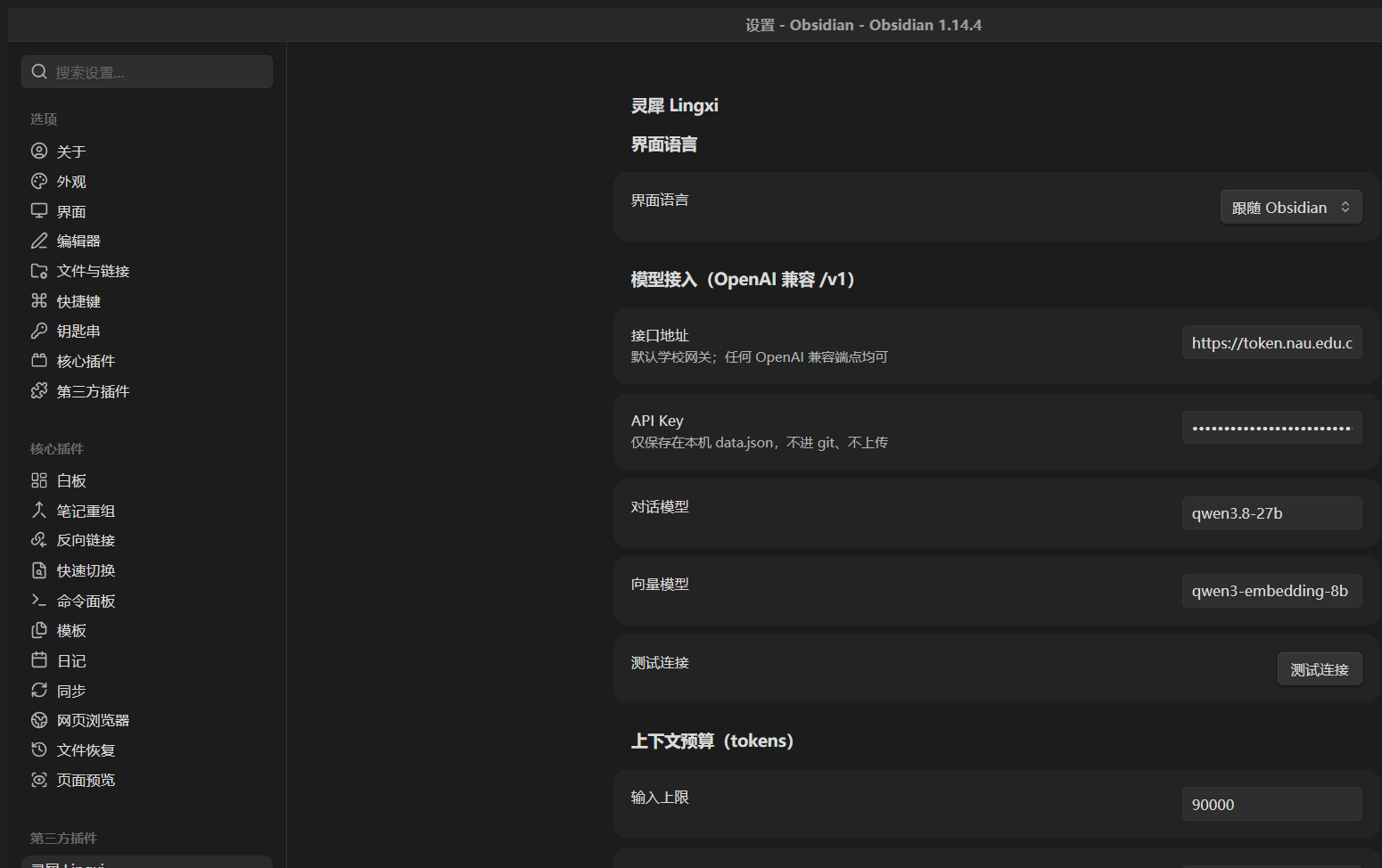
Defaults are pre-filled for a campus gateway (
qwen3.8-27bchat +qwen3-embedding-8bembeddings) — change the base URL, models, and key in settings. Ollama, LM Studio, vLLM, DashScope-compatible mode, one-api/new-api gateways all work.
Install
Community plugin store: search for 希XI or Xi after the submission is merged.
Manual: copy main.js, manifest.json, and styles.css into
<your vault>/.obsidian/plugins/xi-qwen/, then enable the plugin in
Settings → Community plugins.
Beta via BRAT: paste this repo URL into the BRAT plugin.
First run
- Settings → 希XI → paste your API key (stored locally in
data.json, never leaves your machine except to your endpoint). - Command palette → Rebuild Xi index (one-time; afterwards it syncs incrementally as you edit).
- Open the sidebar (ribbon icon) → set context to 全库检索 / Whole vault → ask away.
Privacy
- Notes are sent only to the endpoint you configure — there is no third-party service, no telemetry, no account.
- The embedding index is cached locally in
.obsidian/plugins/xi-qwen/cache.json. - The plugin never edits notes silently: outside your whitelisted "auto-organize" folders every change is a suggestion you apply yourself.
Development
npm install
npm run dev        # esbuild watch → main.js
npm run build      # tsc --noEmit + production bundle
npm test           # vitest (core logic, HTTP mocked — no network needed)
Architecture: src/core/ is pure TypeScript with zero Obsidian imports (indexing, RAG, vector store, LLM/HTTP via injected transport, prompt builders/parsers) so it unit-tests in plain Node; src/obsidian/ holds the Obsidian-facing glue (views, ports, settings).
License
MIT © Zhe
中文说明
希XI 是一个住在 Obsidian 侧边栏里的双语 Qwen 助手,分三个标签页:
- 对话:多会话管理(新建/切换/重命名/删除,重启后恢复,每个会话记住自己的上下文范围);
全库问答,回答带
[1][2]引用角标,点击直达来源笔记与段落; 也可针对当前笔记做结构解剖,或对选中文字即问即答。 - 整理:相关笔记(带相似度,一键插入双链)、语义搜索(按段落命中)、 标签建议(优先复用你已有的标签)、近似重复检测。
- 整合:多篇对比(共识/分歧/互补)、主题合并(生成带来源标注的草稿)、 知识缺口分析。
隐私:笔记只会发送到你亲自配置的接口;无遥测、无账号;索引缓存在本库内。 写入边界:白名单文件夹外的任何改动都只是建议,点一下才写入 frontmatter。
开发:核心逻辑(src/core/)零 Obsidian 依赖,可在 Node 下单测;
配套开发文档(计划/决策/踩坑/测试记录)见仓库 docs/ 目录。
For plugin developers
Search results and similarity scores are powered by semantic analysis of your plugin's README. If your plugin isn't appearing for searches you'd expect, try updating your README to clearly describe your plugin's purpose, features, and use cases.