YouHaveBeenStaring
approvedby fxal
Add a status bar indicator showing how long your vault has been open.
Obsidian Plugin YouHaveBeenStaring
This is a plugin for Obsidian (https://obsidian.md).
It tells you in natural language in the status bar for how long your vault is open (since how long ago the plugin was loaded). Also for how long you had your vault open in total, but that's optional.
A sweet, short and subtle reminder that you might want to take a break from staring at your screen 🧐.
Features
- Show for how long you've been staring at your vault since startup of obsidian in the status bar
- Show total staring time (measured in increments of 1s whenever the plugin is active) in the status bar
- Allow customization of display text
You have been staring at your vault for $amount(both total and current staring duration) - Starting and stopping of the counter with a ribbon button
- Saving of the staring time is done every 10 minutes as well as on every settings change, when unloading the plugin and when starting/stopping the counter via the ribbon icon to prevent too many disk writes
- Allow actual time (days, hours, minutes, etc.) to be used in the status text instead of only the humanize output of the duration
TODO
- Implement
take a breakreminders, configurable - Add visualization for staring time, similar to github activity
- Enhance status bar text by allowing templating
Deprecated
Allow calculating the current staring duration from midnight today, if the startup was earlier than midnight today
How to install
You can find this plugin in the official third party obsidian plugins
For downloading from this repo:
Simply download and install this plugin in your .obsidian/plugins folder.
Then restart your Obsidian instance, navigate to "Settings -> Third-party plugins" and enable "YouHaveBeenStaring".
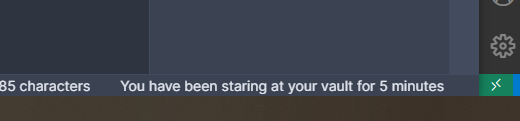
You will see the time since when you've been staring at your vault in the lower right status bar.
For plugin developers
Search results and similarity scores are powered by semantic analysis of your plugin's README. If your plugin isn't appearing for searches you'd expect, try updating your README to clearly describe your plugin's purpose, features, and use cases.