Thumbnails
approvedby meikul
Insert YouTube thumbnails into your notes.


Obsidian Thumbnails
This plugin lets you insert video thumbnails into your notes to help you keep track of what you're actually linking.
Works with Youtube and Vimeo.

Usage
Use the "Insert thumbnail from URL in clipboard" command
OR
Manually place a code block with the vid type, and include the link to your video:
```vid
https://youtu.be/dQw4w9WgXcQ
```
Commands
Insert thumbnail from URL in clipboard
If you have a video URL in your clipboard, this command will create the code block for you.
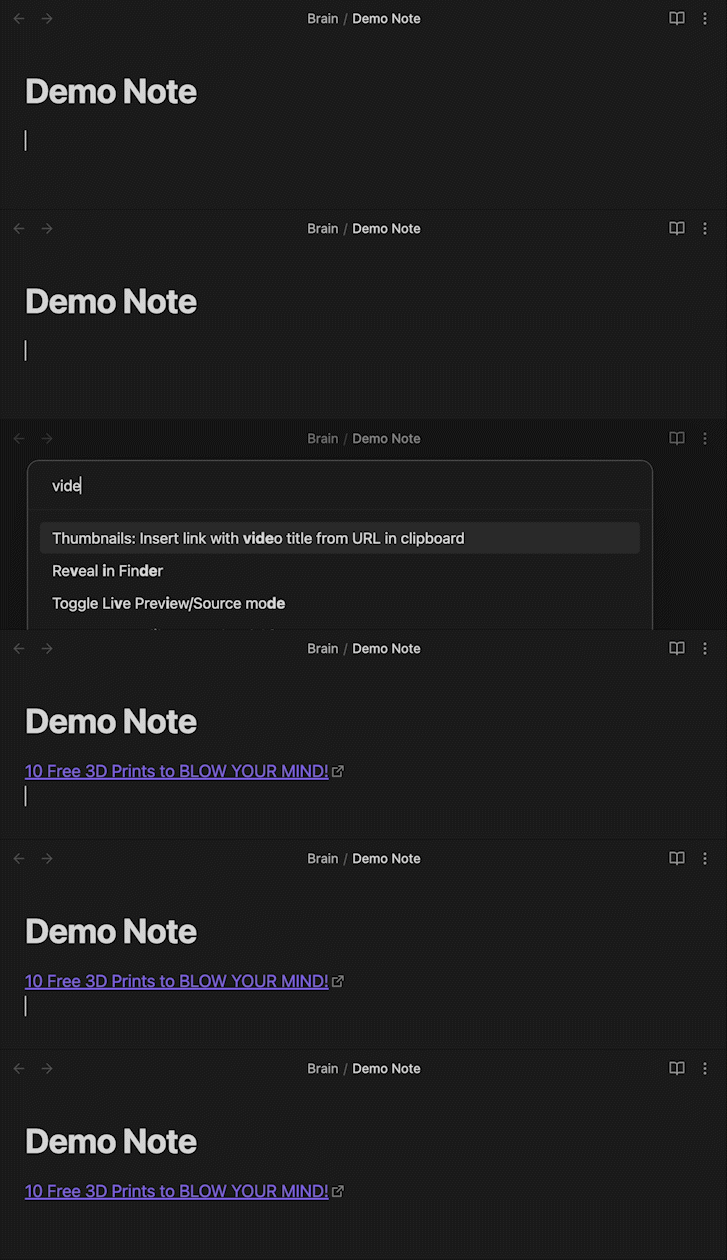
Insert video title link from URL in clipboard
If you have a video URL in your clipboard, this command will automatically create a link with the text set to the video title.
Offline Settings
Save Thumbnail Info
Default: Enabled
When offline, thumbnails will have blank images but still show the title and channel.
Save Images
Default: Disabled
Store your thumbnail images locally in a location you specify.
For plugin developers
Search results and similarity scores are powered by semantic analysis of your plugin's README. If your plugin isn't appearing for searches you'd expect, try updating your README to clearly describe your plugin's purpose, features, and use cases.