by Tiffany Iong
Choose dates and times for note Properties with a cozy paper-style picker.
Animal Island Calendar
A cozy paper-style date and time picker for Obsidian note Properties. Works on its own, and coordinates with Animal Island Cozy.
Related theme: Animal Island Cozy
For matching app palettes, ribbon titles, paper backgrounds, tables, code blocks and tags, use the Animal Island Cozy theme. See its installation and style guide, 繁體中文 guide, and Obsidian theme listing.
Install the theme and calendar separately. This plugin works without the theme; the theme works without the plugin. Combining them also enables the theme’s independent settings-language choice when Style Settings is installed. Report calendar issues in this repository and theme styling issues in the theme repository.
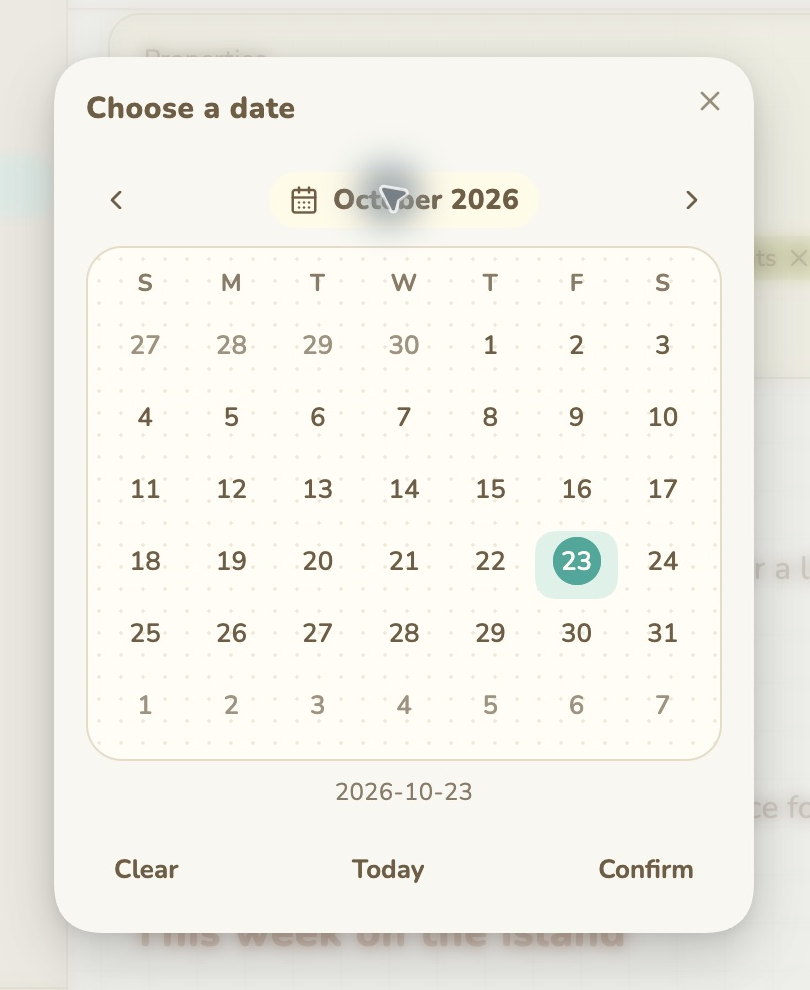
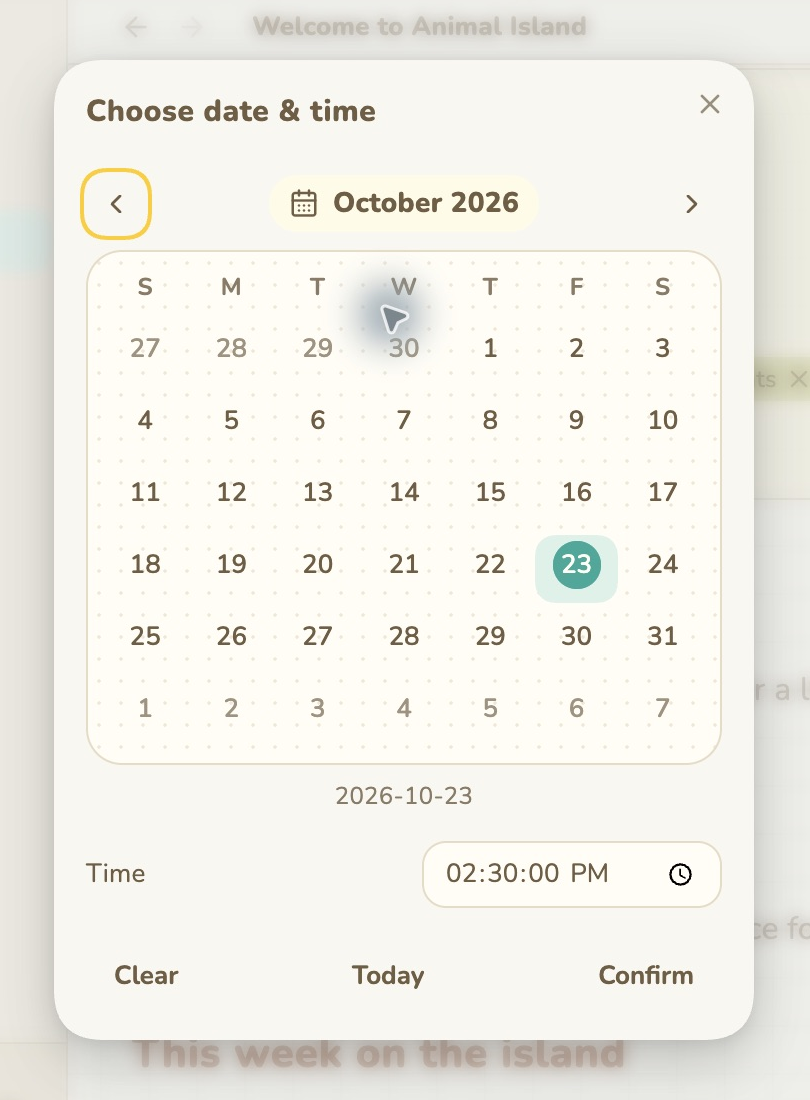
Features and usage
- Click a Date or Date & time property to open the picker. Keyboard users can press Enter or Alt+Down on the property.
- Pick a date, then press Confirm to save. Today selects today. Clear stages an empty value and still requires confirmation. Closing or pressing Escape cancels.
- Date & time properties include a time control. Changing the day preserves the existing time, including seconds. Values use local dates; no UTC day conversion is applied.
- Arrow keys move by day/week, PageUp/PageDown move by month, and Home/End move within a week.
- Supports English, Traditional Chinese and Simplified Chinese. It follows Obsidian unless the Animal Island Cozy theme language setting overrides it.
- With the theme and optional Style Settings plugin, translates only that theme’s setting labels and options in memory. Disabling restores them. Other plugins’ files are never modified.
This is a Properties picker, not an event planner or a daily-note sidebar calendar.
Installation
When available in Community plugins, search for Animal Island Calendar, install and enable it. For manual installation, download main.js, manifest.json, and styles.css from this repository’s release into <vault>/.obsidian/plugins/animal-island-calendar/, restart Obsidian, then enable it in Community plugins. Disable it to restore native date controls.
No theme or other plugin is required for the picker. The independent theme-settings language bridge requires Animal Island Cozy and Style Settings.
Privacy and compatibility
No analytics, network requests, external services or account are used. The plugin writes only the chosen frontmatter property through Obsidian’s processFrontMatter API, checking for concurrent changes before saving.
Initial beta: tested in Obsidian 1.14.5 on macOS. Automated checks cover local date arithmetic, language switching, staged save/cancel/clear, preserved time, conflict checks and early touch-event interception. The latest iOS native-picker suppression still needs physical-device confirmation; Windows, Linux, popout windows and minimum supported 1.5.0 are not fully verified. Obsidian Properties DOM and optional Style Settings internals may change in future versions.
Original design credit
Inspired by Animal Island UI, created by guokaigdg (source). Full credit for the original visual direction belongs to its creator. Tiffany Iong implemented this independent Obsidian adaptation; it is not an official release by the UI author. Uses Obsidian’s built-in icons and APIs, with no React runtime.
Development
Plain CommonJS JavaScript; main.js is both source and the release entry point. No build step or external runtime dependency. Run node calendar.test.cjs for behavior checks.
License
MIT; see LICENSE and THIRD_PARTY_NOTICES.md.
For plugin developers
Search results and similarity scores are powered by semantic analysis of your plugin's README. If your plugin isn't appearing for searches you'd expect, try updating your README to clearly describe your plugin's purpose, features, and use cases.