by chilipeppers
Add conditional formatting, colour badges, row highlights and inline progress bars to Bases tables and cards.
Bases Conditional Format
⭐ If Bases Conditional Format makes your Bases easier to scan, a star helps other Obsidian users find it. Found a bug or have an idea? Open an issue.



Add spreadsheet-style conditional formatting, colour pill badges, row/card highlights and inline progress bars to Obsidian Bases (and optionally Markdown / Dataview tables).
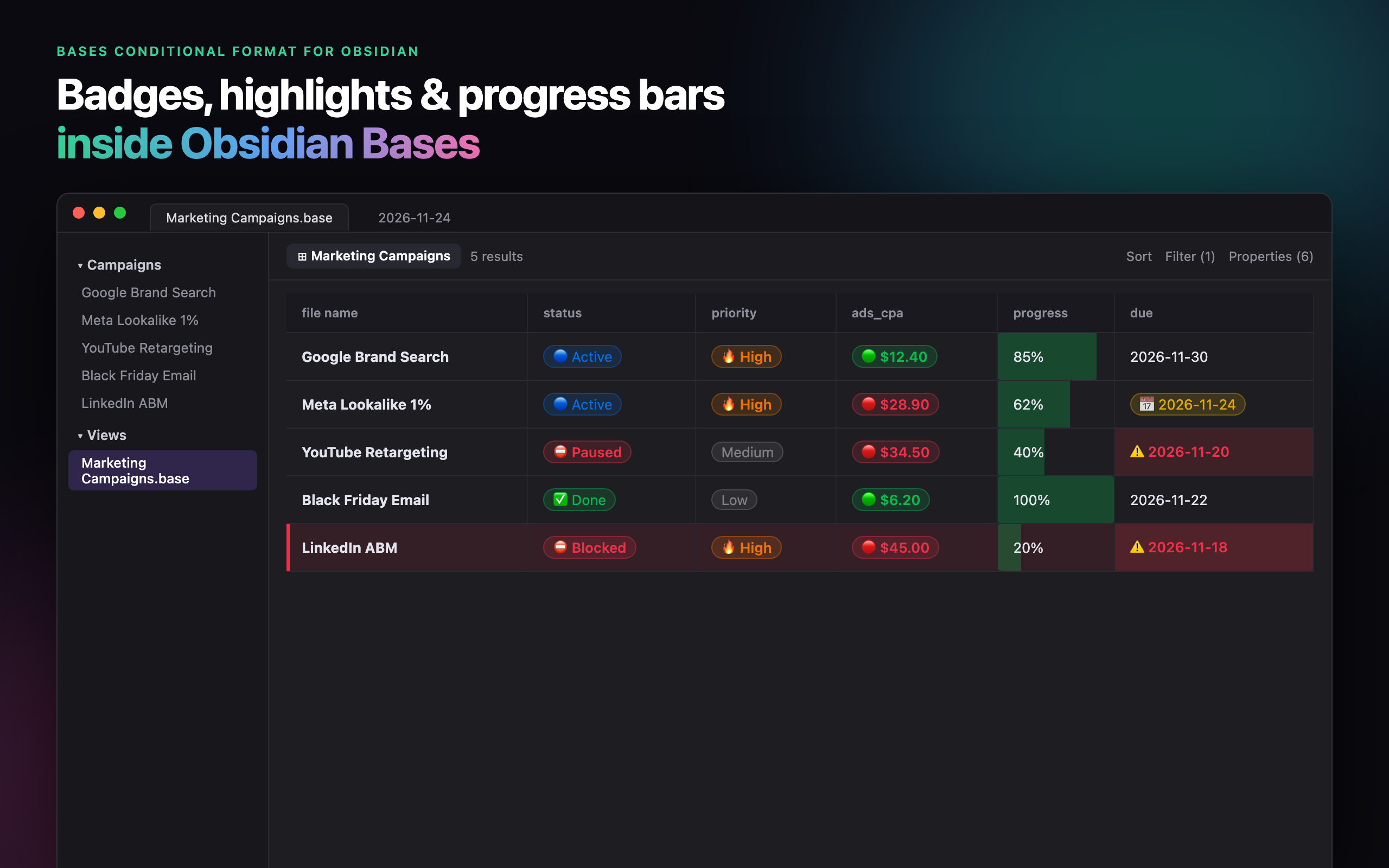
Features
- 5 visual styles: Pill badge, Cell fill, Text colour, Row / Card highlight, and pure-CSS Inline progress bar
- Rich conditions:
=,≠,contains,starts with,regex,>,≥,<,≤,between,is empty,date overdue,date is today,date within N days, andalways - Smart value parsing: understands currency (
$25.50,€ 1.234,56), percentages (85%), ratios (3.2×) and ISO dates (YYYY-MM-DD) - Non-destructive: never edits your notes or breaks inline editing in Bases — uses pure CSS classes, CSS variables and
::beforeicons - One-click presets: Ad CPA thresholds, Task status badges, Priority highlights, Overdue due dates, and 0–100% Progress bars
- Export / Import JSON: share rule sets across vaults or teams
- Theme-aware & mobile-friendly: uses Obsidian's semantic colour variables so badges look great in both light and dark themes
Visual rule builder
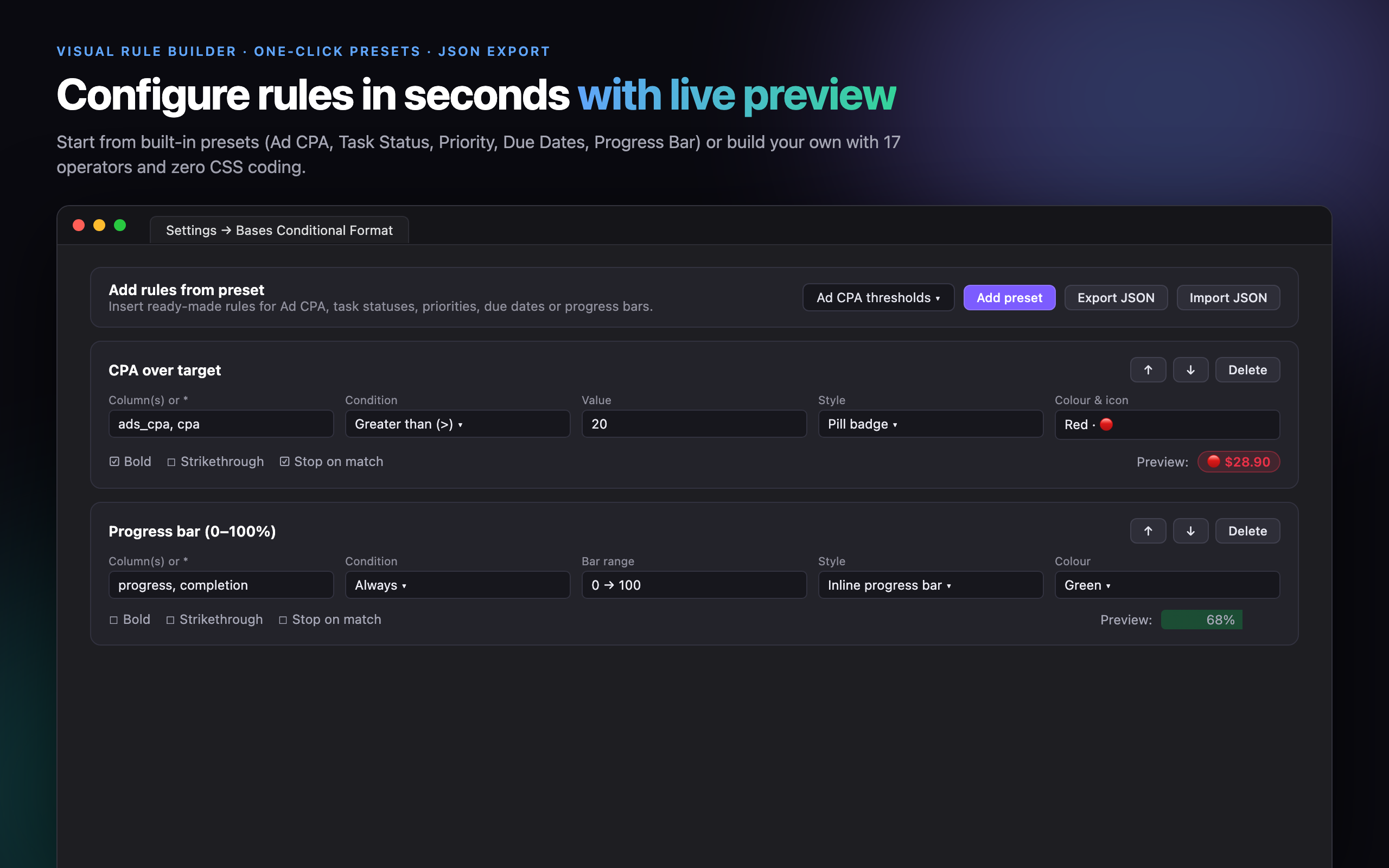
Commands
| Command | What it does |
|---|---|
| Toggle conditional formatting | Quickly enable or disable all formatting rules |
| Refresh formatting in current view | Re-evaluate visible Bases and tables |
| Add rule from preset | Pick a ready-made rule pack from the command palette |
Privacy
Bases Conditional Format makes zero network requests. All rules stay locally inside your vault.
Install
Install manually by copying main.js, manifest.json and styles.css from the latest release to <vault>/.obsidian/plugins/bases-conditional-format/ and enabling the plugin.
License
MIT © 2026 David (chi-li-peppers)
For plugin developers
Search results and similarity scores are powered by semantic analysis of your plugin's README. If your plugin isn't appearing for searches you'd expect, try updating your README to clearly describe your plugin's purpose, features, and use cases.