by David Poppell
Color Bases cards and rows by due date or by any property, add due-date badges, and color property and tag values.
Bases Colors
Color the cards and rows in Obsidian Bases by due date or by any property, show how long until each task is due, add your own badges (like ❗️ for high priority), and give property values like clients or owners their own colors. Works in Kanban, Cards, Table and List views.
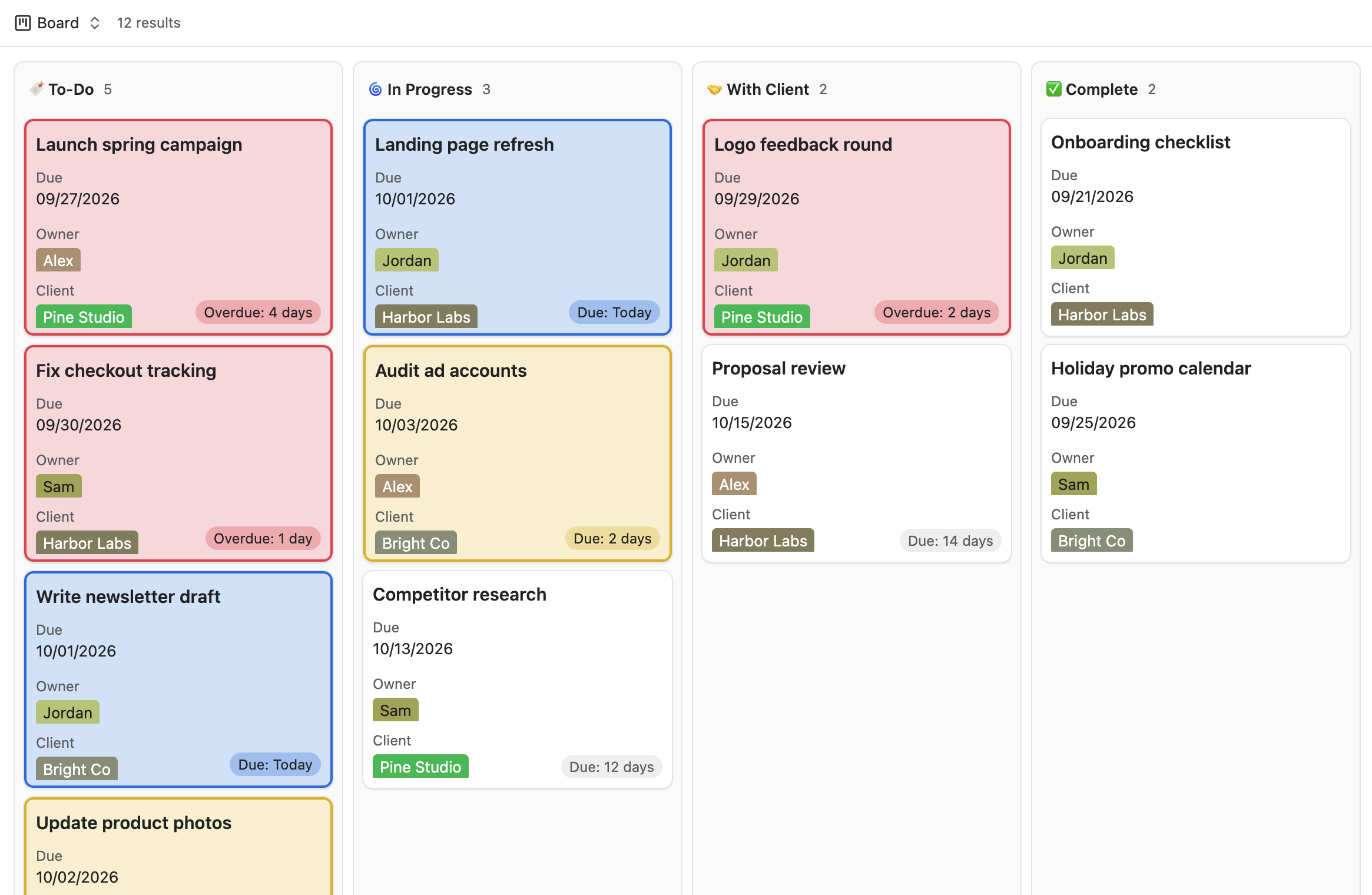
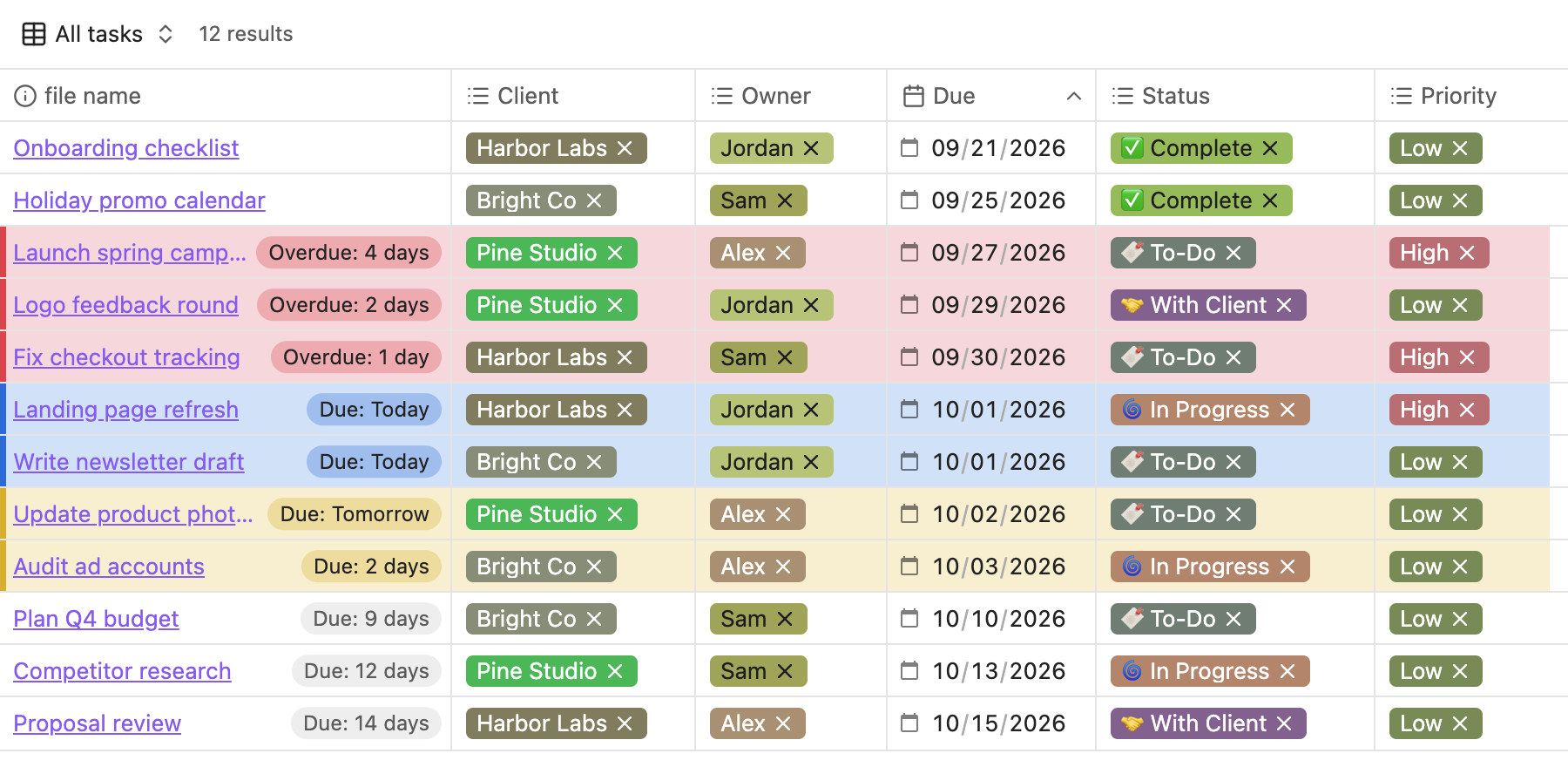
Colors in these screenshots: red for overdue, blue for due today, yellow for due soon. You can pick any colors.
Features
Card/row colors
- Due-date colors. Cards/rows turn red when overdue, orange when due today, and yellow when due soon (you choose how many days counts as "soon"). Each color can be changed or turned off.
- Rules by property. Color cards/rows by any property, for example
Rating is 5→ green,Read is unread→ blue,Owner is Kate→ purple. Rules are checked top to bottom and the first match wins. - Filter. Limit which cards/rows can be colored, for example only tasks whose Status is To-Do, In Progress or With Client, so finished work stays plain.
- Any view type. Choose which views get colors: Kanban, Cards, Table and List.
- Per-base control. Apply due-date colors or individual rules only to specific bases.
- Highlight styles. Tint, border only, or a left stripe, with an adjustable tint strength.
Badges
Small pills in the corner of each card (or at the end of each table row).
- Due date badge. "Due: 8 days", "Due: Tomorrow", "Due: Today", "Overdue: 3 days".
- Custom badges. Show your own text or emoji when a property matches, for example
Priority is High→ ❗️, orStatus is Waiting→ ⏳. Each badge can be plain or colored.
Property/tag colors
- Automatic colors. Every property value (like a client or owner) gets its own color, always the same for the same value.
- Custom colors. Pick a color for any value, for one property or for all of them.
- Everywhere. Values are colored in every Bases view and, optionally, in the Properties panel at the top of notes.
Color picker
- Theme colors in four tones (Vibrant, Muted, Pastel, Deep) that follow your theme and light/dark mode.
- Distinct colors from the Okabe-Ito palette, chosen to stay easy to tell apart, including for color blindness.
- Custom for any color you like.
Quick toggle
A command, "Turn card/row coloring on or off", that you can bind to a hotkey.
Requirements
- Obsidian 1.14 or later (the version that added the Kanban view to Bases).
- The file name must be shown on each card/row (as the card title, or as a column in tables). The plugin uses it to match each card/row to its note.
Settings
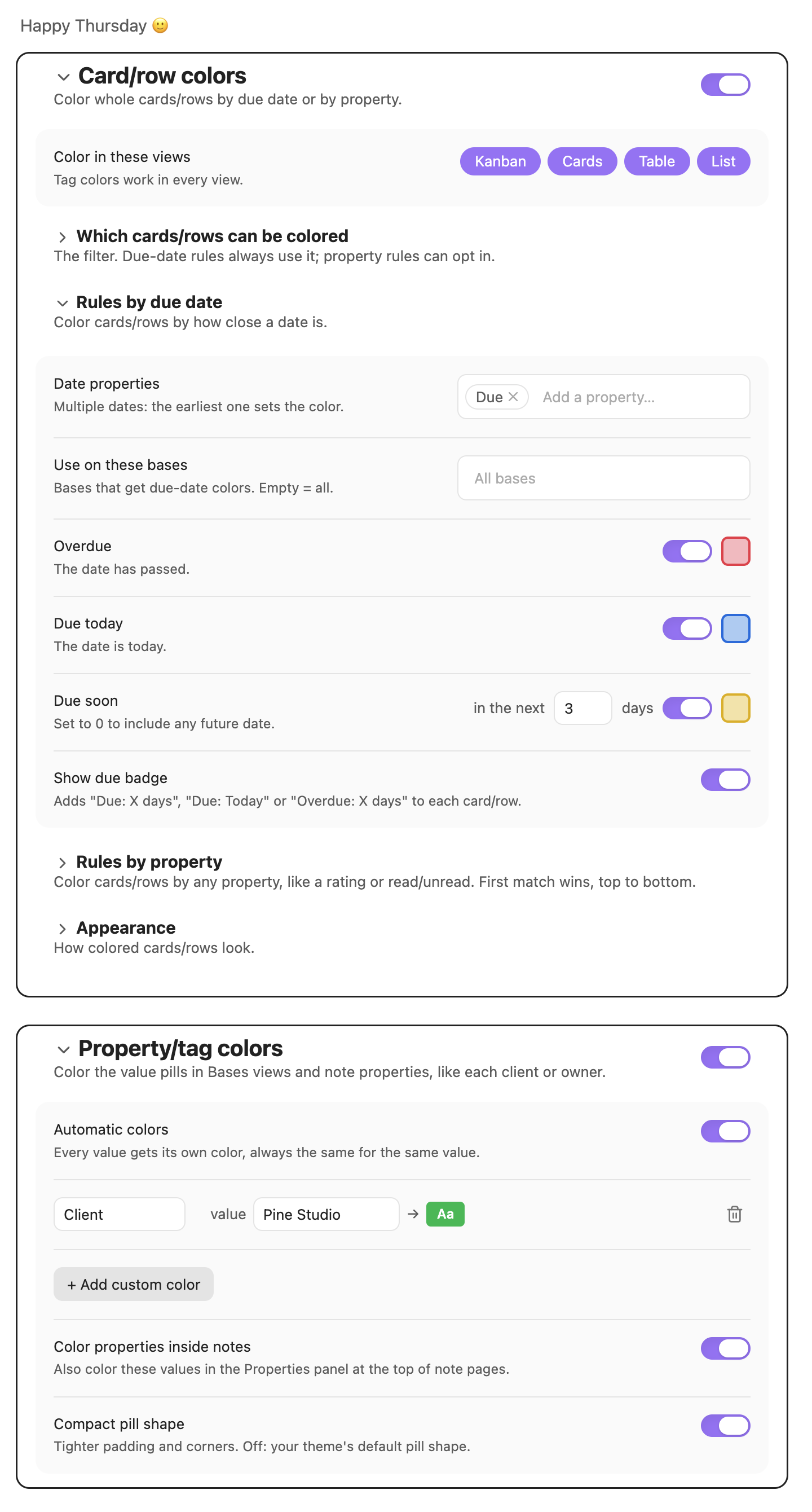
Card/row colors
| Setting | What it does |
|---|---|
| Color in these views | Which view types get colors: Kanban, Cards, Table, List. |
| Which cards/rows can be colored | The filter. Choose all or any of the conditions. Due-date colors always follow it; property rules can opt in. |
| Rules by due date | Date properties to check (the earliest date wins), which bases to use, the Overdue / Due today / Due soon colors. |
| Rules by property | When [property] [condition] [value] → color. Conditions: is, is not, is any of, contains, is greater than, is less than, is empty, is not empty. Each rule can follow the filter and be limited to specific bases. |
| Badges | Turn the due date badge on or off, and add custom badges: When [property] [condition] [value] → text or emoji, with an optional color. Badges follow the filter. |
| Appearance | Highlight style (Tint, Border only, Left stripe) and highlight strength. |
Numbers and dates compare as numbers and dates; text comparisons ignore capitalization and emoji.
Property/tag colors
| Setting | What it does |
|---|---|
| Automatic colors | Give every value its own color. |
| Custom colors | A color for a specific value, for one property or any property. |
| Color properties inside notes | Also color values in the Properties panel at the top of notes. |
| Compact pill shape | Tighter padding and corners. Off: your theme's default pill shape. |
Each group has its own on/off switch, and every section can be collapsed.
Installation
From the community plugin list
Settings → Community plugins → Browse → search for "Bases Colors".
Manually
- Download
main.js,manifest.jsonandstyles.cssfrom the latest release. - Put them in
<your vault>/.obsidian/plugins/bases-kanban-card-colors/. - Reload Obsidian and enable Bases Colors under Settings → Community plugins.
Notes and limitations
- Obsidian doesn't yet offer an official way for plugins to style Bases views, so this plugin works with the views as Obsidian draws them. A future Obsidian update could change that; if colors stop appearing after an update, please open an issue.
- If you use another plugin that colors property values, turn off one of them to avoid conflicting colors.
- Cards whose notes share a file name with another note are matched to the note that has the properties your rules use.
- Colors update automatically at midnight.
- This plugin was called "Bases Kanban Card Colors" before version 1.1.0. Your settings carry over.
License
For plugin developers
Search results and similarity scores are powered by semantic analysis of your plugin's README. If your plugin isn't appearing for searches you'd expect, try updating your README to clearly describe your plugin's purpose, features, and use cases.