by neclor
Color TaskNotes tasks by a color-name frontmatter property or tag across the calendar, agenda, kanban, list and widget views.
↓ 573 downloadsUpdated 1mo agoMIT
TaskNotes Task Colors
Colors TaskNotes tasks by a color-name frontmatter property or tag across the calendar, agenda, kanban, list and widget views.
Contents
Screenshots
| Calendar |
|---|
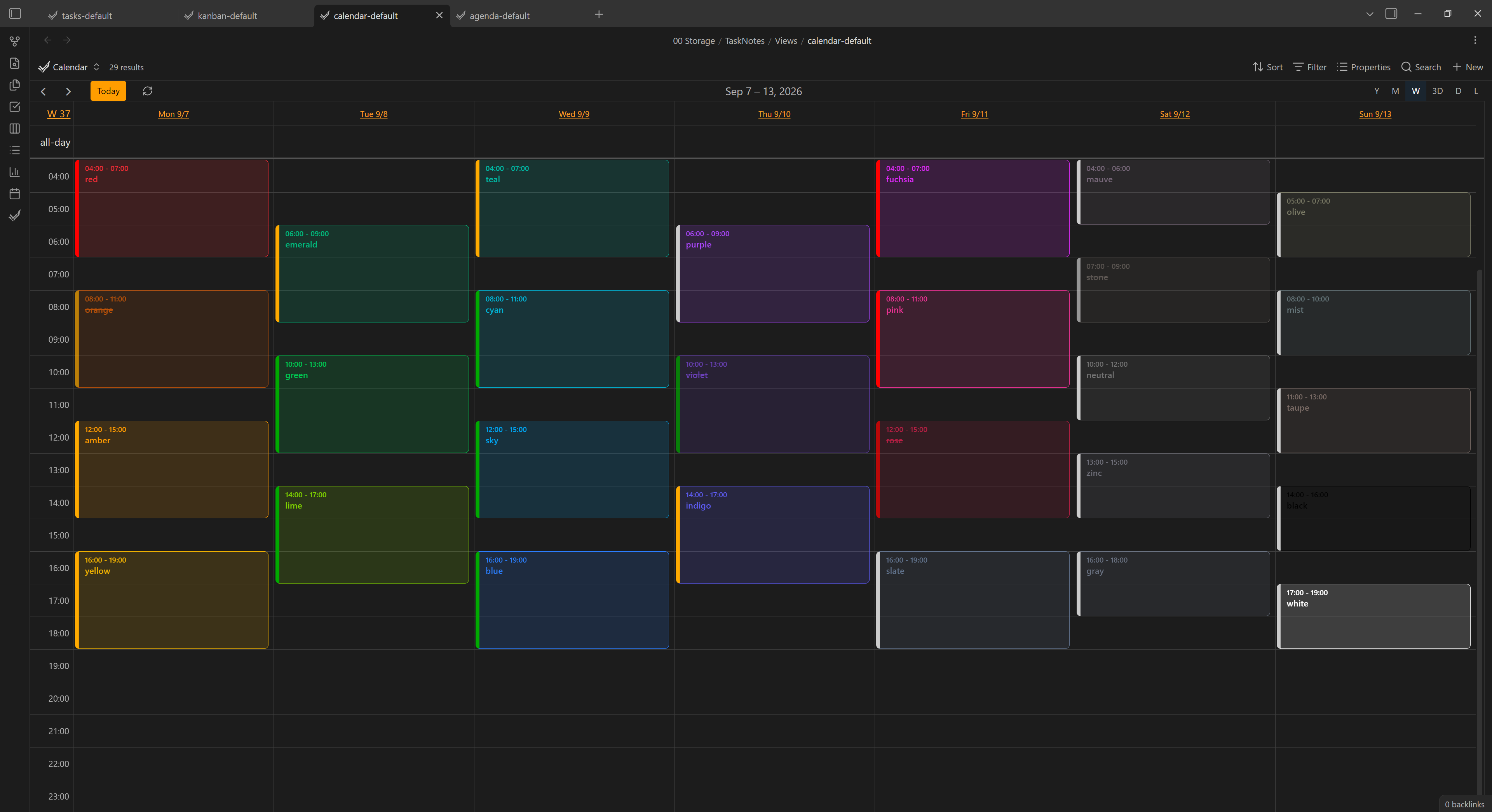 |
| Agenda | Kanban | List | Color picker |
|---|---|---|---|
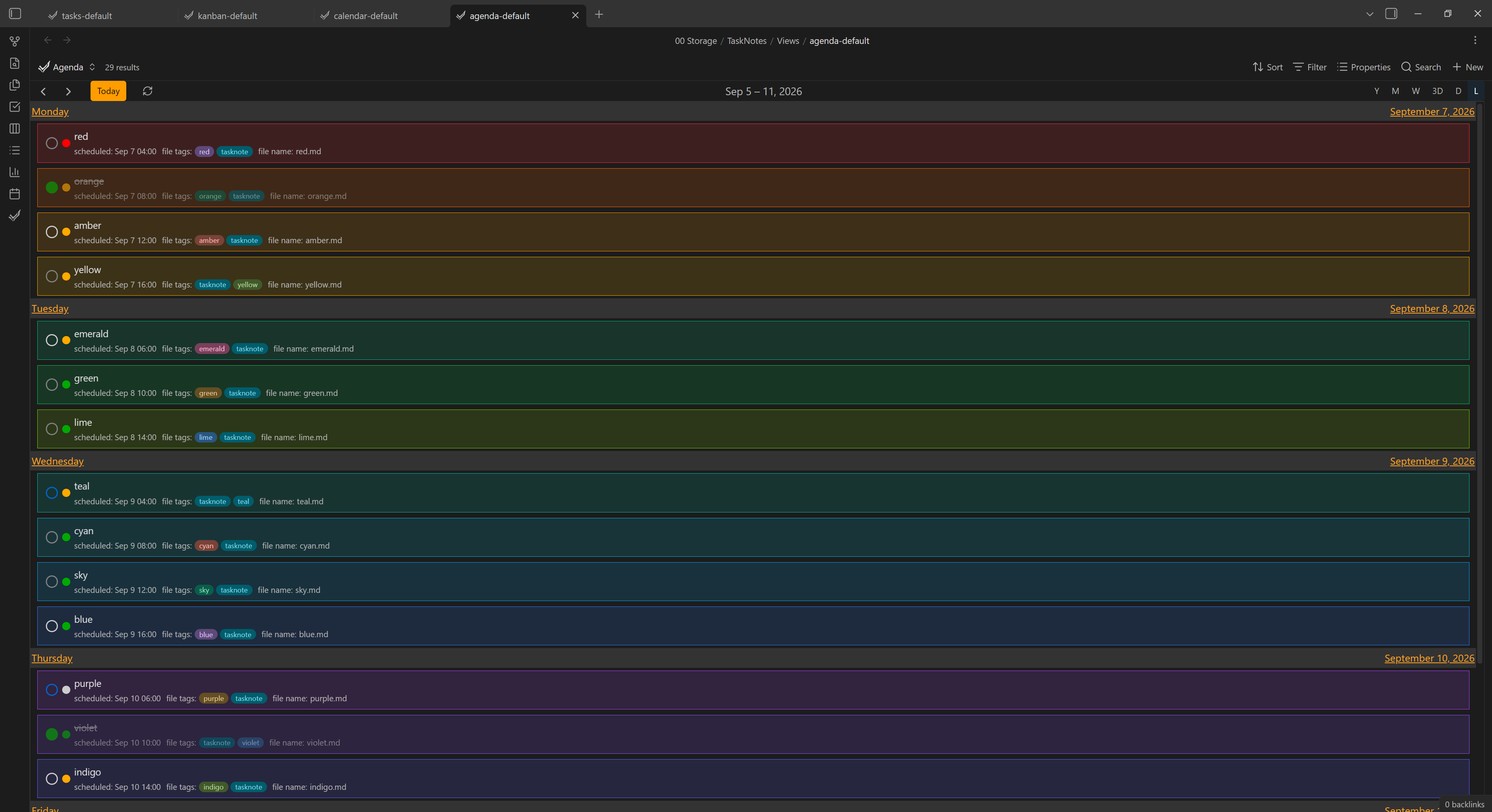 | 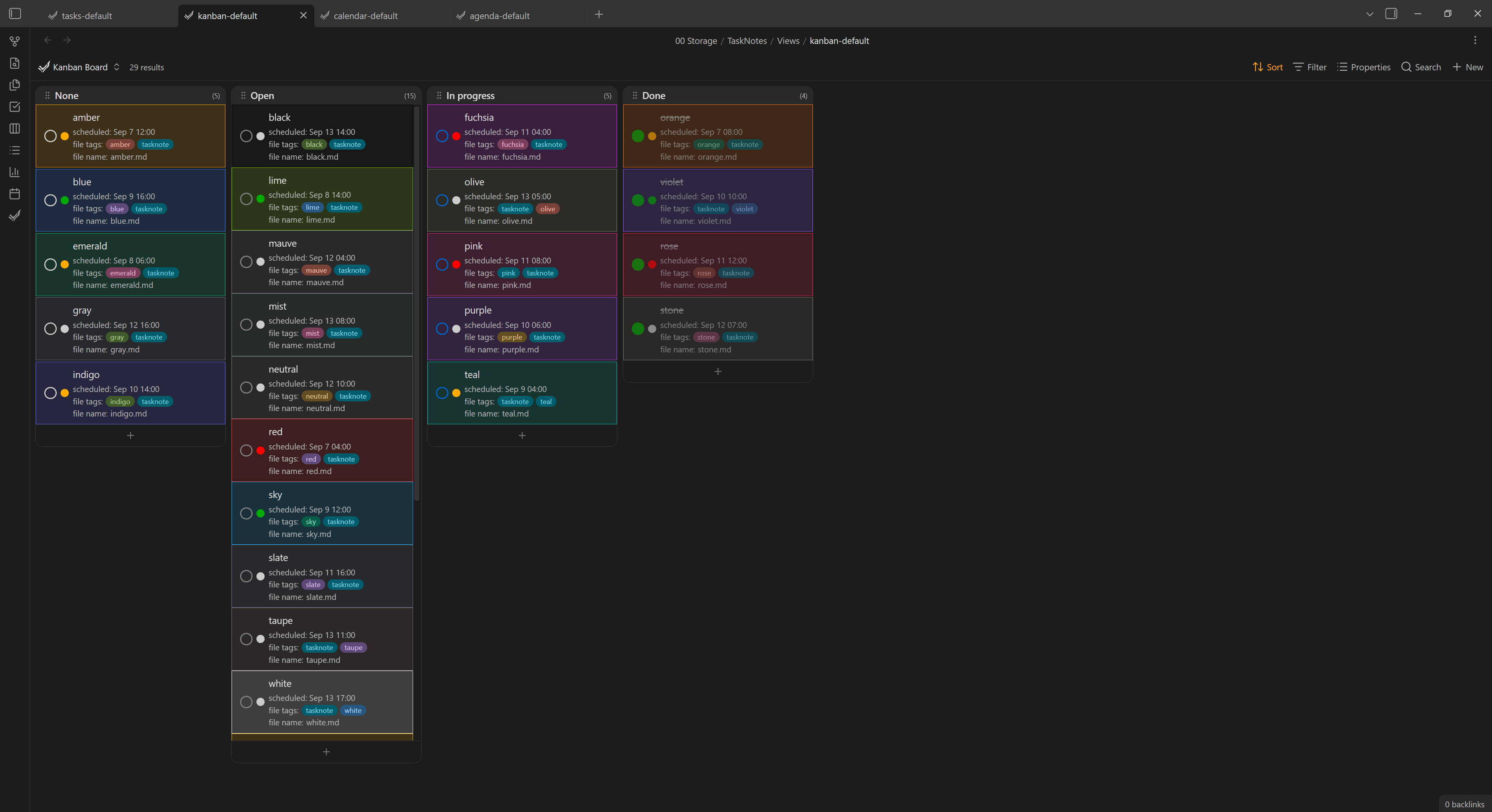 | 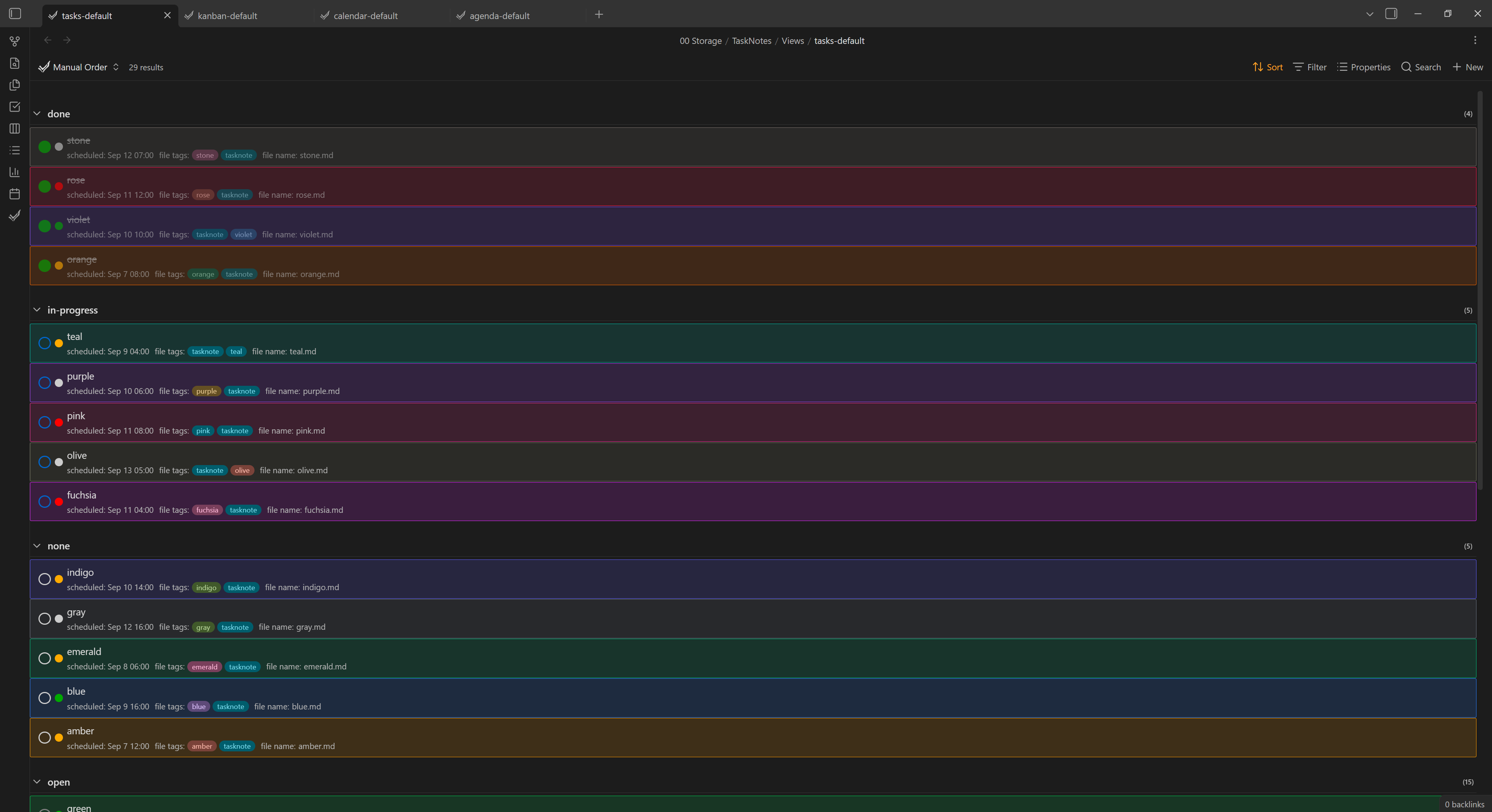 | 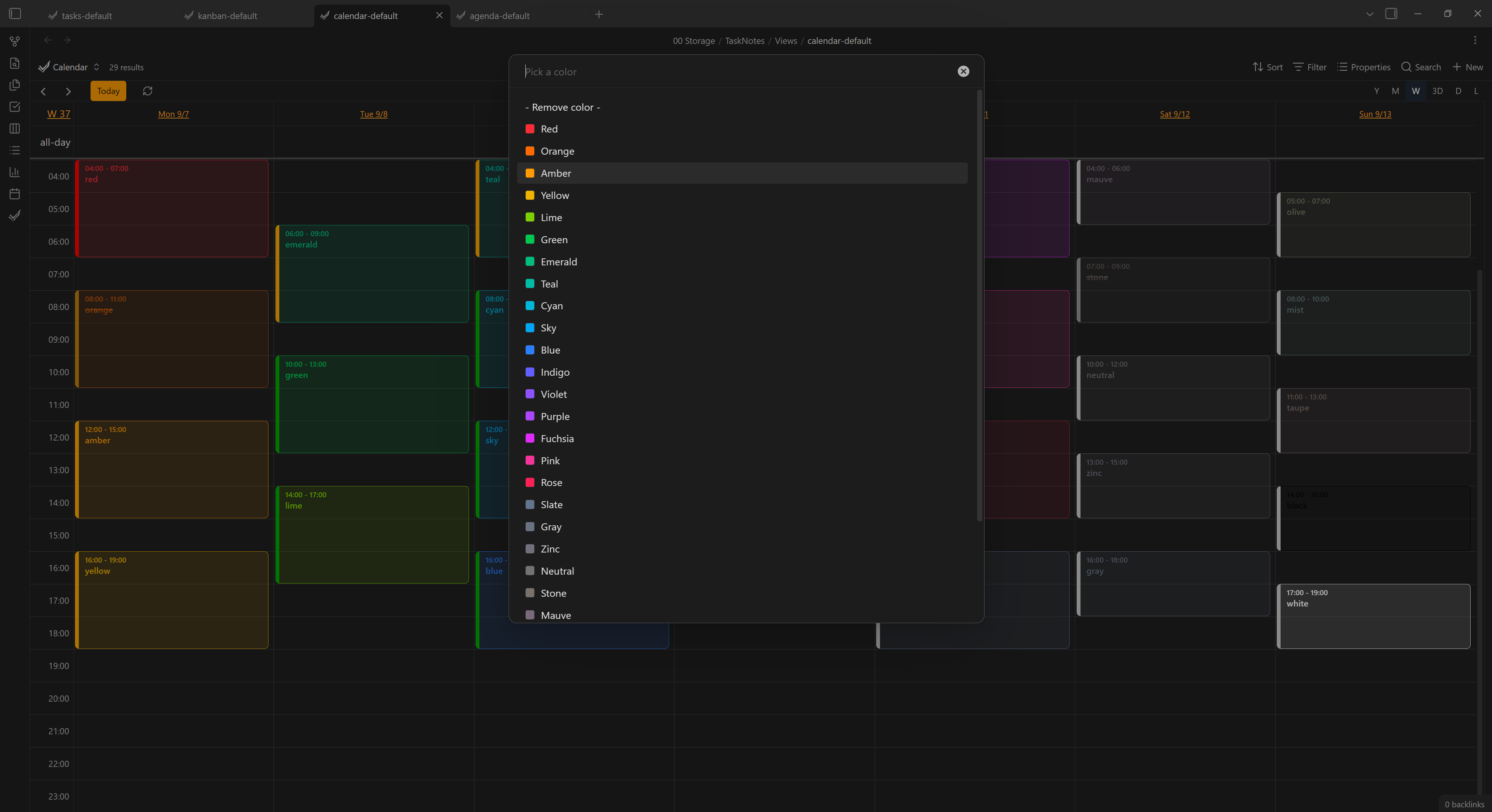 |
Download
Requires the TaskNotes plugin and Obsidian 1.13+.
Usage
- Enable the plugin. By default every view is colored.
- Give a task note a Tailwind color name -
red,blue,zinc, … The task is then tinted with that color everywhere it appears.- Property source (default): set a frontmatter property, e.g.
tntc-color: red. - Tag source: add a tag, e.g.
#red.
- Property source (default): set a frontmatter property, e.g.
- Or set it from the UI: right‑click a task → Set color, pick from the list, or Remove color.
Only recognized color names are used; anything else is ignored. If a task carries several, the last one wins.
Settings
| Setting | Default | What it does |
|---|---|---|
| Source | Property | Read the color from a frontmatter property or from a #tag. |
| Property name | tntc-color | (Property source) Frontmatter property holding the color name. |
| Tag prefix | (empty) | (Tag source) Restrict color tags to this prefix (e.g. tntc- - only #tntc-red counts). |
| Priority stripe | on | Keep the calendar event's left edge in its priority color. |
| Agenda / Calendar / Kanban / List / Widget | on | Toggle coloring per view. |
For plugin developers
Search results and similarity scores are powered by semantic analysis of your plugin's README. If your plugin isn't appearing for searches you'd expect, try updating your README to clearly describe your plugin's purpose, features, and use cases.