Bases Power Pack
approvedby saiken
Advanced database views and automation for Obsidian Bases: kanban, calendar, Gantt, roll-ups, formulas, and saved filters. Free lite tier plus license-gated premium features. - This plugin has not been manually reviewed by Obsidian staff.
Bases Power Pack
Run real Kanban, Calendar, and Gantt boards that write straight back to your notes — no Dataview, no cloud, no account.
Most Bases boards only display your notes. Bases Power Pack writes the changes back: drag a card, reschedule a date, resize a timeline bar — the note's frontmatter updates. Offline, in Markdown, with real planning views on top.
Get Premium — $29 one-time, not a subscription
Unlock Bases Power Pack Premium →
Paste the key → unlocks instantly, offline. No account, no server. The free Lite tier is a fully usable Kanban board — try it first.
Lite (free) vs Premium
Most Bases boards only display. This one writes your changes back, stays offline, and adds the planning views Bases doesn't ship.
| Capability | Lite (free) | Premium |
|---|---|---|
| Real Kanban board for Bases / frontmatter notes | ✅ | ✅ |
| Drag cards across columns and reorder them manually | ✅ | ✅ |
| Quick add, inline edit, bulk edit, search, export to Markdown | ✅ | ✅ |
| Swimlanes, WIP limits, multi-select moves, touch + keyboard moves | ✅ | ✅ |
| Calendar + Gantt planning views | — | ✅ |
| Dashboard + Pivot + Gallery + Feed views | — | ✅ |
Formulas, roll-ups, saved filters, .base-driven workflows | — | ✅ |
| Move Rules automation, CSV export, color rules | — | ✅ |
| Board Analytics | — | ✅ |
Get Premium — $29 one-time → · Paste the key → unlocks instantly, offline.
Premium: turn your vault into a lightweight project system
Turn your vault into a lightweight project system — without leaving Markdown. You already keep the work in notes; Premium gives you the boards, timelines, and dashboards to actually run it. The views below are the proof:
- Calendar & Gantt — schedule and plan on a real timeline; drag events to reschedule, drag bars to move or resize work against milestones. Every change writes back to the note.
- Dashboard & Analytics — KPI cards, distribution charts, throughput, workload, and aging work — the management questions answered without exporting your vault into some other analytics tool.
- Formulas, roll-ups & saved filters — compute across your notes and save the views you reopen every day.
- Automation — Move Rules, rule-based color coding, and
.base-driven workflows so the board maintains itself. - Pivot, Gallery & Feed — cross-tabulate like a spreadsheet, browse as a visual grid, or read a reverse-chronological stream.
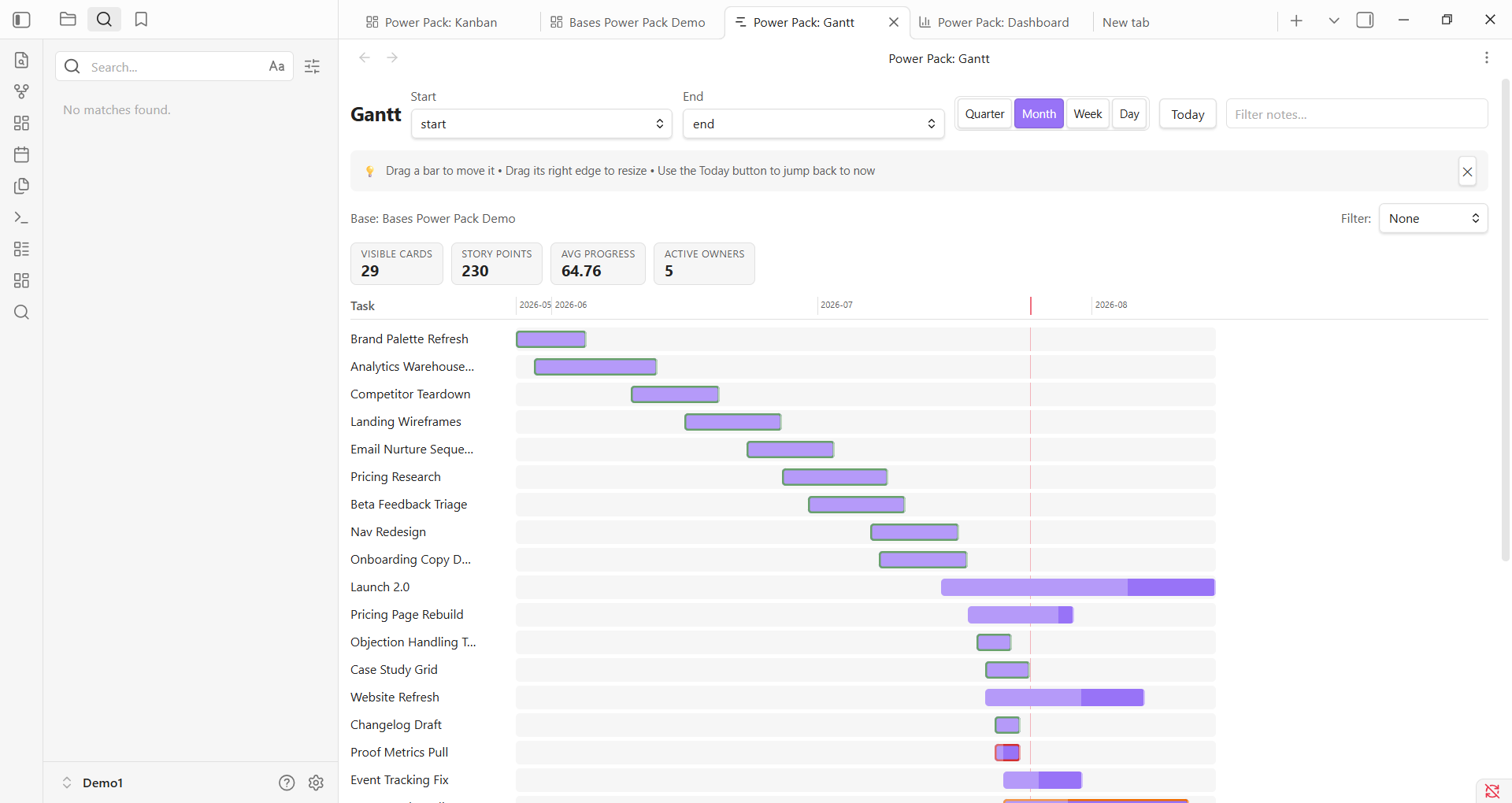
Gantt turns your notes into a real timeline: drag bars to move work, resize them to change duration, and plan against milestones.
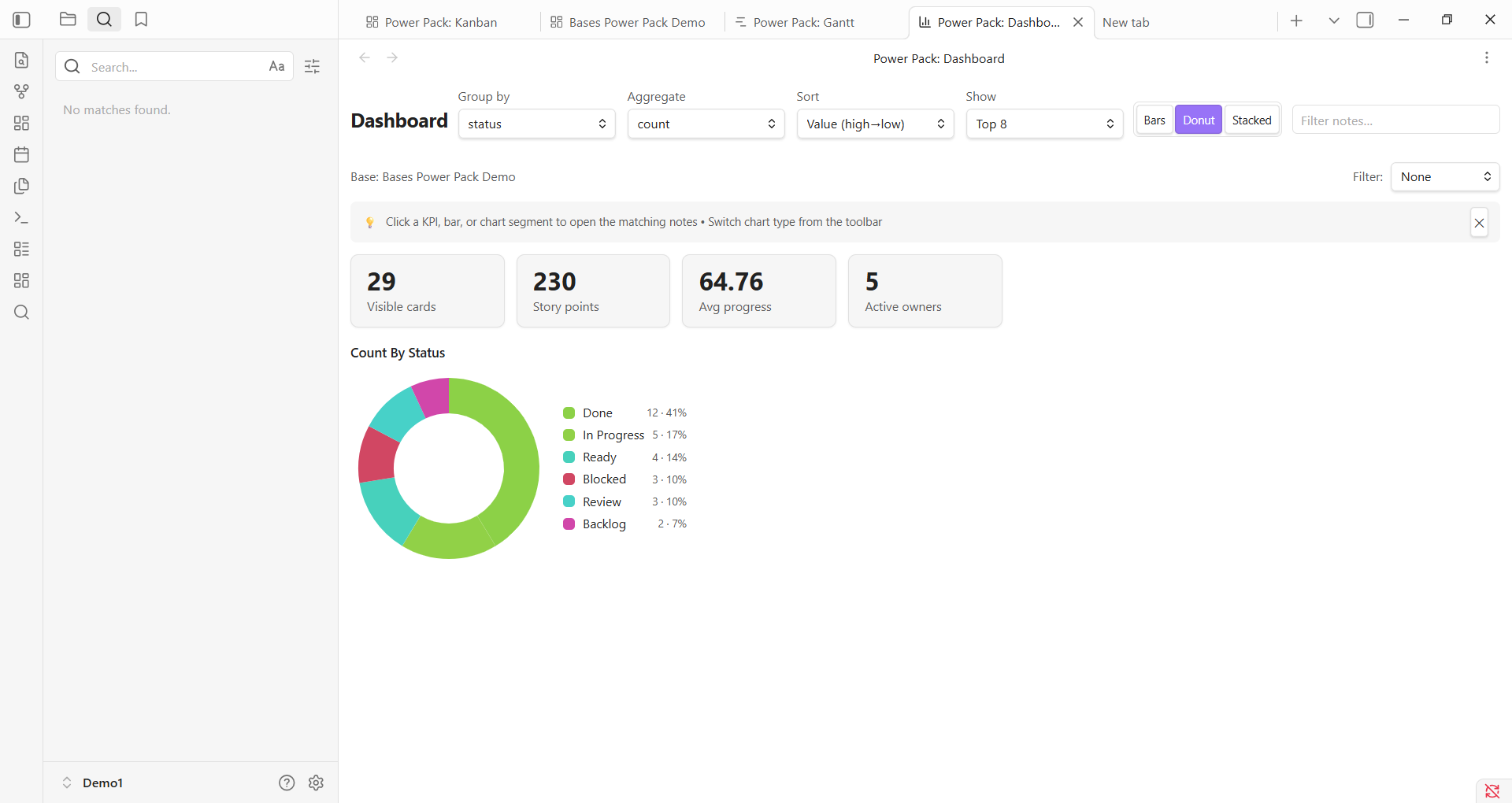
Dashboard gives you KPI cards and visual distribution without exporting your vault into some other analytics toy.
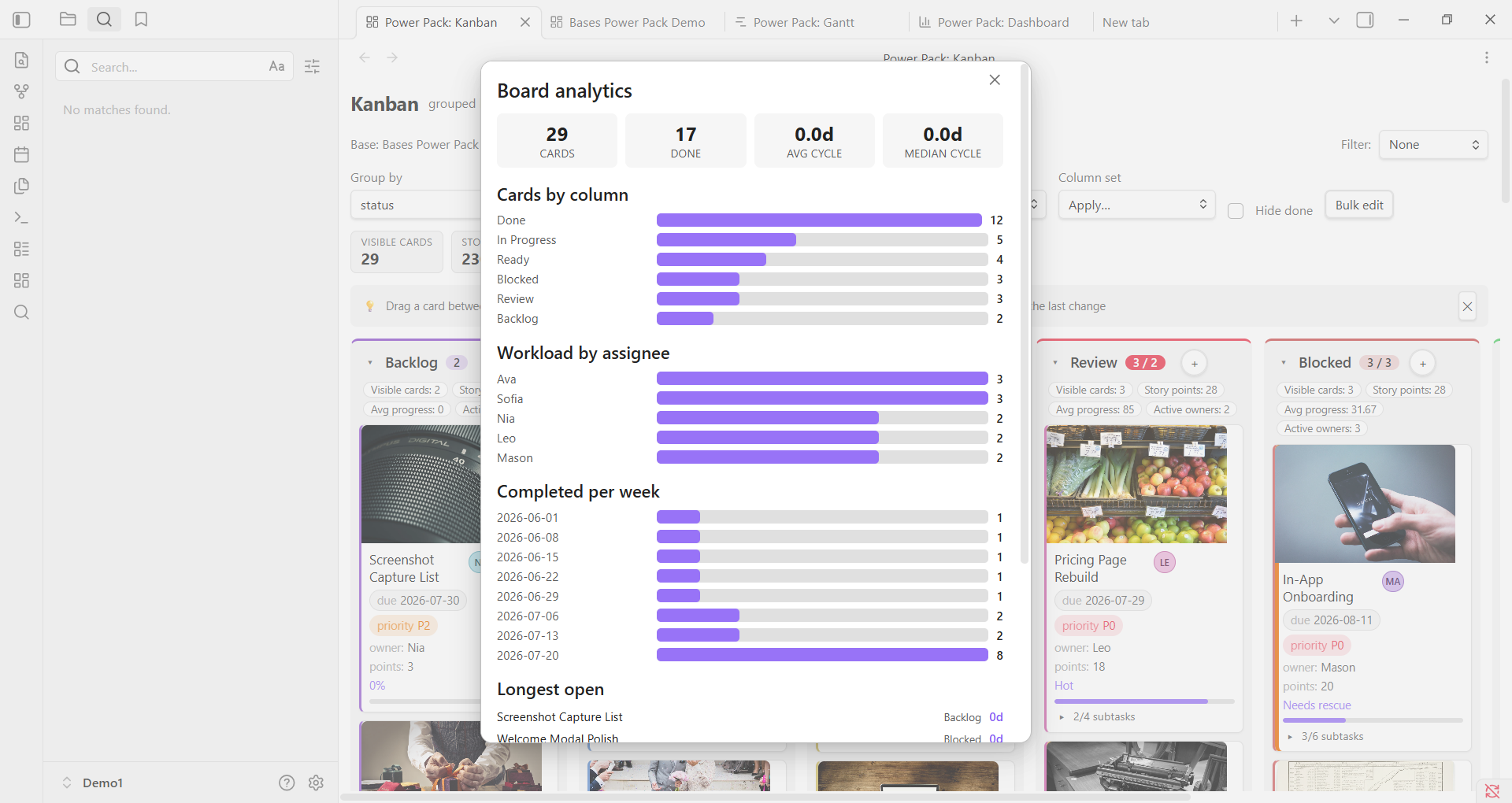
Analytics makes the board answer the obvious management questions: throughput, workload, bottlenecks, and what is aging badly.
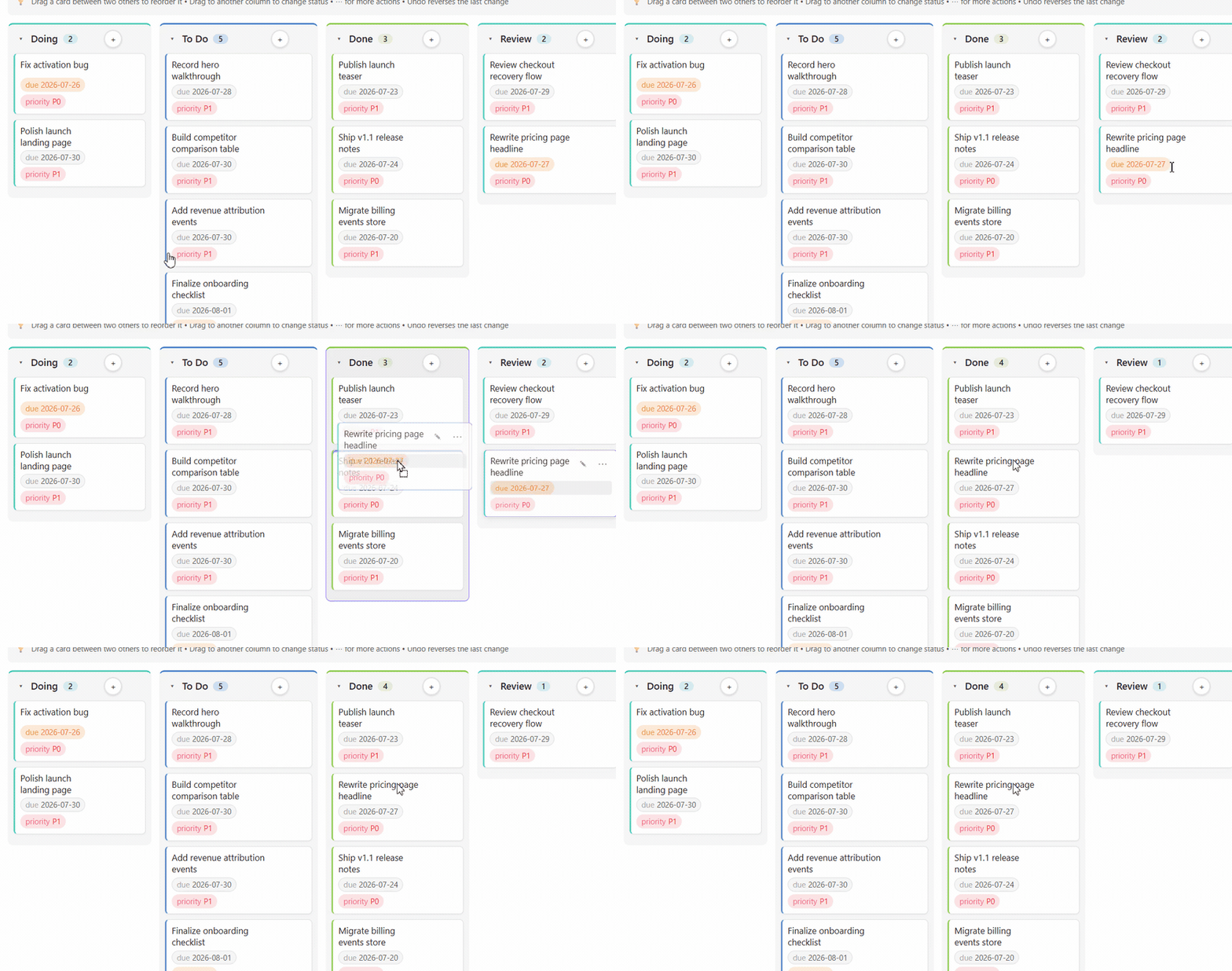
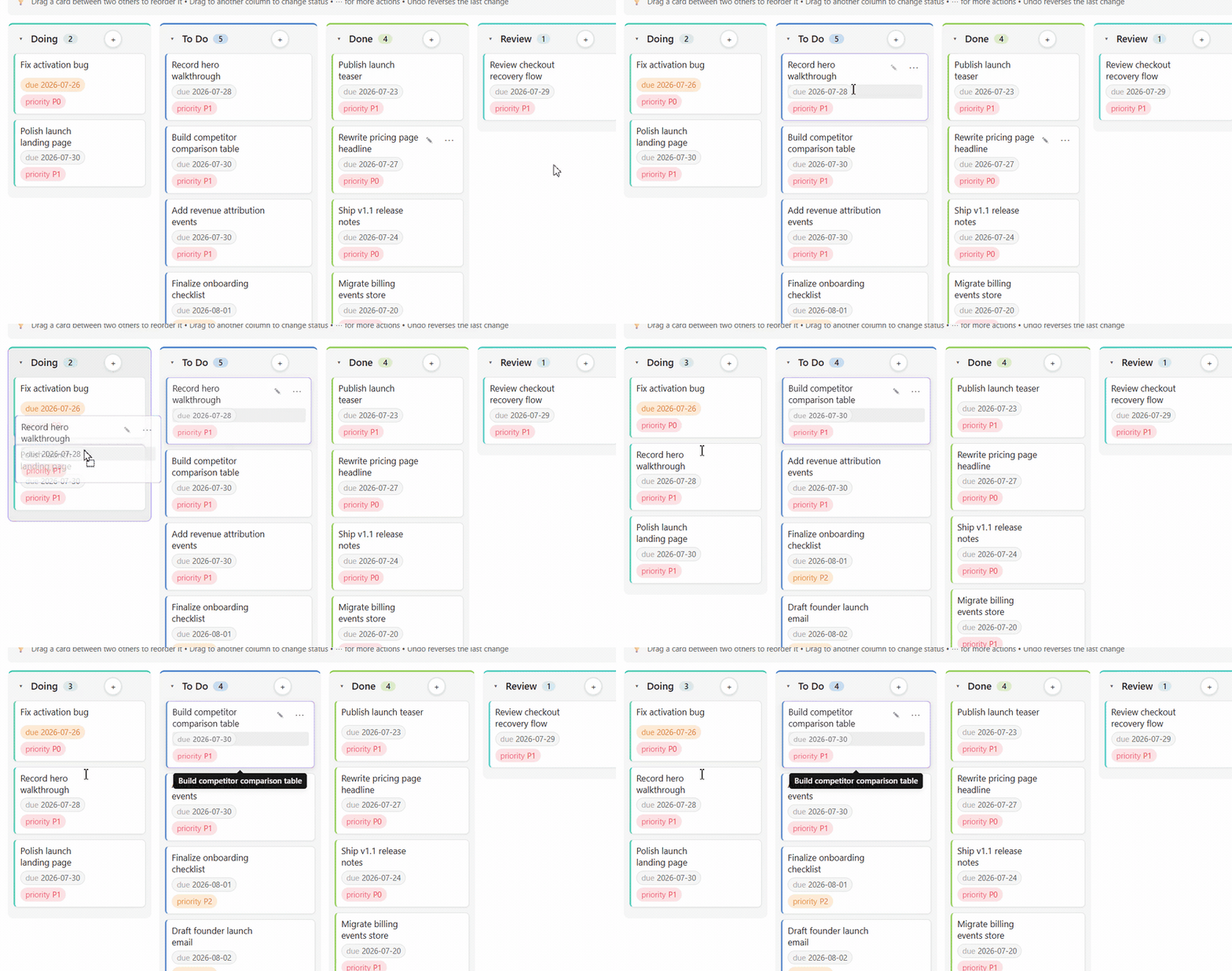
Move work cleanly from Review to Done without opening a note or babysitting frontmatter.
Get Premium — $29 one-time
Unlock Bases Power Pack Premium → · one-time, no subscription.
- Purchase via Buy Me a Coffee ($29 one-time).
- Your license key is emailed to you automatically, within seconds — delivery is fully automated, no waiting.
- Paste the key → unlocks instantly, offline. (Settings → Bases Power Pack → License.) No account, no always-on server, no mandatory cloud.
All views at a glance
- Kanban — group work by a property like
status, drag cards, reorder them, and edit metadata in place. - Calendar — see work by day/week/month and drag events to reschedule them.
- Gantt — plan spans and milestones on a timeline; drag bars to move or resize them.
- Outline — turn parent/child notes into a real hierarchy with progress roll-ups.
- Pivot — cross-tabulate rows × columns like a lightweight spreadsheet.
- Dashboard — KPI cards and distribution charts over your current dataset.
- Gallery — visual card grid with cover images and metadata pills.
- Feed — reverse-chronological stream grouped by day, week, or month.
- Analytics — a premium board analytics modal for throughput, workload, bottlenecks, and aging work.
2-minute quick start
- Run Open Kanban view (Lite) from the command palette or click the ribbon icon.
- Add a property like
status: To Doto a few notes. - Drag a card to another column and watch the note update.
- Click ⋯ on a card to edit, rename, move, or delete.
- Use search to narrow the board and Export to copy it out.
- If you want planning views, analytics, and database-style workflows, unlock Premium.
Commands
Available from the command palette:
- Open Kanban view (Lite)
- Open Calendar view (Premium)
- Open Gantt view (Premium)
- Open Outline view (Premium)
- Open Pivot view (Premium)
- Open Dashboard view (Premium)
- Open Gallery view (Premium)
- Open Feed view (Premium)
- Undo last change
- Verify license key
Premium view commands are always visible. If you have not unlocked Premium yet, they open an in-view unlock screen rather than quietly vanishing from the palette.
Install
Community plugins (recommended): open Settings → Community plugins, search Bases Power Pack, and install it — one click, auto-updates.
Manual install (for testing / sideload)
Copy these three files into:
<your-vault>/.obsidian/plugins/bases-power-pack/
Files:
main.js
manifest.json
styles.css
Then enable Bases Power Pack in Settings → Community plugins.
Feedback and support
Bug reports, feature requests, and questions all go to the GitHub issue tracker. It is the only place I track them, so an issue will always get further than a review comment.
- Report a bug — please include your Obsidian version, your operating system, and the steps that reproduce it.
- Request a feature — describe the workflow you are trying to make faster; that is more useful than a proposed solution.
- Browse open issues — worth a look first, in case it is already tracked.
More plugins by the same author
Small, local-first Obsidian plugins that each do one job and keep your data in your vault. All of them are in the community directory — search the name under Settings → Community plugins.
Search and views
- Vault Spotlight — keyboard-first command center — fuzzy search, saved workflows, and result actions.
Vault health
- Vault Triage — find stale, orphaned, unfinished, and metadata-broken notes, then work through them.
- Attachment Audit — find orphaned, duplicate, oversized, and misplaced attachments, then clean them up safely.
- Patina — score every note's staleness from edits, opens, and inbound links.
- Vault Router — move new notes out of Inbox with fast local routing rules.
- FlowKit Health Dashboard — find which add-on is breaking your vault, and score every one installed.
Writing and research
- Prose Lens — live writing feedback — passive voice, adverbs, hedges, cliches, and a reading grade.
- Prior Art — show similar existing notes while you write, and merge duplicates without losing links.
- Standing Questions — track the open questions in your vault and surface new notes that may answer them.
- Unwritten — report the notes you never wrote — unexplained link pairs, stub hubs, unreasoned decisions.
- Effort Index — measure the editing time behind every note and resurface the expensive ones.
Time and billing
- Task Calendar Bridge — export dated Markdown tasks to standards-based ICS calendar files.
- Invoice Forge — turn
#billablenotes into numbered invoices, so nothing is missed or billed twice. - Time Tracker and Invoicing — track billable time against notes and projects, then invoice by client.
Build
npm install
npm run build
npm run dev
npm run typecheck
npm test
npm run build produces main.js in the project root alongside manifest.json and styles.css.
License
MIT for the source code. Premium feature access is governed by a signed license key.
For plugin developers
Search results and similarity scores are powered by semantic analysis of your plugin's README. If your plugin isn't appearing for searches you'd expect, try updating your README to clearly describe your plugin's purpose, features, and use cases.