by pedroilidio
Serialize a Bases view into static Markdown, wrapped in sentinel comments so it can be refreshed in place.

Bases Serializer
Freeze an Obsidian Bases view into real, static Markdown — wrapped in sentinel comments so you can refresh it in place.



Bases views are dynamic: they live inside a .base and don't exist as text, so
their results are invisible to the Graph, Search, Publish, exports, and other
tools. Bases Serializer writes the current result as ordinary Markdown, so:
- links become real links (they show up in the Graph and in backlinks),
- rows become real tasks/lists you can check off and query,
- and the snapshot is readable by anything — no plugin required to read it.
Re-run it any time to update the block in place.
![A note containing a single base embed: ![[tasks.base#Today]]](https://raw.githubusercontent.com/pedroilidio/obsidian-bases-serializer/HEAD/assets/before.png) | 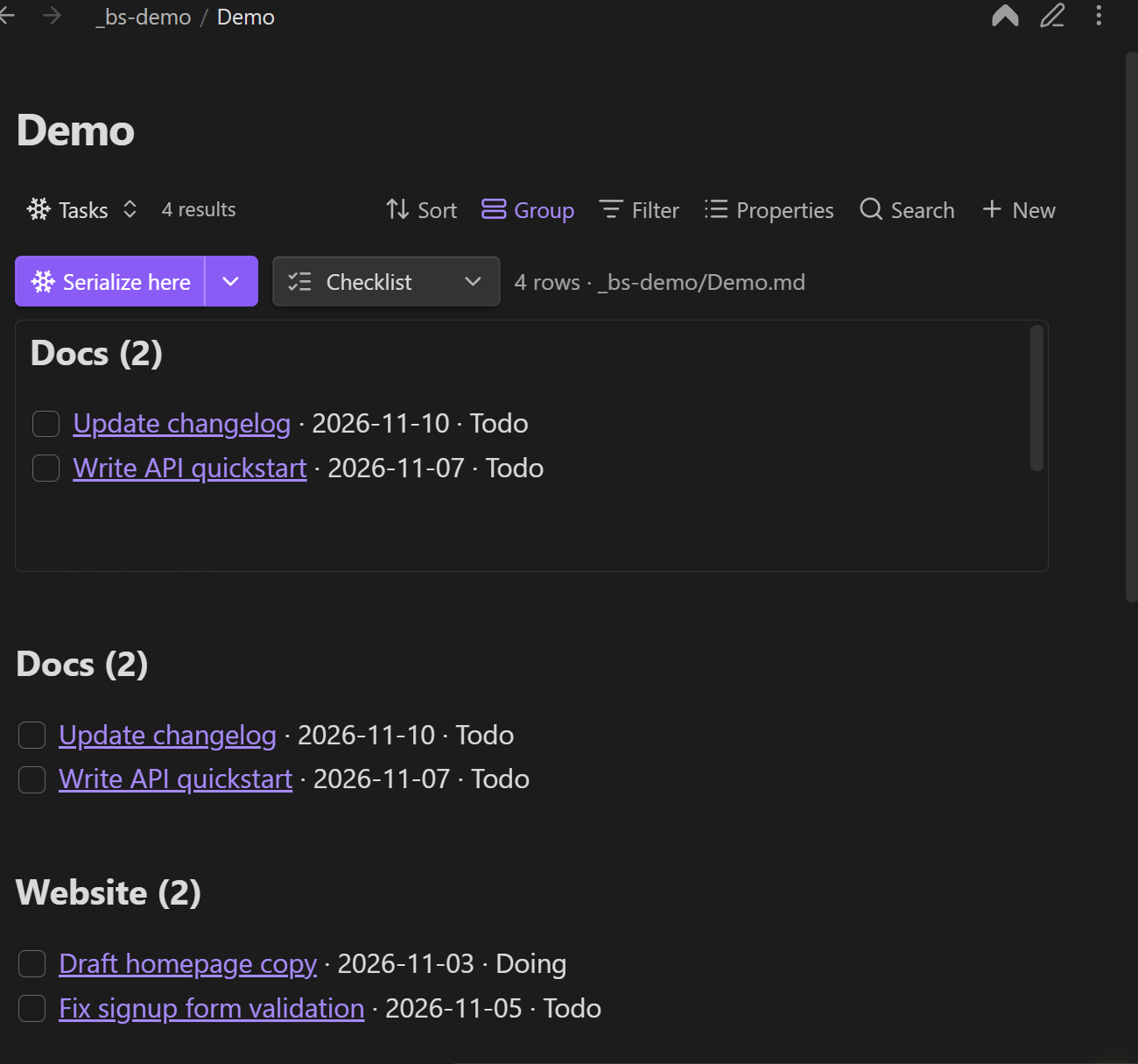 |
| Before — a live base embed | After — frozen Markdown, groups and all |
Install
Settings → Community plugins → Browse → "Bases Serializer", or view it in the community directory.
Requires Obsidian 1.10.0+ with Bases enabled.
Manual install / pre-release builds
- Download
main.js,manifest.json, andstyles.cssfrom the latest release. - Copy them into
<vault>/.obsidian/plugins/bases-serializer/. - Enable Bases Serializer in Settings → Community plugins.
Or use BRAT with
pedroilidio/obsidian-bases-serializer if you want to track versions ahead of a release.
Quick start
Embedded (recommended)
- Add a Serializer view to your base (the view picker → Serializer ❄).
- Embed that base in a note:
![[tasks.base#Today]]. - Click ❄ Serialize here. The frozen Markdown is inserted directly below the embed, inside a sentinel block keyed to the view.
Keeping the snapshot next to the query it came from means the base is the source of truth: change the base, re-serialize, the note updates.
Standalone
- Open the base as its own tab.
- Set a Target note in the view options (and optionally a Section heading).
- Click ❄ Serialize now. The block is written to that note — under the heading if you set one, otherwise appended at the end.
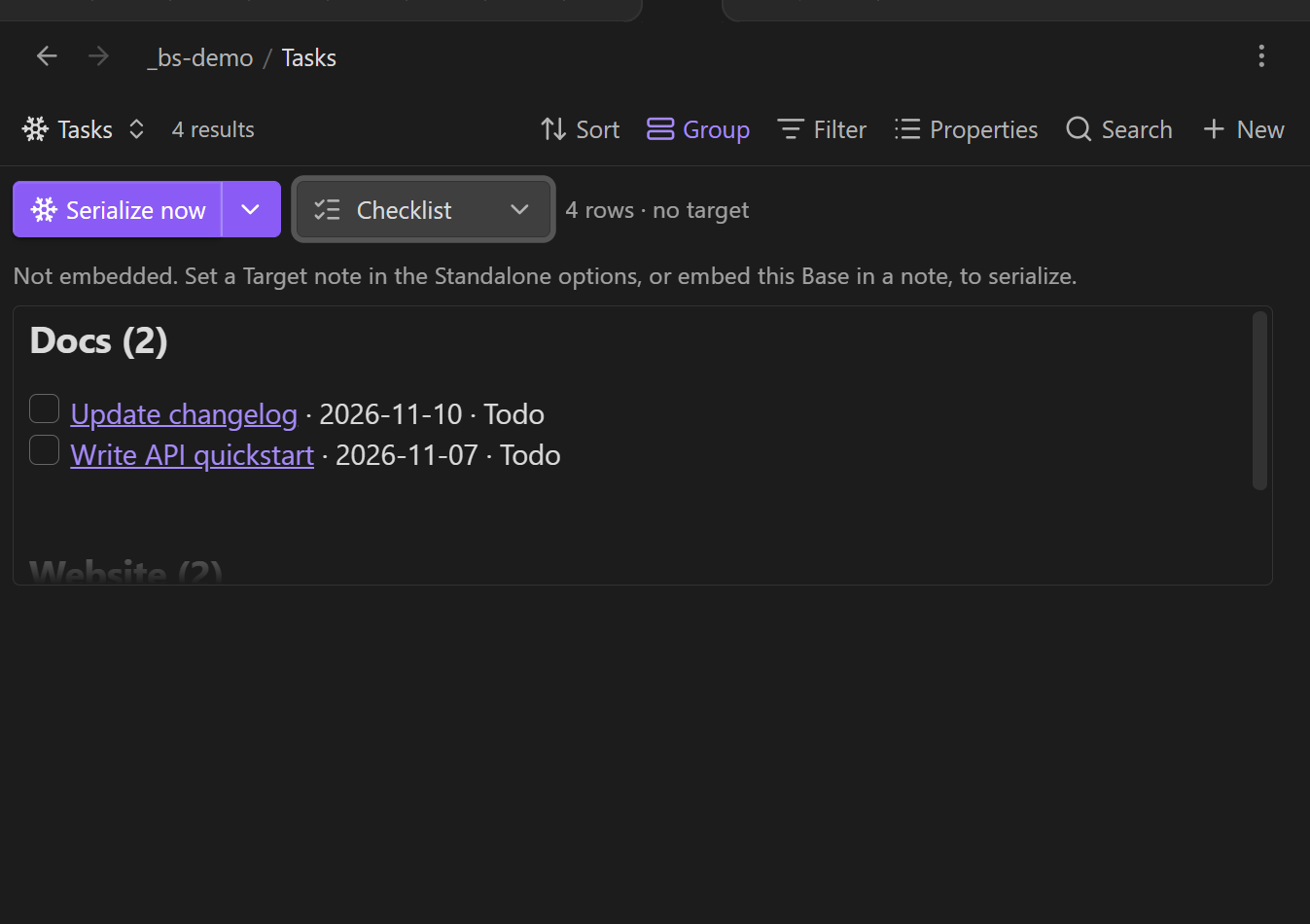
The toolbar
| Control | What it does |
|---|---|
| ❄ Serialize now / Serialize here | Writes the block. The label reflects the mode (standalone vs. embedded). |
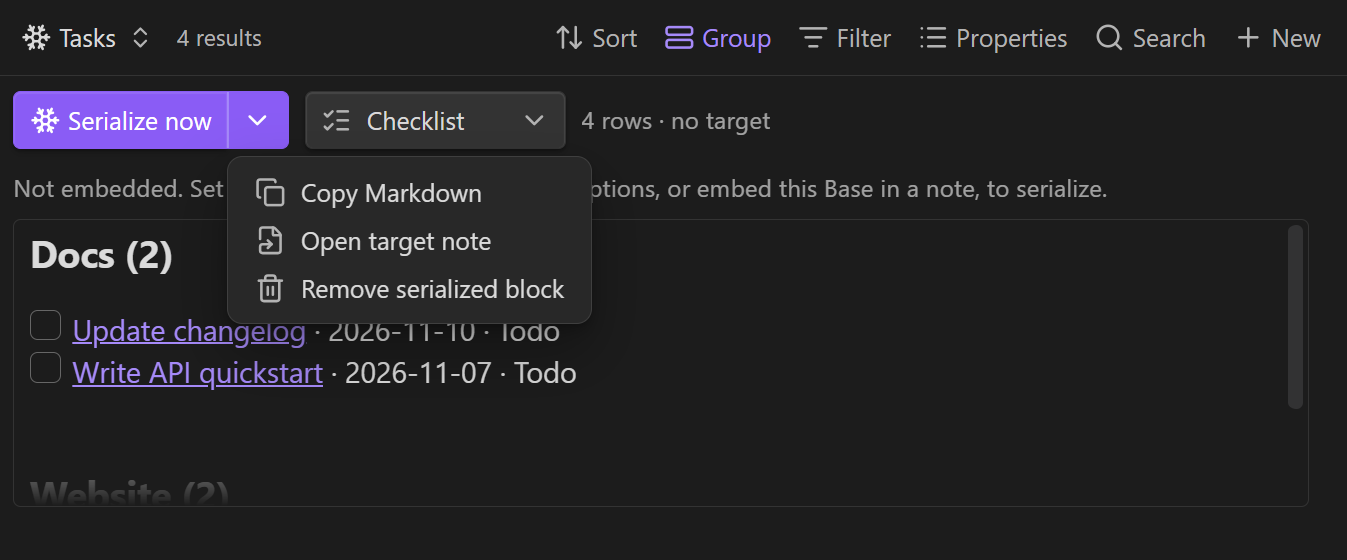
| ▾ | One-off actions: Keep live view, Freeze · replace embed with text (embedded only), Copy Markdown, Open target note, Remove serialized block. |
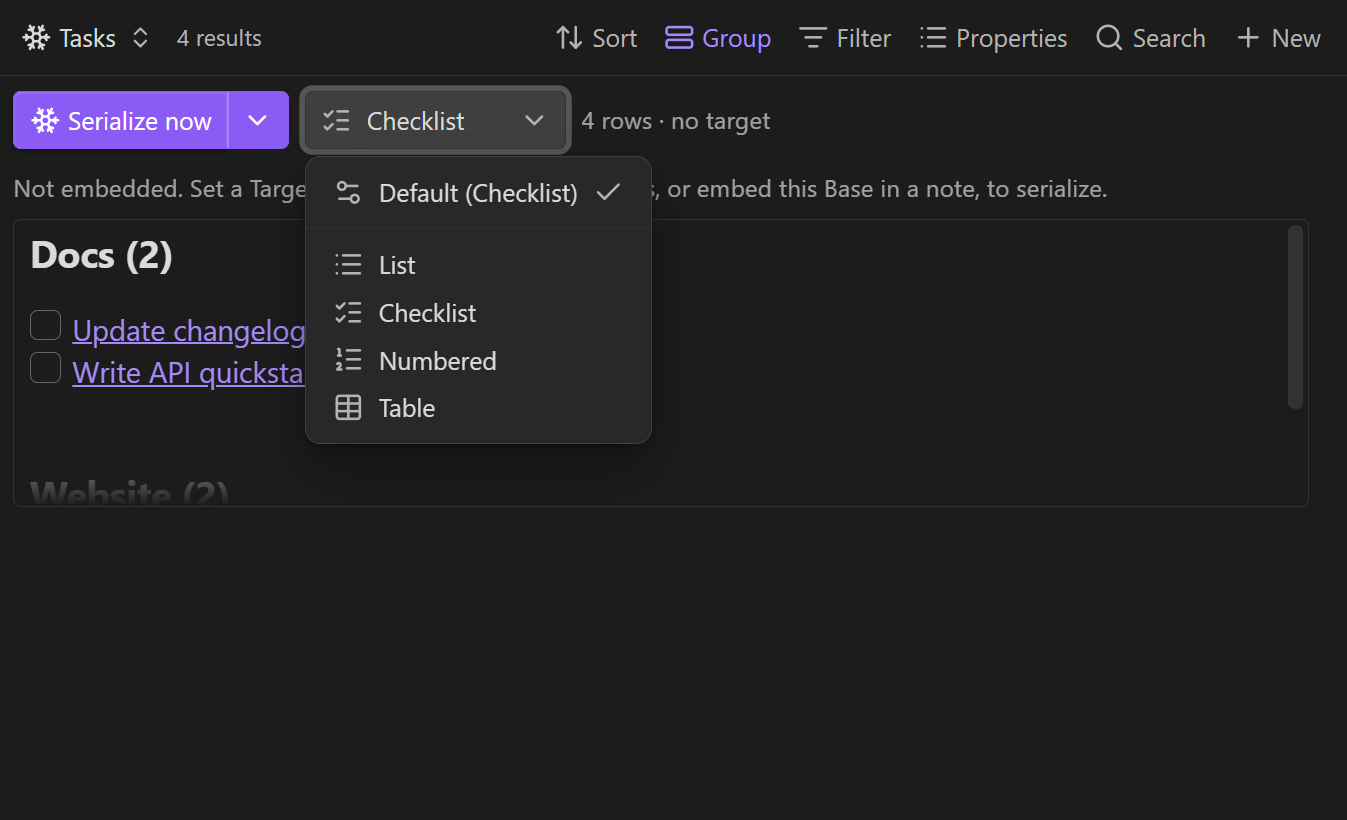
| Format | The format picker (icon + label). Opens a menu with Default (…) plus List, Checklist, Numbered, Table. |
- Format vs. Default format. The in-view Format picker is a per-view override; Default (…) clears it and follows the Default format set in the view options. The button always shows the effective format.
- Narrow panes. When the view is squeezed, the button labels collapse to icons (matching the native Bases toolbar), and the status text ellipsizes.
- Copy Markdown confirms with a toast.
- Command. Serialize the base in the active note does the same as the button, for whichever Serializer base is in the current note — handy as a hotkey or for automation.
View options
Standalone
- Target note — where to write when the view isn't embedded.
- Section heading — write the block under this heading in the target note (creates it if missing).
Output
- Default format —
List,Checklist,Numbered, orTable(the fallback for the in-view picker). - Link style —
Wikilink [[Note]](default),Markdown [title](path), orPlain text. - Row template — one template per row; overrides the format (see placeholders below).
- Heading / preamble — a line emitted above the block (e.g.
## Tasks). - Sentinel key — key for the block (defaults to the view name).
Item details
- Item details —
Hide(default),Inline(same line), orSub-items(nested bullets). - Detail properties — comma-separated ids/display names to show (empty = all columns).
- Details separator — used by
Inline(default·; verbatim, include your own spaces). - Show property names —
Due: 2026-10-13instead of bare values (default off). - Trailing property — appended to each checklist/numbered item as
— value.
Behaviour
- Group headings — emit a header per group from Bases' grouped results (default on).
- Group template — header template with
{group}and{count}(default### {group}). - No-results text — shown when there are no rows (default: the preview shows
(no rows)). - Preview max height — cap on the in-view preview (default
50vh). - Auto-serialize (embedded) — re-write (debounced) whenever the data updates.
- Freeze (replace embed with text) — swap the live
![[base#view]]for plain Markdown (no embed, no sentinels).
Row template placeholders
{link}, {title}, {path}, {index}, {group}, and any property by id
({note.due}) or display name ({Due}) — case-insensitive.
- {link} — {note.due} ({note.status})
Output format
Everything is wrapped in HTML-comment sentinels:
%% bases-serializer key="Today" format="checklist" %%
- [ ] [[Notes/Foo]] — 2026-10-13
- [ ] [[Notes/Bar]]
%% /bases-serializer %%
Only the block whose sentinel key= matches is replaced on re-serialize;
everything else in the note is left untouched, and multiple blocks per note are
supported. Set a custom Sentinel key to keep several independent snapshots.
Freeze takes it further: instead of a sentinel block it drops the plain
Markdown in place of the embed line itself — no %% markers, no ![[…]] left.
That's ideal for a final, "baked" note.
Development
npm install
npm run dev      # esbuild watch -> main.js
npm run build    # typecheck + bundle
npm test         # unit tests (sentinels, rendering)
Pure logic lives in src/sentinels.ts (block upsert/strip/freeze) and
src/render.ts (formats, templates, groups) with no Obsidian imports, so it
is unit-tested without the app. The Bases view wrapper lives in src/main.ts.
See ARCHITECTURE.md for a guided tour — the file map, the data flow, how to add a format or an option, and the traps worth knowing about.
Notes & limitations
- Requires Obsidian 1.10.0+ (the public Bases API).
QueryControlleris opaque, so this must be a view type — it can't serialize the built-in Table/Cards view directly. - Read-only with respect to the queried notes: it only ever writes the target note (or, on freeze, the note containing the embed).
Listrenders bare bullets; useChecklistfor- [ ]tasks.
Support
If Bases Serializer saves you time, you can buy me a coffee — it keeps the ❄️ in shape.

Acknowledgements
The code was written in pair-programming sessions with an AI assistant —
OpenCode driving DeepSeek V4.1 Flash — under my direction. The design, scope,
trade-offs and every product decision are mine; the implementation was largely the
assistant's. ARCHITECTURE.md is the map I use to maintain it, and changes authored
by the assistant carry an Assisted-by: trailer in git.
License
For plugin developers
Search results and similarity scores are powered by semantic analysis of your plugin's README. If your plugin isn't appearing for searches you'd expect, try updating your README to clearly describe your plugin's purpose, features, and use cases.