Bases Style Enhancer
approvedby uniqueclone
Enhance the appearance of Bases views (starting with table font size) - This plugin has not been manually reviewed by Obsidian staff.
Bases Style Enhancer
Customize the appearance of Obsidian Bases views.
This first version focuses on table font size. It injects a custom CSS variable and rules so that all Bases table cells (and optionally headers) use a configurable font size. Future updates may add more style options for Bases views.
Features
- Adjust Bases table cell text size globally.
- Choose units:
remorpx. - Optionally apply the same size to table headers.
- Choose units:
How to use
- Install and enable Bases Style Enhancer from the Community plugins tab.
- Open a Bases table view.
- Adjust the settings until the table text is comfortable to read.
Settings
Open Settings → Community plugins → Bases Style Enhancer → Options:
- Table font size value – numeric value like
1.0or16. - Units –
rem(relative to base text size) orpx. - Apply to table headers – when enabled, headers use the same font size as cells.
Compatibility
- Requires Obsidian 1.5.0 or higher.
Screenshots
-
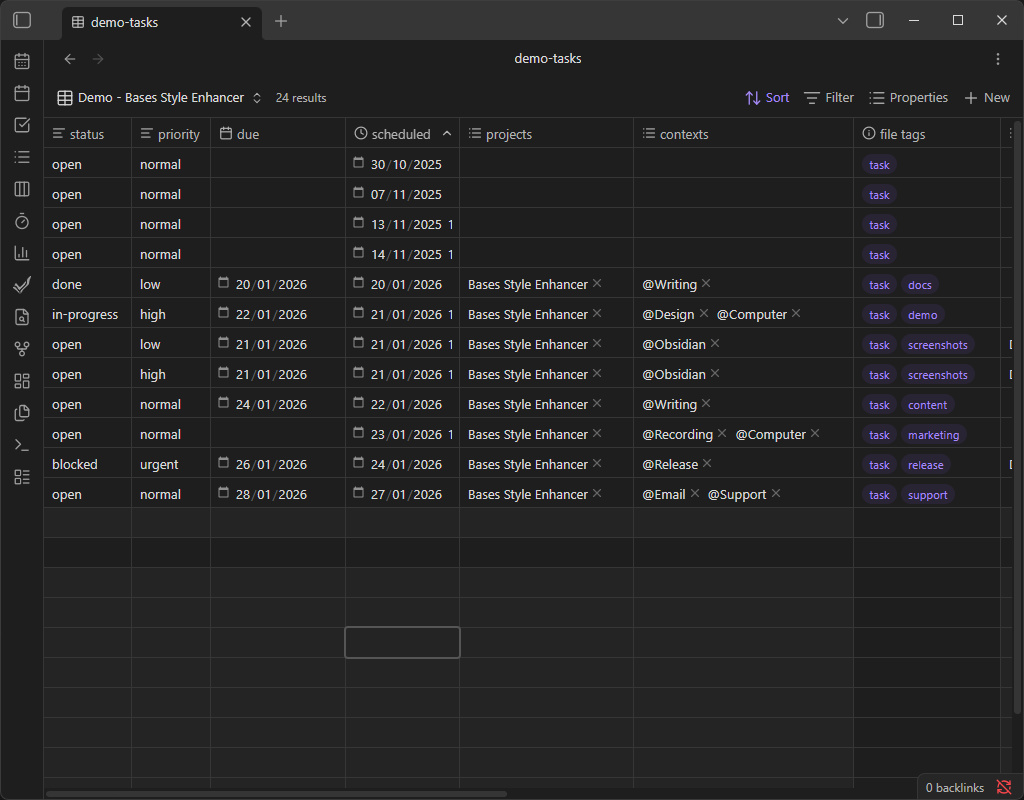
Before – Bases table text uses the default font size.
-
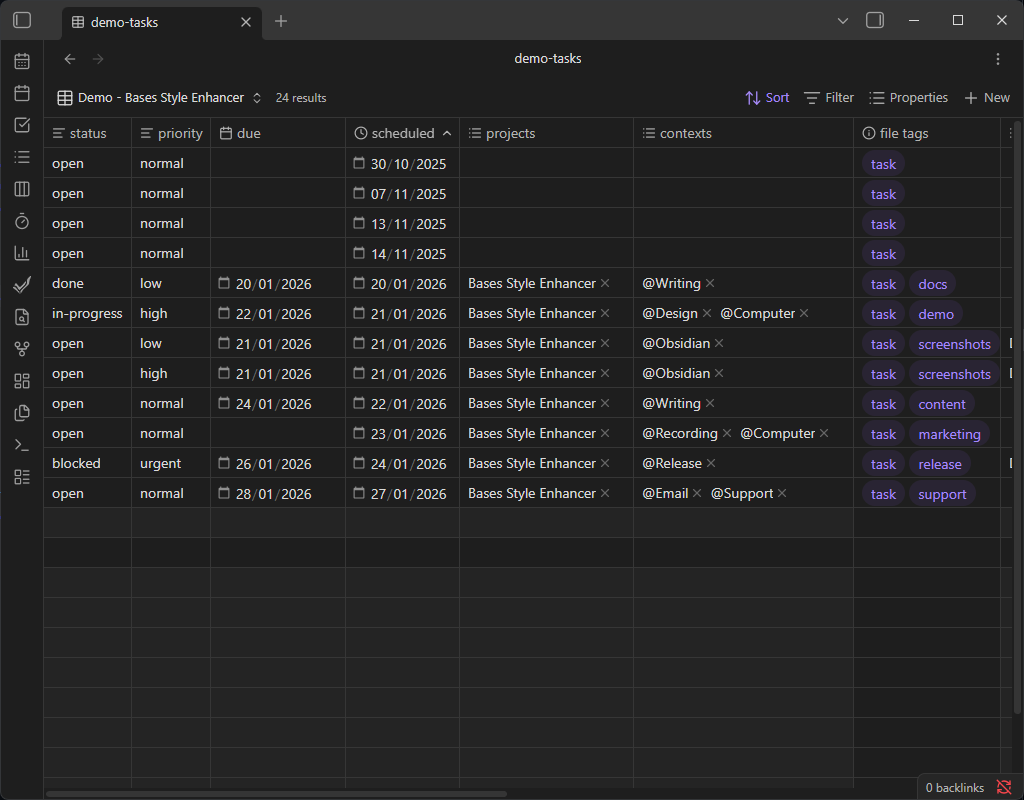
After (1.0rem) – table text will match the base text size of Obsidian.
-
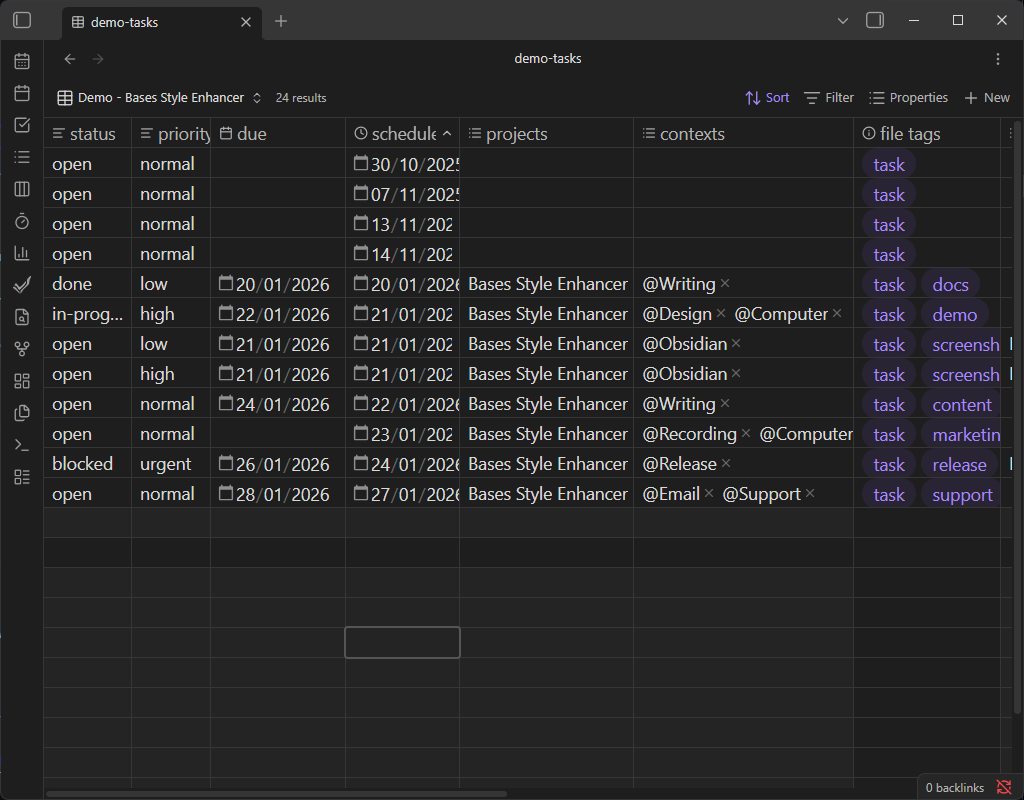
After (1.25rem) – table text is moderately larger for improved readability.
-
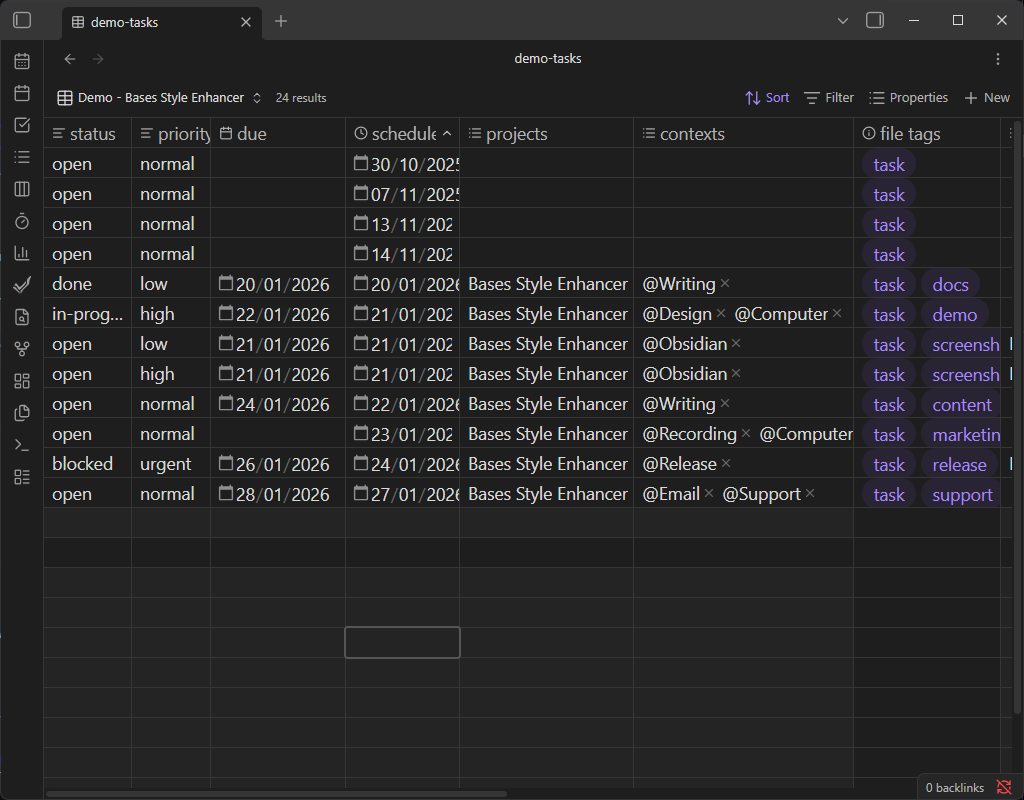
After (20px) – table text is significantly larger for maximum readability.
Support
If this plugin improves your Bases experience and you’d like to support development, you can:

For plugin developers
Search results and similarity scores are powered by semantic analysis of your plugin's README. If your plugin isn't appearing for searches you'd expect, try updating your README to clearly describe your plugin's purpose, features, and use cases.