Bases Paginator
approvedby sean2077
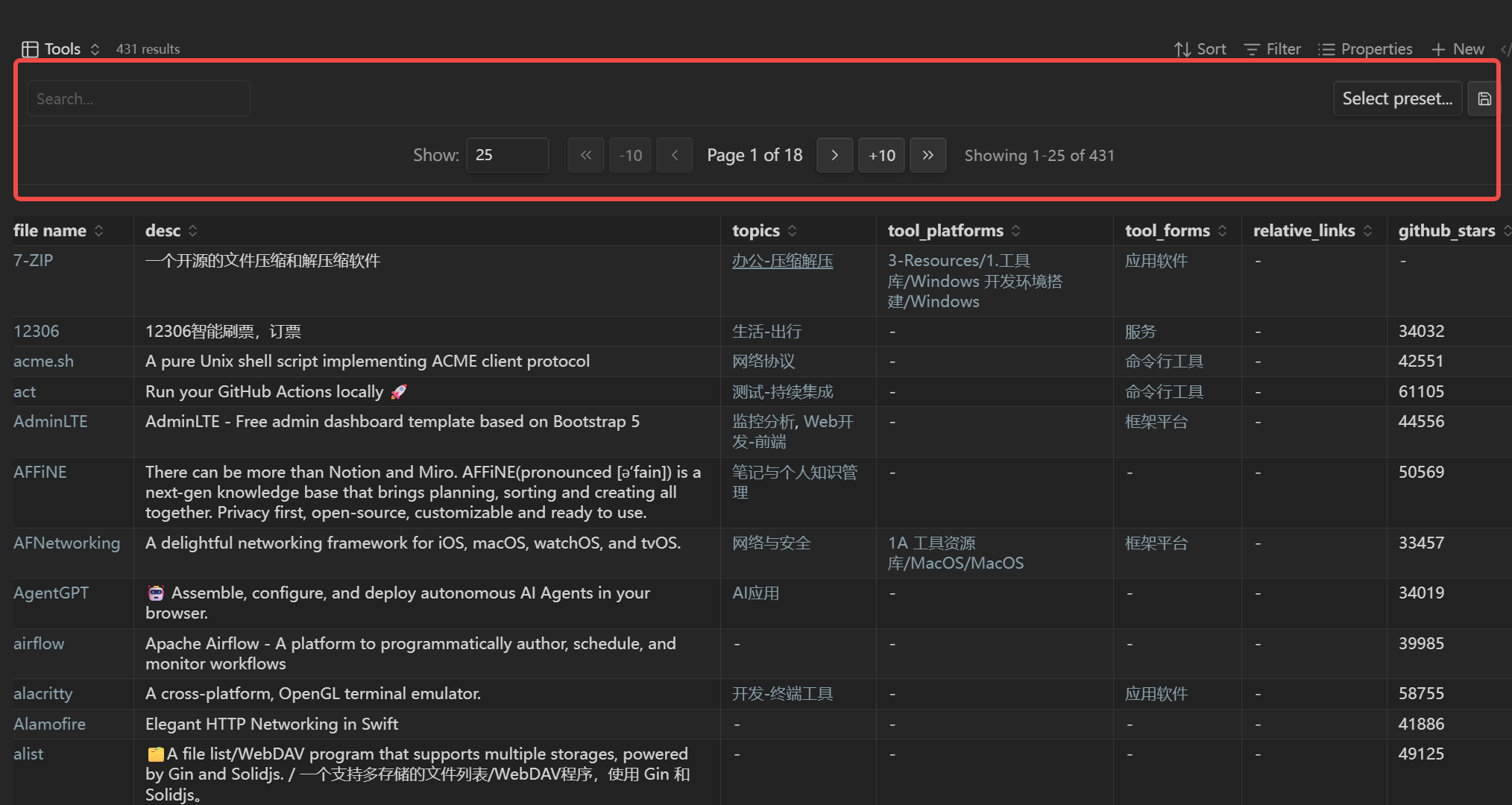
Adds a paginated table view with quick filtering to Bases. Features include pagination controls, global search, click-to-filter, and filter presets. - This plugin has not been manually reviewed by Obsidian staff.
Bases Paginator



Bases Paginator is a local, read-only Obsidian view that adds real page navigation to Bases. It stays deliberately small and composes with native Bases instead of replacing its query controls.
Requires Obsidian 1.12.0 or later with the Bases core plugin enabled. Desktop and mobile are supported. On Obsidian 1.13.0 or later, the plugin's pagination settings also appear in Settings search.
Why this plugin still exists
Native Bases can limit the number of query results, but a result limit does not provide next/previous pages or access to the remaining results. This plugin keeps that narrow missing capability:
- First, previous, next, and last page navigation
- Standard and custom page sizes from 1 to 1,000
- Group-aware pagination using the native Bases grouping result
- Native rendering for links, tags, lists, images, formulas, dates, booleans, and numbers
- Sticky header and top/bottom pagination placement
- Keyboard-accessible controls, screen-reader status, and mobile-sized touch targets
Native Bases owns search, filters, named views, sorting, property order and width, summaries, copy/export, and selection. Configure those from the Bases toolbar; the paginated view consumes the resulting order and groups.
Important: native result limit
The Obsidian API gives custom views data after the native result limit has already been applied. To paginate the complete filtered result set, remove the Bases result limit or set it high enough for the data you want to page through. The plugin cannot recover rows that the native query omitted.
Usage
- Open a
.basefile or embedded Base. - Open the view switcher and choose Paginated table.
- Use native Bases controls for search, filters, sorting, grouping, and properties.
- Choose the page size from the pagination bar or view options.
The current persisted view options are:
| Key | Values | Purpose |
|---|---|---|
pageSize | 10, 25, 50, 100, or a custom value entered in the view | Items per page |
stickyHeader | true or false | Keep column names visible while scrolling |
paginationPosition | top or bottom | Place the pagination bar above or below the table |
Example:
```base
filters:
  and:
    - file.hasTag("task")
views:
  - type: paginated-table
    name: My tasks
    pageSize: "25"
    stickyHeader: true
    paginationPosition: top
```
You can embed a named view with ![[MyDatabase.base#My tasks]].
Upgrading from the previous full-table UI
Older releases stored showSearchBox, showFilterBar, filterableColumns, filterPresets, and listRenderMode. Those keys are now legacy:
- Existing
.basefiles remain valid and the plugin leaves the legacy values untouched. - The legacy values no longer change rendering.
- Recreate saved filter combinations as native named views and use native search, filters, sort, and property controls.
Plugin-wide search/filter defaults are also retained when old data.json settings are loaded, so saving current pagination defaults is non-destructive.
Limitations
- The view cannot edit cells, create/delete rows, or change source notes. Use the native Table view or edit the note.
- Pagination covers only rows supplied by the Bases API after native filters, sort, and limit.
- Native Table-only interactions such as multi-cell selection, paste, and summaries are not reimplemented.
Installation
Community plugins
- Open Settings → Community plugins.
- Search for Bases Paginator.
- Select Install, then Enable.
BRAT
Add https://github.com/sean2077/obsidian-bases-paginator in BRAT, then enable the plugin.
Manual
Copy main.js, manifest.json, and styles.css from the latest release into:
<Vault>/.obsidian/plugins/bases-paginator/
Reload Obsidian and enable the plugin under Community plugins.
Development
See the development guide for commands, architecture, compatibility decisions, verification, and release details.
License
See LICENSE.
For plugin developers
Search results and similarity scores are powered by semantic analysis of your plugin's README. If your plugin isn't appearing for searches you'd expect, try updating your README to clearly describe your plugin's purpose, features, and use cases.