by Hernan
Visualize your vault as a lightweight 2D/3D graph shaped like a brain.
Brain Graph
An Obsidian plugin that draws your vault as a brain, in 2D or 3D. It's a lightweight alternative to the core graph view.
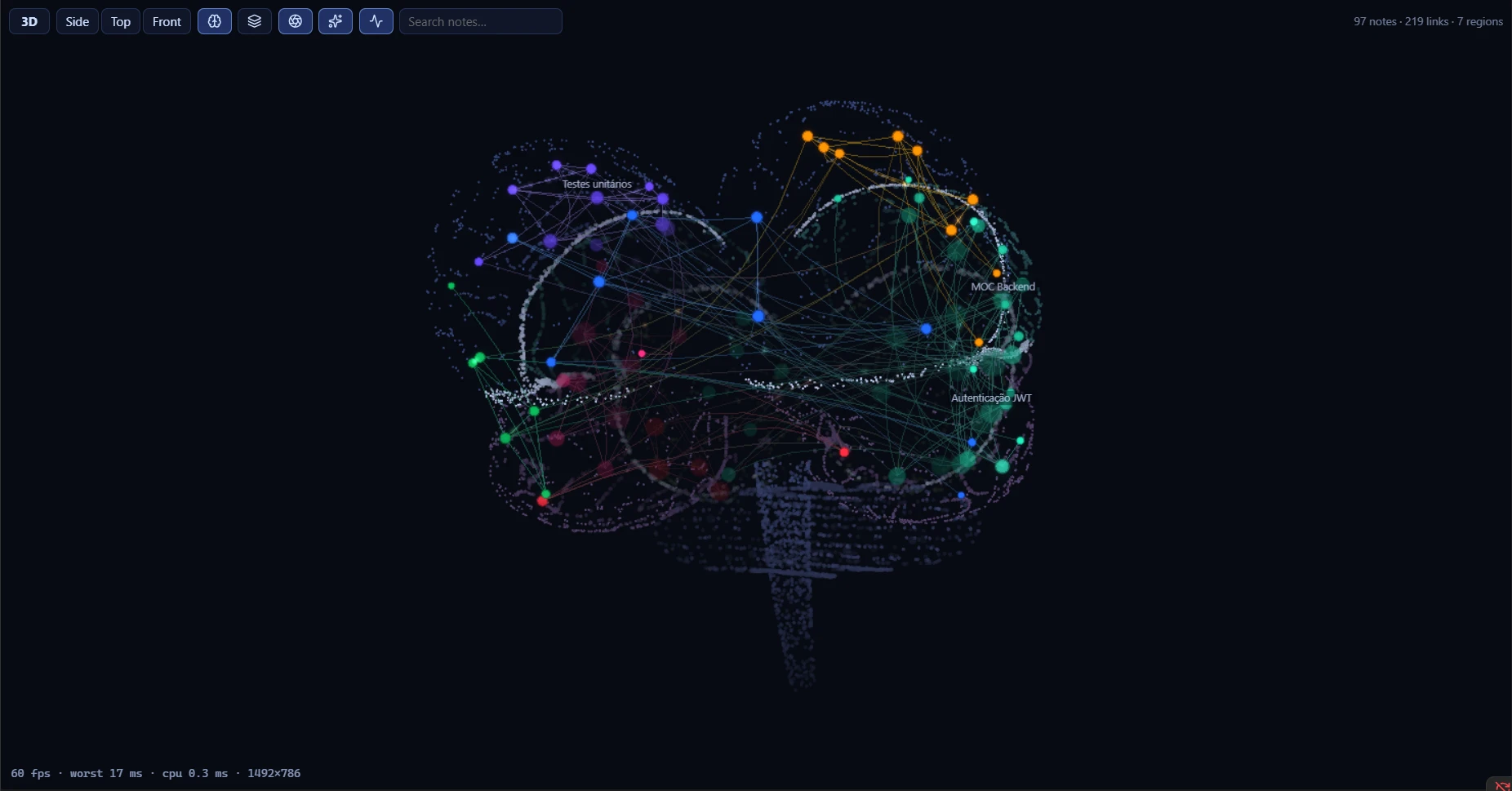
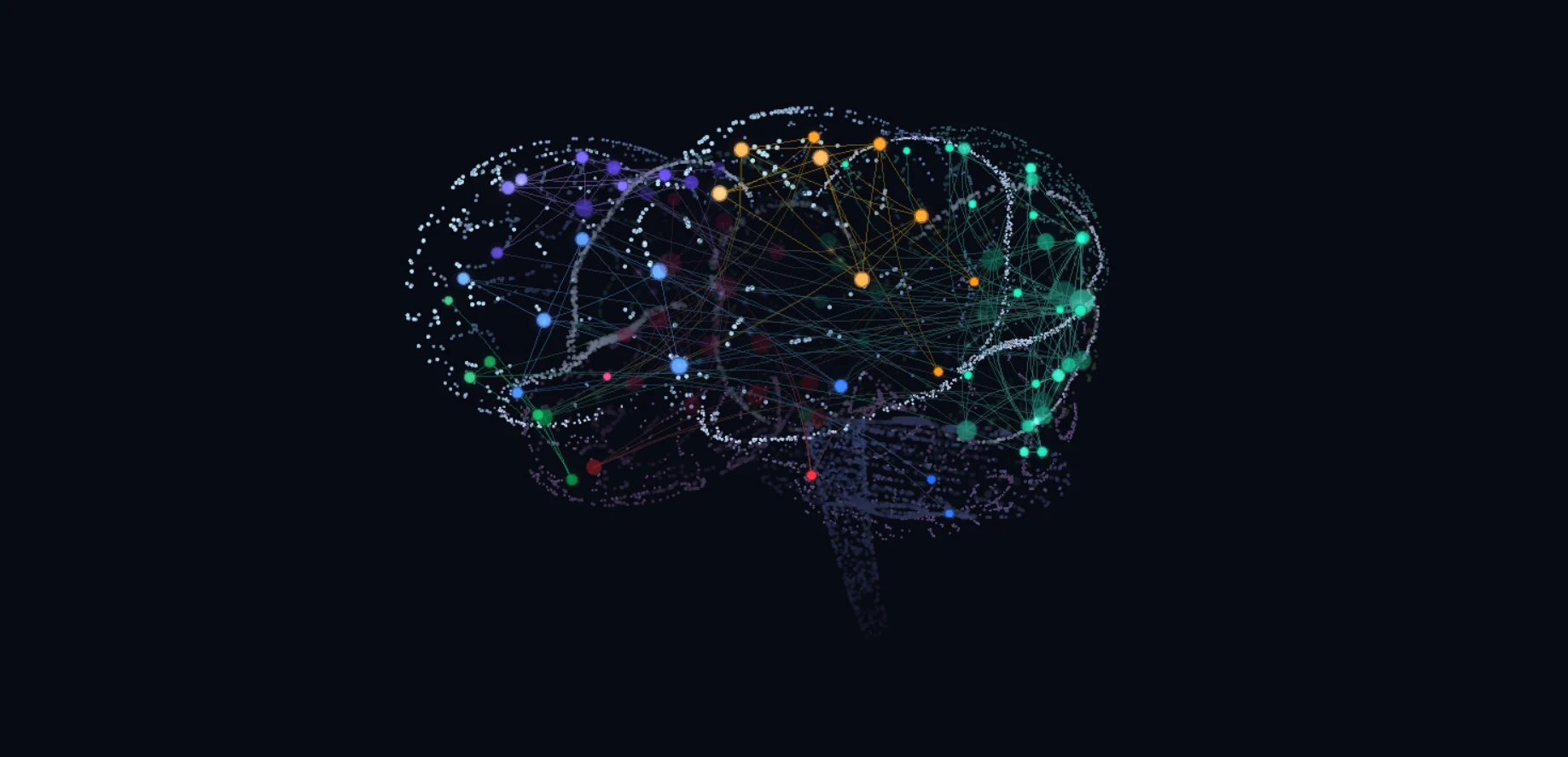
- Neurons: each note is a point on the cortex. The 10 most connected notes always show their names.
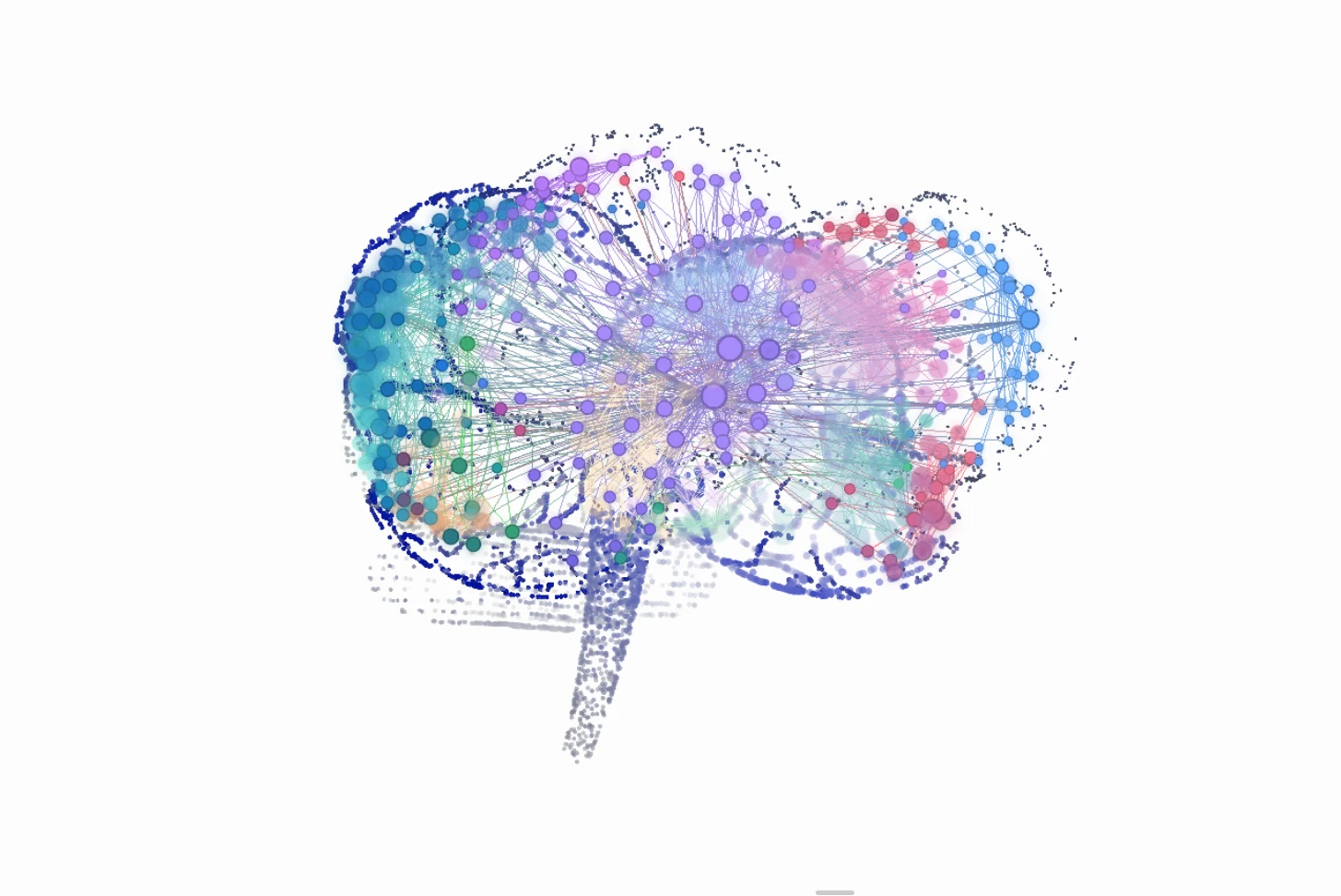
- Regions: each community of notes (detected from links) or each top-level folder becomes a region of the cortex. Tightly connected groups sit next to each other.
- Orphans: notes without links live in the cerebellum.
- Fibers: the links. With the surface off (default), they dive toward the center like white matter. With the surface on, they arch over the outside.
- Stable map: positions are saved, so the brain always opens the same way. New notes land near their neighbors without shuffling the rest.
- Fits your theme: light and dark modes follow Obsidian, using your theme's background and interface colors.
Installation
From Community plugins
- Open Settings → Community plugins → Browse and search for Brain Graph.
- Select Install, then Enable.
Manual
- Download
main.js,manifest.jsonandstyles.cssfrom the latest release. - Put them in
<vault>/.obsidian/plugins/brain-graph/(create the folder if needed). - In Settings → Community plugins, reload the list and enable Brain Graph.
Open it from the brain icon in the ribbon or with Ctrl/Cmd+P → "Brain Graph: Open graph view".
On first open, the plugin computes the layout (a few seconds, depending on vault size) and writes layout.json to the plugin folder. Later opens are instant.
When updating manually, replace the files and restart Obsidian. Toggling the plugin off and on with the new version may fail to load.
Usage
- Navigate: drag to orbit (3D) or pan (2D), scroll to zoom. Click a note to open it; Ctrl/Cmd+click opens it in a new tab.
- Graph toolbar: switches 2D/3D, jumps to side, top and front views, toggles cortex, surface, depth of field, glow and ambient pulses, and has a search by note name.
- Commands: "Open graph view", "Recalculate layout" and "Toggle 2D/3D".
Settings
| Option | Default | What it does |
|---|---|---|
| Default mode | 3D | How the graph opens |
| Appearance | Follow Obsidian | Light or dark. Follow Obsidian switches together with your theme and uses its background; Dark or Light force a mode |
| Group regions by | Links | Link communities or top-level folder |
| Show orphan notes | on | Notes without links in the cerebellum |
| Brain surface | off | Translucent surface with notes on the outside, instead of the point cloud |
| Depth of field | on | Blurs and dims what is behind the center |
| Show cortex | on | Anatomical outline: fissures, sulci, lobes, cerebellum and brainstem |
| Node glow | on | Halo around notes |
| Hover pulses | on | Signals run along the links of the hovered note |
| Ambient pulses | on (45) | Slow signals all the time |
| Idle animation | on | After about 1.5 s without input: a wave of activity, breathing glow, and the interface fades out |
| Idle orbit | on | The camera slowly orbits while idle (3D) |
| Node size / Hub labels | 1 / on | Appearance |
| Recalculate layout | — | Lays everything out again from scratch |
Performance
The plugin is built to run at 20 fps or more on integrated GPUs.
- On-demand rendering: it only redraws when something changes. For zero cost while the brain is still, turn off ambient pulses and idle animation. With either one on, the loop runs at about 30 fps.
- Auto pause: rendering stops when the tab is hidden.
- Finite layout: the layout converges and stops, with O(n) repulsion via a spatial hash. The result is stored in
layout.json. - LOD: depth of field reduces detail in the background.
Privacy
Brain Graph works fully offline. It lists the Markdown files in your vault and reads their links through Obsidian's metadata cache to build the graph; note contents never leave your machine. It makes no network requests, and only writes data.json (settings) and layout.json (positions) inside its own plugin folder.
Development
Requires Node.js 22 and npm.
npm install
npm run dev      # watch → main.js with sourcemap
npm run build    # type-check (tsc) + minified build
npm run deploy   # build + copy to a test vault
deploy uses the path given as an argument, or the BRAIN_GRAPH_VAULT variable, or ~/Documents/BrainGraph-Teste. For a path with spaces, call node dev/deploy.mjs "<vault>" directly.
Preview outside Obsidian
dev/preview.ts renders the brain with a fake vault in the browser:
npx esbuild dev/preview.ts --bundle --format=iife --outfile=dev/preview.js
python -m http.server 5178   # open http://localhost:5178/dev/index.html
URL parameters:
n: number of notes (default 1500).clusters: number of groups.orphans: fraction of orphan notes.mode=2d.view=superior|frontal.cloud: no surface.- Effects to turn off:
nodof,noglow,noambient,noidle.
Measurement scripts
Bundle with npx esbuild dev/<script>.ts --bundle --platform=node --outfile=dev/<script>.js and run with node:
dev/bench.ts: graph and layout time with 1.5k, 8k and 20k synthetic notes.dev/quality.ts [vault]: on a real vault, measures link length, reopening, new notes and distribution per lobe.dev/affinity.ts: checks that connected communities end up as neighbors.
Structure
| File | Role |
|---|---|
src/main.ts | Plugin: view, commands, settings and persistence in layout.json |
src/view.ts | ItemView: toolbar, search, opening notes, incremental rebuild |
src/graph-core.ts | Graph from resolved links, with communities via label propagation |
src/layout.ts | Affinity-based seeds, cortex slots by area, spatial-hash forces and projection onto the anatomy |
src/brain-shape.ts | Procedural SDF anatomy: stylized hemispheres, sulci, cerebellum and brainstem |
src/renderer.ts | Three.js: nodes, halos, fibers, pulses, surface, depth of field, idle animation and picking |
src/settings.ts | Settings |
Release
Releases are published by GitHub Actions (.github/workflows/release.yml):
- Update
versioninmanifest.jsonandpackage.json, and add the version toversions.json. - Commit, create an annotated tag without a
vprefix (Obsidian requires the tag to match the manifest version exactly) and push:git tag -a 1.0.1 -m "Brain Graph 1.0.1" && git push origin main 1.0.1. - The workflow checks that the tag matches
manifest.json, builds, attests the build provenance, and publishesmain.js,manifest.jsonandstyles.css.
To republish an existing tag, use Actions → Release → Run workflow and enter the tag.
License
For plugin developers
Search results and similarity scores are powered by semantic analysis of your plugin's README. If your plugin isn't appearing for searches you'd expect, try updating your README to clearly describe your plugin's purpose, features, and use cases.