Calendar Bases
approvedby edrickleong
Adds a calendar layout to bases so you can display notes with dates in an interactive calendar view.
Calendar Bases

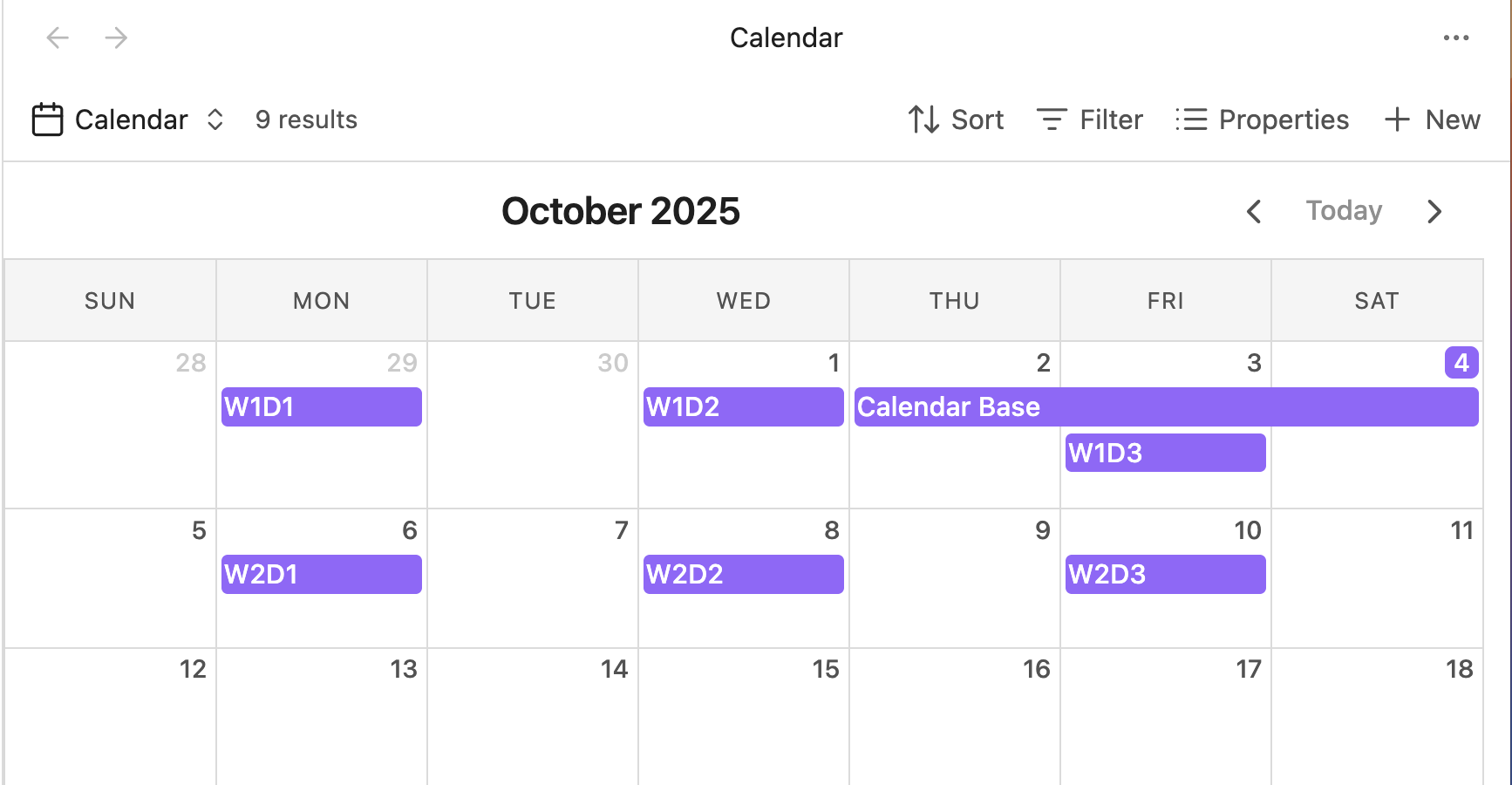
Adds a calendar layout to Obsidian Bases so you can display notes with dates in an interactive calendar view.
Built with FullCalendar for a robust and feature-rich calendar experience.
- Dynamically display entries that match your filters on their respective dates.
- Drag and drop events to reschedule them - automatically updates note frontmatter.
- Navigate between months with intuitive controls.
- Support for single-day and multi-day events (with optional end dates).
- Click entries to open them or use context menus for more options.
Installation
This plugin requires Obsidian v1.10.0 or later to work.
Install via Community Plugins
Calendar Bases is available under Community Plugins. It can be found here.
Install via BRAT
- Install the BRAT plugin under Community Plugins.
- Open BRAT settings and click "Add beta plugin".
- Enter the URL of this repository:
https://github.com/edrickleong/obsidian-calendar-bases. - Under "Select a version", choose the Latest version.
- Click "Add plugin".
Documentation
Date Properties
To display entries on the calendar, configure a start date property in the view configuration menu. The property must contain a valid date string.
# Date property examples
startDate: 2025-10-15
startDate: 2025-10-15T10:00:00

# Optional end date for multi-day events
endDate: 2025-10-18
Any JavaScript-parseable date format is supported. For multi-day events, configure both a start date and an optional end date property.
Credits
This plugin uses FullCalendar.
License
This project is licensed under the MIT License.
For plugin developers
Search results and similarity scores are powered by semantic analysis of your plugin's README. If your plugin isn't appearing for searches you'd expect, try updating your README to clearly describe your plugin's purpose, features, and use cases.