Calendar Ledger
approvedby Million
Manage dates, records, ranges, tags, and statistics in one Markdown file. - This plugin has not been manually reviewed by Obsidian staff.
Calendar Ledger
中文版 | English
An Obsidian plugin for keeping a continuous multi-year calendar, records, tags, links, and date ranges in one Markdown file. It provides quick navigation, inline record entry, an outline-style sidebar, statistics, heatmaps, and yearly summaries.
Features
- Generate a continuous calendar covering any start and end year.
- Store all records in one normal Markdown file; no separate database is required.
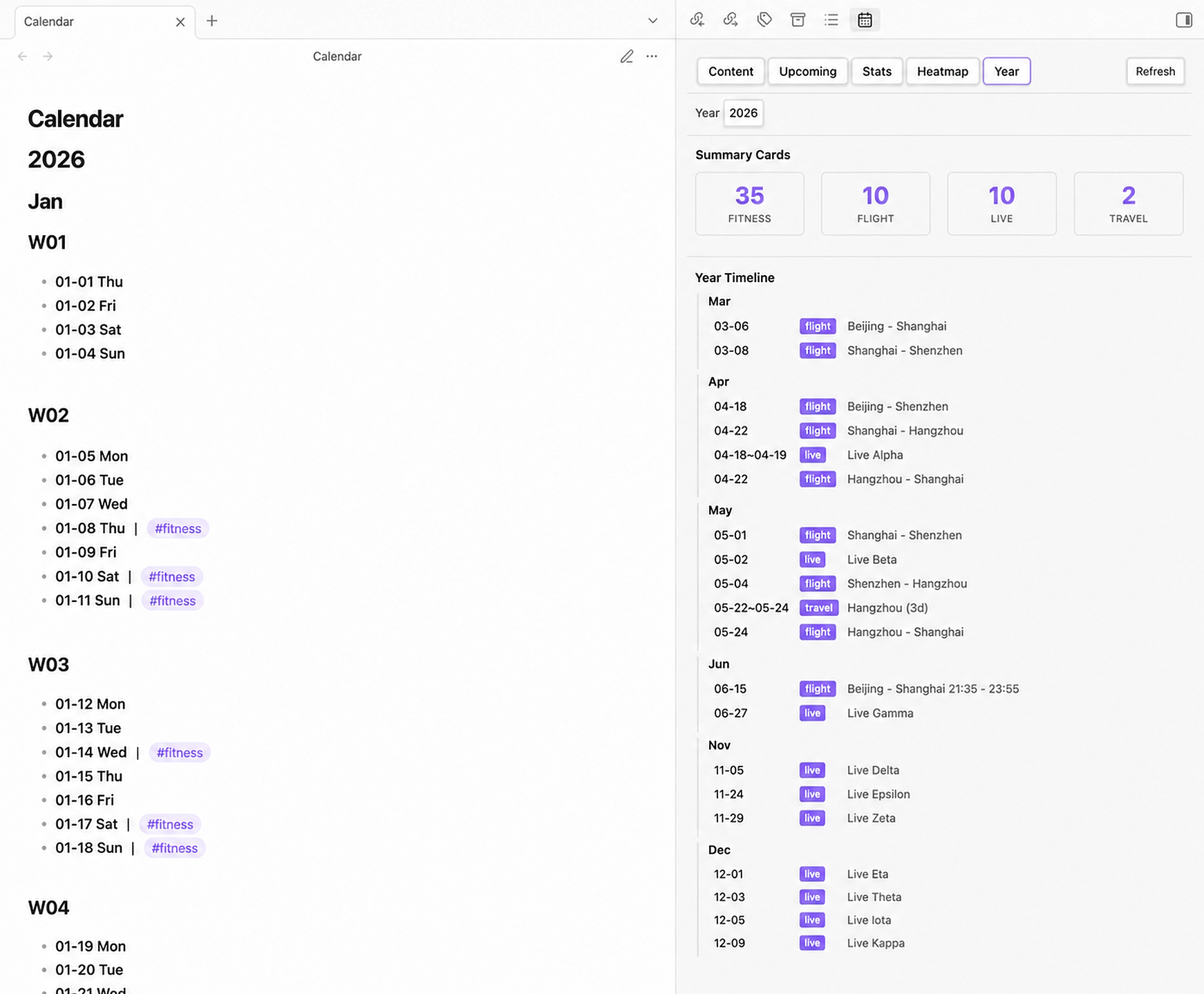
- Open a sidebar view with Content, Upcoming, Stats, Heatmap, and Year tabs.
- Jump to today or any date, and add a record to today or a selected date from the command palette.
- Choose English or Chinese weekday names.
- Choose Monday or Sunday as the first day of visual layouts.
- Show or hide ISO week headings (
W01,W02, ...). - Support multiple tags, Obsidian wikilinks, and date ranges.
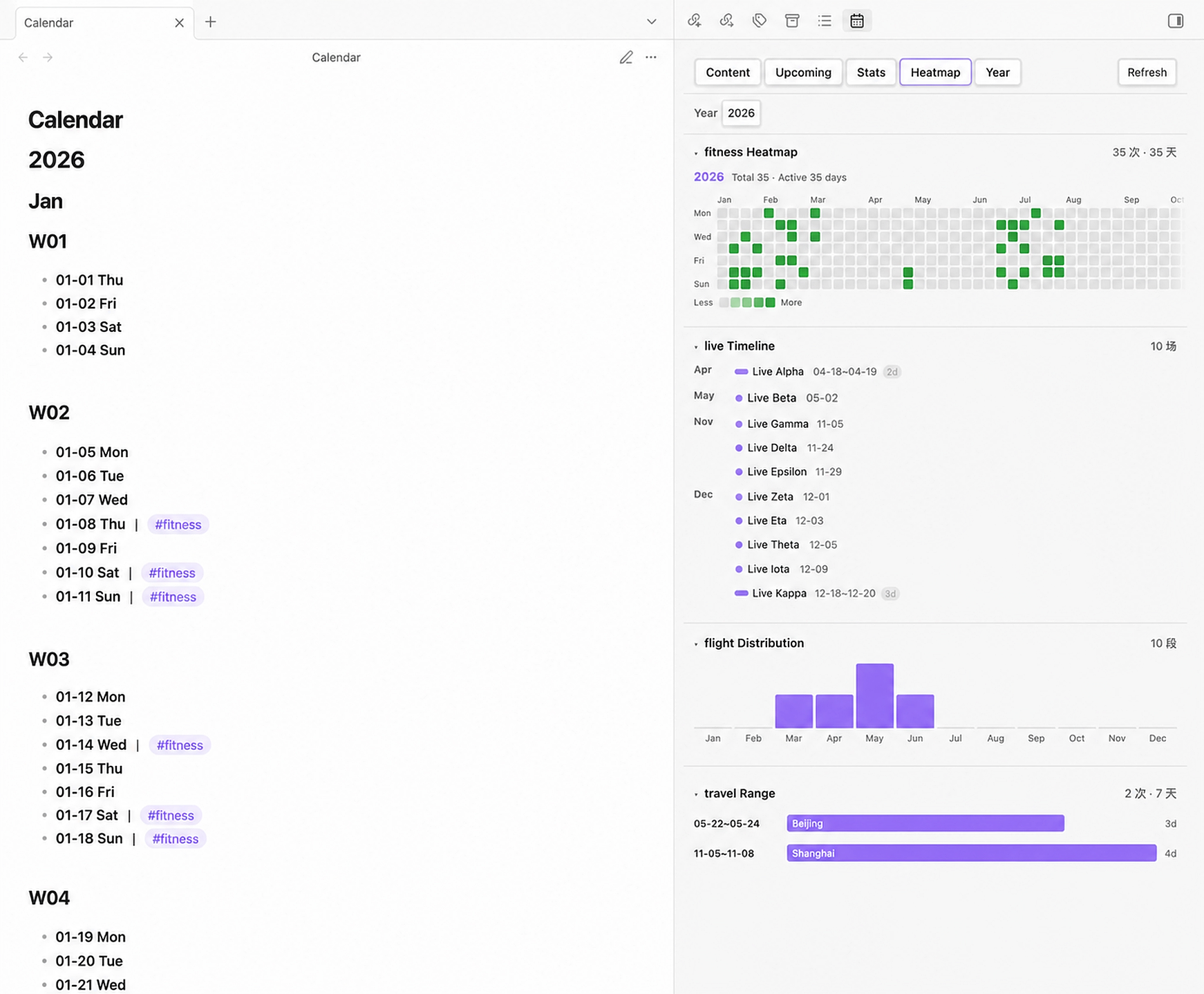
- Display activity heatmaps, event timelines, monthly distributions, and date-range views by tag.
- Count range events separately from their deduplicated covered days.
- Migrate legacy nested date structures to the current inline format while preserving existing text, links, and tags.
- Refresh the sidebar automatically when the calendar file changes.
Screenshots
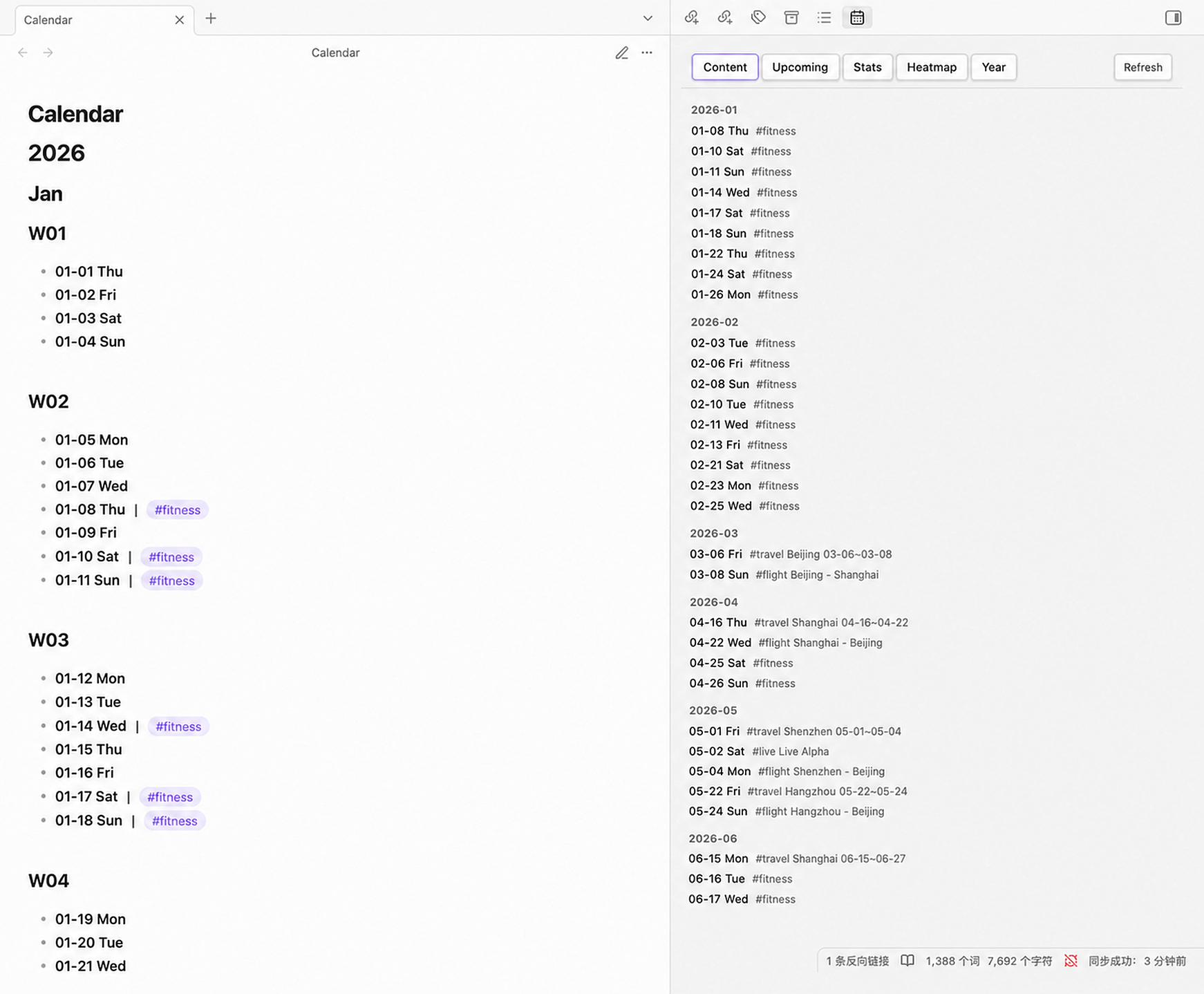
Content
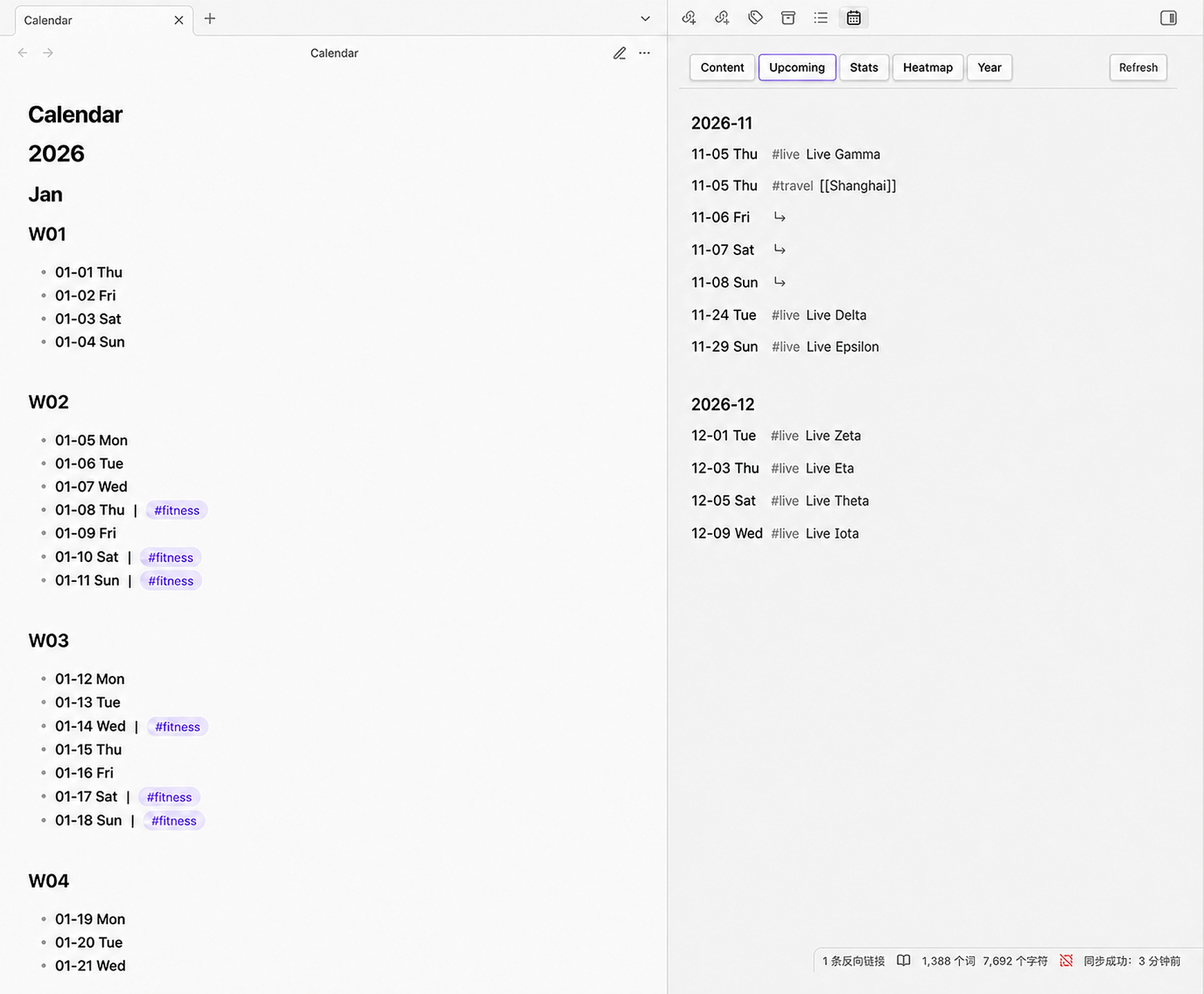
Upcoming
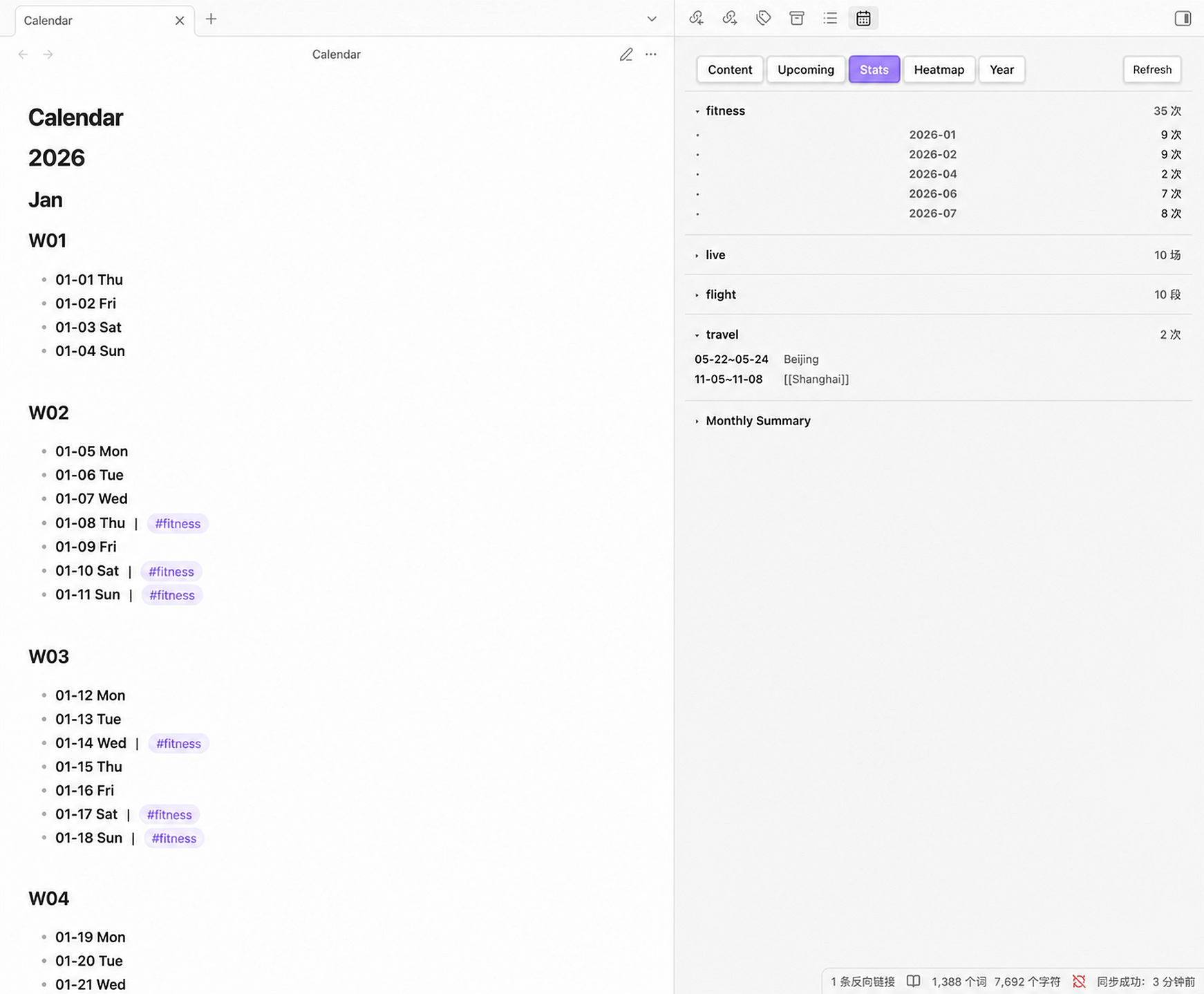
Stats
Heatmap
Year
Installation
Community plugins
In Obsidian, open Settings → Community plugins → Browse, search for Calendar Ledger, then install and enable it.
BRAT or manual installation
For beta testing, install the GitHub repository with BRAT. For a manual installation, download main.js, manifest.json, and styles.css from a release and place them in:
.obsidian/plugins/calendar-ledger/
├── manifest.json
├── main.js
└── styles.css
Then reload Obsidian and enable Calendar Ledger under Settings → Community plugins.
Getting started
- Install and enable Calendar Ledger.
- Open Settings → Calendar Ledger.
- Set the calendar file path. The default is
Calendar.md. - Choose the start year, end year, weekday language, week start day, and week-number display.
- Run Generate calendar file from the command palette.
- Open the plugin view by clicking the calendar ribbon icon or running Open calendar outline.
- Add records with Add item to today or Add item to specified date.
Before using a migration or overwrite command, make a backup of the calendar file.
Calendar format
The generated file uses standard Markdown headings and date bullets. A typical entry looks like this:
# 2026

## Jul

### W30

- **07-20 Mon** | #travel Beijing [[Trip notes]] 07-20~07-25; #fitness Running
- **07-21 Tue** | #live Concert
Rules:
# Year,## Month, and optional### Wxxheadings provide the calendar structure.- Date rows use
- **MM-DD Weekday**and inherit the year from the nearest year heading. - Use the full-width separator
|between the date marker and its first record. - Use the Chinese semicolon
;between independent records on the same date. - Tags are written as
#tag; text after a tag is used as the record text for statistics. - Wikilinks such as
[[Trip notes]]are supported as record links. - Date ranges can use forms such as
07-20~07-25or07-20~07~25.
The parser also accepts older heading-based and nested-bullet formats. Use Migrate to latest format to normalize an existing file.
Sidebar tabs
- Content: all dates that contain records, grouped by month; click a row to jump to the source line.
- Upcoming: future records and the dates covered by future date ranges.
- Stats: per-tag counts, recorded days, event lists, and monthly summaries for enabled tags.
- Heatmap: tag-based activity heatmaps, event timelines, monthly distributions, and range views.
- Year: a selected year's recorded-day summary, configured summary cards, timeline, and tag overview.
Settings
- Calendar file path: vault-relative path such as
Calendar.mdorJournal/Calendar.md. - Start year / End year: controls the generated calendar range. Appending a year extends the end year automatically.
- Week starts on: Monday or Sunday for heatmaps and visual layouts. Calendar week headings always use ISO weeks starting on Monday.
- Calendar content language: English or Chinese weekday names in generated date rows.
- Show week number: adds or removes
Wxxheadings and updates the existing calendar structure while preserving records. - Stats tags: choose which tags appear in the Stats tab.
- Visualization tag mappings: assign a tag to Activity, Event, Monthly, Range, or None in the Heatmap tab, with an optional display name.
- Year Summary cards: choose recorded days and tag cards to show in the Year tab.
Commands
- Generate calendar file: create a calendar when the configured file does not exist.
- Overwrite calendar file: rebuild the calendar after confirmation. Existing records may be replaced, so back up first.
- Append year: add the next year to the end of the calendar.
- Jump to today: navigate to today's date.
- Jump to specified date: enter a date such as
7-30or2026-7-30and navigate to it. - Add item to specified date: insert an inline record on a selected date.
- Add item to today: insert an inline record on today's date.
- Migrate to latest format: convert legacy nested or space-separated records to the current inline format.
- Open calendar outline: open the plugin's sidebar view.
Compatibility
- Minimum Obsidian version:
1.7.2 - Desktop and mobile supported (
isDesktopOnly: false) - MIT License
Feedback and contributions
Please open an issue at millioncheung/calendar-ledger and include your Obsidian version, plugin version, a small sanitized calendar example, and any console errors.
Pull requests are welcome.
For plugin developers
Search results and similarity scores are powered by semantic analysis of your plugin's README. If your plugin isn't appearing for searches you'd expect, try updating your README to clearly describe your plugin's purpose, features, and use cases.