by theluckystrike
Export text study cards as a PDF question sheet with a separate answer key.
Card Question Sheet
Card Question Sheet exports text study cards from a note to a PDF question sheet. The answer key starts after the question pages.
The current-note command is free. The plugin creates a PDF in the vault. It does not edit the source note.
Features
Read text cards
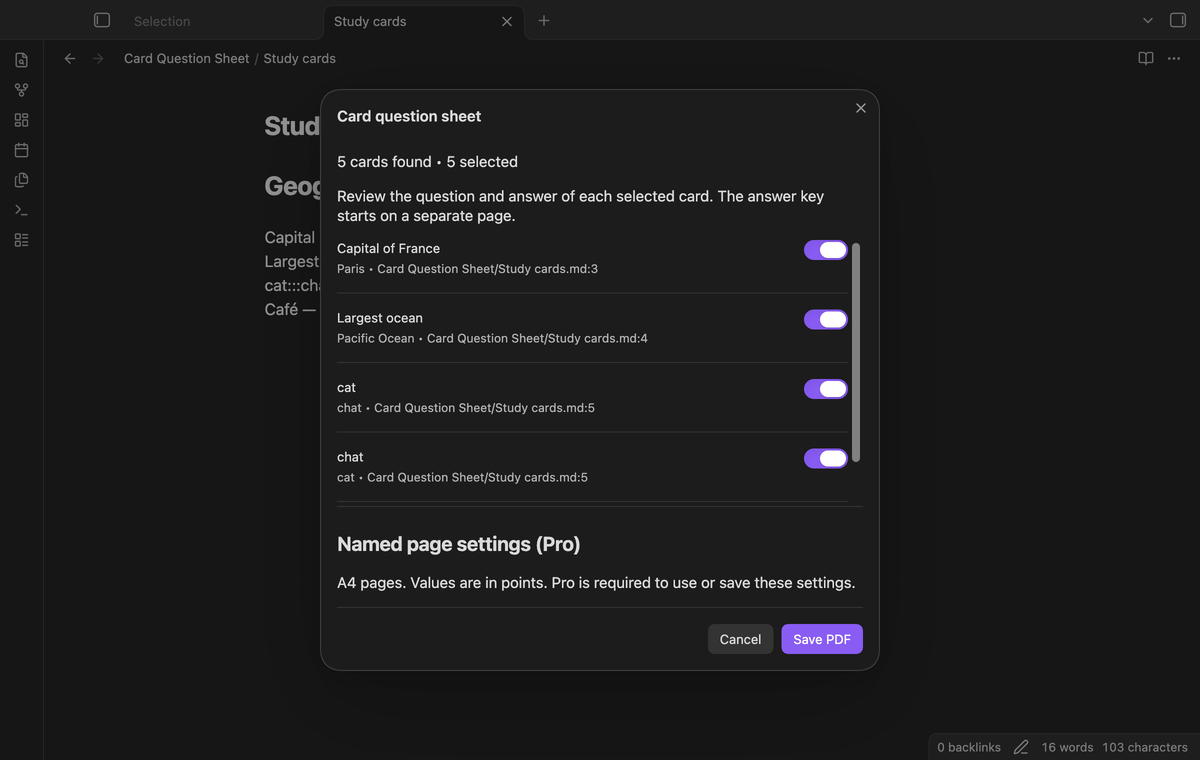
Write one card on one line. Capital of France::Paris creates a question with Paris as its answer. cat:::chat creates two cards: cat with answer chat, then chat with answer cat. The order follows the source lines. Frontmatter at the start of the note and fenced code blocks are excluded. Backtick and tilde fences are supported.
Review unsupported forms
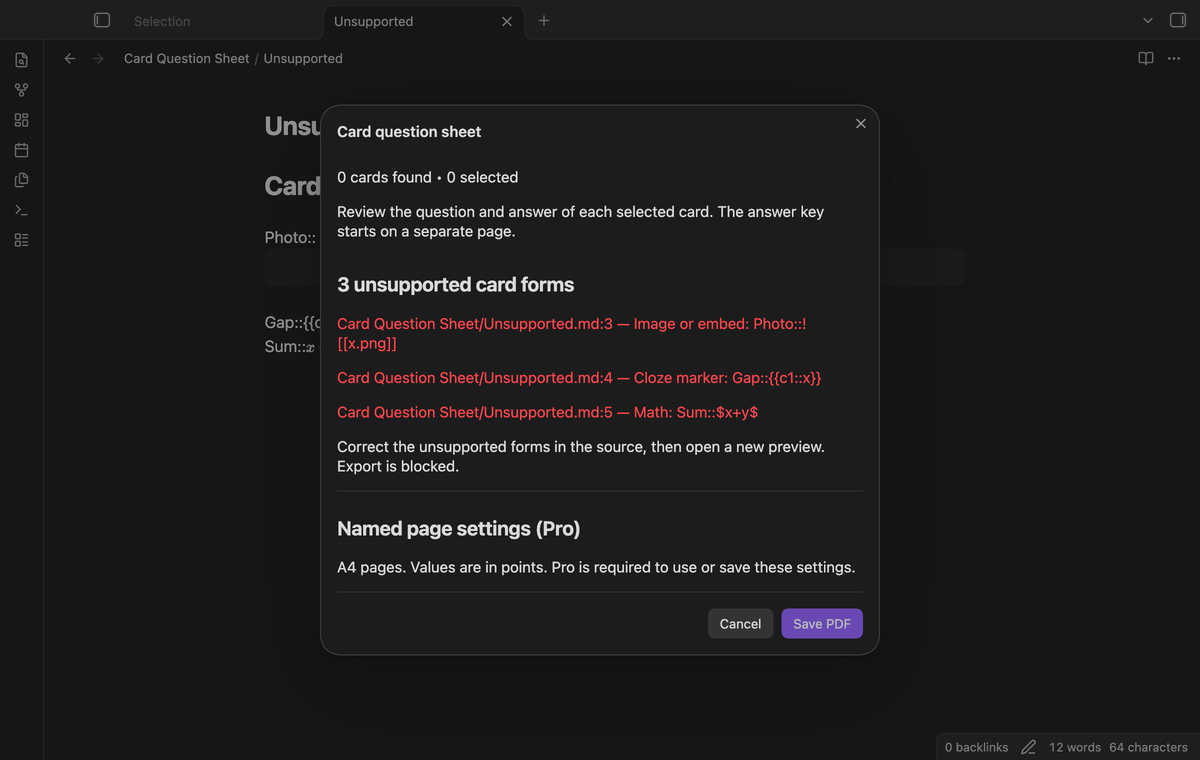
Image embeds, cloze markers, math and multiline card markers are outside the supported format. The preview reports these forms with their source path, line number, reason and source text. Empty questions, empty answers and ambiguous separators also get a report. Correct the reported lines and open a new preview before export. A report blocks the PDF save, including when other lines contain valid cards.
Select cards before export
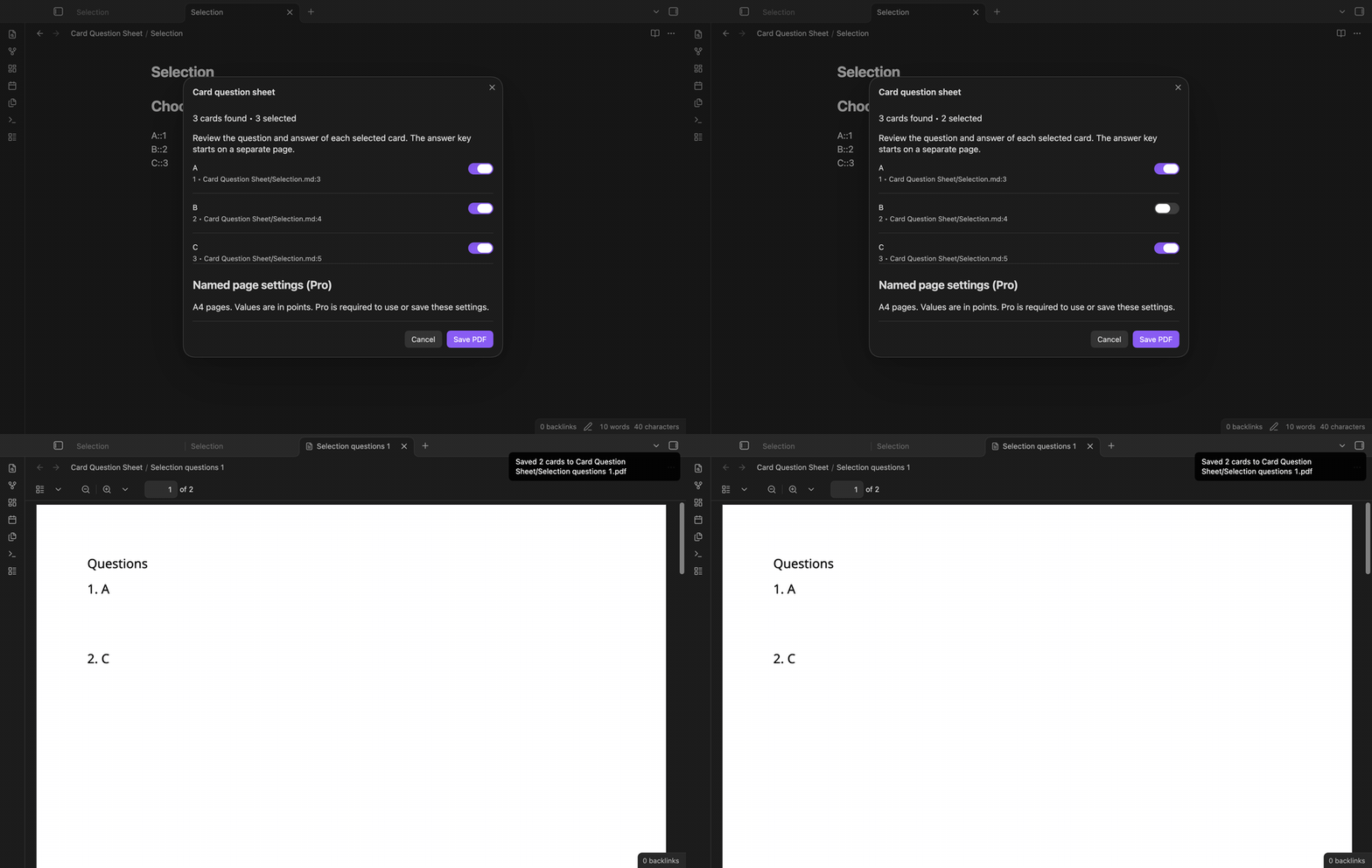
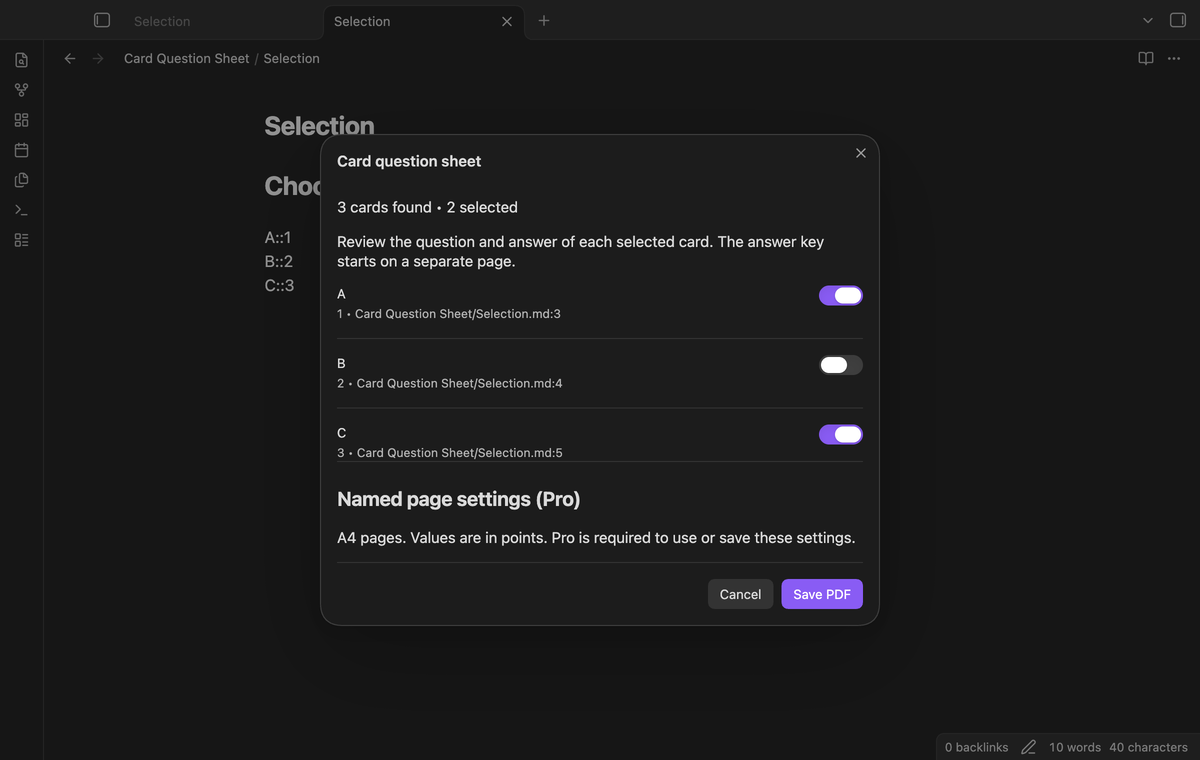
The preview shows the question, answer and source of each parsed card. Clear a card to leave it out of the PDF. The card count changes with the selection. Selected cards get consecutive numbers in source order. For example, select A and C from A, B and C: the sheet numbers them 1 and 2, and the key uses those numbers. Cancel closes the preview without creating a file.
Numbered pages and answer key
The PDF has A4 pages. Question pages come first, with blank space below questions for written answers. The answer key begins on a separate page. Long text wraps within the margins, and a long word splits across lines when required. Text can continue on another page. If an output name exists, the next save uses a numbered suffix.
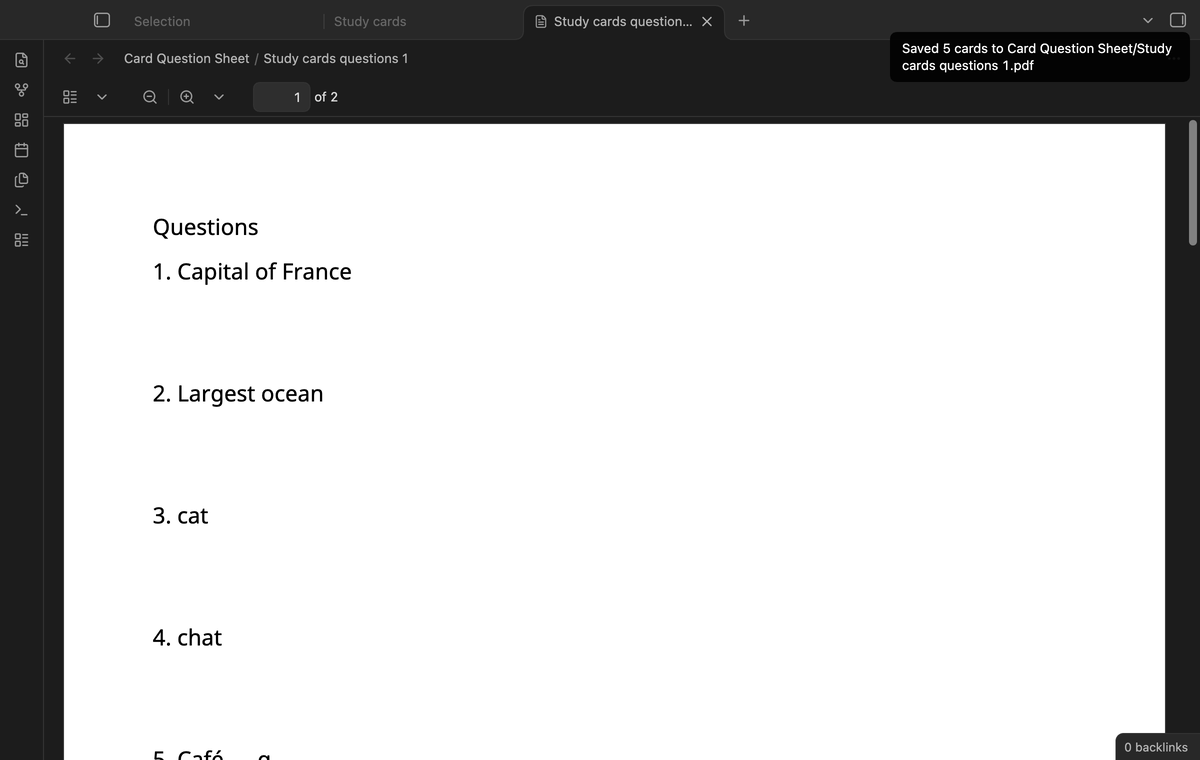
Check font glyphs
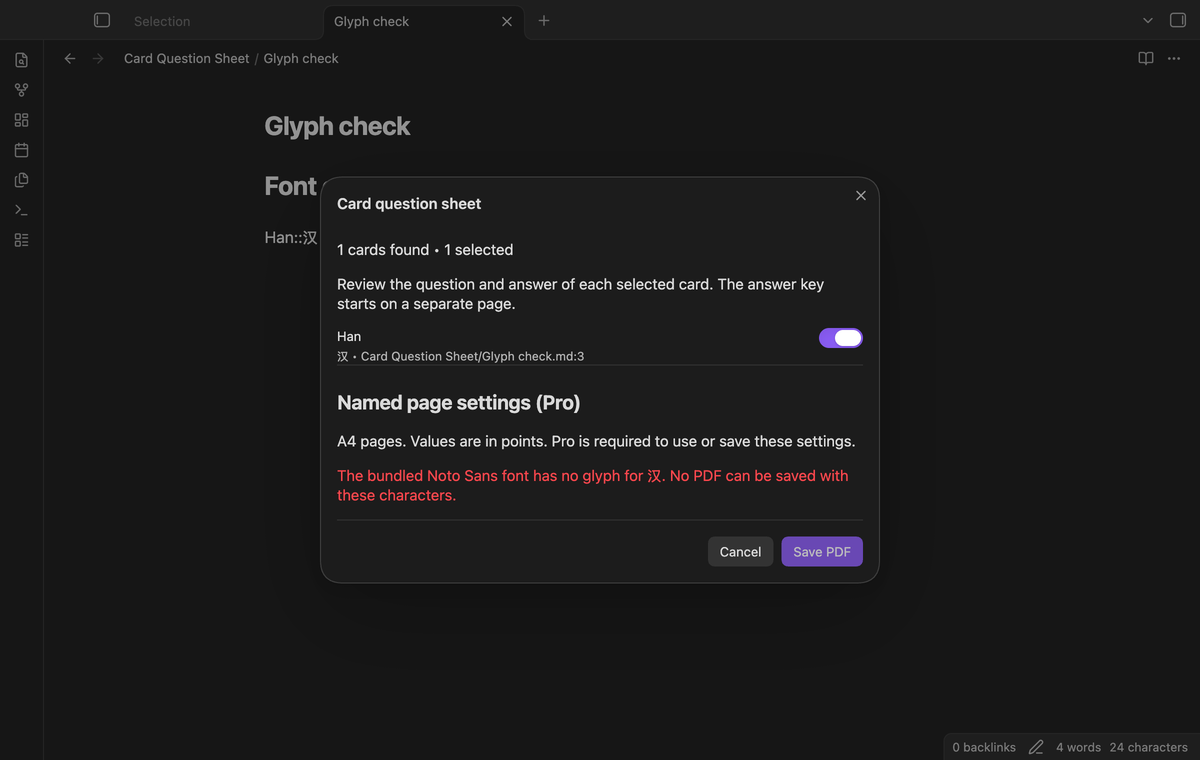
Noto Sans Regular is bundled with the plugin. The PDF uses selectable text rather than a page image. The included font covers the tested text Café — α and Ж. A missing glyph blocks export with a message, so an unsupported character does not become a replacement box. For example, Han::汉 fails the glyph check. The font is available without a download at export time. Right-to-left layout is outside this build and is reported as unsupported.
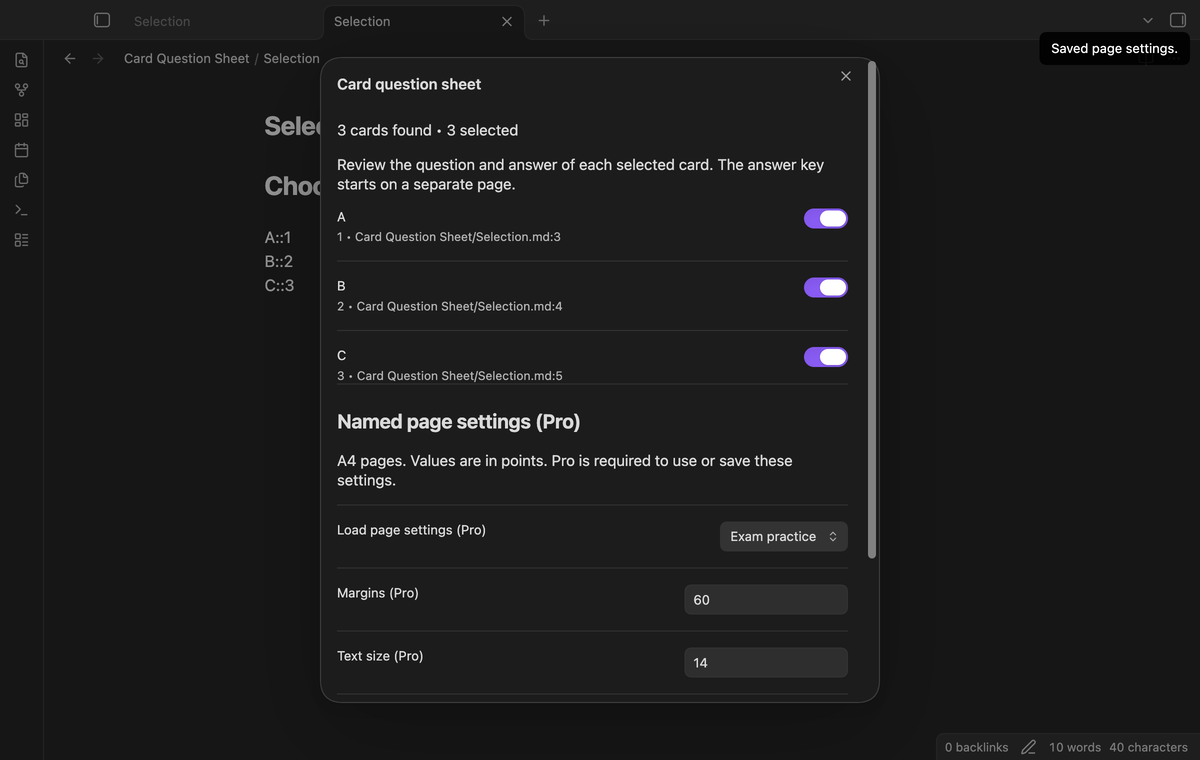
Named page settings (Pro)
Save a name with margins, text size and answer space in the preview. Load that name for another export. Values are in points: margins range from 24 to 100, text size from 8 to 24, and answer space from 0 to 200. A saved name replaces a preset with the same name. These controls need an active Pro check. When Pro is off, current-note export uses the free default values.
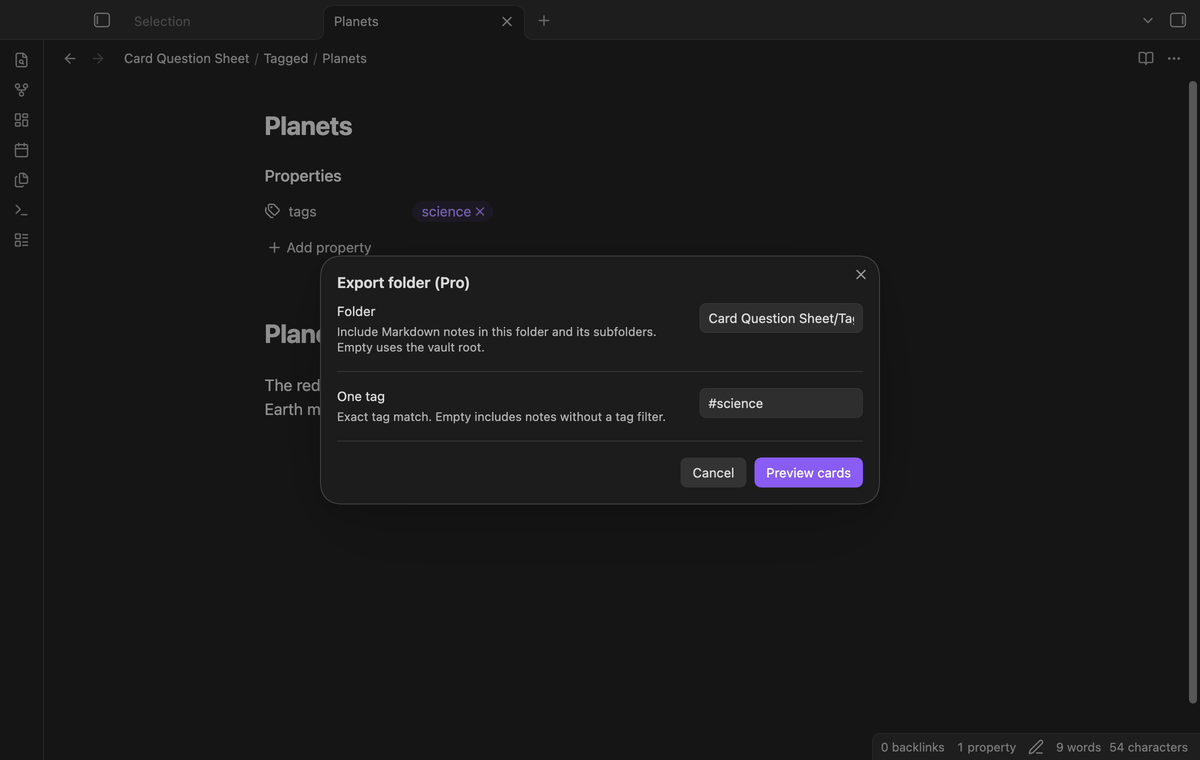
Folder export with one tag (Pro)
Use the folder command to collect Markdown card notes from a folder and its subfolders. An empty folder field uses the vault root. Enter one tag to require an exact cached tag match, or leave the tag field empty. The preview lists the source of each card. Notes are read in path order. The combined PDF is saved in the selected folder as Folder questions.pdf, with a suffix if that name exists.
Install
This build is prepared for review. When a release is available, copy main.js, manifest.json and styles.css into <vault>/.obsidian/plugins/card-question-sheet/. Reload community plugins and enable Card Question Sheet. The minimum supported Obsidian version is 1.13.4.
When the plugin is listed in the community directory, search for Card Question Sheet under Settings, Community plugins, Browse. Install and enable it there.
Usage
Open a Markdown note that has study cards. Run “Card Question Sheet: Export current note as a question sheet” from the command palette. Check the questions and answers in the preview, then clear cards that you do not want. Select Save PDF. The notice gives the output path. Open the saved PDF in the vault to inspect it before printing or sharing it.
For Cards.md, the first output is Cards questions.pdf in the same folder. A collision gives Cards questions 1.pdf, then a larger suffix. Saving creates a new file; it does not replace an earlier sheet. Reopen the preview after changes to the source text because an open preview holds the text that it first read.
Settings
The free layout uses 48 point margins, 12 point text and 48 points of answer space. It has one paper size, A4. The plugin settings tab contains the GitHub Sponsors controls. Pro page controls are in the preview. Named settings are stored in the plugin data for this vault. Card selections are temporary and are not stored when the preview closes.
FAQ
What text format can I use?
Use plain text on a single line with one double or triple colon separator. Markdown punctuation is printed as literal text. Links are not resolved to their target text. Multiple separators on a line are ambiguous and block export. Dataview inline fields such as status:: done use the same separator, so the preview lists them as cards. Clear them before you save. This version does not render images, math layout, cloze cards, Markdown styling, covers or cut marks. Kerning and complex script shaping are outside this build.
What was not tested?
Real iPad and Android devices, native share sheets, physical printing, right-to-left typesetting and a live paid GitHub account were not tested. Linux and Windows runs were not performed on this Mac. The browser code has no Node or Electron runtime calls. The app tests use desktop Obsidian and a simulated sponsorship response. Folder tags depend on the metadata cache; wait for Obsidian to index a changed tag before you open the folder preview.
Why did an export fail?
Check the unsupported forms and glyph message in the preview. Select at least one supported card. A vault write error also stops the save and shows a notice. If the source uses a script outside Noto Sans coverage, use another export method. Keep the source text so you can choose a font that supports it.
Payment, account and network
The core features are free. Pro features need a GitHub Sponsors sponsorship of theluckystrike: $5 a month or more, or $15 once. A total payment of $15 meets the payment requirement for Pro without further payment. Sign-in and the checks below still apply. Your notes stay readable and editable with or without Pro.
GitHub handles the payment. Sponsor at https://github.com/sponsors/theluckystrike. You need no account for the free features. Pro needs the GitHub account that sponsors.
Until you select "Sign in with GitHub" in the settings, Card Question Sheet makes no network requests. Sign in uses the GitHub device flow. Card Question Sheet sends its public client ID and the scope read:user to https://github.com/login/device/code and shows you a code. While you enter the code at https://github.com/login/device, it asks https://github.com/login/oauth/access_token every few seconds to check the sign-in status. The scope permits profile reads only. GitHub needs this access to show the sponsorship tier. It grants no repository scope and no write access.
After sign in, Card Question Sheet sends one query to https://api.github.com/graphql. It checks if the signed-in account sponsors theluckystrike. It asks for the tier and the total payment to theluckystrike. The plugin reuses a successful check for 7 days. Failed checks can retry after 6 hours. Select Refresh to request an earlier check. It sends no note content, file names or other vault data, and it has no telemetry.
After a successful check, Pro can work offline for up to 14 days. Sign out or a negative sponsorship answer turns Pro off. The plugin stores the GitHub token through the secret storage API of Obsidian. It does not put the token in its saved settings or its local sponsorship data. The local storage of this device keeps your GitHub login, the tier and the time of the last check. Sign out clears the token. You can also revoke the access in your GitHub settings, under Applications.
Support
Report a bug with your Obsidian version, the command that you used and a small sample note that contains no private text. The test suite uses pdf-lib under the MIT license. Noto Sans is distributed under the SIL Open Font License 1.1; the font license is in docs/OFL.txt.
For plugin developers
Search results and similarity scores are powered by semantic analysis of your plugin's README. If your plugin isn't appearing for searches you'd expect, try updating your README to clearly describe your plugin's purpose, features, and use cases.