Cards View
approvedby jillro
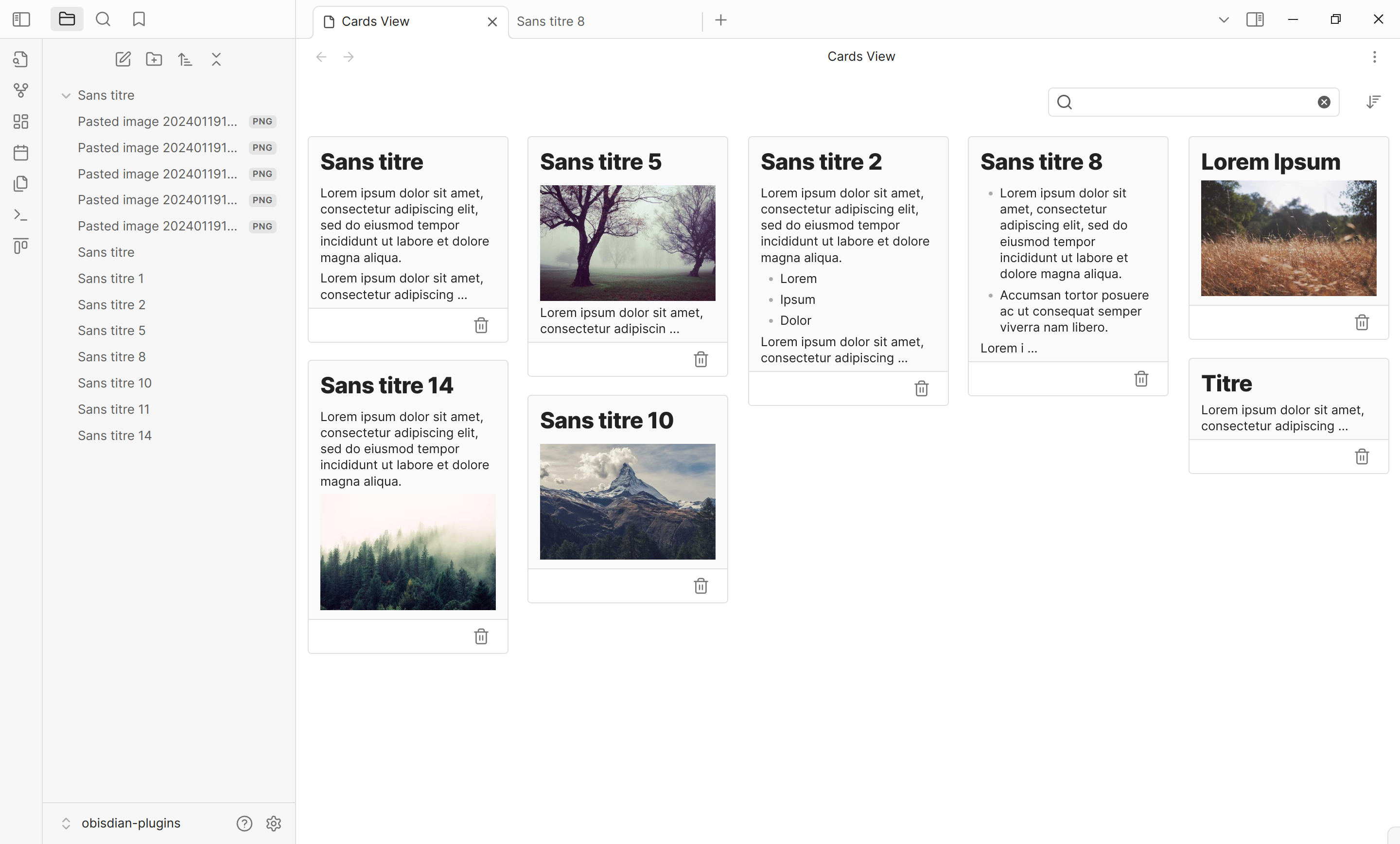
Displays a card view of your notes.
★ 113 stars↓ 19,478 downloadsUpdated 3mo agoMIT
Cards View
This is a plugin for Obsidian.md that displays a card view of your notes.
Features
- Display notes in a card view
- Sorts by last modified or created date
- Pin notes to top
- Supports same search syntax as Obsidian official
search plugin (except
block:,section:andtask*:operators) - Quick access to filtering by tags
- Settings to exclude some notes from the view
Installation
- Navigate to Obsidian's settings
- Click on "Third-party plugin"
- Turn off the Safe mode
- Click on "Browse" and search for "Obsidian Cards View Plugin"
- Click install
- Toggle the plugin on in the "Installed plugins" tab
Beta version
This plugin offers beta versions that can be installed with BRAT.
Please be aware that this versions may be unstable and have bugs, but you will have access to new features earlier.
Contributing
For major changes, please open an issue first to discuss what you would like to change. Pull requests are welcome. Please read CONTRIBUTING.md for details.
License
Credits
This project uses the following dependencies:
- Masonry. Licensed under the MIT License.
For plugin developers
Search results and similarity scores are powered by semantic analysis of your plugin's README. If your plugin isn't appearing for searches you'd expect, try updating your README to clearly describe your plugin's purpose, features, and use cases.