Textfresser
approvedby clockblocker
Building your a personal German dictionary, based on the contexts in the German texts, that you have read
Textfresser
An Obsidian plugin for efficient language learning
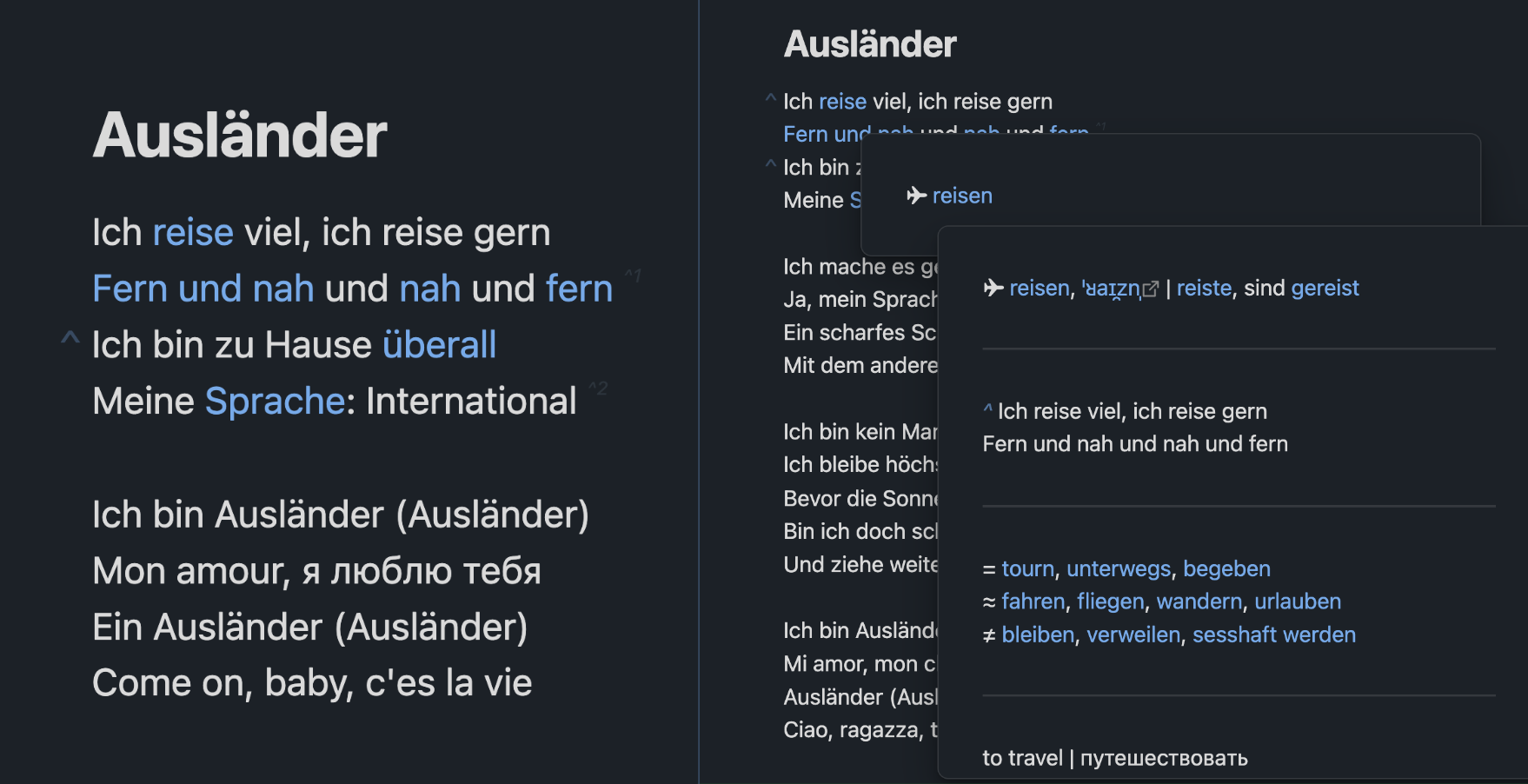
Open a German text.
Go to an unknown word.
Create a dictionary entry for it.
Add your context.
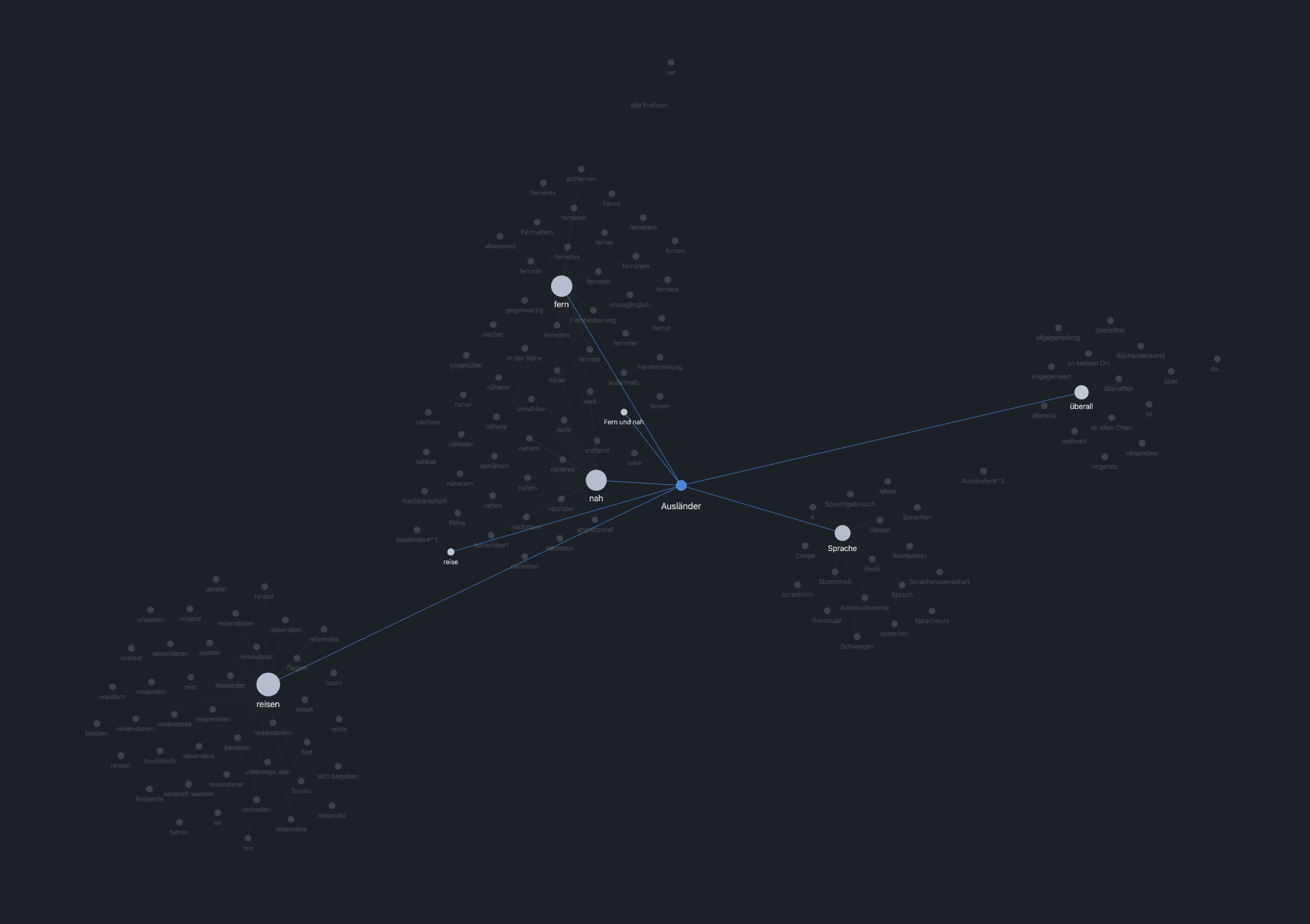
Link all forms and similar words.
Repeat.
Overview
The "Generate" command will take the name of the opened file and:
- if it's not a normal form of a word, add a link to a file with a normal form
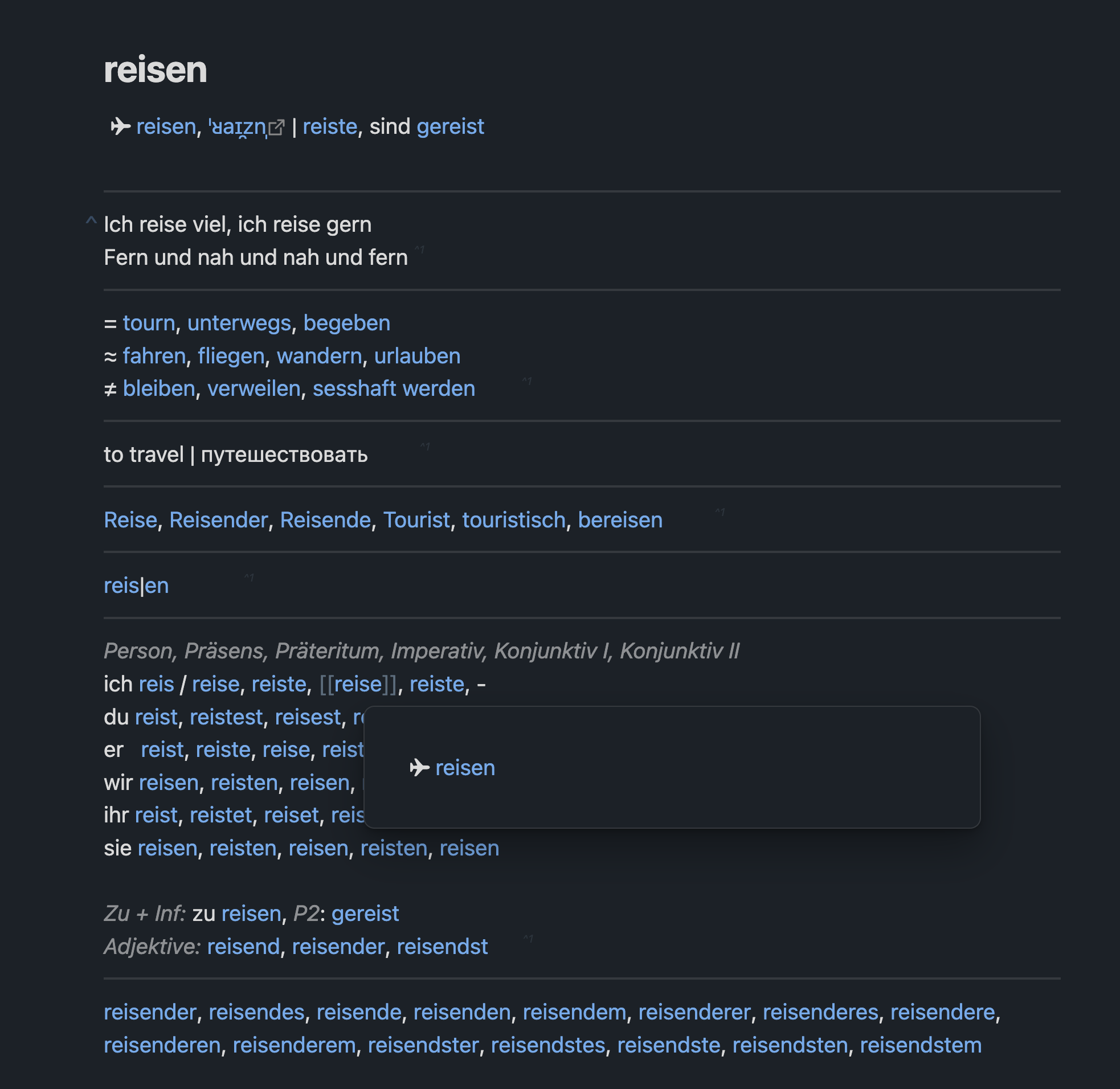
- if it's a normal form, will generate the structured dictionary entry
Makes a dictionary entry with all forms of the word
The "Populate" command will:
- create the files for ALL the links in current file
- add an explicit backlink to the current file in every created file
Trivialises the navigation from declined froms to the normal form
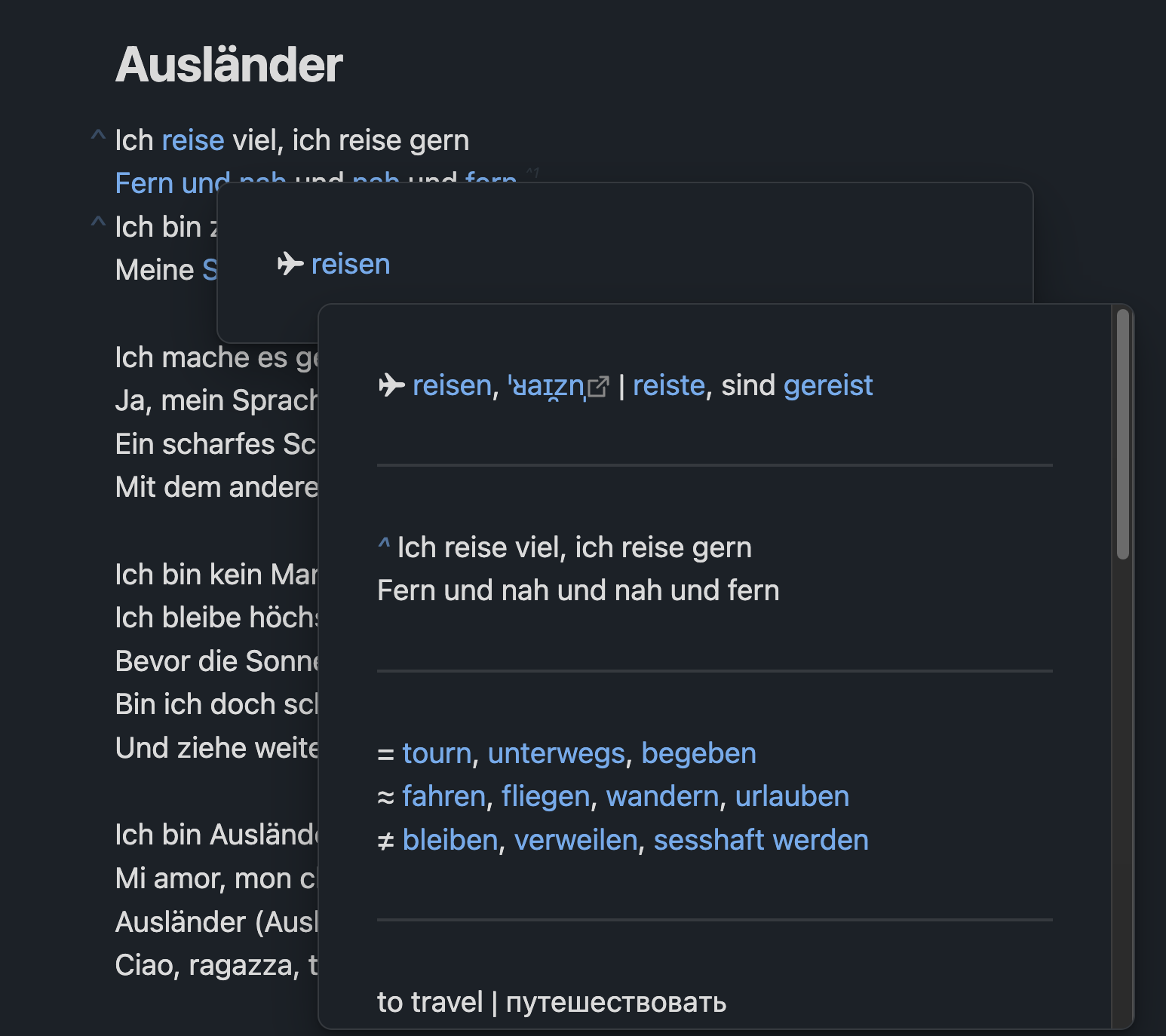
reise → ✈️ reisen
reisender → ✈️ reisen
gereist → ✈️ reisen
reistet → ✈️ reisen
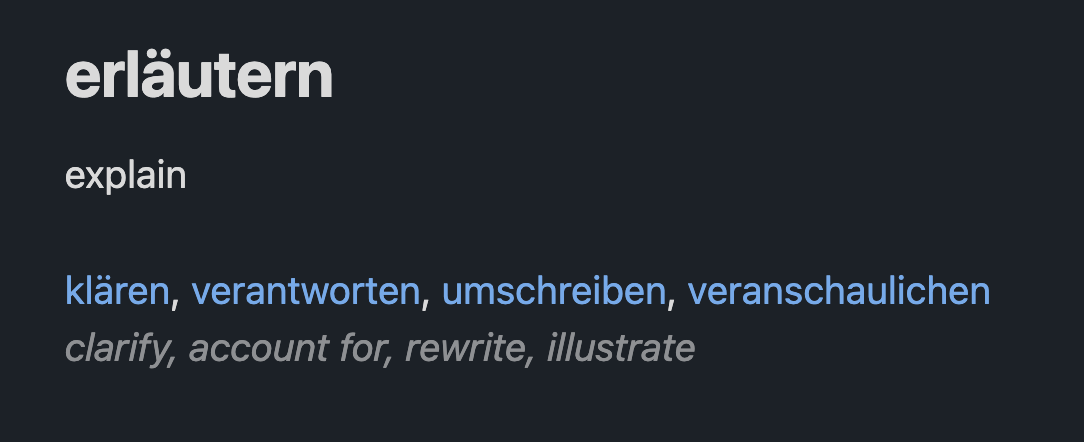
Enables the collection of semantically linked words
Key Features
1. Structured Entry Templates
Each word type has a specialized template that includes:
- Pronunciation
- Conjugation/declension tables
- Synonyms and antonyms
- Translation
- Morphological breakdown
2. Automatic Backlink Management
The plugin automatically maintains bidirectional links between related words, helping you build a network of connected vocabulary:
- Links between base verbs and their prefixed forms
- Connections between synonyms and antonyms
- References between related grammatical forms
Setup
-
The plugin will drastically alter the default Obsidian behavior. It is highly recommended to use it in a special Vault. The easiest way is to copy the Vault with onboarding Tutorial
-
The plugin will be creating a LOT of files (every conjugation of every word will live in its own file). So it is highly recommended to make a special folder ("Worter") for all the new files to go to by default.
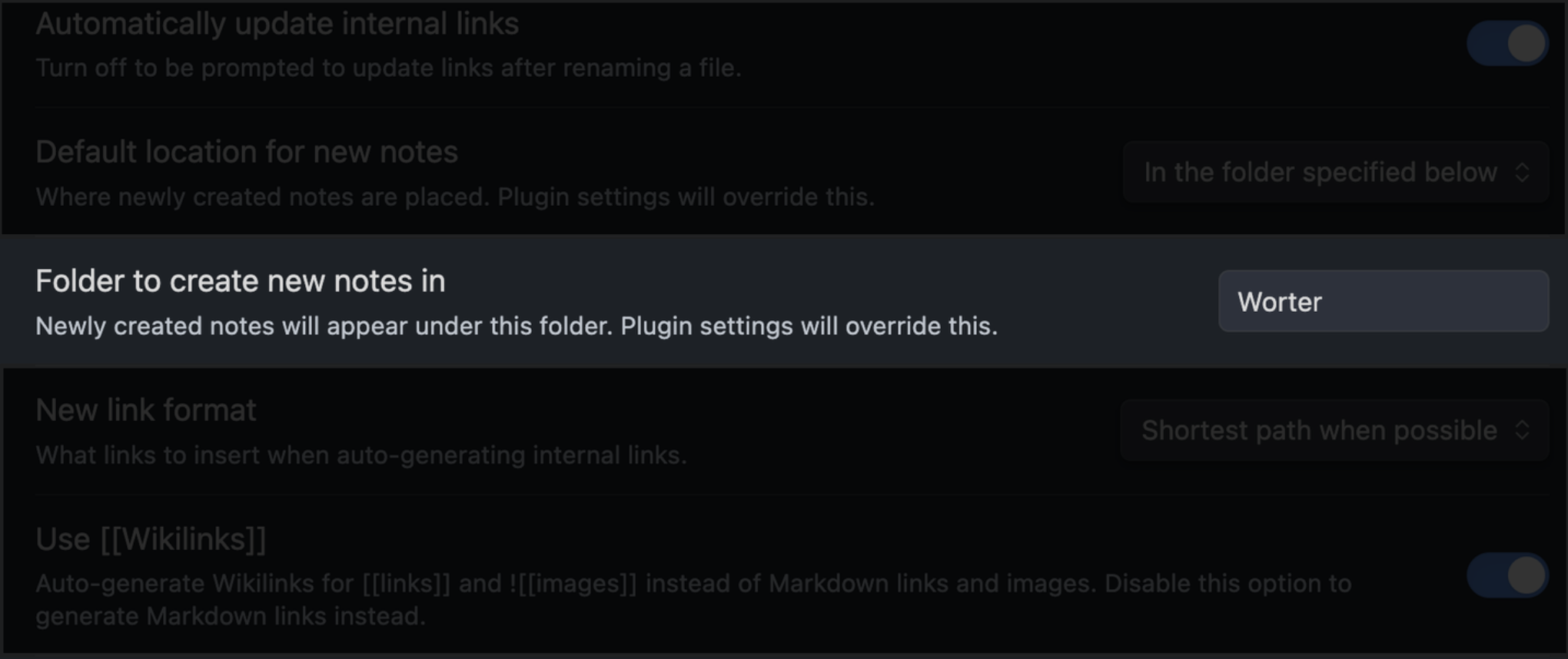 All of the automatically created files go to Worter/{the_first_letter_of_the_word}/{word} by default
 -
Setup the hotkeys for plugin's commands. The essential ones are:
- Generate a dictionary entry for the word in the title of the file (Generate command)
- Add backlinks to the current file in all referenced files (Populate command)
Usage
- Go to any German text
- Select any German word and enclose it in [[]]
- Copy the context with [[selected_word]]
- Go to the [[selected_word]]
- Invoke the Generate command
- Go to the generated infinitive / normal form of the word
- Paste (Ctrl / Command + V)
- Invoke the Populate command
Network Use
This plugin utilizes network requests to communicate with the following remote services:
- Google Gemini API: Used for translation, dictionary entry generation, and other language processing tasks.
These APIs require network access to function properly. The plugin sends text to these services for processing and receives the results back. Your API keys are stored securely within your Obsidian vault and are not shared with any third parties.
API Keys
This plugin requires you to provide your own API keys for the Google Gemini API. You can obtain these keys by creating accounts on the respective platforms.
Disclaimer
This plugin is not affiliated with or endorsed by Google. The use of the Google Gemini API is subject to their respective terms of service.
License
This plugin is licensed under the MIT License. See the LICENSE file for the full license text.
For plugin developers
Search results and similarity scores are powered by semantic analysis of your plugin's README. If your plugin isn't appearing for searches you'd expect, try updating your README to clearly describe your plugin's purpose, features, and use cases.