by graydon
Forked from Dangling links
This plugin shows any dangling links in your vault and can fix them.
obsidian-dangling-links-with-replace
Note
This is a small plugin for Obsidian that displays the set
of dangling links with replace in your current vault in a side-panel -- links you've
put in a note somewhere that don't currently point to anything in the vault.
Dangling links may be typos, links to deleted files, or they may be links
you intended to make a note. Either way, it can be nice to have a list of them
to work with.
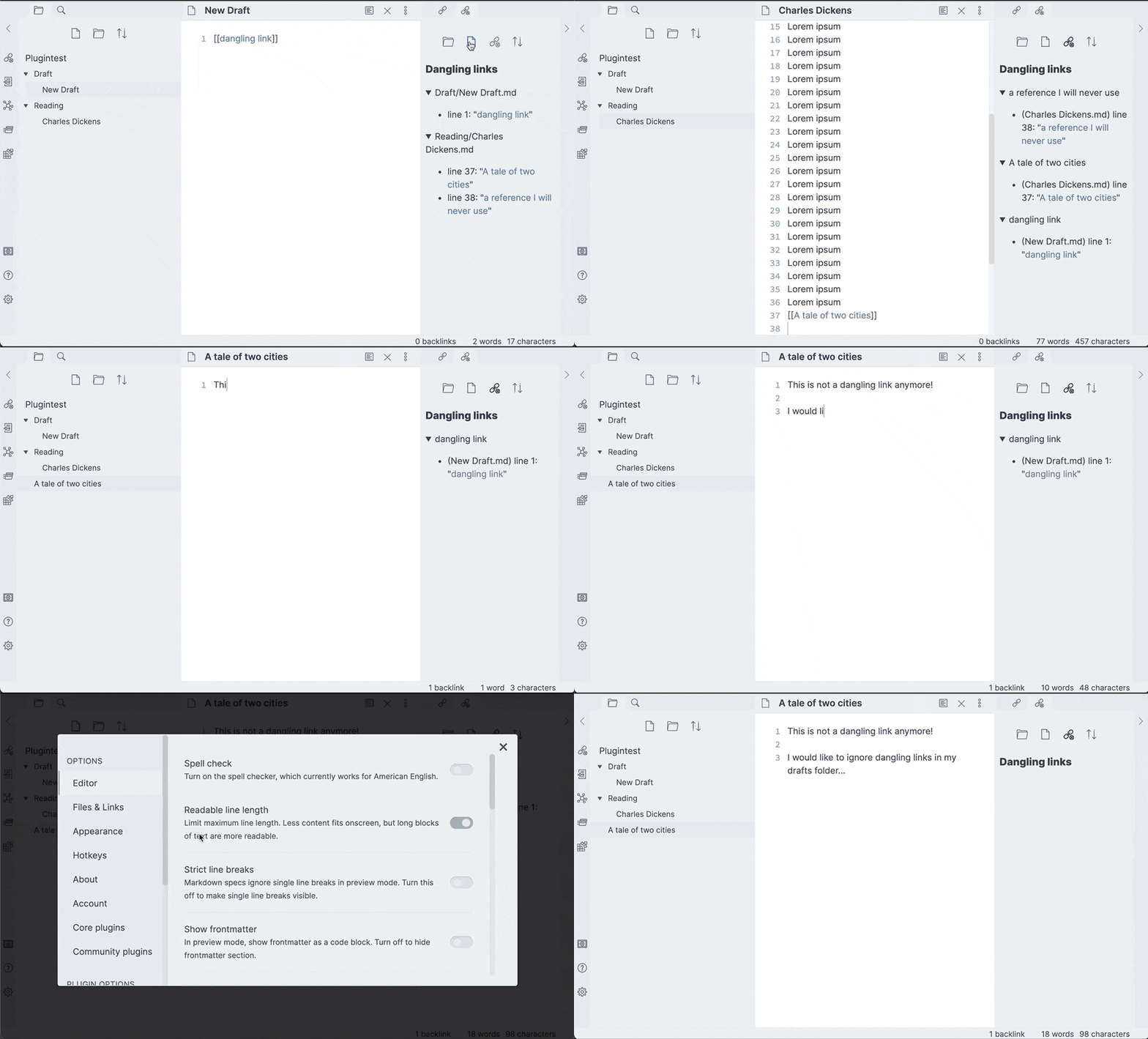
This plugin is a fork of the now lightly maintained Dangling Links by Graydon Hoare.
Having used the plugin for years, I (Dwight Ivany) wanted to add features to
provide fixes to common use cases.
Common Use Cases
- Typos
- Deleted files
- Files yet to be created
For typos review the list of Dangling links, click and correct.
For Deleted files (and folders), I often like to change [[dangling-link]] to dangling-link
I find this syntax is a useful MarkDown way to reference files that no longer exist.
For Files yet to be created, add one or more template files in the "Create files by template" section of the settings, then click the Create Files button in the side panel. One file is created per dangling link, in the same folder as the file containing the link, named after the missing link and filled with the template content. When several templates are saved you are prompted to pick which one to use; with none saved, files are created empty. Files that already exist are skipped.
Usage
The panel is accessed with the "Dangling links with replace: Open view" command, or by clicking the broken-link ribbon icon. Dangling links with replace can be grouped by the file or folder they occur in, or can be shown as a list of dangling links with replace and their reference and you can click each occurrence to navigate to it.
You are also able to collapse each item or ignore complete folders from the settings page.
The side-panel header has two action buttons: Replace wraps every dangling link in your chosen prefix and suffix (for example backticks), and Create Files creates a note for every dangling link from your selected template.
Permissions
This plugin enumerates the files in your vault (vault.getMarkdownFiles)
to find dangling links, and reads a file only when you ask it to replace
a link in it or create a file from your selected template. The folder
picker in the settings tab enumerates the vault's loaded files and folders
(getAllLoadedFiles) solely to suggest folders as you type. Everything
runs locally inside Obsidian — no file contents or paths are ever sent
anywhere.
For plugin developers
Search results and similarity scores are powered by semantic analysis of your plugin's README. If your plugin isn't appearing for searches you'd expect, try updating your README to clearly describe your plugin's purpose, features, and use cases.