Date Inserter
approvedby namikaze-40p
Insert a date at the cursor position using a calendar.
★ 18 stars↓ 19,221 downloadsUpdated 29d agoMIT
Date Inserter
An Obsidian plugin that lets you insert a date at the cursor position using a calendar.
How to use
Insert date to markdown
- Place the cursor where you want to insert the date.
- Open the calendar using one of the following methods:
- Press the assigned hotkey (recommended).
- Choose
Date Inserter: Open Calendarfrom the command palette.
- Select on a date in the calendar to insert it.
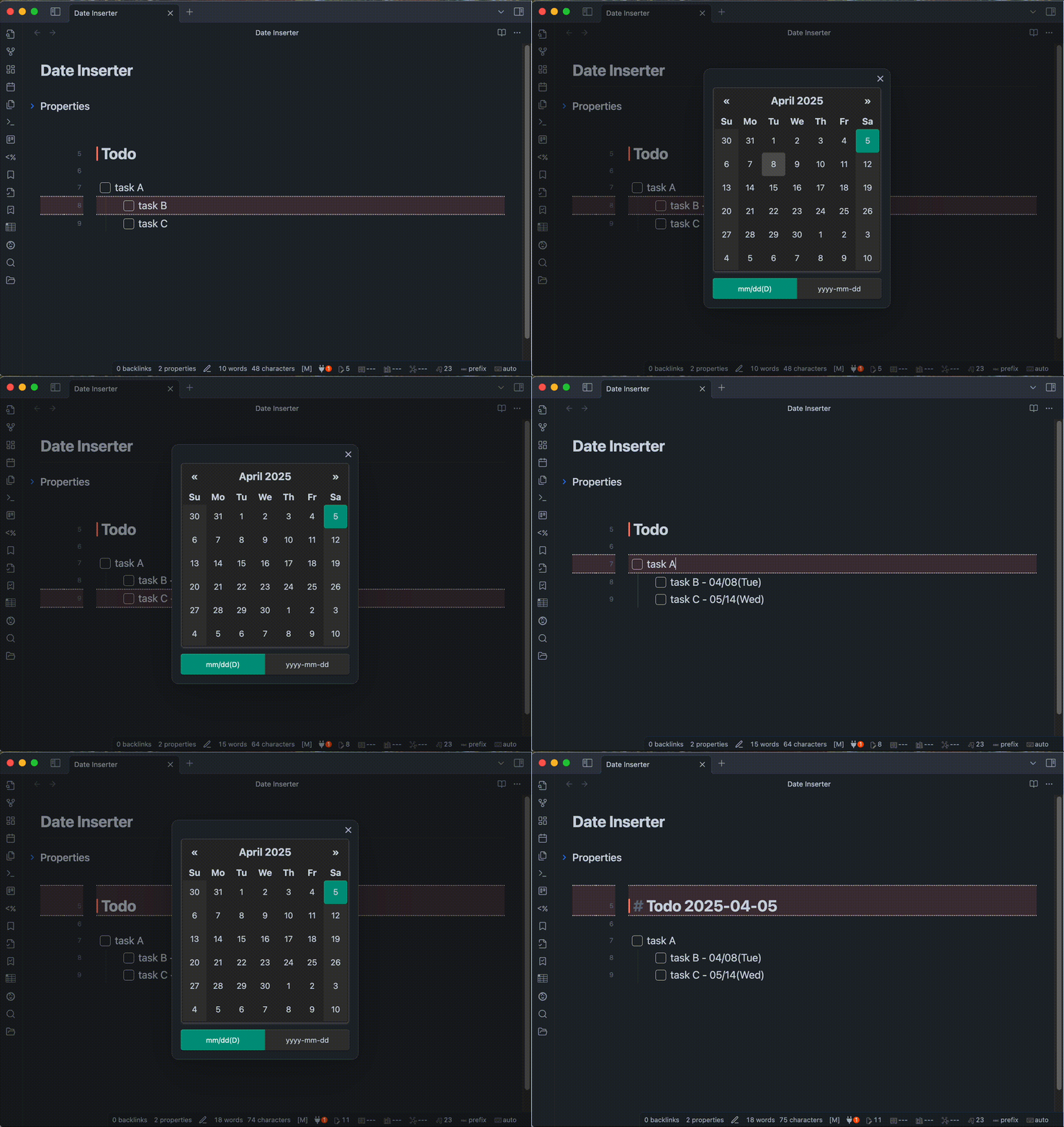
- You can custom format of date.
- ex1)
mm/dd/yyyy=>01/23/2024 - ex2)
DD mm-dd=>Tuesday 01-23 - ex3)
yyyy.mm.dd(D)=>2024.01.23(Tue)
- ex1)
[!NOTE] The calendar for this plugin uses vanillajs-datepicker. Please check this link (vanillajs-datepicker > Date String & Format) for format details.
Copy date to clipboard
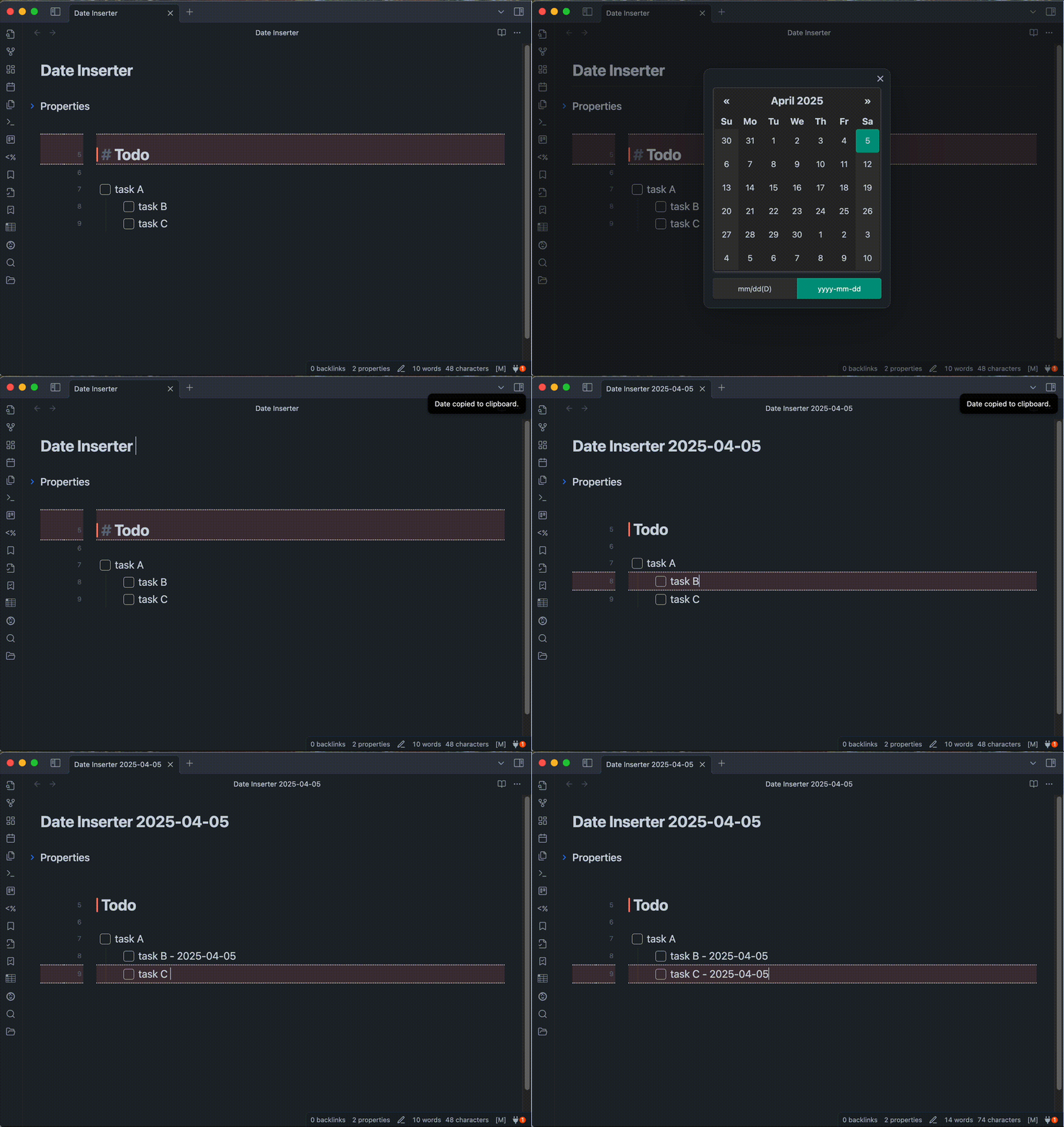
- Open the calendar using one of the following methods:
- Press the assigned hotkey (recommended).
- Select
Date Inserter: Copy Date to Clipboardfrom the command palette.
- Paste the copied date wherever you like.
Installation
You can find and install this plugin through Obsidian’s Community Plugins Browser.
For detailed steps or alternative installation methods, click here.
For plugin developers
Search results and similarity scores are powered by semantic analysis of your plugin's README. If your plugin isn't appearing for searches you'd expect, try updating your README to clearly describe your plugin's purpose, features, and use cases.