Desk
approvedby davidlandry93
A desk to see notes at a glance. Requires Dataview.
Desk for Obsidian
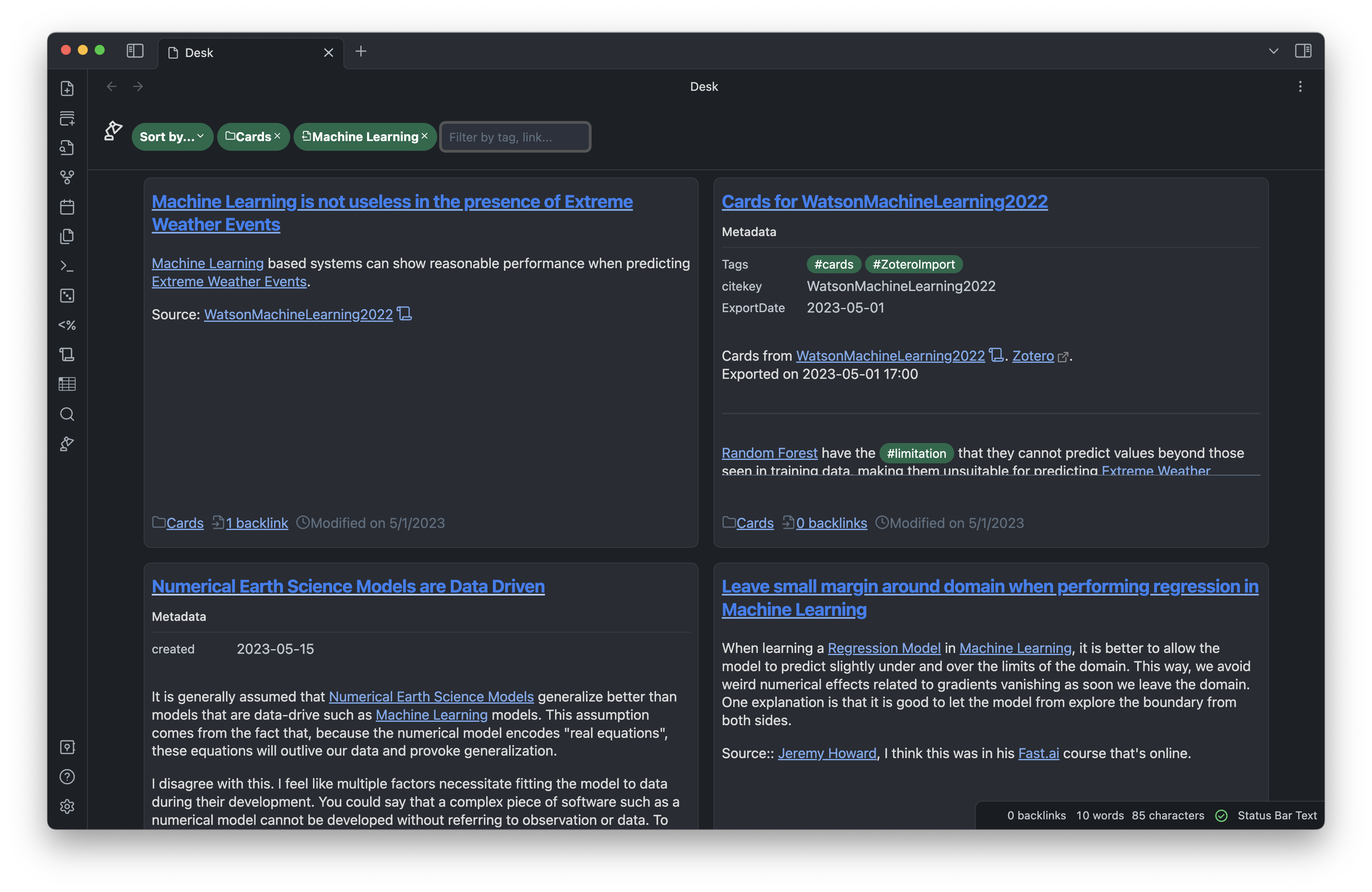
Desk is an Obsidian plugin that lets you choose some of your notes and see them together, at a glance. The notes are laid down in a 4x6 aspect ratio which is typically used in analog Zettelkasten systems. The inspiration for this plugin is to emulate picking up the cards for a particular topic, and laying them down on a desk. To learn more about the rationale behind the plugin, read this post.
Installation
Through community plugins
The easiest way to install this plugin is through Obsidian's community plugins. Desk will be available there as soon as the initial code review is finished.
Manual installation
Download the manifest.json, main.js and style.css files from the lastest release, and
copy them in the <vault_directory>/.obsidian/plugins/desk.
Dependencies
This plugin requires the Obsidian Dataview plugin to be installed. The Enable Javascript Queries option must be enabled for Dataview.
Usage
Once enabled, the plugin adds a desk lamp icon in the left ribbon. Click on the icon to open a new desk. Alternatively, use the Create new desk command from the command palette to create a new desk.
Type in the search box to browse through your available filters. Desk for Obsidian can filter you notes by outgoing links, incoming links, string, tag and directories. You can make a exclusion filter by clicking on a filter after it was added.
Click on a note card to expand it and see the full note.
Feel free to scale your Obsidian UI up and down to see more of less notes at the same time.
Contribution
Pull requests welcome!
Support
If you like the extension, don't hesitate to buy me a coffee. This will help me to keep contributing to the Obsidian ecosystem.
Contact
If you have any problem or comments about the extension, don't hesitate to open a Github issue, or a pull request. You can also contact me on Twitter/X and Discord.
For plugin developers
Search results and similarity scores are powered by semantic analysis of your plugin's README. If your plugin isn't appearing for searches you'd expect, try updating your README to clearly describe your plugin's purpose, features, and use cases.