by Carlo
Word count and dialogue percentage for the active note in the status bar. Thresholds and colors are yours to set.
Dialogue Stats for Obsidian
Word count and dialogue percentage for the note you are writing, in the status bar.
Words: 1,694 | Dialogue: 34%
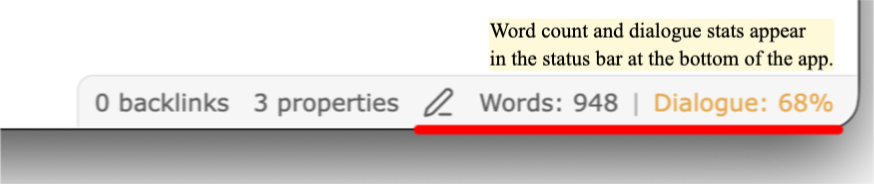
The dialogue number changes color. Low, target, and high each get a color you choose.
Settings
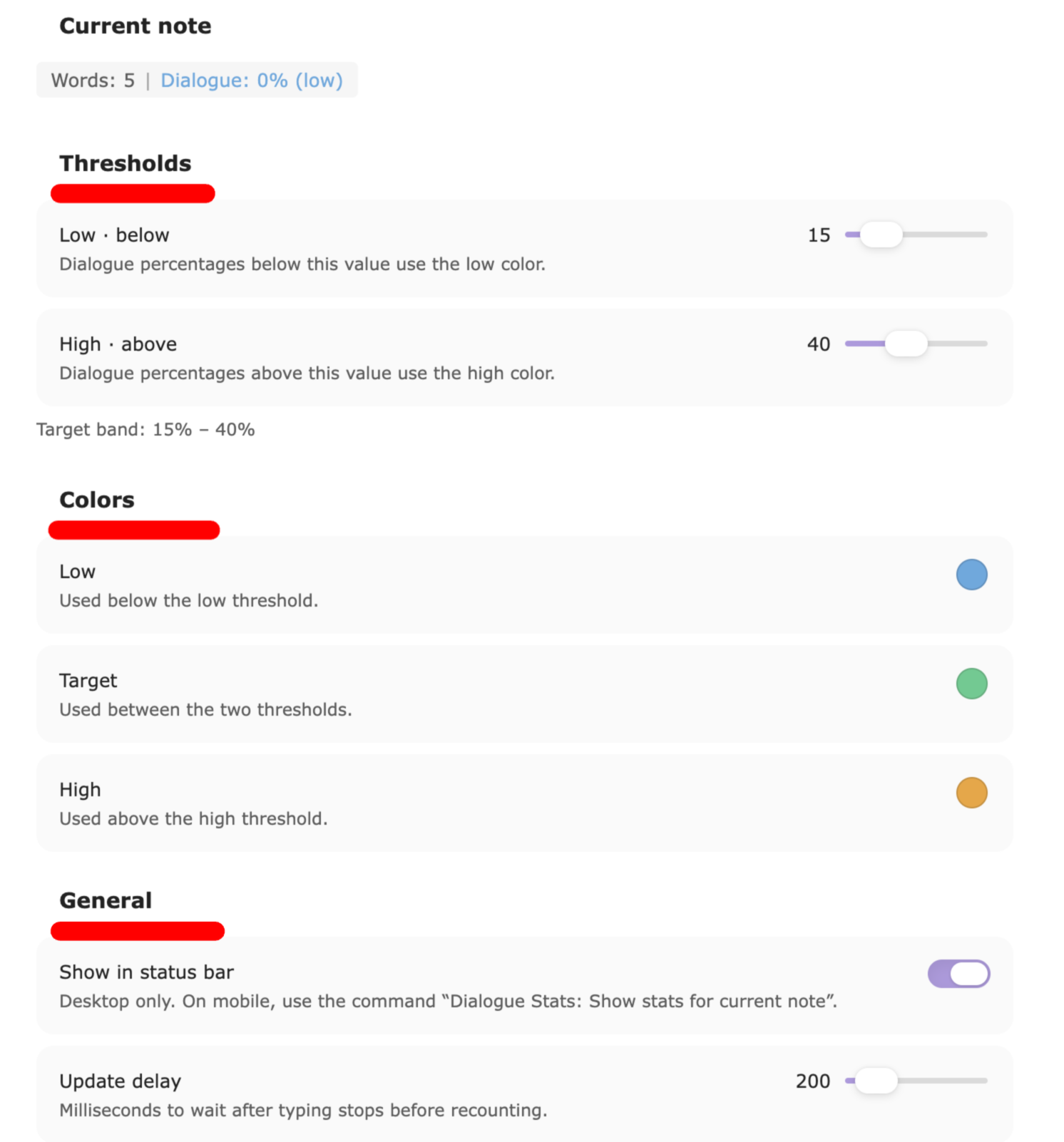
Settings → Community plugins → Dialogue Stats. You get:
- A live preview of the status bar for the current note
- Two sliders for the low and high thresholds
- Three native color pickers
- A toggle to show or hide the status bar item
- A reset button
Every change saves at once.
Mobile
Obsidian mobile has no status bar. Use the command Dialogue Stats: Show stats for current note. It shows the numbers in a notice.
How it counts
- YAML front matter at the top of the note is skipped.
- Markdown headings and horizontal rules are skipped.
- Dialogue is any text between double quotes. Straight
"and curly“ ”both count. - Words are split on whitespace.
- Dialogue % = dialogue words ÷ all body words, rounded to the nearest whole percent.
Em-dash dialogue with no quotation marks is not counted. Quoted signs, letters, and thoughts are counted.
The counting core is shared with the Dialogue Stats VS Code extension. Same file, same numbers, in both apps.
Install by hand
- Build:
npm install && npm run build - Copy
main.js,manifest.json, andstyles.cssinto<vault>/.obsidian/plugins/dialogue-stats/ - Reload Obsidian and enable the plugin under Community plugins.
Development
npm install
npm run dev     # watch build
npm test        # unit tests for the counting core
npm run build   # production build
Starter vault
A ready-made vault with the plugin installed, sample chapters, and a walkthrough is kept alongside this repo during development. After any change, npm run install:vault rebuilds and copies main.js, manifest.json, and styles.css into it. The script expects the vault at ../basic-obsidian-vault.
License
MIT. See LICENSE.
For plugin developers
Search results and similarity scores are powered by semantic analysis of your plugin's README. If your plugin isn't appearing for searches you'd expect, try updating your README to clearly describe your plugin's purpose, features, and use cases.