draw.io
approvedby somesanity
Create and edit diagrams with draw.io (diagrams.net), locally and offline. - This plugin has not been manually reviewed by Obsidian staff.
🔶 Plugin draw.io for obsidian
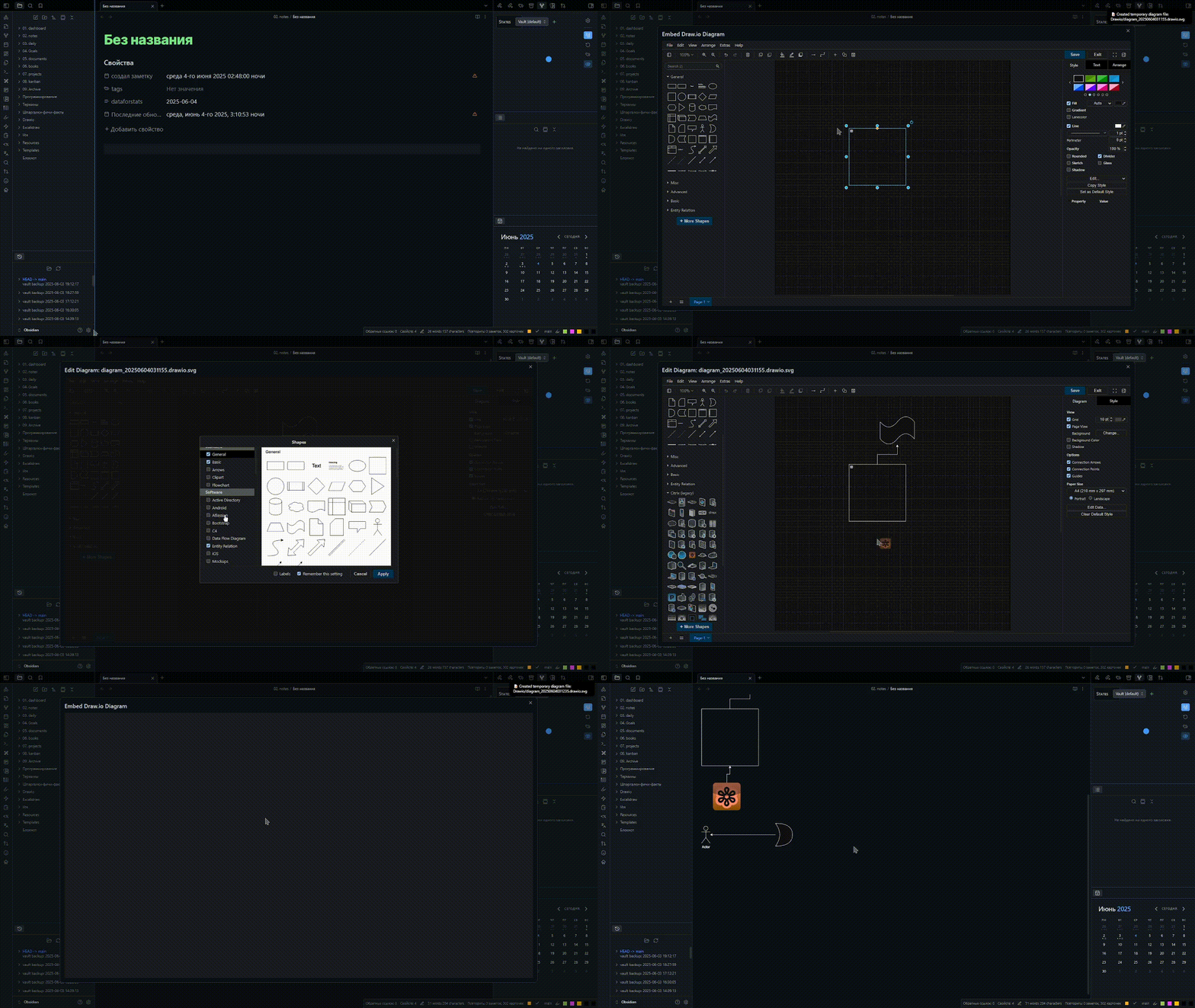
🚀 Features
- 🧩 Interactivity – bind your note links to shapes, add external links, and insert markdown fragments!
- 🛜 Works 100% offline – No internet required!
- 🔐 Privacy-first – Runs a local server on your machine.
- 📐 Mermaid & LaTeX - the draw.io native support Mermaid and LaTeX.
- 🖼️ Support Canvas - Use diagram in Canvas, linking notes, add external links!
✨ Interactive diagrams
⚠️ at the moment, work ONLY the reading mode
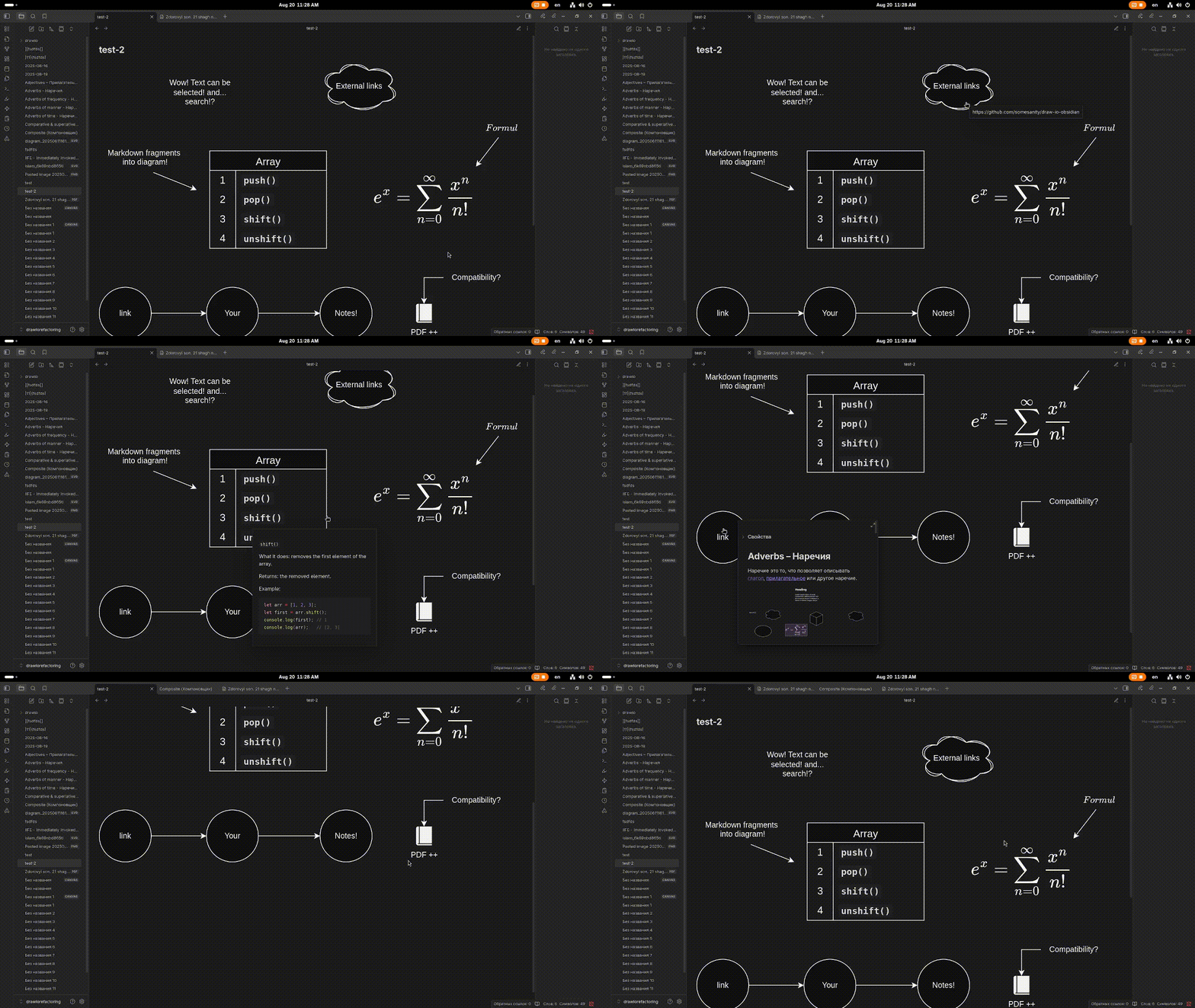
🖇️ Linking shapes with notes & external links
To link your notes or external resources to shapes, right-click on a shape in the editor and select Add link. Then, insert the link to your note or external resource.
🔗 linking notes demo:
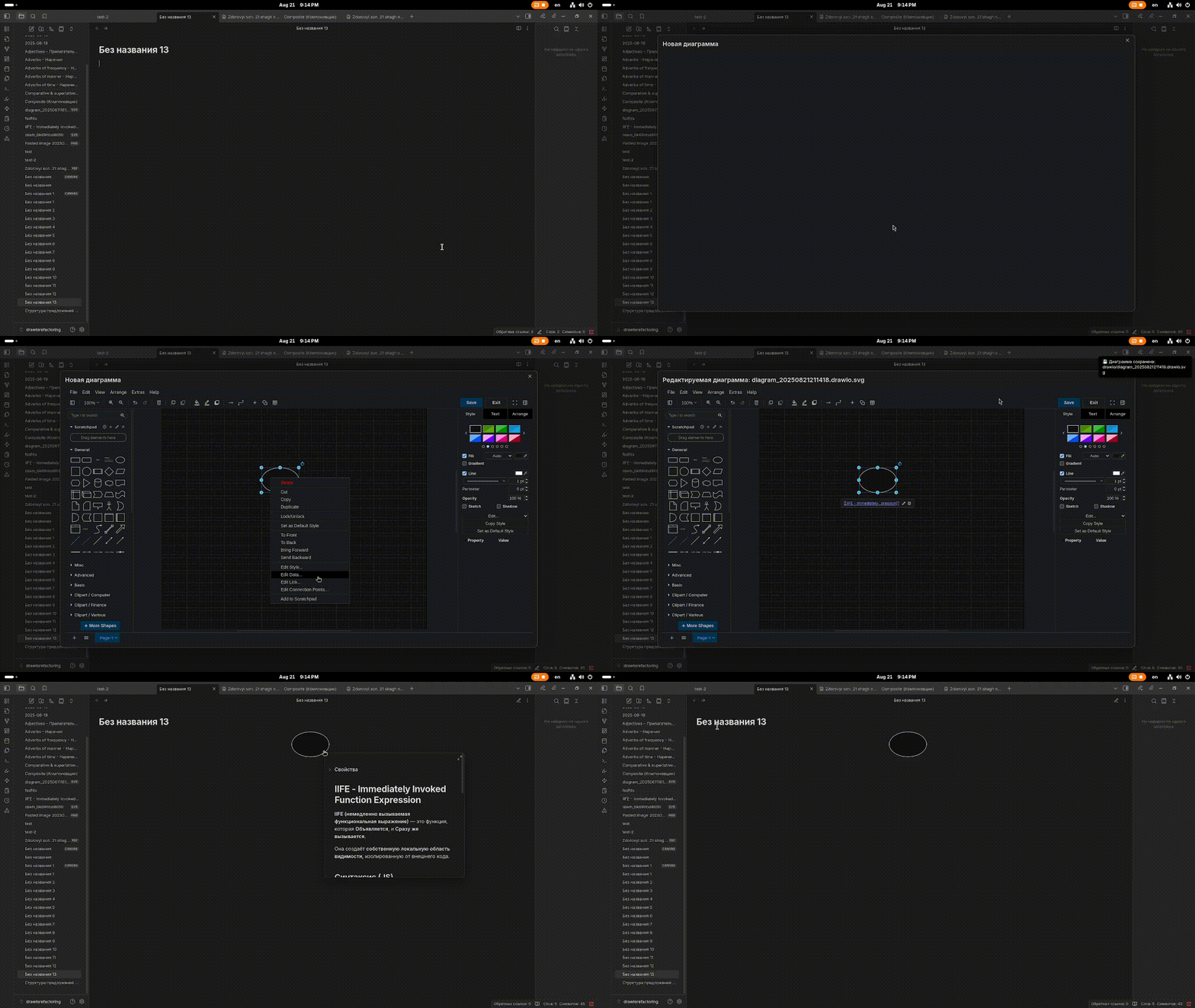
🌐 creating an external link demo:
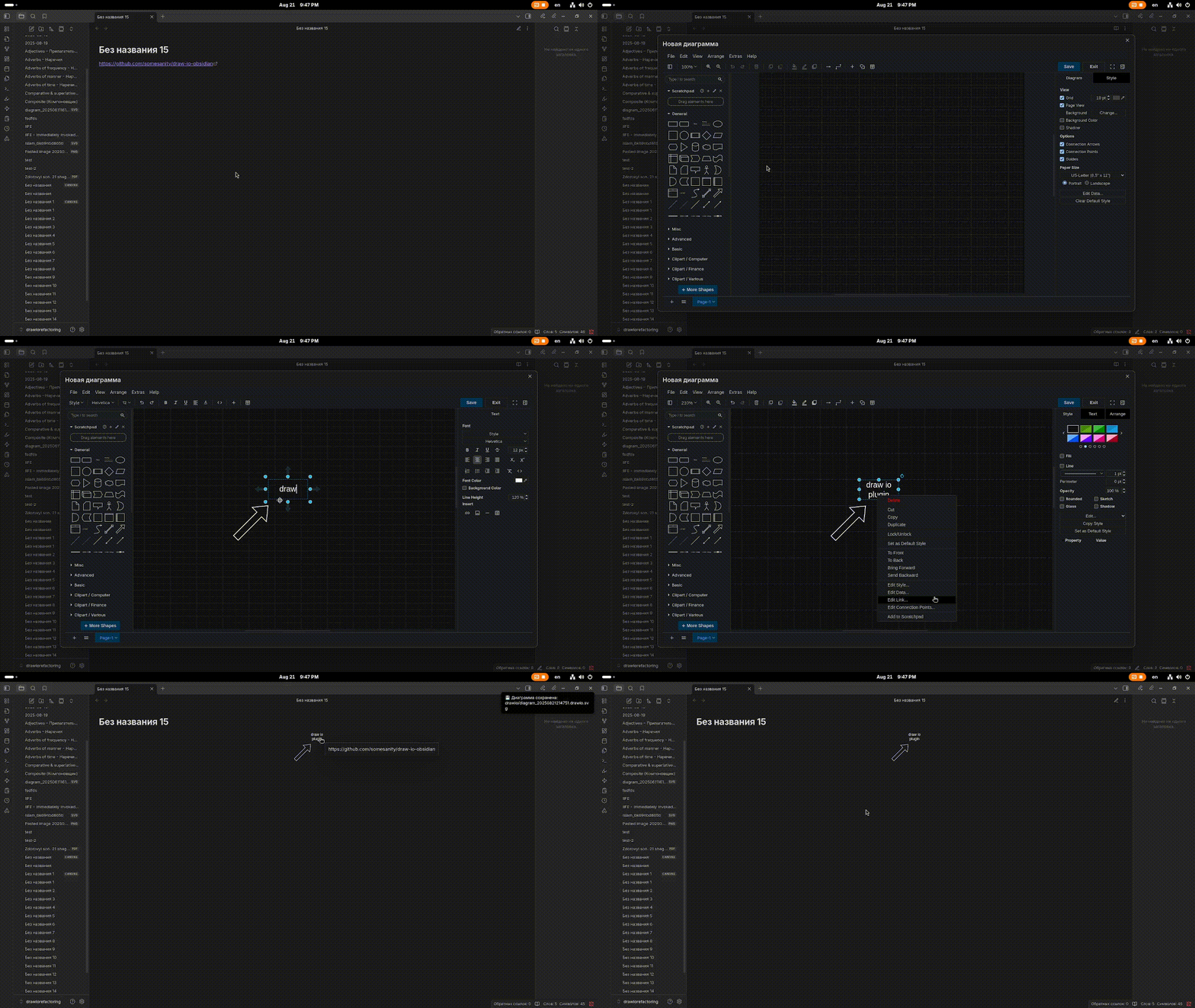
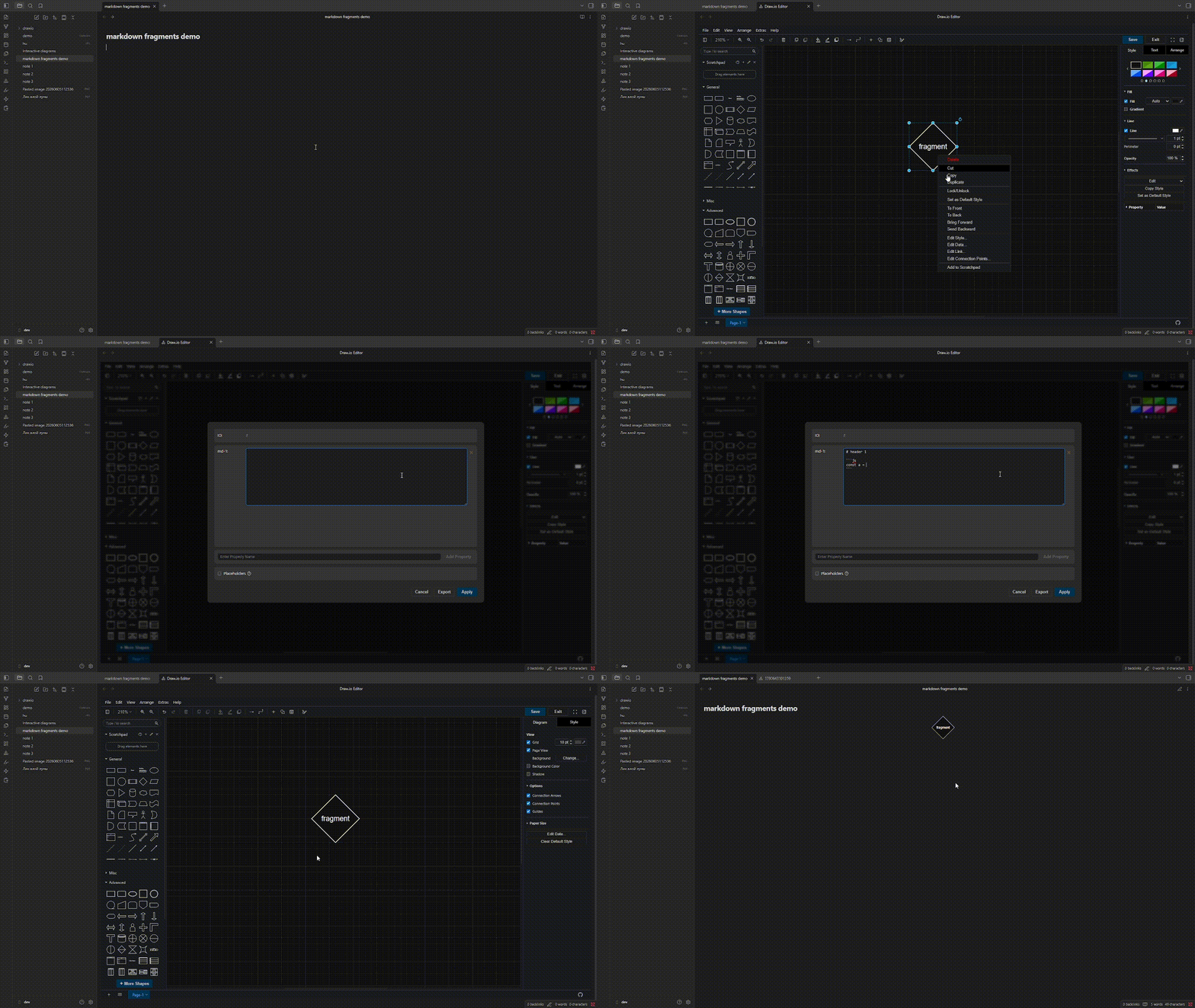
📄 Markdown fragments
Markdown fragments are pieces of markdown that you can add to diagrams.
Right-click on the shape or element you want to bind a markdown fragment to, then select Add data....
The data name should follow the pattern md-number, for example: md-1, md-2.
Next, insert the markdown text into the property.
📜 Adding a markdown fragment demo:
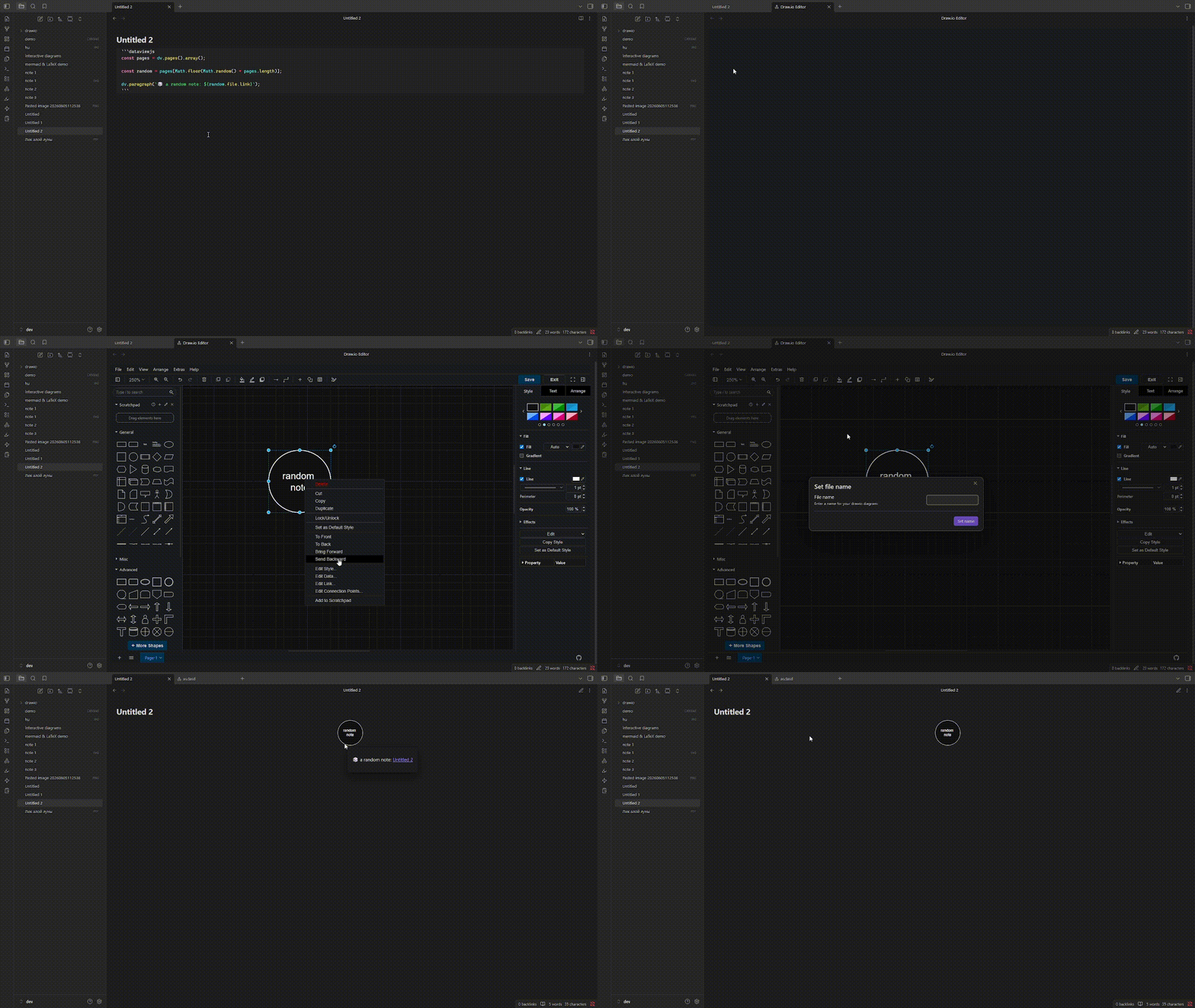
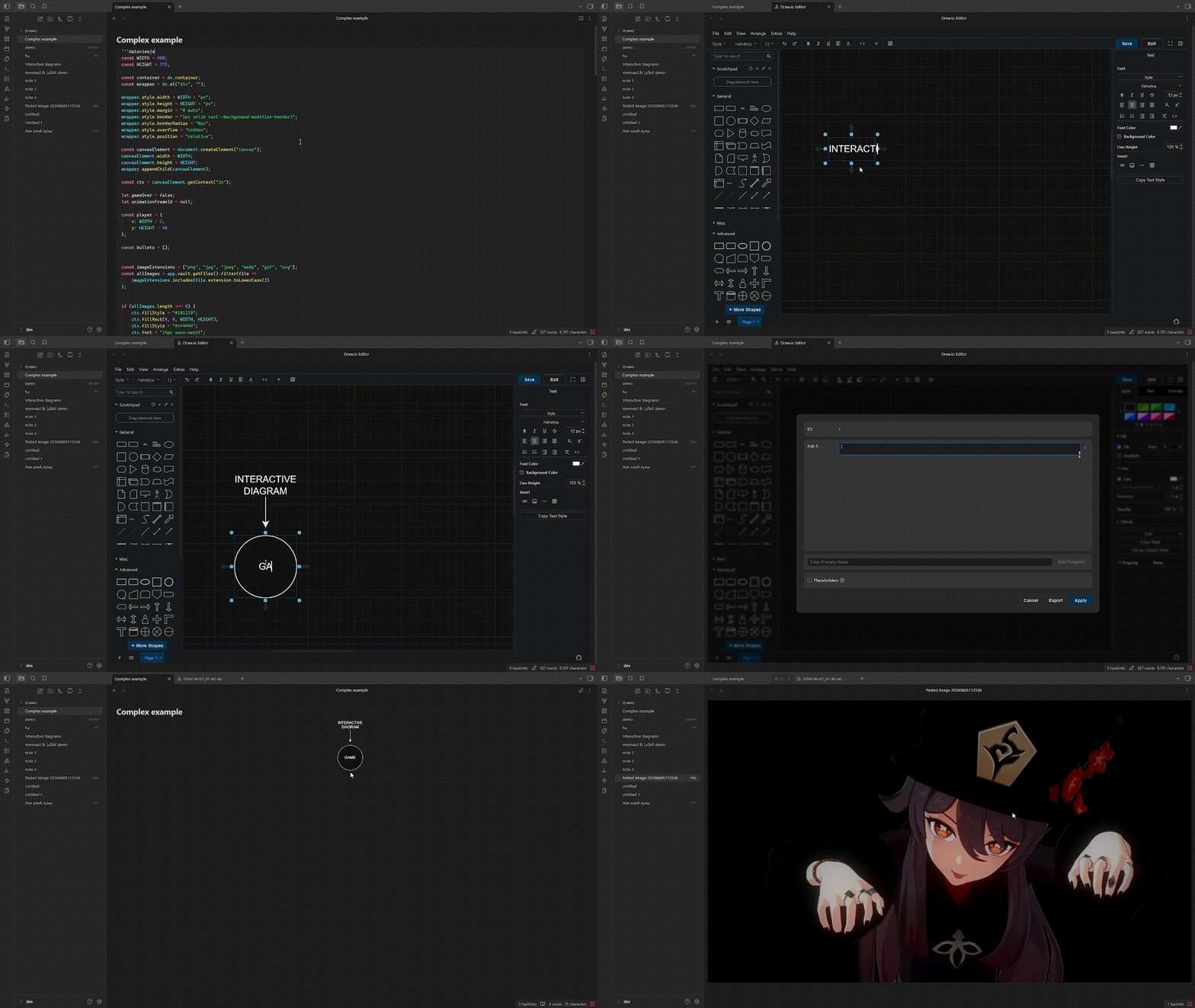
You can literally put anything into a diagram that Obsidian is capable of rendering, including rendering features added by plugins.
for example:
- random note
- complex dataviewjs scripts
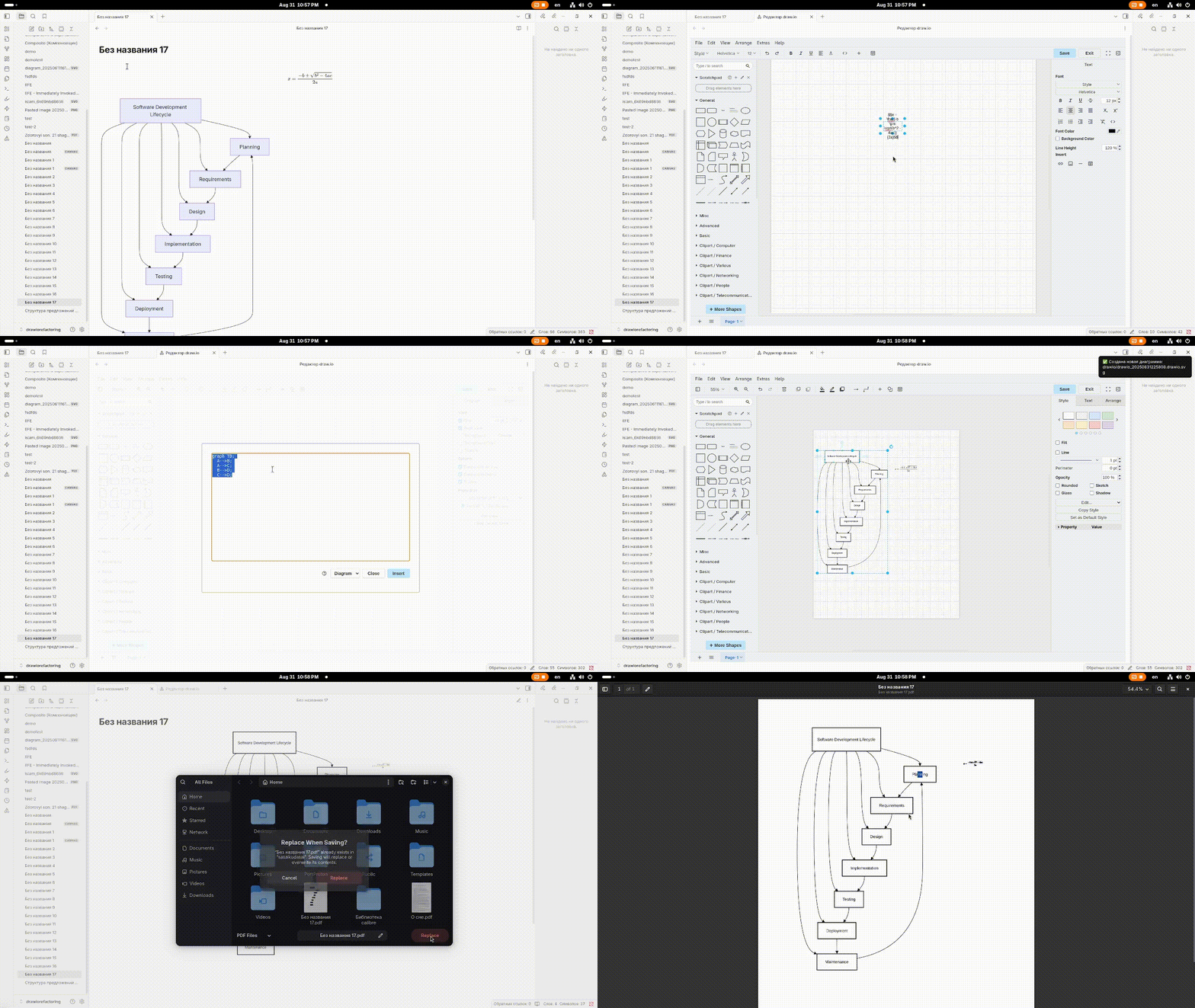
📐 Mermaid & LaTeX
You can use mermaid, plumt and LaTeX (native support draw.io)
🖼️ Canvas support
Use the diagrams in canvas! Link your notes, add external/internal links and markdown-fragments!
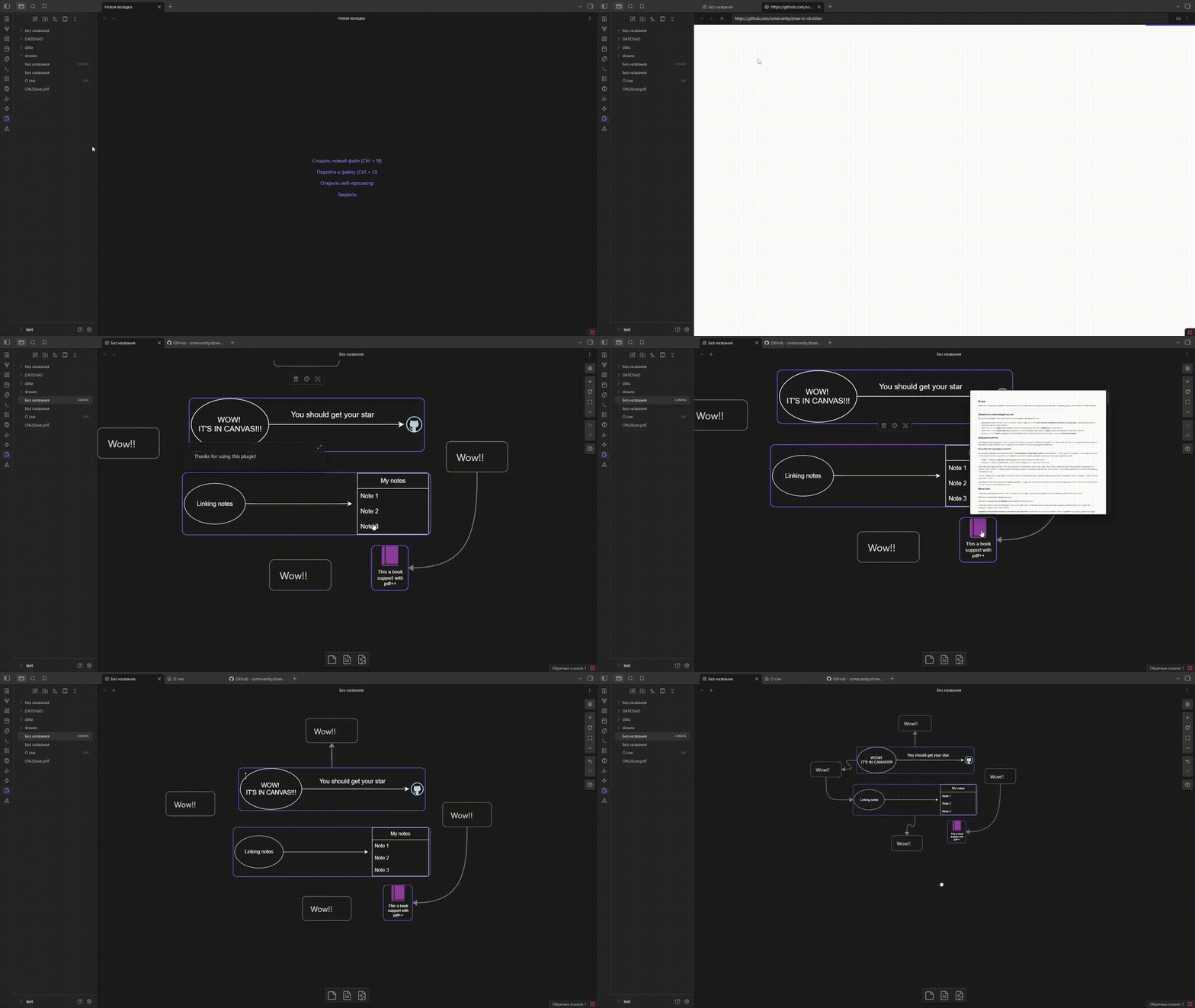
🖱️ How to Use
Diagrams created by the plugin use the .drawio.svg extension. The file is still a regular SVG file; the .drawio part is added so the plugin can recognize that the SVG was created by it.
diagram.drawio.svg— ✔️diagram.svg— ❌
If you remove the .drawio part, the plugin will no longer recognize the file as a draw.io diagram.
How to Open the Editor
You can open the editor using a Command Palette command:
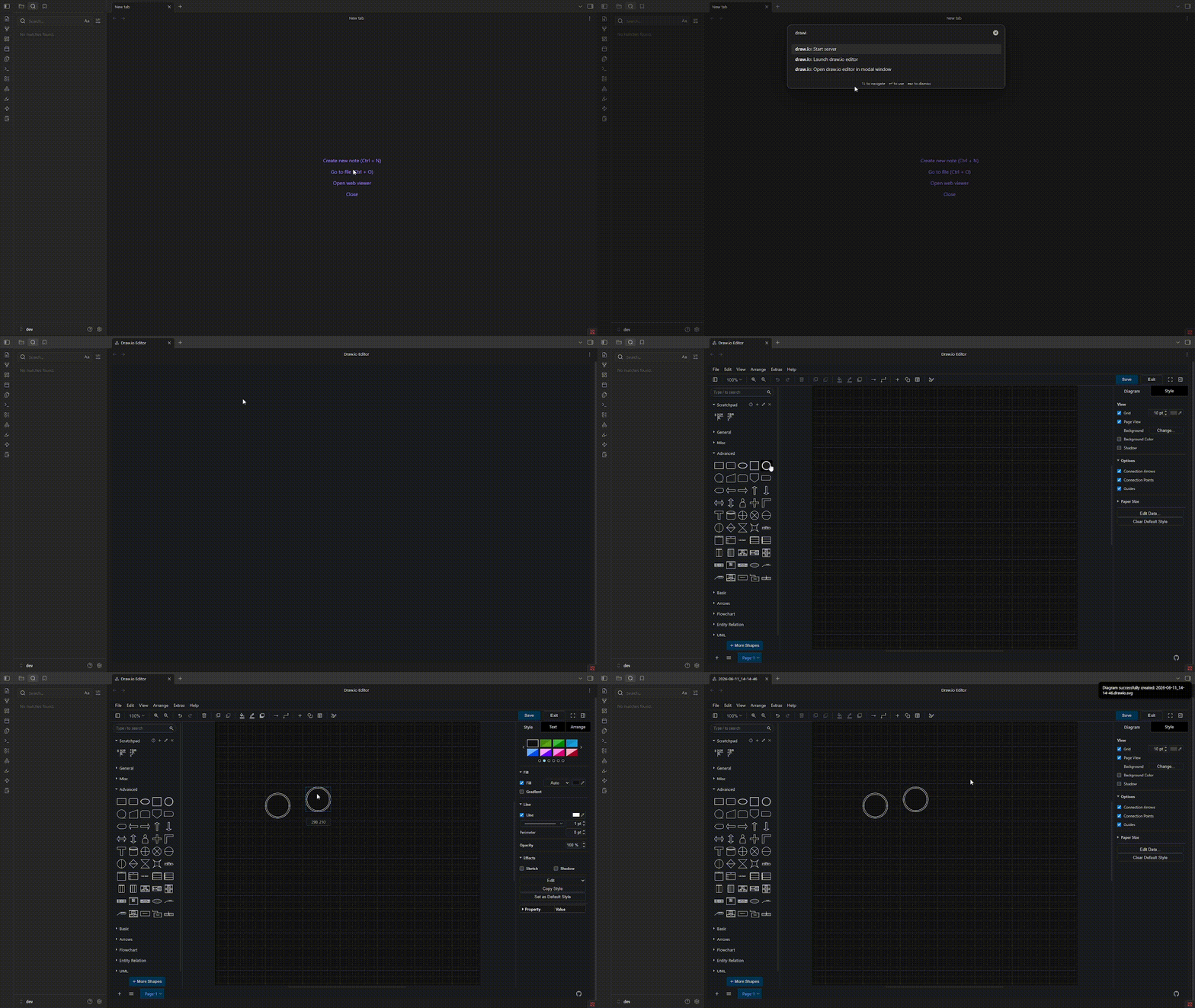
Or you can assign and use a keyboard shortcut:
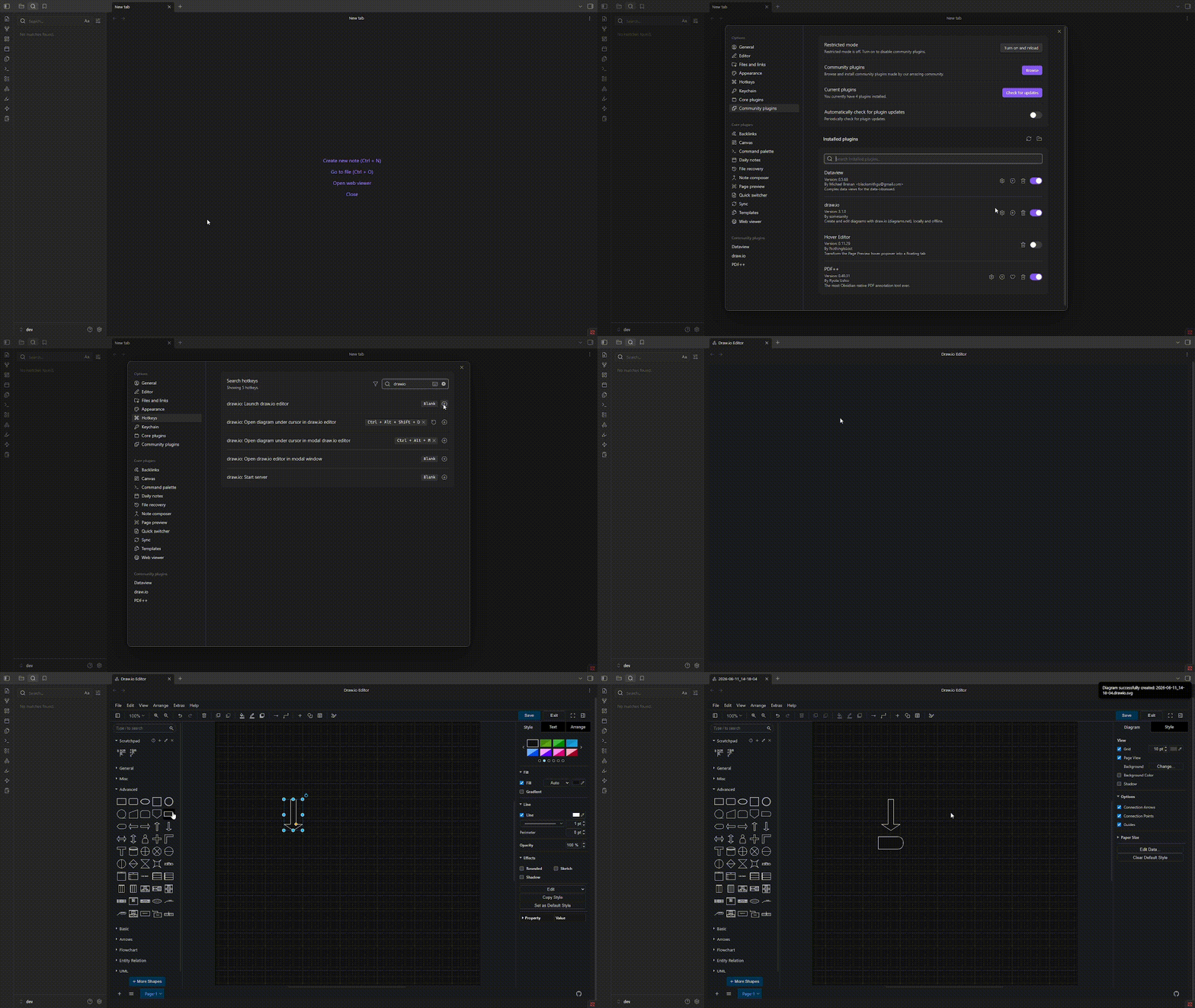
How to Edit Diagrams
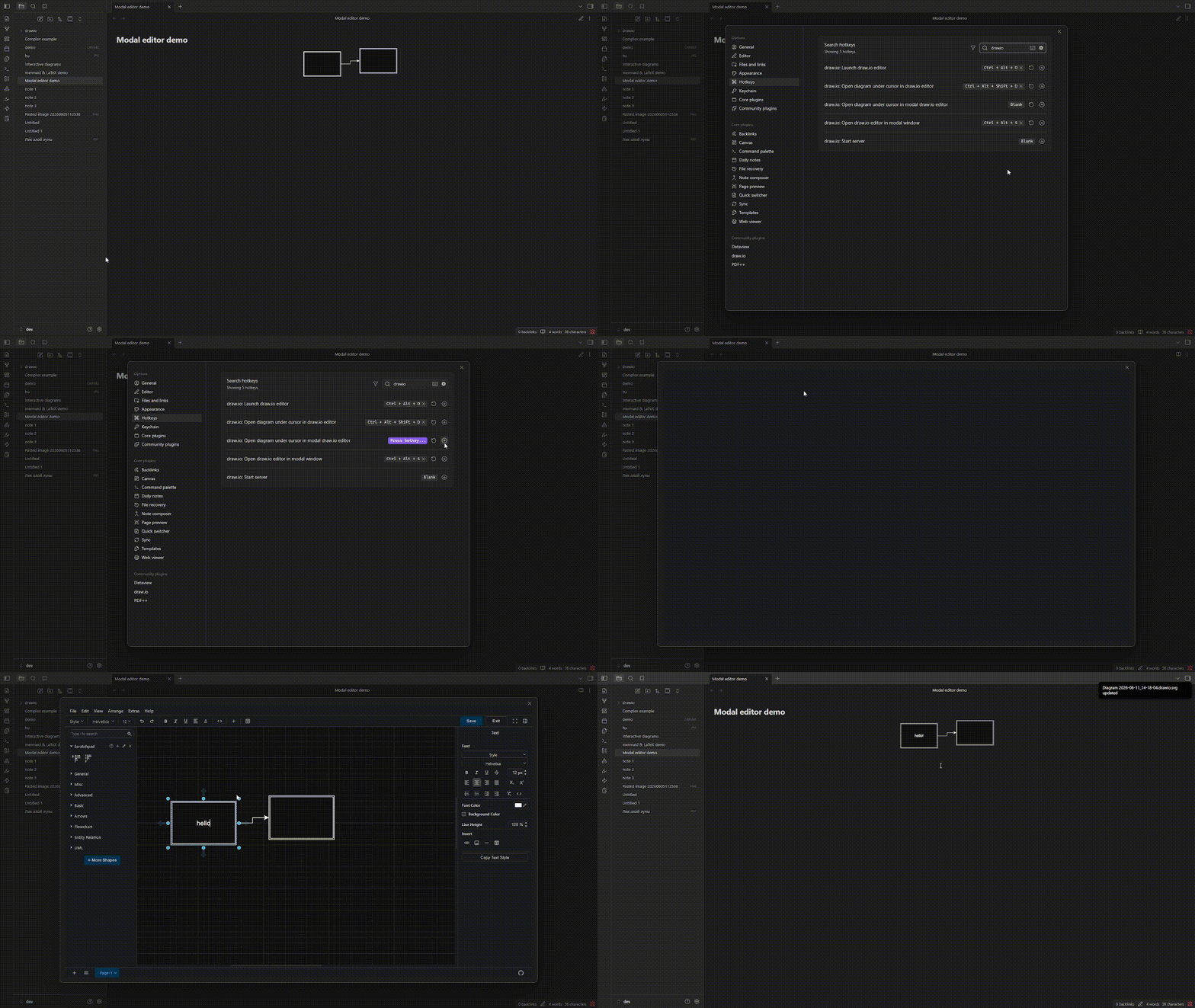
There are three ways to edit a diagram:
- Using the context menu — right-click the diagram link and select "Edit draw.io Diagram".
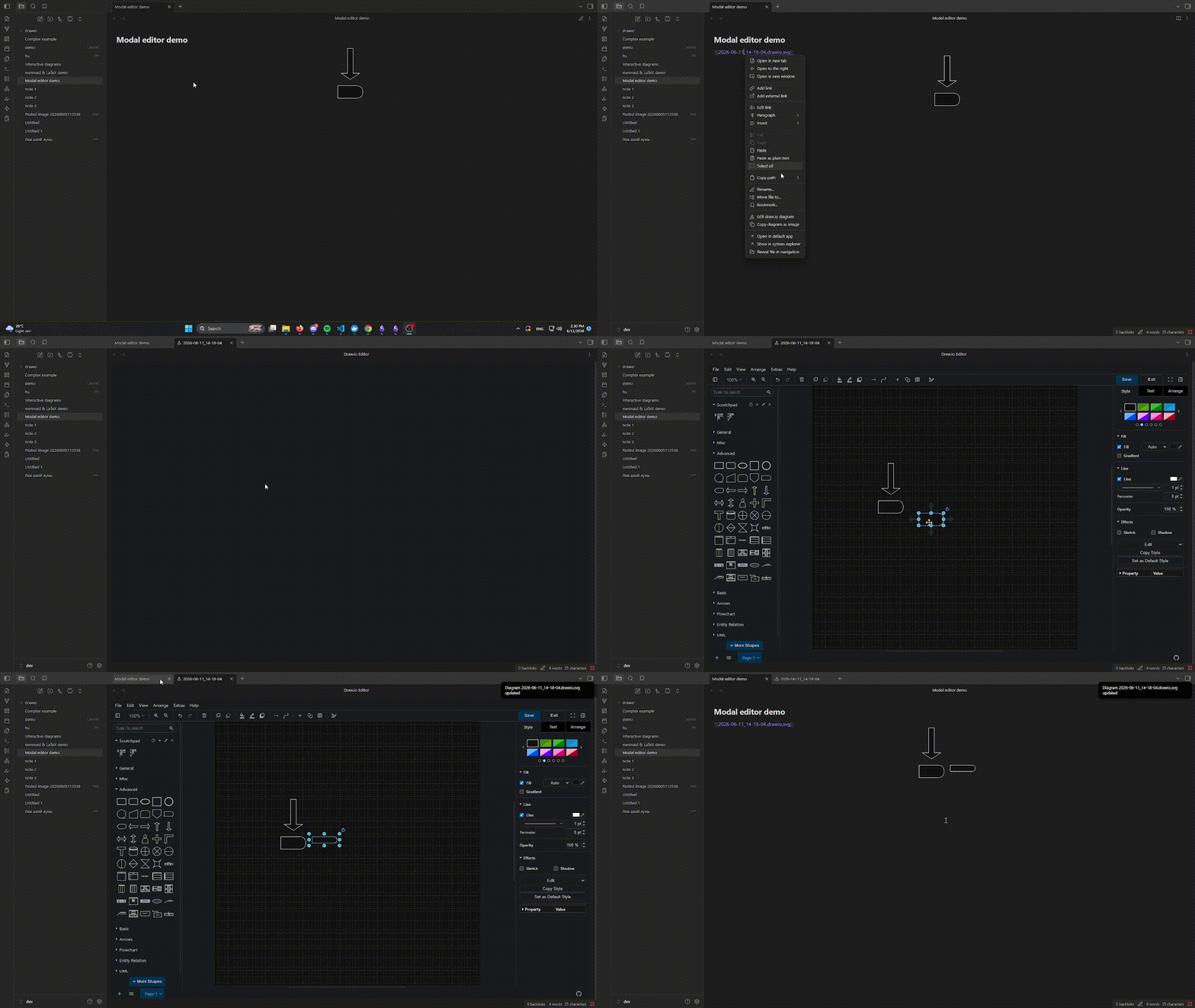
- Using a keyboard shortcut — place the cursor on the diagram link in editing mode and press the assigned shortcut.
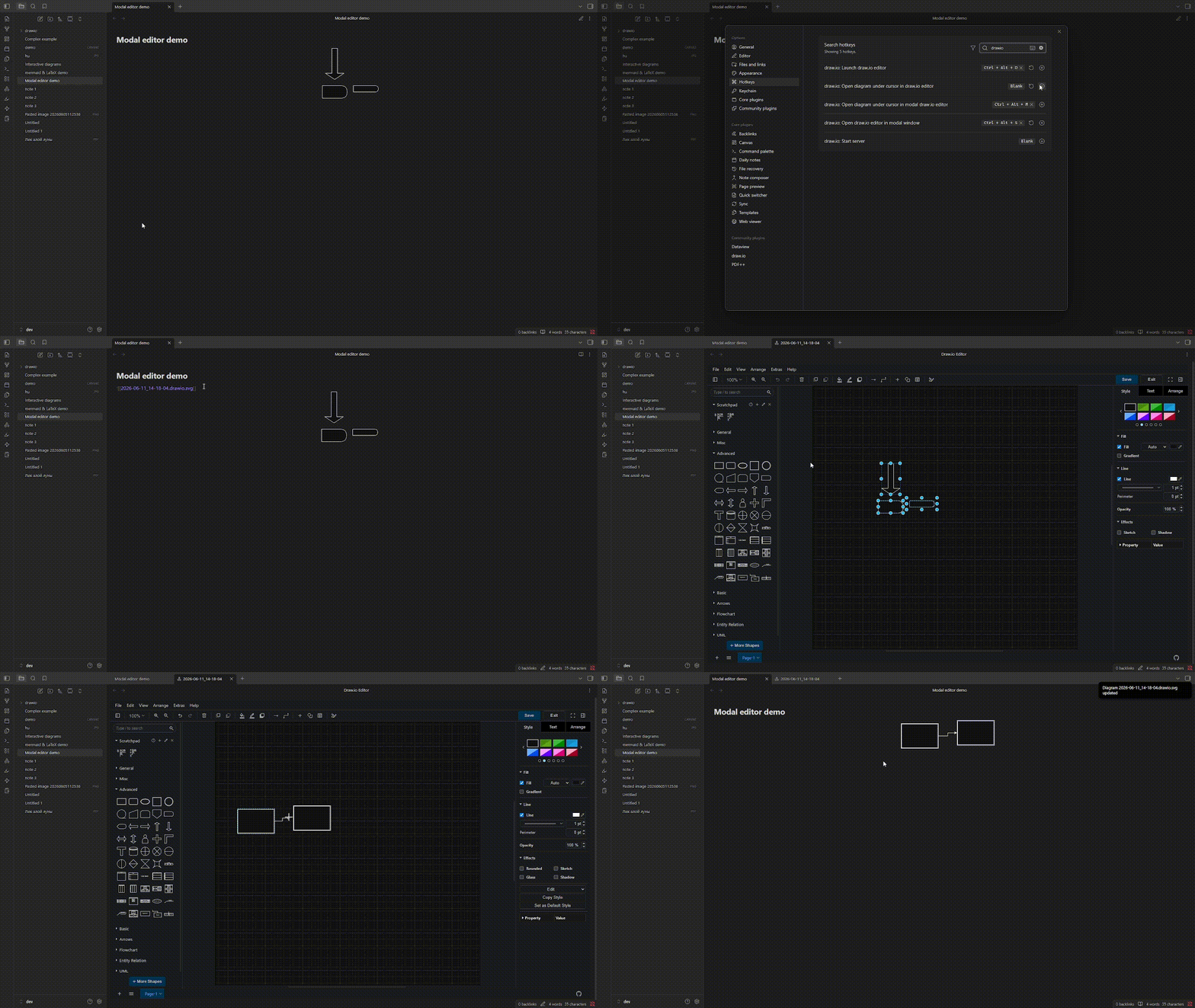
- Using the modal editor shortcut — place the cursor on the diagram link in editing mode and press the modal editor shortcut.
❓ How It Works
This plugin launches a local web server that serves the Draw.io web app directly from your machine.
- When you open your Obsidian vault and enable the plugin, it spins up the server automatically.
- You can then create, edit, and save diagrams directly within Obsidian — completely offline.
📦 Installation Guide
there are 2 ways:
- install from the plugin page or open this link obsidian://show-plugin?id=drawio in new browser tab
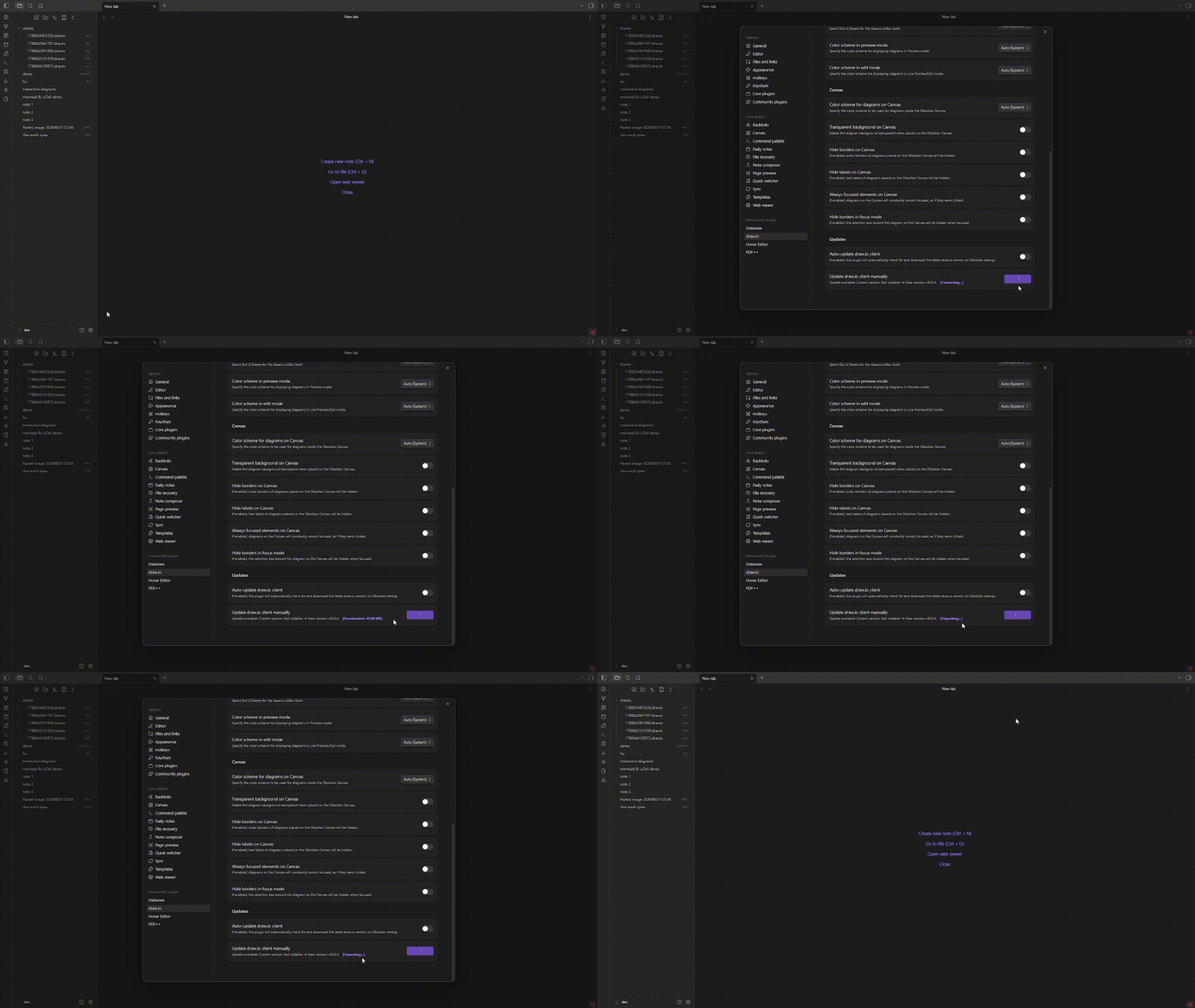
after downloading enable plugin, then go to settings, scroll down and click on the downlaod button draw.io client
-
manually install
-
after downloadingб
🙌 manually install
-
downlaod from Releases
main.jsmanifest.jsonstyle.css
-
create Folder in the .obsidian folder (where other plugin) and then move the file to the folder.
.obsidian/ └── plugins/ └── draw-io/ ├── manifest.json ├── main.js ├── styles.css -
enable plugin, then go to settings, scroll down and click on the downlaod button draw.io client
License
This software is licensed under the GNU GPLv3.
For plugin developers
Search results and similarity scores are powered by semantic analysis of your plugin's README. If your plugin isn't appearing for searches you'd expect, try updating your README to clearly describe your plugin's purpose, features, and use cases.