Easy Keep View
approvedby tazihad
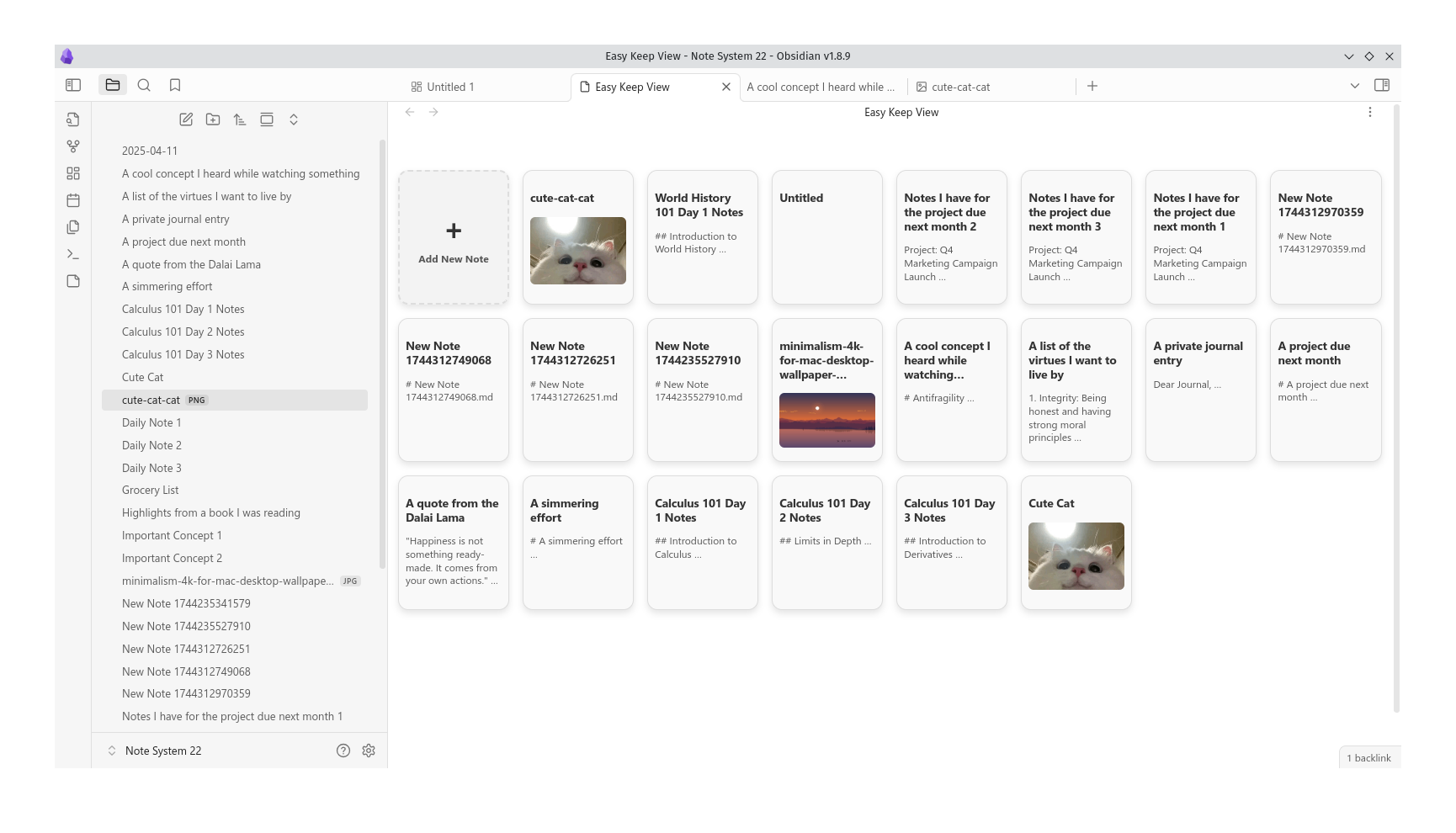
Easy Keep View mimics the Google Keep interface, allowing you to view and manage your notes with image thumbnails and excerpts.
★ 17 stars↓ 2,534 downloadsUpdated 1y agoMIT
Easy Keep View
Easy Keep View is a plugin that mimics the Google Keep interface, allowing you to view and manage your notes with image thumbnails and excerpts.
Features
- Display notes in a card-like view with titles, excerpts, and optional image thumbnails.
- Easy-to-use interface inspired by Google Keep.
- Supports dark and light themes.
- Create new notes directly from the plugin view.
Installation
- Download the latest release from the GitHub repository.
- Install the plugin by going to Settings > Community Plugins > Install Plugin and selecting Easy Keep View.
- Enable the plugin and start organizing your notes!
Usage
- Once installed, you can access Easy Keep View from the ribbon or sidebar.
- Click on a note card to open it in a new tab, or create a new note by clicking the "+" card.
Configuration
You can customize the theme mode of the plugin (light, dark, or system-based) via the plugin settings.
Contributing
Feel free to fork and submit pull requests! Contributions are welcome.
License
MIT License. See LICENSE for more details.
For plugin developers
Search results and similarity scores are powered by semantic analysis of your plugin's README. If your plugin isn't appearing for searches you'd expect, try updating your README to clearly describe your plugin's purpose, features, and use cases.