Editor Width Slider
approvedby mugishomp
Customize Obsidian's editor width with a slider for a tailored editing experience.
Obsidian Line Width Slider Plugin
A plugin for Obsidian that allows you to adjust the editor line width using a simple slider in the status bar.
Features
- Adjust the line width of the editor using a slider in the status bar.
- Increase or decrease the line width to customize your editing experience.
- Simple and intuitive interface for easy usage.
Feature: Custom for Individual Files using YAML
With the Obsidian Line Width Slider Plugin, you can now customize the editor width for individual files by specifying an "editor-width" field in the YAML frontmatter of your notes. This feature allows you to have different line widths for different files, giving you greater flexibility in your note-taking and editing experience.
Setting the Editor Width
To set a custom editor width for a specific file, follow these steps:
-
Open the note for which you want to customize the editor width.
-
In the YAML frontmatter section at the top of the note, add an "editor-width" field. The value of this field should be a number between 0 and 100, representing the desired editor width as a percentage of the viewport width. For example:
---
title: My Customized Note
editor-width: 75
---
Demo
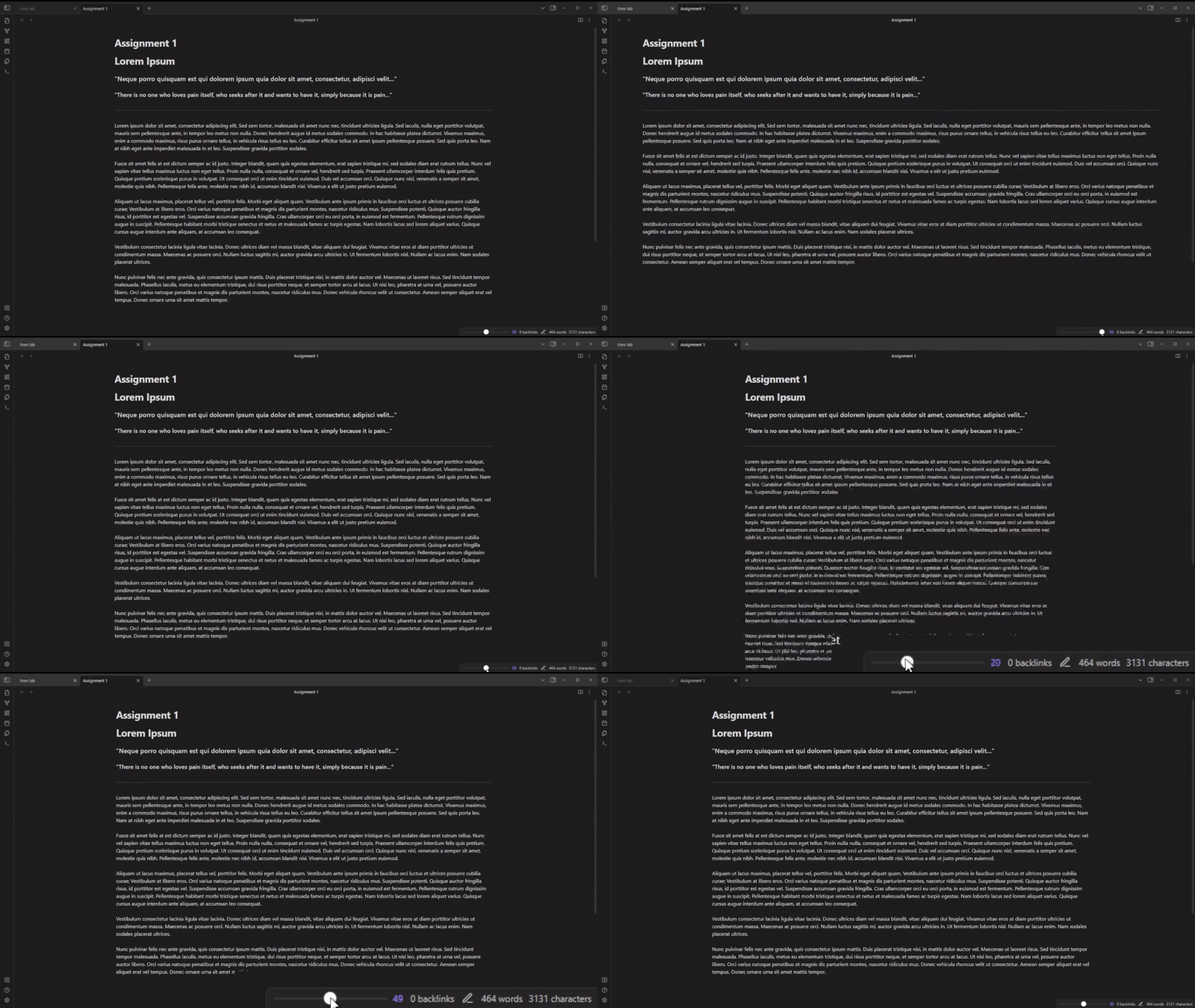
Here is a brief demo showcasing the basic functionality of the Line Width Slider plugin.
Installation
- Download the latest release of the plugin from the Releases page.
- Extract the plugin folder from the downloaded ZIP file.
- Copy the plugin folder into your Obsidian vault's
.obsidian/pluginsdirectory. - Launch Obsidian and open the settings.
- Navigate to the "Community Plugins" tab and enable the "Line Width Slider" plugin.
- Enjoy using the Line Width Slider in the status bar to adjust the editor line width.
Usage
- Once the plugin is enabled, you will see a slider in the status bar.
- Drag the slider to the left or right to increase or decrease the editor line width.
- The changes will be applied to the editor in real-time.
Feedback and Support
If you encounter any issues or have suggestions for improvements, please create a new issue on the GitHub repository.
Support Me
If you find my work valuable or simply want to support this broke CS student's caffeine-fueled coding adventures, you can make a donation through PayPal. Your contribution is greatly appreciated and helps keep the coffee flowing! ☕️🖥️

License
This plugin is licensed under the MIT License. See the LICENSE file for more information.
Please note that this plugin is provided as-is without any warranty. Use it at your own risk.
For plugin developers
Search results and similarity scores are powered by semantic analysis of your plugin's README. If your plugin isn't appearing for searches you'd expect, try updating your README to clearly describe your plugin's purpose, features, and use cases.