by Saurabh
Transform your new tab into a responsive, multi-page homepage dashboard with customizable widgets, global fuzzy search, and local-first storage.
Enhanced Homepage
Transform your new tab into a fast, responsive, multi-page dashboard.
Enhanced Homepage replaces Obsidian's blank new tab with a customizable workspace featuring 16 built-in productivity and knowledge widgets, global fuzzy search (Ctrl+K), multi-page tabs, and built-in backdrop presets—running 100% locally on both Desktop and Obsidian Mobile (iOS / Android).
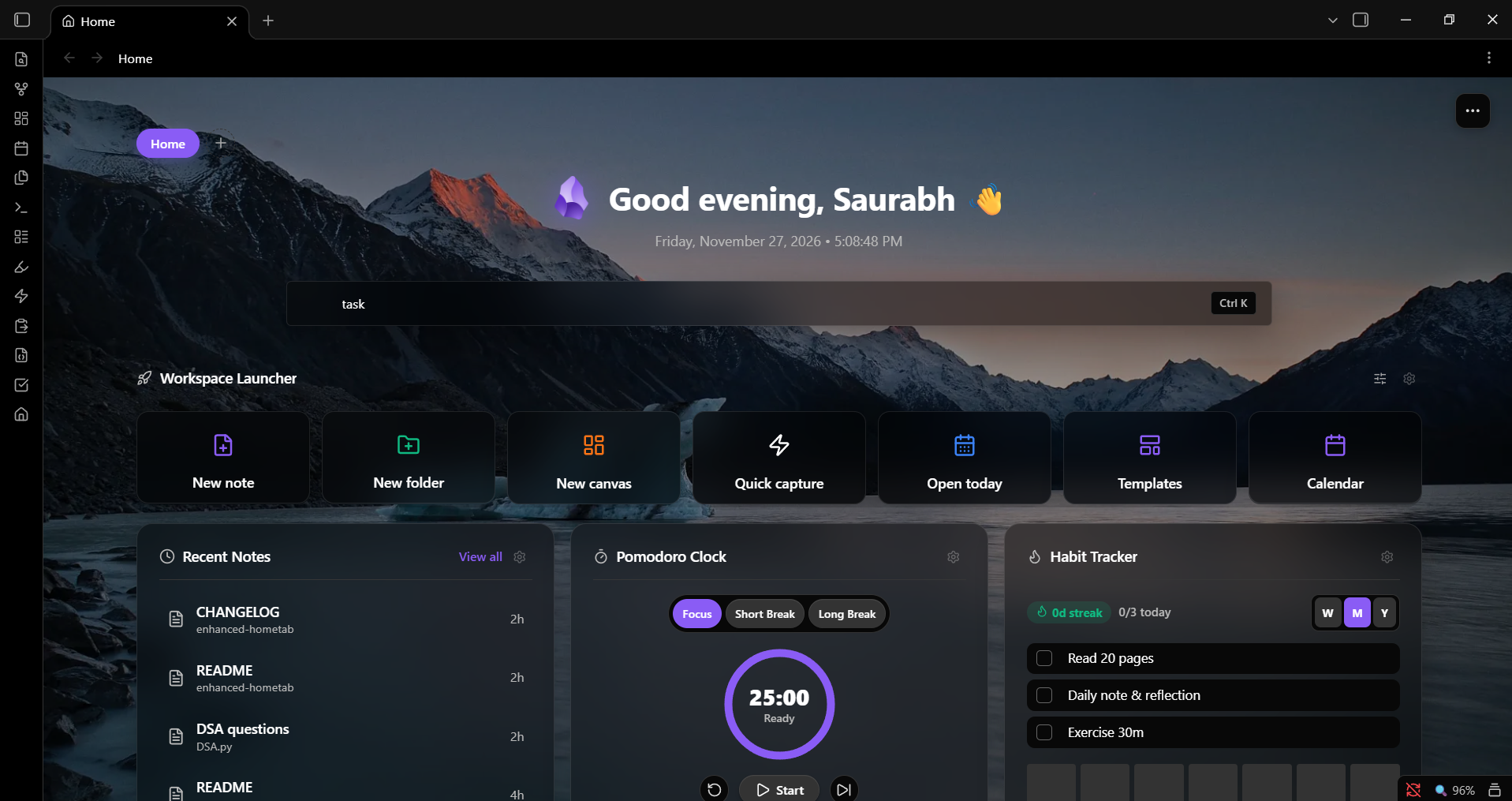
Why Enhanced Homepage?
Most Obsidian homepage setups require stitching together multiple plugins, writing custom Dataview queries, and fighting CSS snippets that break on mobile. Enhanced Homepage gives you a complete, cohesive command center out of the box:
- Multi-Page Workspaces: Organize separate contexts like Home, Work, and Focus from the top tab bar (
+to create, right-click to rename, duplicate, move, or delete). - Effortless Widget Management: Add, configure, duplicate, resize, or remove widgets from anywhere—via Edit Layout mode, a widget's Gear settings modal, right-clicking any widget header, or the Page Widgets list in the top-right
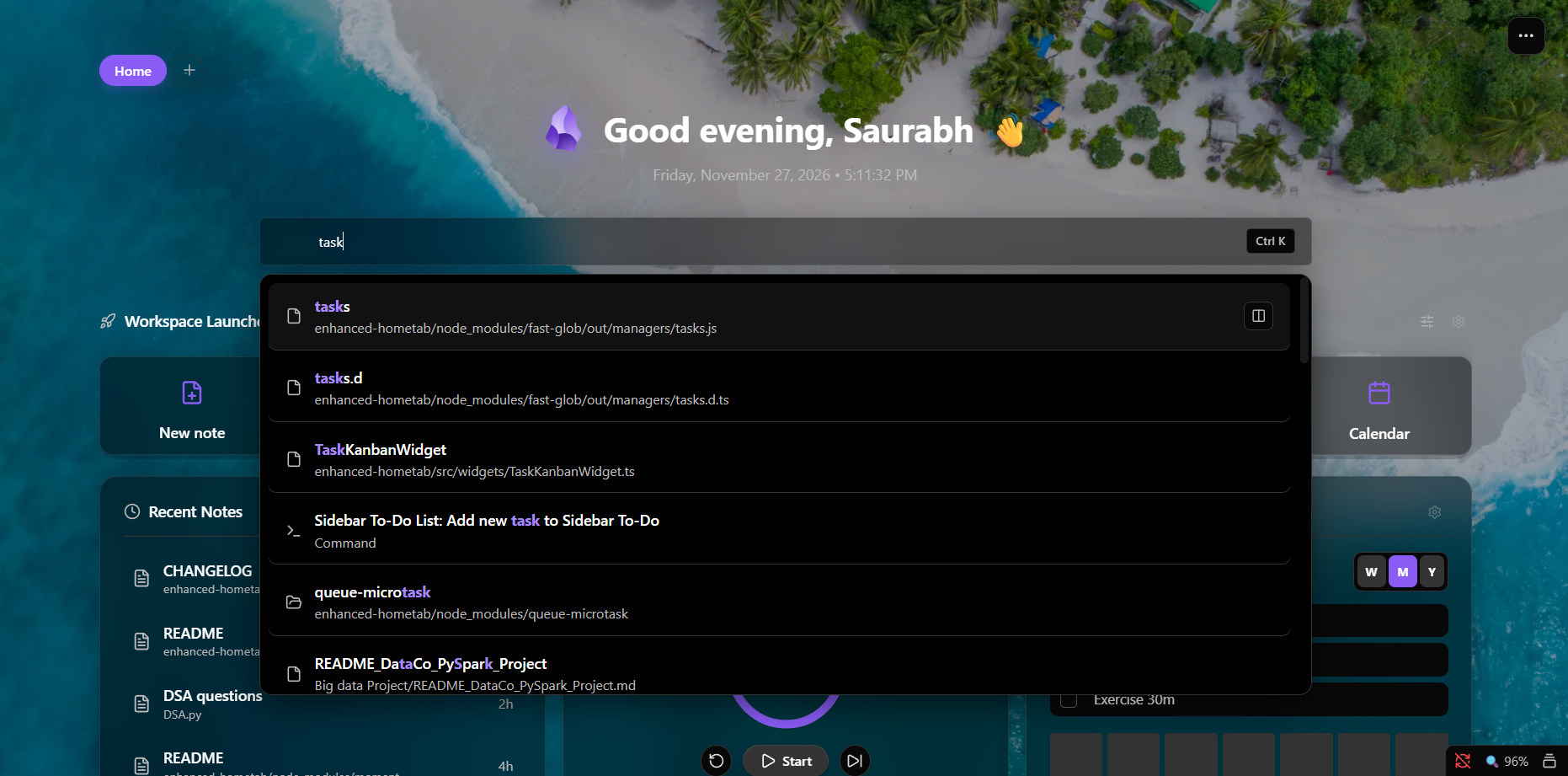
...menu. - Instant Global Fuzzy Search (
Ctrl+K): Jump to any note, tag, or Obsidian command right from your homepage without opening another modal. - Fast & Local-First on Every Device: Built with async chunked vault scanning (
yieldToMain) so even large vaults open smoothly without UI freezes, with full support for Desktop and Obsidian Mobile (iOS / Android).
16 Widgets Included — No Extra Plugins Needed
| Category | Widgets |
|---|---|
| 🚀 Productivity | Workspace Launcher · Pomodoro Clock · Task Kanban · Pending Tasks · Habit Tracker · Countdown & Anniversaries |
| 📚 Knowledge | Continue Working · Recent Notes · On This Day · Pinned Notes · Daily Quote · Note Embed · Most Connected Notes |
| 🏗️ Workspace | Quick Access · Vault Statistics · Recently Used Tags |
Every widget is configurable, resizable, and removable — no Dataview, no JavaScript, no extra plugins.
Screenshots
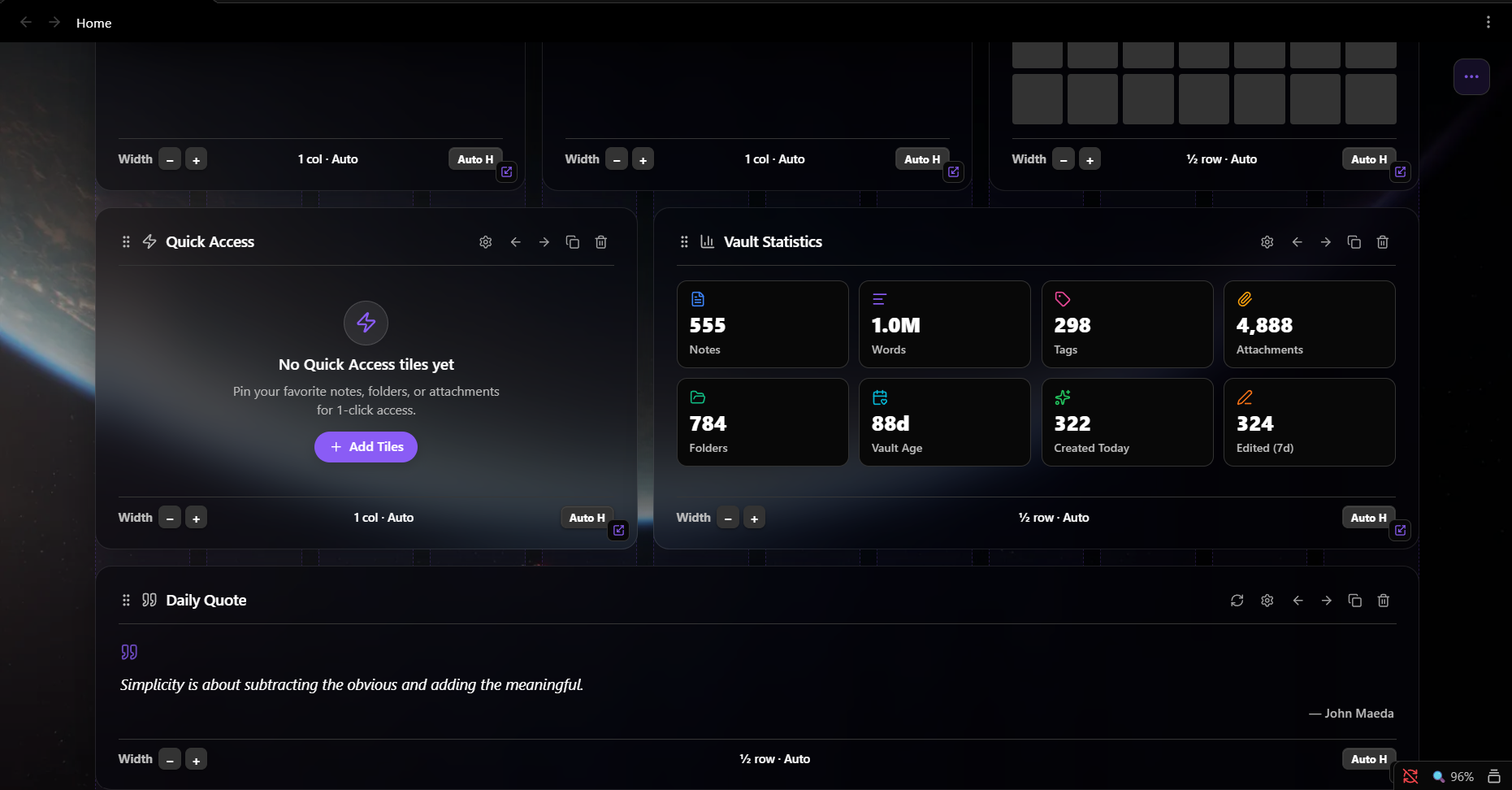
| Layout Editing & Resizing | Global Fuzzy Search (Ctrl+K) |
|---|---|
 |  |
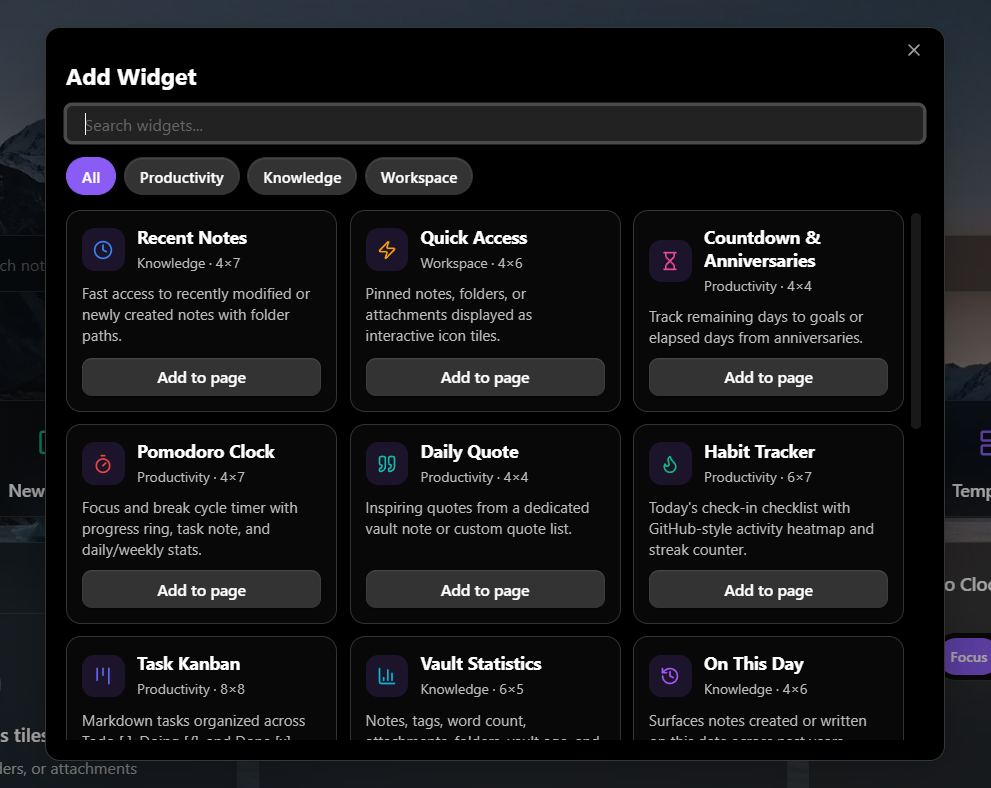
| Task Kanban & Pomodoro | First-Run Setup Wizard |
|---|---|
 | 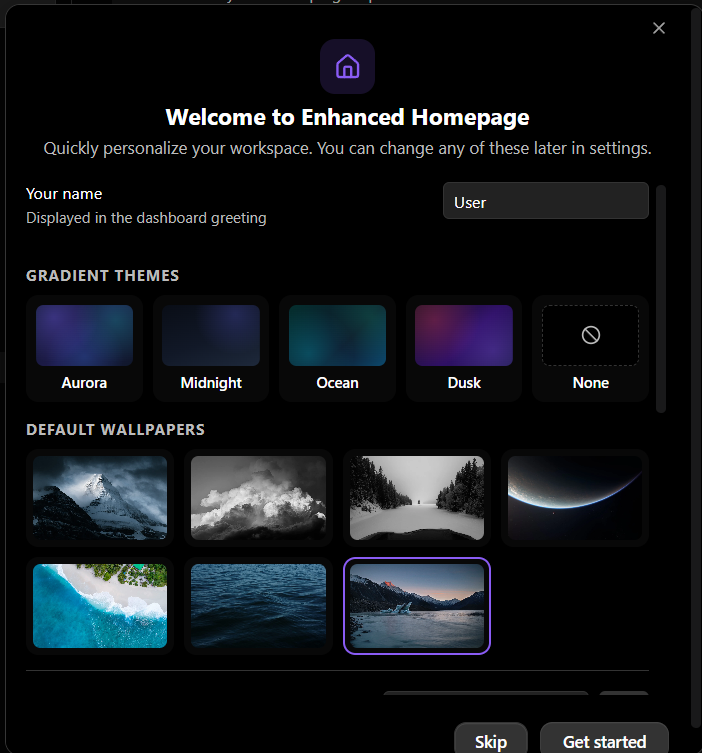 |
Built-in Widgets (16)
Click Add Widget in the top-right ... menu to insert any widget, and click the Gear icon on any card header to configure it:
| Widget | Description | Key Configurations |
|---|---|---|
| Workspace Launcher | One-click shortcuts for new notes, folders, canvas, quick capture, today's note, templates, and calendar modal | Toggle & drag-reorder launcher buttons |
| Continue Working | Resume your last edited note, opened note, canvas, or previous tab session | Automatic activity tracking |
| Recent Notes | Fast access to recently modified or created notes | Limit, sort (mtime/ctime), include/exclude folders, show folder paths |
| Quick Access | Pin favorite notes, folders, or attachments as icon tiles | Path autocomplete, custom label, Lucide icon picker, column count |
| Task Kanban | Scans - [ ], - [/], and - [x] tasks across Todo, Doing, and Done with drag-and-drop & inline creation | Vault/folder/file scope, inbox file, column titles, hide completed |
| Pending Tasks | Quick checklist of recent open - [ ] tasks with today's note link | Item count limit |
| Pomodoro Clock | Focus, short break, and long break cycle timer with progress ring and stats (persists across restarts) | Stage durations, long-break interval, linked task note, audio & notifications |
| Habit Tracker | Today's check-in checklist with week/month/year activity heatmap and streak counter | Habit items, heatmap range, local data or Daily Note sync |
| Vault Statistics | Notes, word count, tags, attachments, folders, vault age, created today, edited this week | Grid columns, metric toggles, founding date, excluded folders |
| On This Day | Surfaces notes created or written on today's date across past years | Item limit, frontmatter date property, filename & ctime fallbacks |
| Countdown & Anniversaries | Track remaining days to goals or elapsed days from past milestones | Target date, future/past direction, title & subtitle |
| Daily Quote | Inspiring quotes from a vault note or custom quote list | Source note or custom list, daily rotation vs. random |
| Note Embed | Render any note or specific # Heading section directly inside a card | Note autocomplete, heading selector, hide YAML frontmatter |
| Pinned Notes | Displays your bookmarked files from Obsidian's core Bookmarks plugin | Item count limit |
| Recently Used Tags | Colorful tag pills showing your most used vault tags with one-click search | Item count limit |
| Most Connected Notes | Surfaces notes with the highest number of incoming backlinks | Item count limit |
Layout & Customization
- Top-Right
...Menu: One unified menu for Add Widget, Edit Layout, Page Widgets (quick configure or remove active widgets), Wallpaper (7 built-in scenic wallpapers, 5 gradient themes, custom image URL, or local media upload with automatic WebP compression), and Display toggles (Glassmorphism UI, Greeting Header, Global Search Bar). - Edit Layout Mode:
- Drag card headers to reorder widgets (with drop markers and edge auto-scroll).
- Drag the bottom-right corner handle to resize card widths (
1 col,½ row,2 cols,Full) or minimum height (double-click to reset toAuto). - Move backward/forward, duplicate, configure, or delete any card.
- Settings & Backup (Settings → Enhanced Homepage):
- Configure startup behavior (
Open on startup,Open in new tab,Replace new empty tabs), grid gap/max width, page management, and JSON Import / Export for easy backup and cross-vault migration.
- Configure startup behavior (
Privacy, Network & Data Disclosure
- 100% Local Storage: All pages, widget configurations, Pomodoro timers, and habit records are stored locally inside your vault's
data.json. - No Accounts, No Subscriptions, No Telemetry: Free, open-source (MIT), with zero analytics or background tracking.
- Network Usage: Makes no background network requests. Remote network requests only occur if you manually enter a remote image URL as a custom wallpaper.
- Vault-Only File Access: Only reads and writes files inside your Obsidian vault.
- Vault Search Scope: Global search and vault-backed widgets inspect note metadata and paths across the vault only when those features are used; no vault data is sent outside Obsidian.
- Clipboard Scope: The layout export button writes the generated JSON only after you click it; the plugin does not read the existing clipboard.
Installation
From Obsidian Community Plugins
- Open Settings → Community plugins and turn off Restricted mode.
- Click Browse and search for Enhanced Homepage.
- Click Install, then Enable.
Manual Installation
- Download
main.js,manifest.json, andstyles.cssfrom the latest GitHub Release. - Copy them into
<vault>/.obsidian/plugins/enhanced-homepage/. - Reload Obsidian and enable Enhanced Homepage in Settings → Community plugins.
Development
npm install
npm run dev    # start watch build
npm run build  # production build
License
MIT License — © 2026 Saurabh
For plugin developers
Search results and similarity scores are powered by semantic analysis of your plugin's README. If your plugin isn't appearing for searches you'd expect, try updating your README to clearly describe your plugin's purpose, features, and use cases.