by encomjp
Export notes to PDF or HTML with clickable links between exported notes, a note picker, cover page, contents and page numbers.
Export Studio for Obsidian
Export notes to PDF or HTML with Starnote's clean look, and with clickable links between the exported notes. Desktop only, no dependencies besides the plugin.

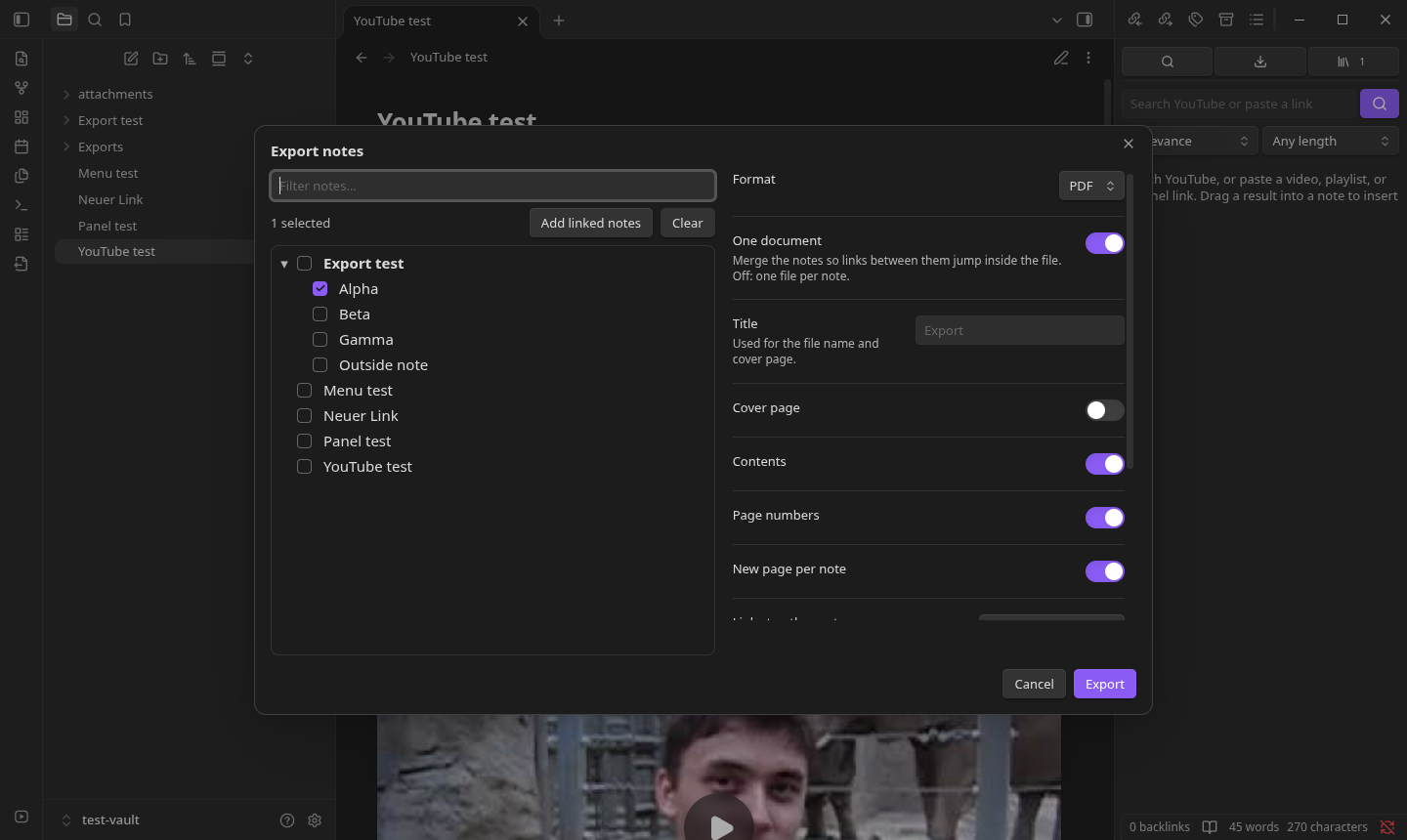
- Note picker. Choose notes from a folder tree (filter, folder checkboxes, Add linked notes), or right-click a note, folder, or a multi-selection in the file explorer and choose Export….
- Linked PDFs.
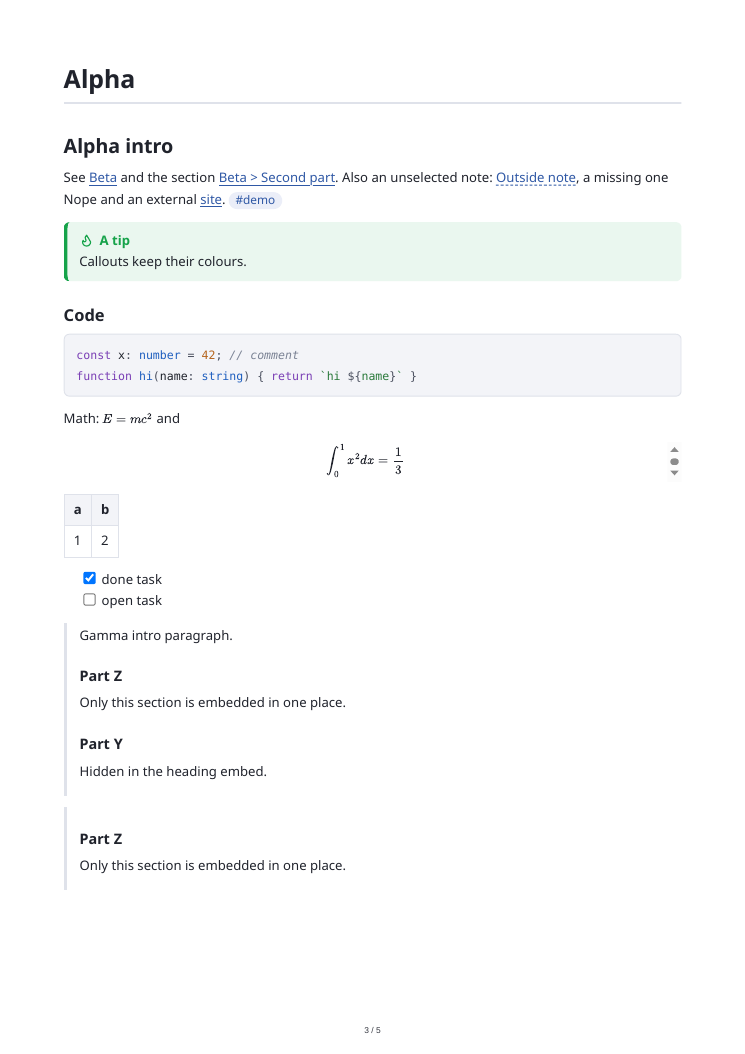
[[wikilinks]]between exported notes become blue links that jump to the note or heading inside the PDF. The PDF also gets bookmarks from the headings, an optional cover page, contents list, and page numbers. Links to notes that are not exported open them in Obsidian (obsidian://link) or become plain text, your choice. - One document or one file per note. In per-note mode the links point at the sibling files.
- Faithful rendering. Notes are rendered by Obsidian itself: callouts, tables, task lists, code
highlighting, math (MathJax, fonts embedded), note and heading embeds (
![[Note#Heading]]), images (inlined), and plugin output such as Mermaid or Dataview. - Options. Page size, orientation, margins, new page per note, output folder. Existing files are
never overwritten (
Name 2.pdf). - Commands. Export notes… and Export current note to PDF.
PDFs are printed with Obsidian's own Chromium (printToPDF); if a build does not expose it, the plugin
writes the HTML instead and you can print it from a browser.
Install
Obsidian directory
Export Studio is listed in the official Obsidian plugin directory: community.obsidian.md/plugins/export-studio. Install it from there, or from Settings → Community plugins → Browse once it appears for you.
BRAT (installs and keeps it updated)
- Install BRAT from Settings → Community plugins → Browse, and enable it.
- Run the command BRAT: Add a beta plugin for testing and enter
encomjp/obsidian-export, or click this link with BRAT installed. - Enable the plugin under Settings → Community plugins. BRAT then updates it with every release.
Manual
Copy main.js, manifest.json and styles.css from the latest release into <vault>/.obsidian/plugins/export-studio/ and enable Export Studio. To build:
npm install && npm run build
npm test runs the unit tests for the link, anchor and selection logic.
Disclosures
- Network use: none. Fonts and math are taken from Obsidian itself and embedded in the file.
- Files outside your vault: to make a PDF, the plugin writes one temporary HTML file to your operating system's temp folder, prints it with Obsidian's built-in Electron
printToPDF, and deletes it straight afterwards. Finished PDF and HTML files are written inside your vault (the output folder you pick). This is desktop only for PDF. - No account, payment, ads, telemetry or self-updating.
Support
If this saves you time, you can buy me a coffee.
Not an official product
An independent port of Starnote's export. Not affiliated with or endorsed by Obsidian (Dynalist Inc.). Provided "as is" under the MIT licence, without warranty; you are responsible for what you export.
For plugin developers
Search results and similarity scores are powered by semantic analysis of your plugin's README. If your plugin isn't appearing for searches you'd expect, try updating your README to clearly describe your plugin's purpose, features, and use cases.