Gemoji
approvedby Frankie
Render emoji shortcodes in reading mode. - This plugin has not been manually reviewed by Obsidian staff.
Gemoji for Obsidian
English | 简体中文
Gemoji (GitHub Emoji) renders emoji shortcodes in Obsidian Reading mode.
Features
- Render supported shortcodes such as
:smile:😄,:rocket:🚀,:+1:👍, and:white_check_mark:✅ as Unicode emoji. - Preserve markdown source content.
Preview
Screenshots
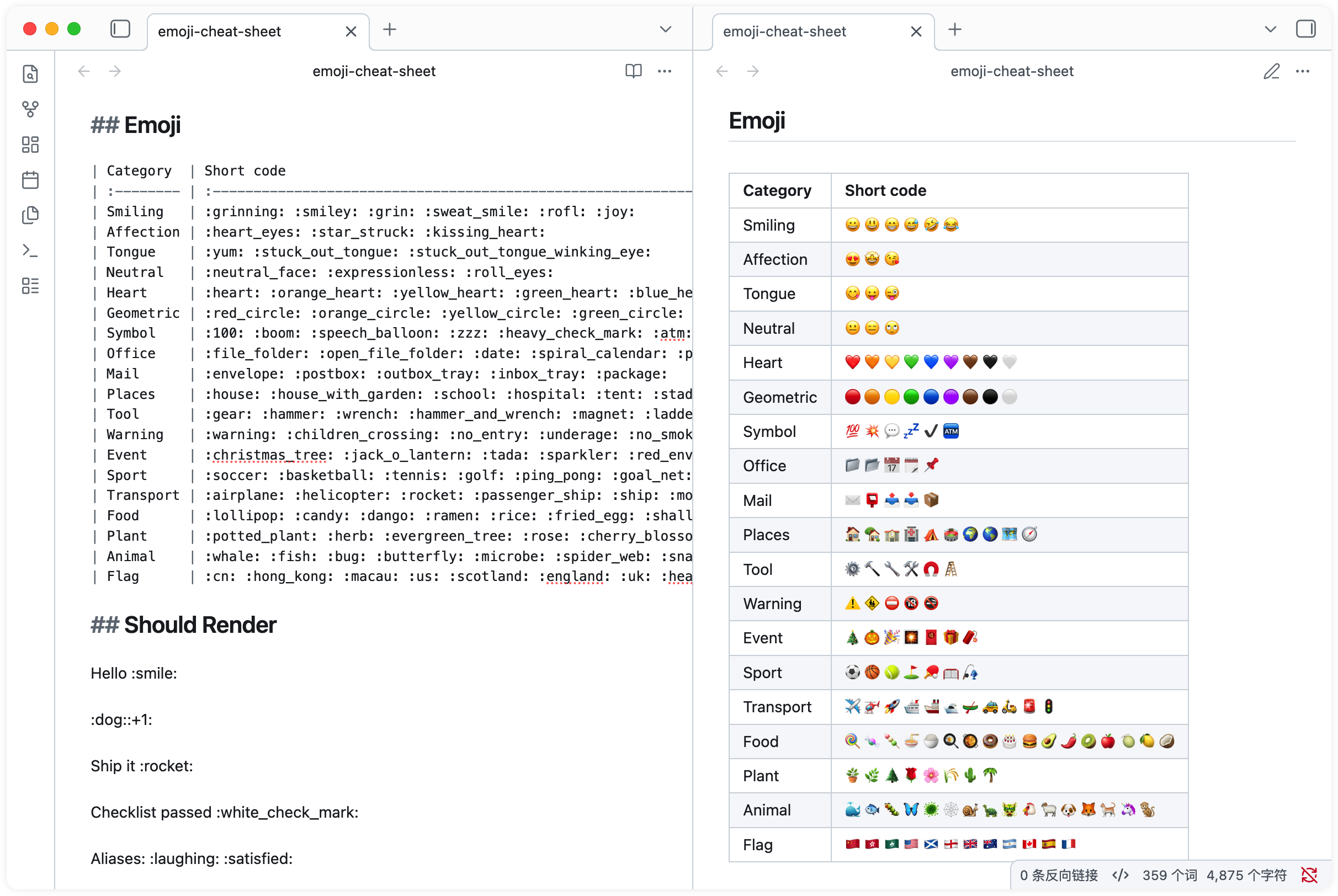
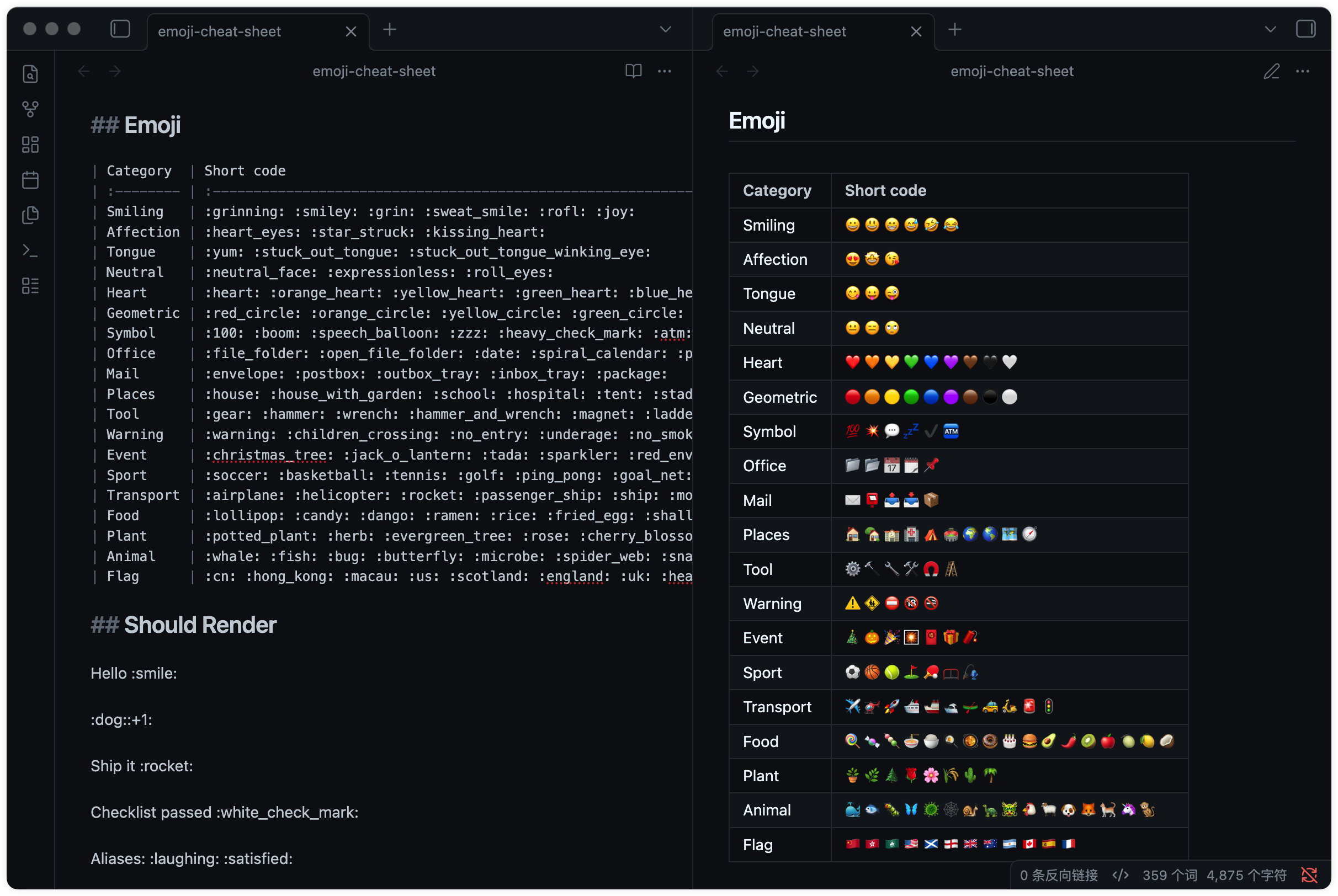
Scope
This plugin targets Obsidian Reading mode and markdown rendering contexts supported by Obsidian markdown post processors. It does not currently render emoji shortcodes in Live Preview or Source mode.
How to Install
This plugin is available in the Obsidian Community Plugins store.
Manually
- Download
main.jsandmanifest.jsonfrom the latest GitHub release. - Create
/your_vault/.obsidian/plugins/gemoji/. - Place the downloaded files in that folder.
- In Obsidian, go to Settings -> Community plugins -> Installed plugins -> Gemoji -> Enable, then restart Obsidian.
Related
If you like GitHub's Markdown rendering style, you may also enjoy the GitHub Flavored Markdown Theme for Obsidian.
Credits ❤️
- gemoji for emoji shortcode data.
- emoji-cheat-sheet for the GitHub emoji cheat sheet.
License
MIT License © Frankie
For plugin developers
Search results and similarity scores are powered by semantic analysis of your plugin's README. If your plugin isn't appearing for searches you'd expect, try updating your README to clearly describe your plugin's purpose, features, and use cases.