by Michael Naumov
Run the next command sharing a hotkey when the first command is unavailable.
Hotkey Fallback






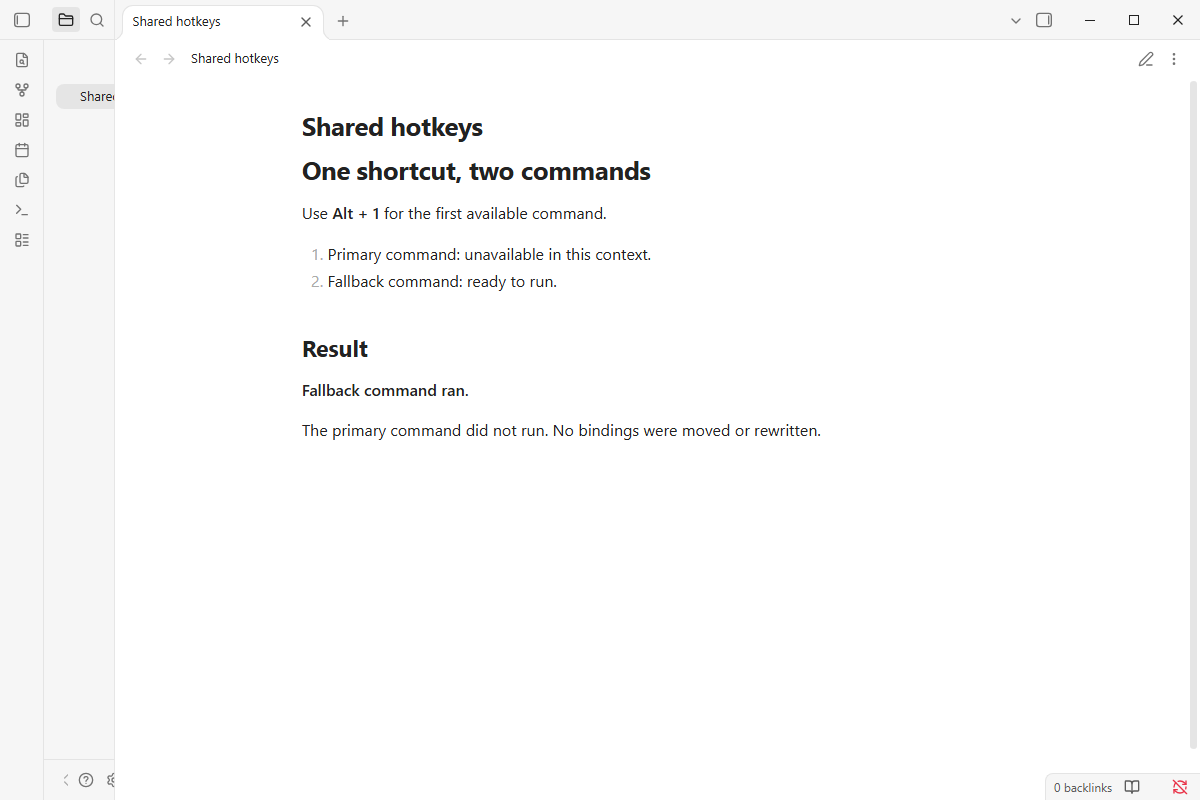
When two commands share a shortcut, an unavailable first command can swallow it. Hotkey Fallback tries the next matching command and stops when one is available. Bind commands in Obsidian's Hotkeys settings; its native ordering remains in charge. Desktop only.
Demo vault
The documentation is a demo vault. Every feature has a note that explains what it does and why you would want it, with a button you can press to watch it happen.
Start reading here — it is plain markdown, so it works on GitHub with nothing installed.
A copy of the vault ships with every release. You can access it via any of the following:
- Running the
Hotkey Fallback: Open demo vault command. - Downloading
hotkey-fallback-demo-vault.zipfrom the Releases. It unzips into a singlehotkey-fallback-demo-vault-<version>folder. - Browsing its source in
demo-vault/in this repository.
What it does
The first available command for a shortcut runs. Conditional editor commands work through Obsidian's own availability check. Unloading the plugin restores native dispatch.
See Shared hotkeys for setup, ordering and limitations.
See also
| Plugin | Features | How Hotkey Fallback differs |
|---|---|---|
Commander | Places commands in the interface | Related command access; uses existing shared hotkeys and availability checks |
Hotkey Helper | Assignment and conflict management | Related hotkey management; changes dispatch of existing shared bindings |
Hotkeys Chords | Key sequences invoke commands | Related command shortcuts; tries candidates for one existing combination |
Last searched for similar plugins on 2026-11-03.
Installation
The plugin is not available in the official Community Plugins repository yet.
Beta versions
To install the latest beta release of this plugin (regardless if it is available in the official Community Plugins repository or not), follow these steps:
- Ensure you have the BRAT plugin installed and enabled.
- Click Install via BRAT.
- An Obsidian pop-up window should appear. In the window, click the
Add pluginbutton once and wait a few seconds for the plugin to install.
Debugging
By default, debug messages for this plugin (id: hotkey-fallback) are hidden.
If you need to enable them refer to the documentation.
Changelog
All notable changes to this project will be documented in the CHANGELOG.
Contributing
Contributions are welcome — see CONTRIBUTING to get set up.
Support

Filing an issue (for AI agents and humans)
Open issues through the issue forms, not as blank issues.
To report a bug from inside Obsidian, run the Hotkey Fallback: Report a bug command. It opens the bug form with the plugin version, the Obsidian version and your operating system already filled in.
Filing from the CLI or the API (gh issue create --body, or an AI agent filing for you) skips the form, and gh issue create --template cannot load an issue form. In that case, open the matching form in .github/ISSUE_TEMPLATE/, copy every field as a ### <label> heading in the form's order, and fill in each one. Always state the plugin version, the Obsidian version and your operating system.
License
For plugin developers
Search results and similarity scores are powered by semantic analysis of your plugin's README. If your plugin isn't appearing for searches you'd expect, try updating your README to clearly describe your plugin's purpose, features, and use cases.