by Reggie Fluker
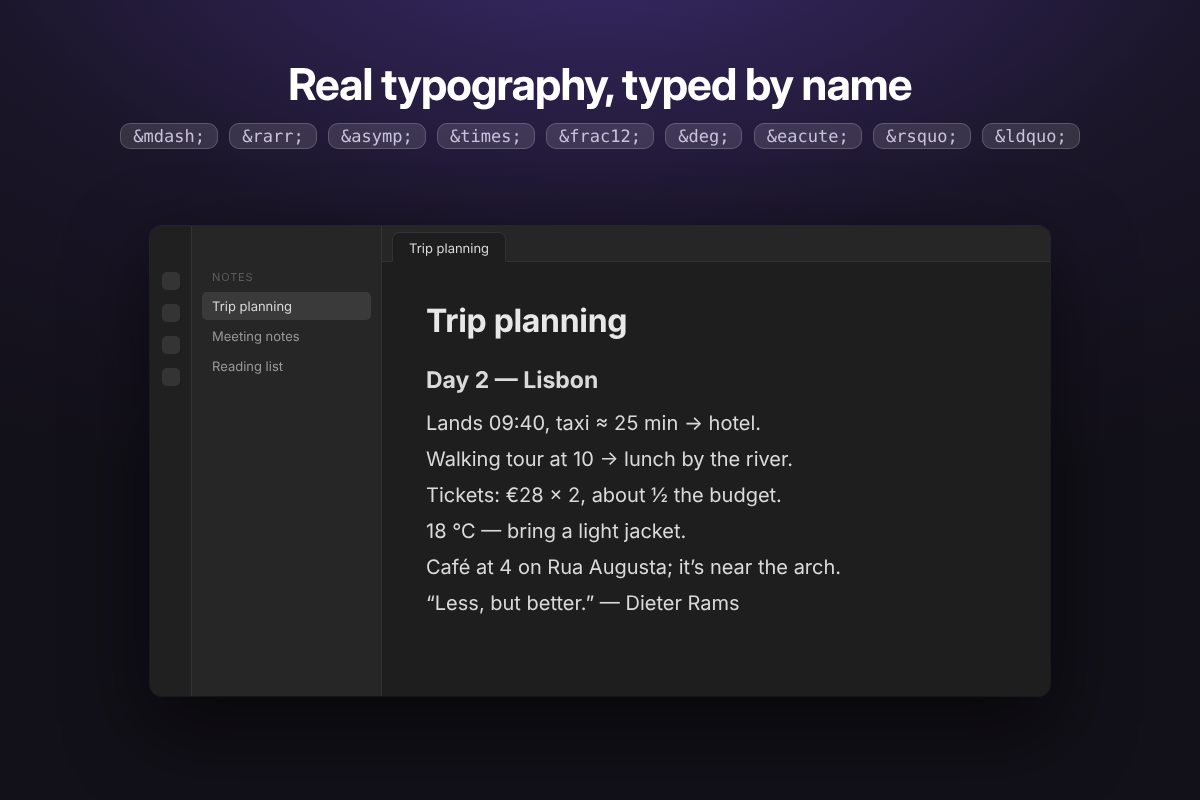
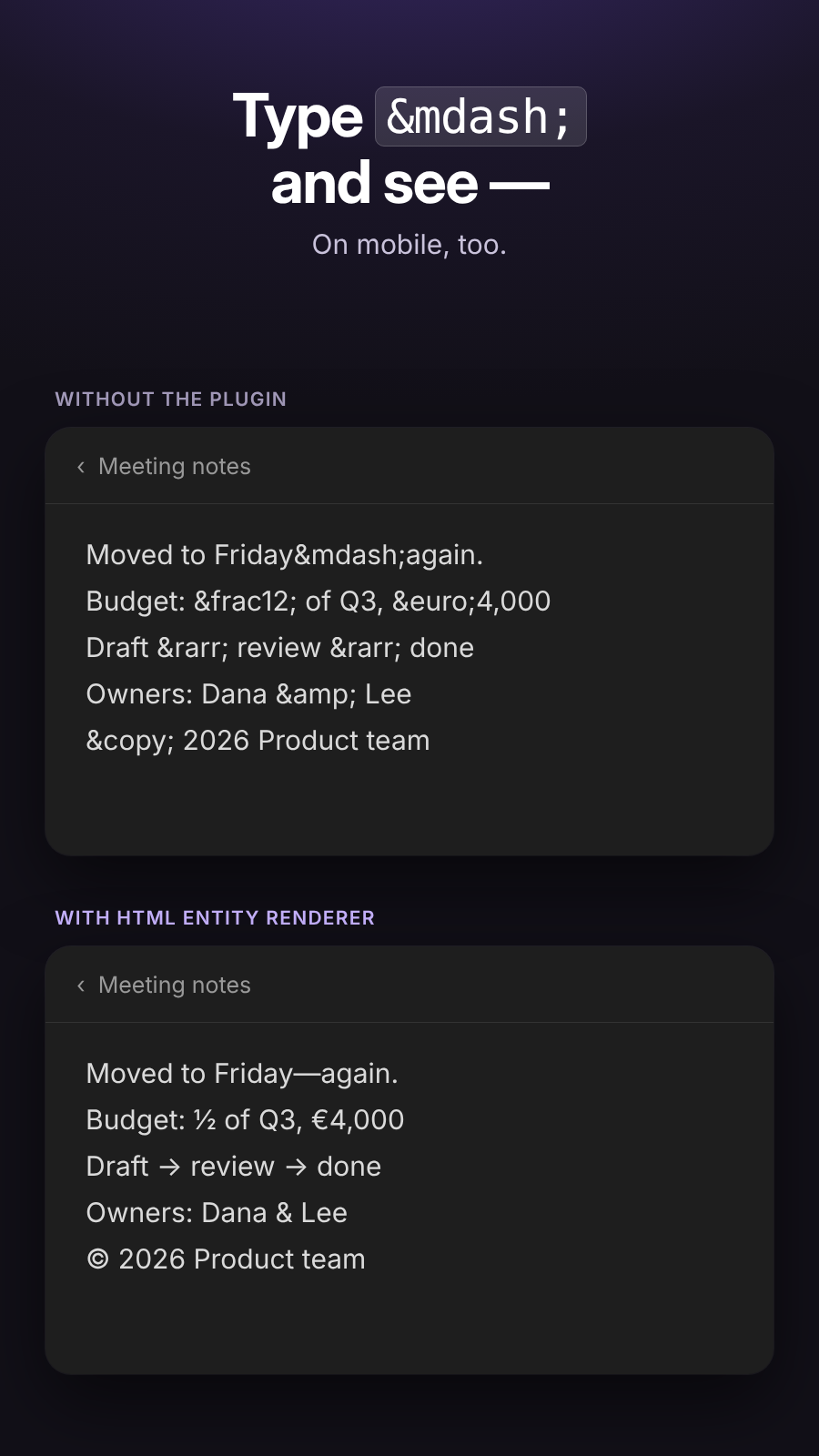
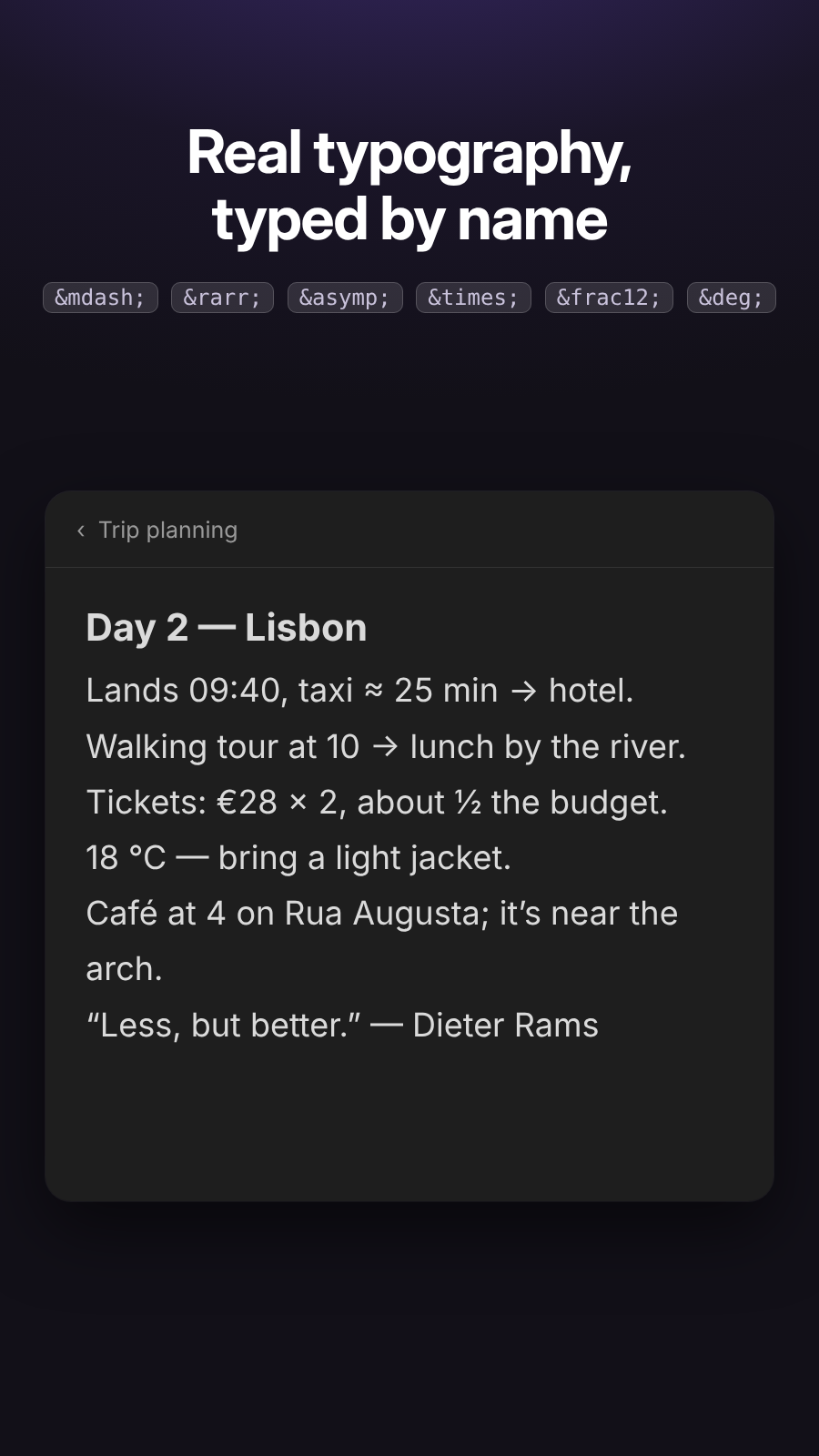
Renders HTML character entities such as `©` and `©` as characters in Live Preview while preserving the Markdown source.
HTML Entity Renderer for Obsidian
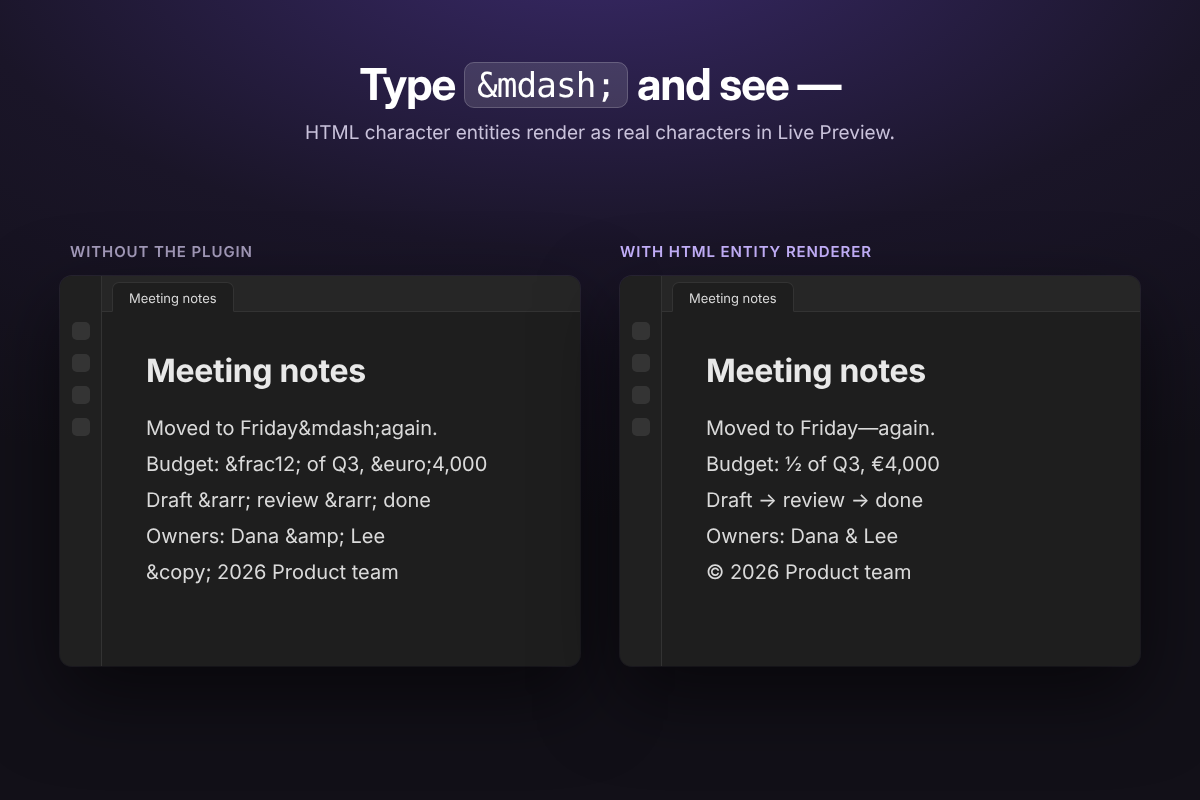
Renders HTML character entities in Live Preview without changing the Markdown source.
Examples:
©displays as ©&displays as &—displays as —©displays as ©©displays as ©
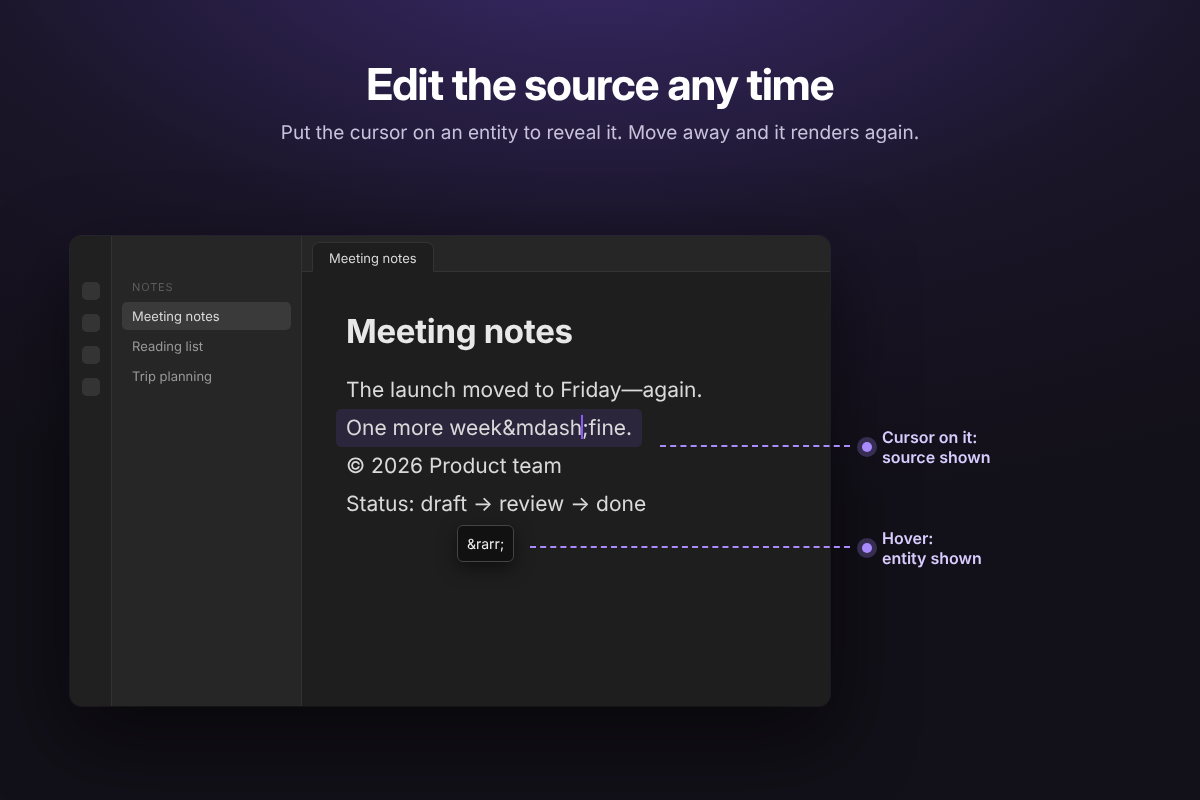
When the cursor enters an entity, the original source is revealed so it can be edited.
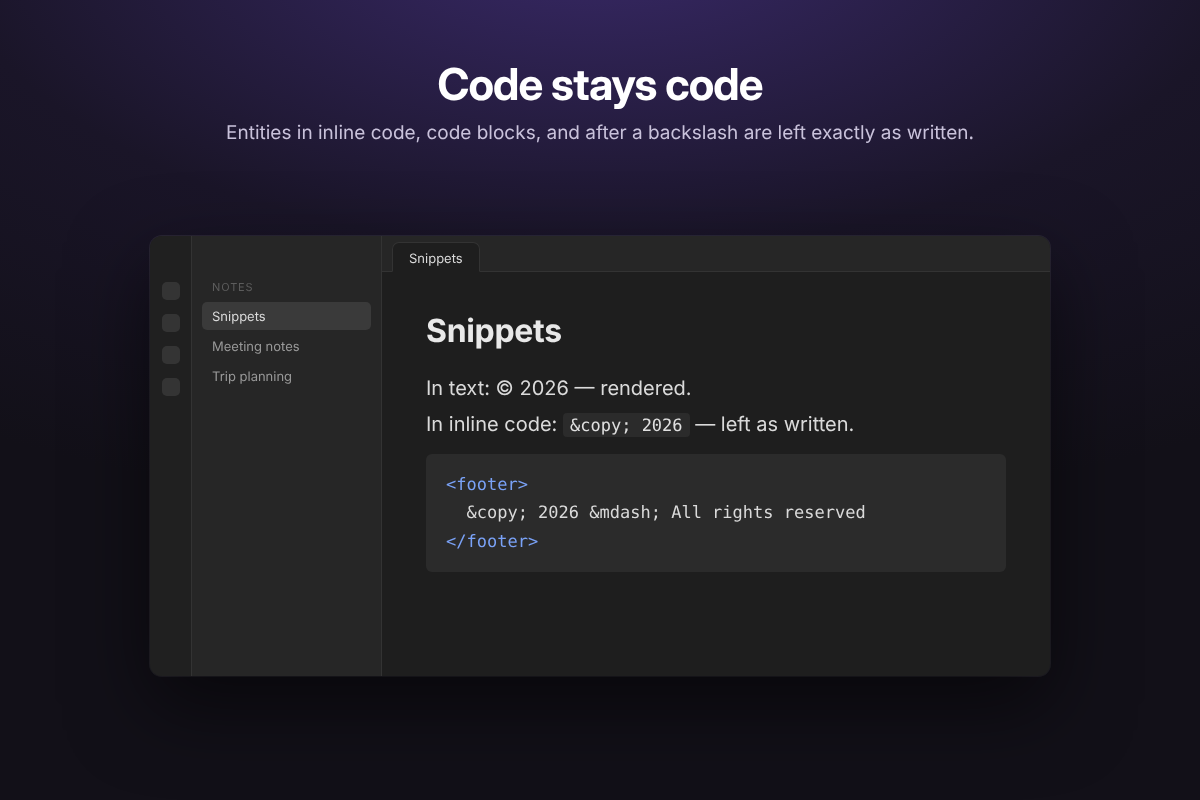
Entities are only rendered in Live Preview. Source mode, inline code, code blocks, and backslash-escaped entities (\©) are left as written, matching Reading view.
Entities that would display as nothing or as a line break (
, 	, ­, ‍, ​) and invalid numeric references (�, �) are also left as source, so they stay visible and editable.
Screenshots
 |  |
|---|---|
 |  |
Mobile
| Before and after | Real note |
|---|---|
 |  |
Install
From Community plugins
- In Obsidian, open Settings → Community plugins.
- Turn off Restricted mode.
- Click Browse, search for HTML Entity Renderer, then select Install and Enable.
Manually
- Close Obsidian, or leave it open and reload after installation.
- Open your vault folder.
- Open
.obsidian/plugins/. - Create a folder named
html-entity-renderer. - Put
main.js,manifest.json, andstyles.cssin that folder. - In Obsidian, go to Settings → Community plugins.
- If prompted, turn off Restricted mode.
- Click the refresh/reload button if the plugin is not listed, or restart Obsidian.
- Enable HTML Entity Renderer.
Try it
Test with:
Copyright © 2026
Fish & Chips
A B
© and ©
The file itself remains unchanged; only the Live Preview display is decorated.
Development
package.json and tests/ are only needed for development; don't copy them into the vault. To run the unit tests (Node.js 18 or later):
npm install
npm test
For plugin developers
Search results and similarity scores are powered by semantic analysis of your plugin's README. If your plugin isn't appearing for searches you'd expect, try updating your README to clearly describe your plugin's purpose, features, and use cases.