Infinite Note
approvedby usero2-endofday
Automatically appends newlines to the end of the document as you type. - This plugin has not been manually reviewed by Obsidian staff.
Infinite Note for Obsidian
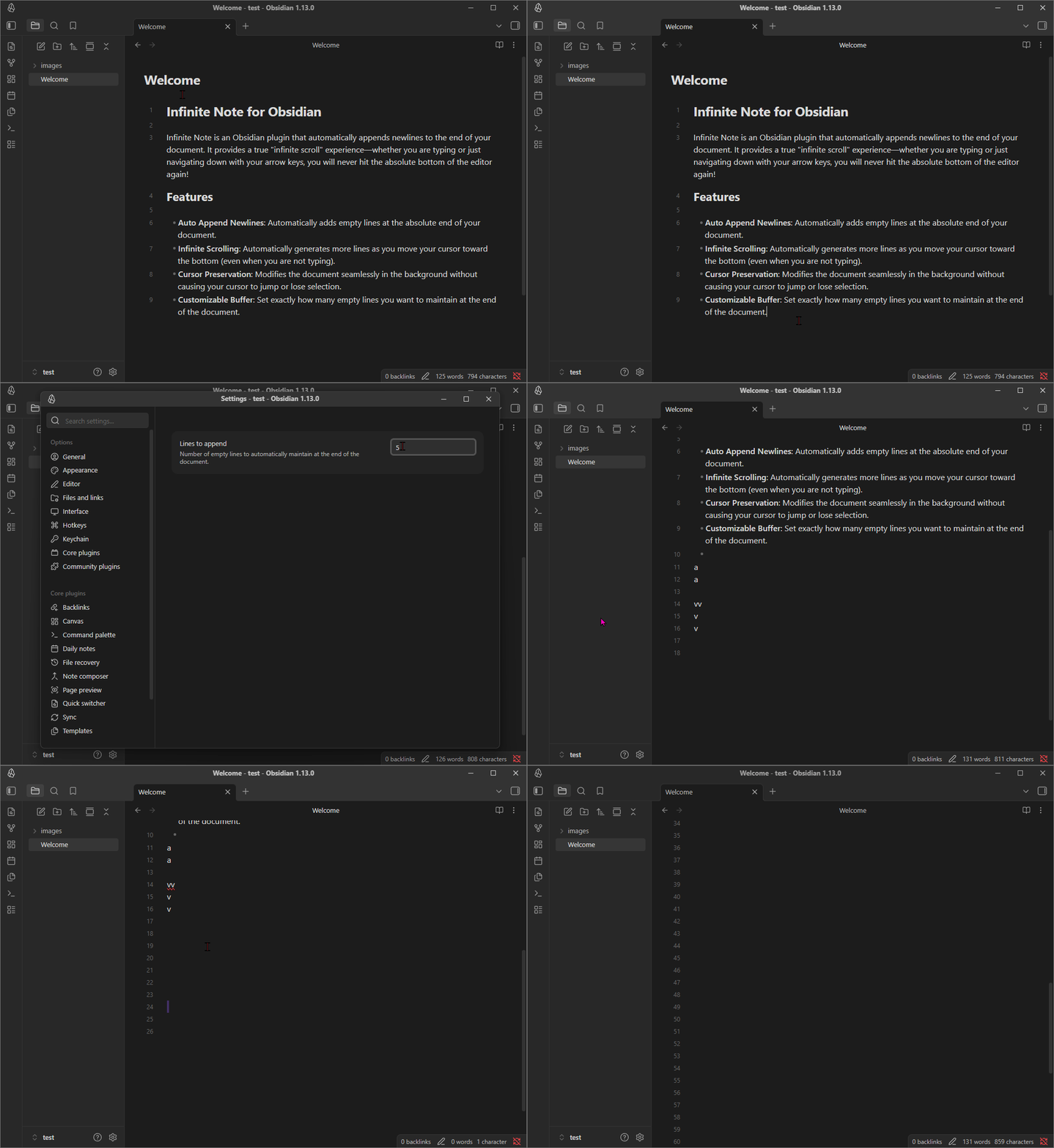
Infinite Note is an Obsidian plugin that automatically appends newlines to the end of your document. It provides a true "infinite scroll" experience—whether you are typing or just navigating down with your arrow keys, you will never hit the absolute bottom of the editor again!
Features
- Auto Append Newlines: Automatically adds empty lines at the absolute end of your document.
- Infinite Scrolling: Automatically generates more lines as you move your cursor toward the bottom (even when you are not typing).
- Cursor Preservation: Modifies the document seamlessly in the background without causing your cursor to jump or lose selection.
- Customizable Buffer: Set exactly how many empty lines you want to maintain at the end of the document.
Installation
Manual Installation
- Go to the Releases page of this repository.
- Download the
main.jsandmanifest.jsonfiles from the latest release. - Open your Obsidian vault folder and navigate to
.obsidian/plugins/. - Create a new folder named
infinite-note-auto-append-newline. - Place both the downloaded
main.jsandmanifest.jsonfiles into that folder. - Open Obsidian, go to Settings > Community plugins, and disable Safe mode (if not already disabled).
- Click the Refresh button under "Installed plugins".
- Find Infinite Note in the list and toggle it on to enable.
Usage
Once enabled, the plugin works automatically in the background without any manual triggers.
- Open any Markdown file. The plugin will immediately ensure there is a buffer of empty lines at the bottom of the document.
- As you type near the end of the document, or move your cursor downwards into the empty space, new lines will be automatically generated to maintain your preferred buffer size.
Settings
You can customize the plugin's behavior by going to Settings > Infinite Note in Obsidian:
- Lines to append: Specify the number of empty lines you want to automatically maintain below your cursor and at the end of your documents (Default is
1).
❤️ Support & Donate
If this plugin has improved your Obsidian workflow, saved you time, or you just want to support its continued development, please consider donating!
Your support is incredibly appreciated, helps fix bugs, and keeps this project alive and growing. 🙏
https://buymeacoffee.com/endofday

Built with ❤️ for the Obsidian Community
For plugin developers
Search results and similarity scores are powered by semantic analysis of your plugin's README. If your plugin isn't appearing for searches you'd expect, try updating your README to clearly describe your plugin's purpose, features, and use cases.