Ledge
approvedby lunarch
Add a configurable edge dock with custom positions, icons, colors, reveal timing, and drag-and-drop ordering. - This plugin has not been manually reviewed by Obsidian staff.
Ledge
Ledge adds customizable navigation docks to the edges and corners of your Obsidian workspace, keeping frequently used notes, Bases, canvases, and other vault files within reach.
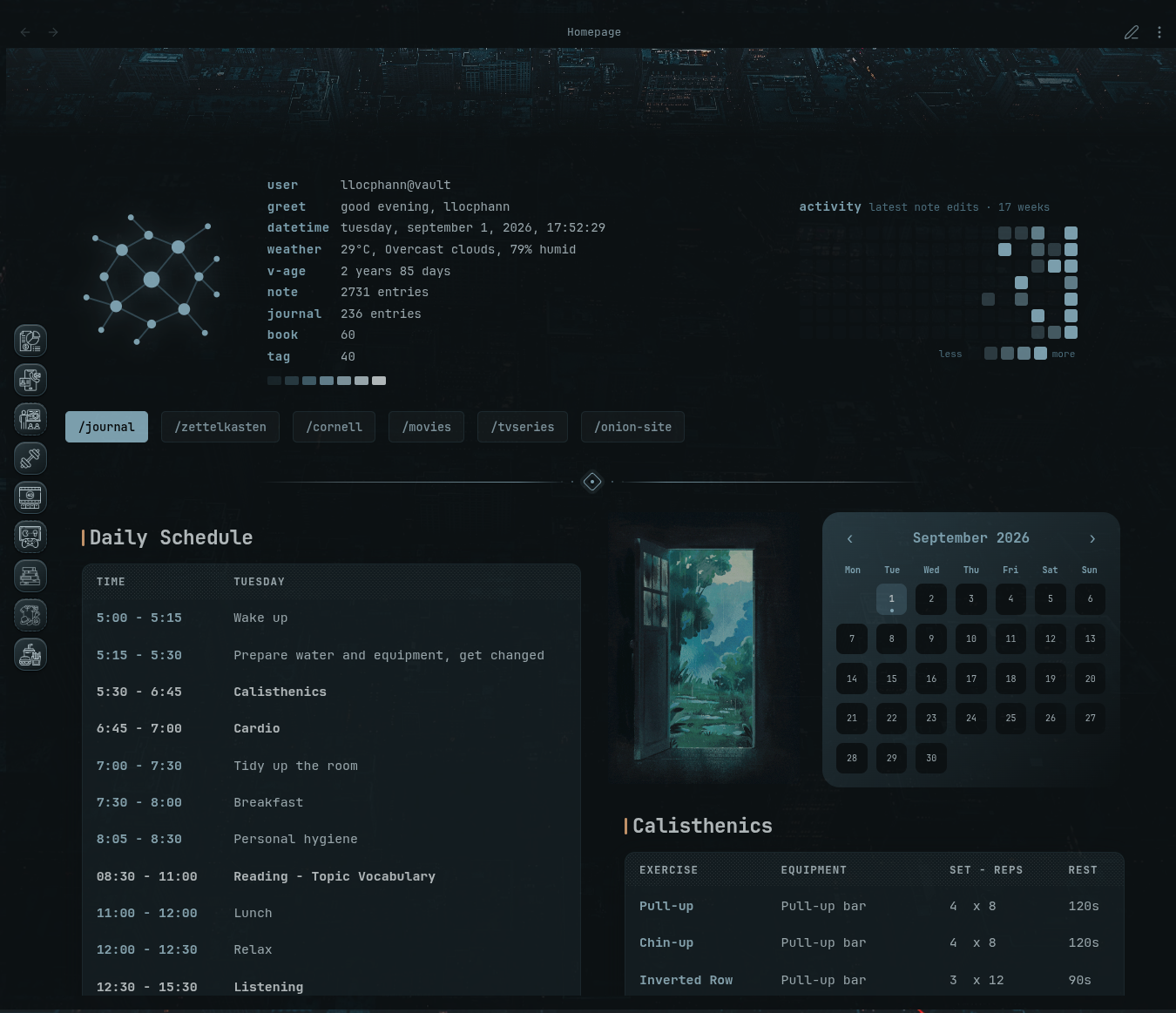
Dock in my theme

Highlights
- Create up to 8 independent Docks and use them at the same time.
- Place Docks on the left, right, top, bottom, or any corner.
- Add shortcuts to notes, Bases, canvases, and other vault files.
- Use built-in icons from Obsidian/Lucide, Tabler, Material Design Icons, Phosphor, and Bootstrap Icons, or use images stored in your vault.
- Configure auto-hide, reveal/hide timing, trigger areas, labels, motion, and macOS-style magnification.
- Show or hide each Dock by note name, exact path, folder, or tag.
- Customize Dock surfaces, borders, colors, gradients, item icons, and tile appearance.
- Reorder items with drag-and-drop or keyboard controls.
- Navigate in the current leaf without creating unnecessary tabs.
- Works with pop-out windows.
- Export and import your complete Ledge configuration as JSON.
Install
Community Plugins
Open Settings → Community plugins → Browse, search for Ledge, then install and enable it.
Manual installation
Download main.js, manifest.json, and styles.css from the latest release and place them in:
<Vault>/.obsidian/plugins/ledge/
Reload Obsidian and enable Ledge under Community plugins.
Ledge is desktop-only and requires Obsidian 1.13.7 or newer.
Documentation
See the Ledge Wiki for detailed guides to Dock presets, items and icons, visibility rules, auto-hide and triggers, appearance, backup/restore, and troubleshooting.
☕ Support Ledge
If Ledge has made navigating your Obsidian workspace faster or more comfortable, you can support its continued development here.

Your support helps me keep refining Ledge, improving dock behavior, customization, visibility rules, and documentation.
License
Ledge is licensed under the GNU General Public License v3.0 only.
For plugin developers
Search results and similarity scores are powered by semantic analysis of your plugin's README. If your plugin isn't appearing for searches you'd expect, try updating your README to clearly describe your plugin's purpose, features, and use cases.