by Anthirayas
Browse the notes linked to and from the active note on a calm, full-page grid.
Linkroom
See every note linked to and from the note you're reading, on a calm, full-page grid.
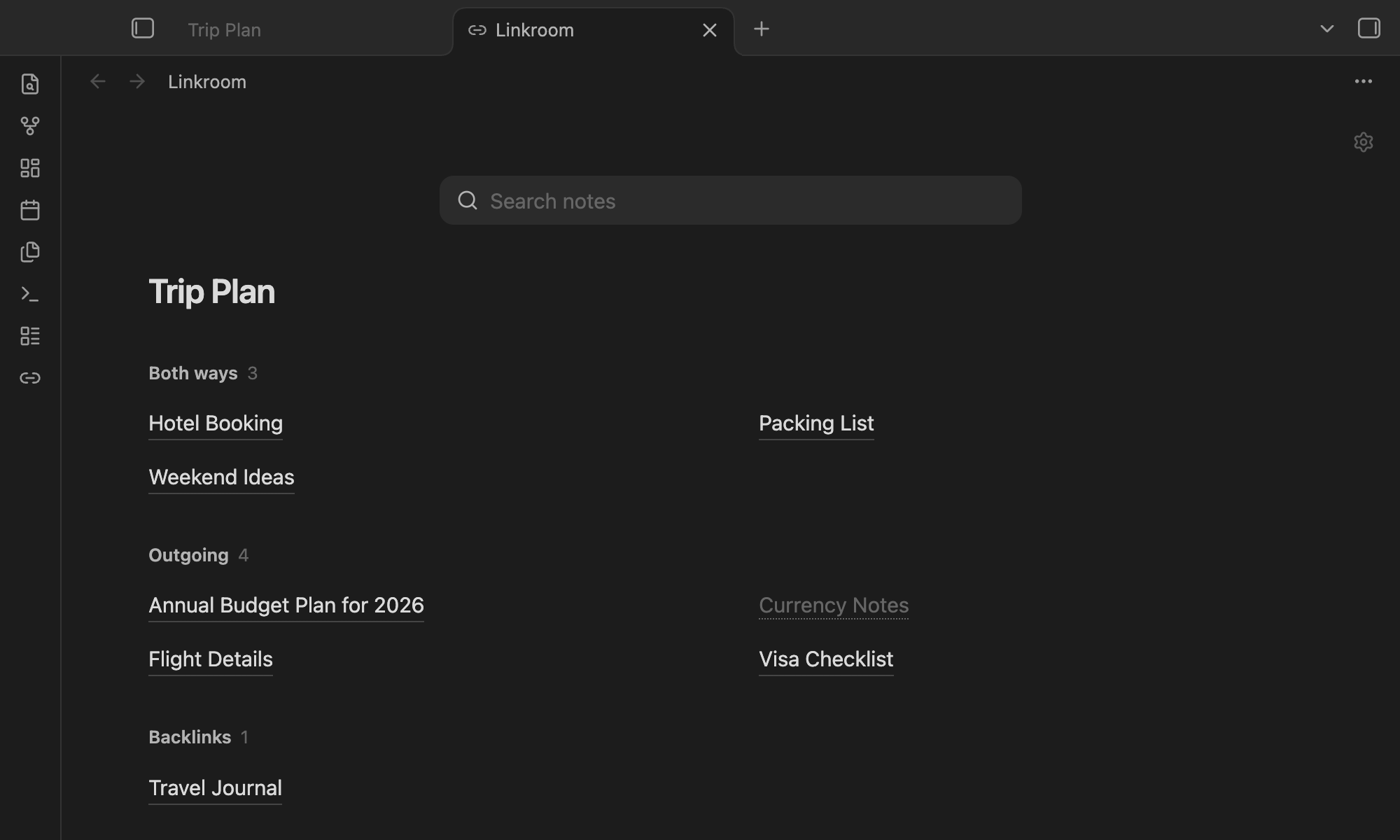
- Three groups: Both ways, Outgoing and Backlinks. Each note appears once.
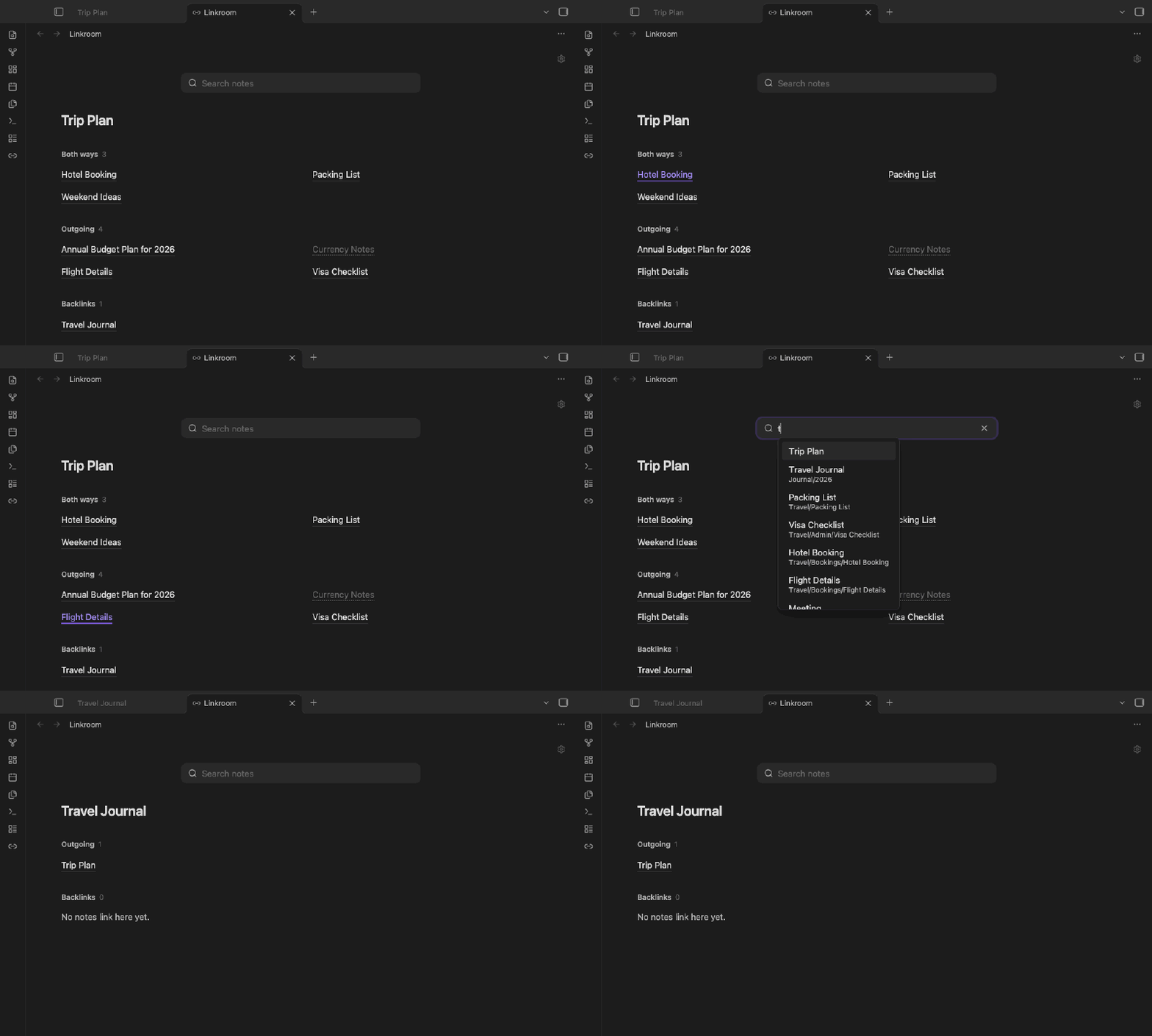
- Search any note: works like the quick switcher (Cmd/Ctrl+O). Pick a note and the page switches to its links.
- Follows you: the page updates as you move between notes.
- Your style: three link styles (Hairline, Sky link, Soft tile), columns, sort, folders and aliases.
- Read-only: no edits to your notes, no network, no tracking.
Use
Click the link icon in the ribbon, or run Open linked notes from the command palette.
| Action | Result |
|---|---|
| Click | Open the note; Linkroom stays open |
| Cmd/Ctrl-click | Open in a new tab |
| Right-click / long-press | More options |
/ or Cmd/Ctrl+F | Focus search |
The gear in the top-right corner holds quick toggles. Everything else is under Settings → Linkroom.
Install
Until Linkroom is in the community plugin directory, download main.js, manifest.json and styles.css from the latest release into <vault>/.obsidian/plugins/linkroom/, then enable it under Settings → Community plugins.
Works on desktop and mobile. Mobile has been checked in emulation only so far.
Development
npm install && npm run build && npm run lint && npm test
Licence
MIT © 2026 Anthirayas
For plugin developers
Search results and similarity scores are powered by semantic analysis of your plugin's README. If your plugin isn't appearing for searches you'd expect, try updating your README to clearly describe your plugin's purpose, features, and use cases.