Material File Icons
approvedby liicos
Replace file explorer icons with Material Design icons matched by file extension and filename. - This plugin has not been manually reviewed by Obsidian staff.
Material File Icons for Obsidian
English | 简体中文
Replace the default file explorer icons in Obsidian with Material Icon Theme icons, matched by file extension and filename.
Screenshots
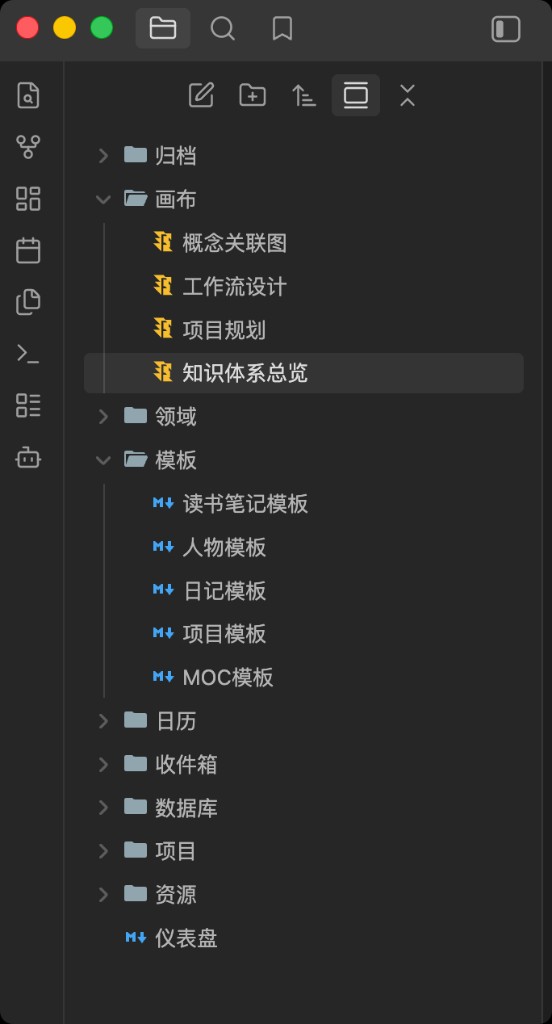
File explorer
Icons are applied by extension and filename — canvas notes, Markdown templates, folders, and more each get a distinct icon (see preview above).
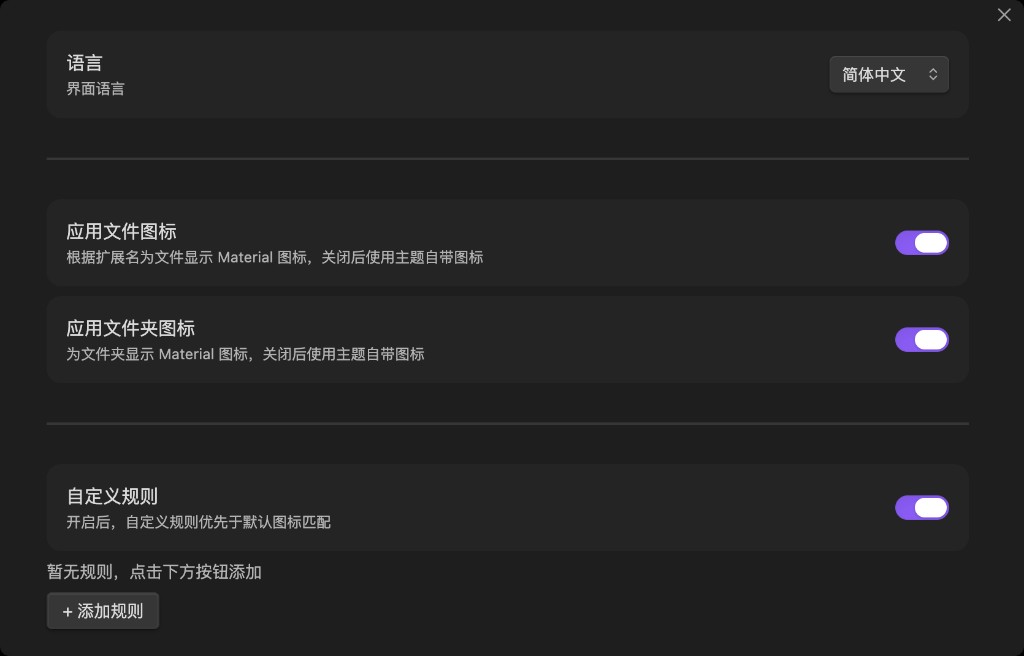
Settings
Toggle file and folder icons independently, enable custom rules, and switch the settings UI language (10 languages supported).
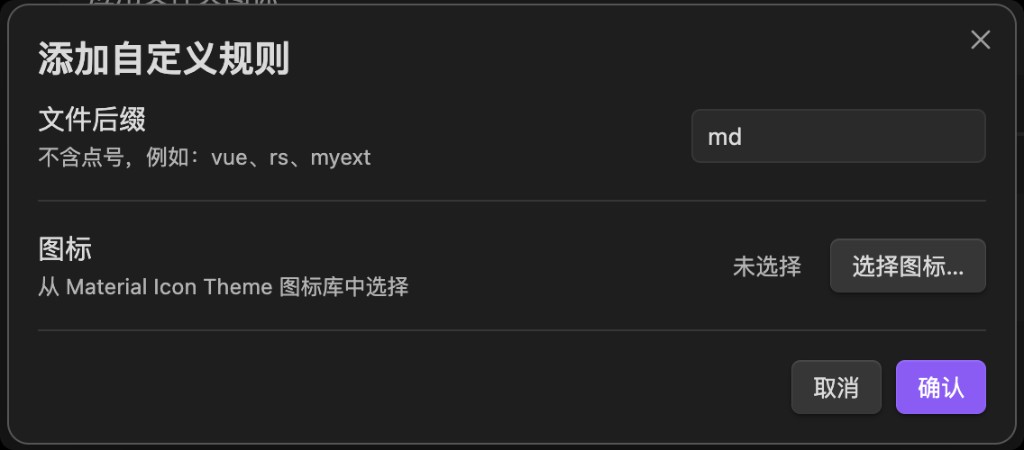
Custom rules
Add a rule for any extension (without the leading dot) and pick an icon from the Material Icon Theme library. Custom rules override default matching when enabled.
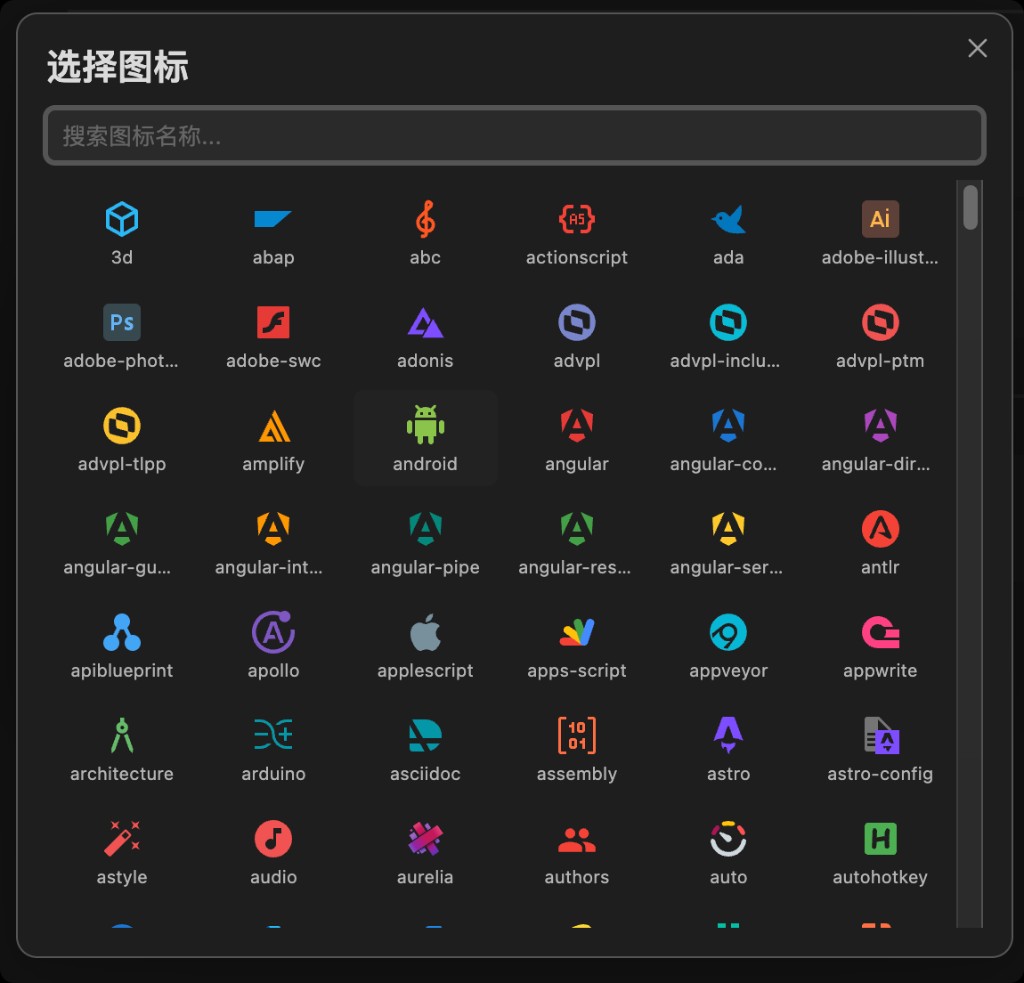
Icon picker
Search and browse 500+ icons when configuring a custom rule.
Features
- Extension matching — longest suffix wins (e.g.
d.tsbeforets) - Filename matching — e.g.
.gitignore,Makefile,docker-compose.yml - Folder icons — closed / open states
- Custom rules — override icons per extension with a searchable icon picker
- Toggles — enable or disable file / folder icons independently
- Settings UI — English, 简体中文, 繁體中文, 日本語, 한국어, Deutsch, Français, Español, Русский, Português
- Light & dark — icons follow Obsidian’s theme
Installation
From a release (recommended)
Release tags match
manifest.jsonversion exactly (e.g.1.0.0, notv1.0.0) for Obsidian community installs.
- Download from Releases:
- Zip:
material-file-icons-x.x.x.zip— extract into.obsidian/plugins/ - Or download
main.js,manifest.json, andstyles.cssinto.obsidian/plugins/material-file-icons/(required for Obsidian community install)
- Zip:
- Enable Material File Icons under Settings → Community plugins
Upgrading from an older build? The plugin id is now
material-file-icons. Remove.obsidian/plugins/obsidian-material-icon/if present, then install intomaterial-file-icons/.
Manual build
git clone https://github.com/liicos/obsidian-material-icon.git
cd obsidian-material-icon
npm install
npm run build
cp main.js manifest.json styles.css /path/to/vault/.obsidian/plugins/material-file-icons/
Development
npm install
npm run dev      # watch mode (does not regenerate icon data)
npm run build    # full production build
npm run build-icons   # regenerate src/icon-data.ts only
| Path | Purpose |
|---|---|
src/main.ts | Plugin logic |
scripts/build-icons.mjs | Extract SVGs from material-icon-theme → src/icon-data.ts |
styles.css | Icon and settings styles |
Do not edit src/icon-data.ts by hand. To add custom extension mappings, edit the custom block at the end of scripts/build-icons.mjs, then run npm run build-icons.
Built artifacts main.js and src/icon-data.ts are gitignored; run npm run build after cloning.
Icon matching priority
- Custom rules (when enabled)
- Exact filename
- Longest matching extension
- Default file icon
Acknowledgements
File icons are derived from PKief/vscode-material-icon-theme (MIT).
License
For plugin developers
Search results and similarity scores are powered by semantic analysis of your plugin's README. If your plugin isn't appearing for searches you'd expect, try updating your README to clearly describe your plugin's purpose, features, and use cases.