Mehrmaid
approvedby huterguier
Enables you to put Markdown inside of Mermaid diagrams.
Obsidian Mehrmaid



Mehrmaid (as in german "mehr" for "more") is an extension of Mermaid codeblocks in Obsidian. It allows rendering of Obsidian generated markdown inside of node labels. Mehrmaid follows the same syntax as Mermaid, but the content of nodes can be rendered as Obsidian markdown by wrapping the content in double quotes. Below is a simple example of a mehrmaid graph. It shows how to render images, LaTeX math, tables, links and internal Obsidian links inside of nodes.
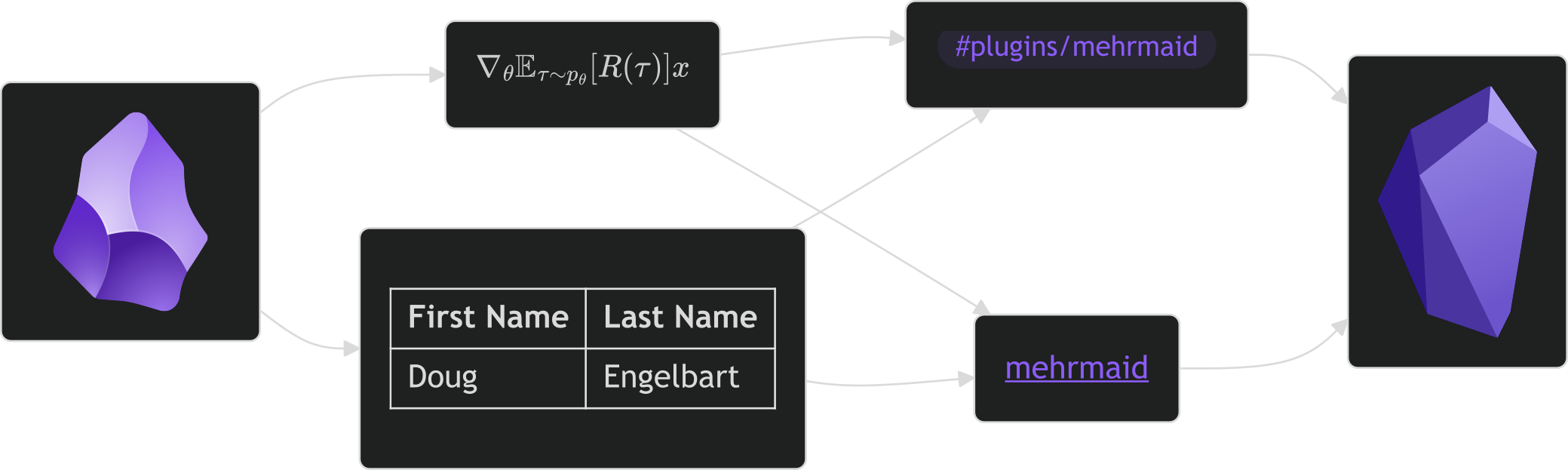
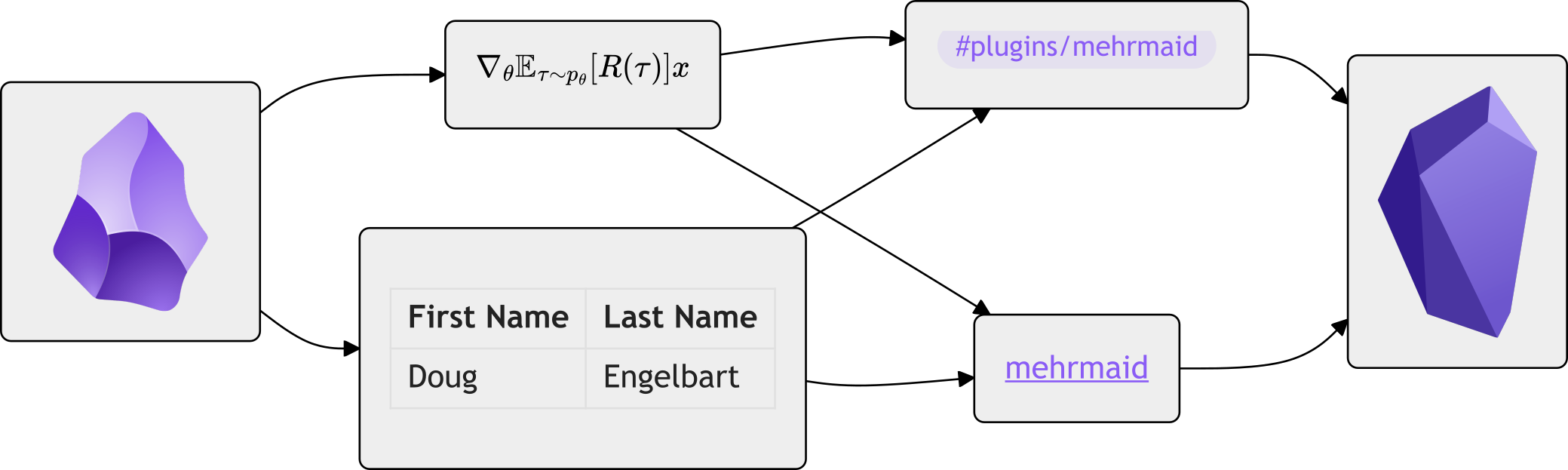
```mehrmaid
graph LR
T1 --> T2 & T3 --> T4 & T5 --> T6
T1("")
T2("$\nabla_\theta \mathbb{E}_{\tau\sim p_\theta}[R(\tau)]x$")
T3("| First Name | Last Name |
| ---------- | --------- |
| Doug | Engelbart |")
T4("#plugins/mehrmaid")
T5("[[mehrmaid]]")
T6("")
```
How it works
Mehrmaid makes use of the Java Script library Mermaid library to render graphs. Mermaid allows to define nodes and edges in a graph using a simple markdown syntax. The content of nodes can be defined using HTML or plain text. Merhmaid works by first using the Obsidian Markdown renderer to render the content of nodes and estimate their size. It then uses the HTML renderer of Mermaid to render the graph with the correct node sizes. Lastly the placeholder nodes are replaced with the rendered HTML. There are still some issues with this approach, which will hopefully be fixed in the future.
Examples
This section shows some examples of what can be done with Mehrmaid. If you have any other examples worth sharing, please open an issue or a pull request.
Bayesian Network
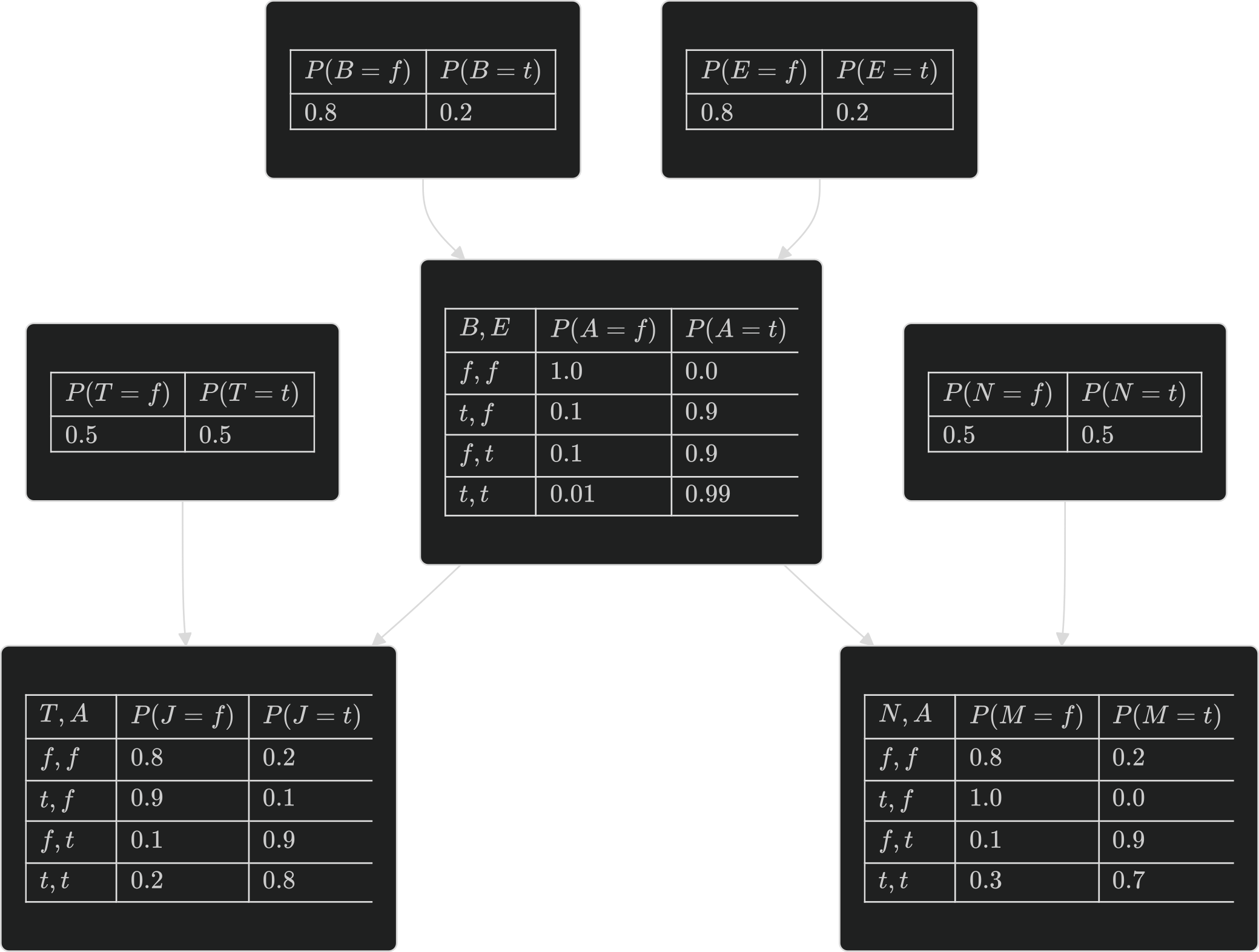
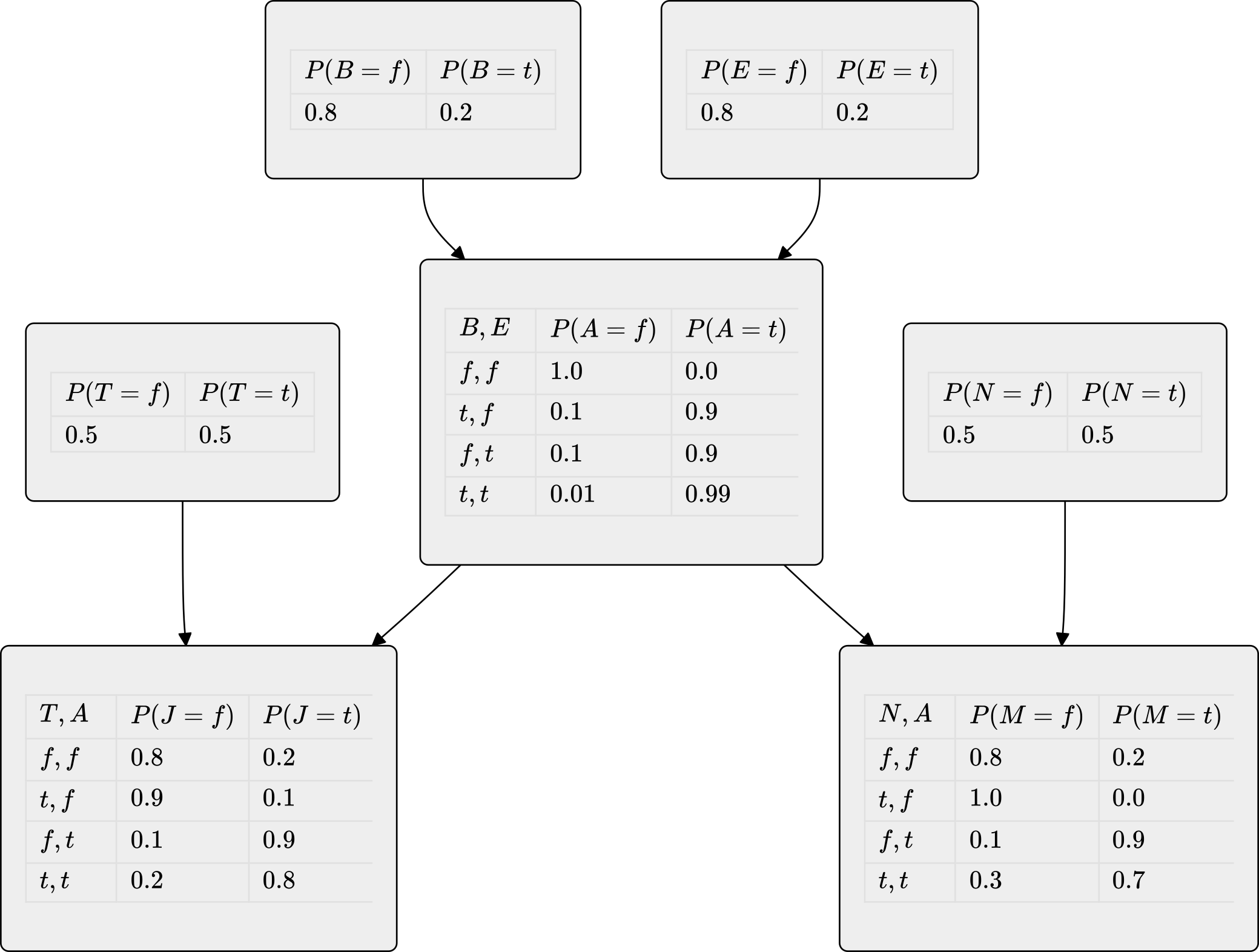
Below is a simple example of a Bayesian network, containing the probaility tables as markdown tables.
The corresponding markdown code can be found in examples/tables.md.
Policy Gradient Theorem
Below is a very simple examples showing a small part of the proof of the policy gradient theorem.
The corresponding markdown code can be found in examples/pg.md.


Installation
The plugin is available in Obsidian's community plugin store.
You can search for it in the app or access it here.
Alternatively, you can build and install it manually.
You can build it by cloning this repository into your .obsidian/plugins folder and then running npm install followed by npm run build inside the cloned repository.
The plugin should then be available in the Obsidian plugin settings.
Contributing
At the moment Mehrmaid only support the flowchart and graph types of Mermaid diagrams.
Due to the fact that most other diagram types do not share the same underlying rendering code, they cannot be supported by default.
If you are interested in adding support for other diagram types, please open an issue or a pull request.
For plugin developers
Search results and similarity scores are powered by semantic analysis of your plugin's README. If your plugin isn't appearing for searches you'd expect, try updating your README to clearly describe your plugin's purpose, features, and use cases.