by SungJu Yun
Read Mermaid flowcharts with interactive branches, step-by-step navigation, and layouts that fit the note.
Mermaid Flowchart Navigator
Follow a path through a Mermaid flowchart in an Obsidian note. Click a decision or an arrow to see how you reached an outcome. On long charts, you can move through one decision at a time with the previous and upcoming steps in view. The viewer works offline and its controls are in Korean.
Installation
In Obsidian, open Settings → Community plugins → Browse. Search for Mermaid Flowchart Navigator, open its entry, then select Install and Enable. Obsidian Community listing
Manual installation
- Download and extract the plugin ZIP.
- Copy the extracted
mermaid-flow-viewerfolder into your vault’s.obsidian/plugins/folder. You should now have.obsidian/plugins/mermaid-flow-viewer/manifest.json. - Restart Obsidian, open Settings → Community plugins, and enable Mermaid Flowchart Navigator.
If you previously installed Mermaid Flow Viewer, copy the new files into the same plugin folder to keep your settings.
Usage
Paste this block into a note. Switch to Reading view, or move the cursor outside the code block in Live Preview.
```mermaid
flowchart TD
  A([Start]) --> B[/Receive request/]
  B --> C{Is the request complete?}
  C -->|Yes| D([Approve]):::success
  C -->|No| E([Request details]):::unknown
```
Click the Yes arrow to highlight the path from Start to Approve. Click Request details to follow the other branch. Hover over a node or focus it with the keyboard to read its full label and description. On a touch screen, tap the node.
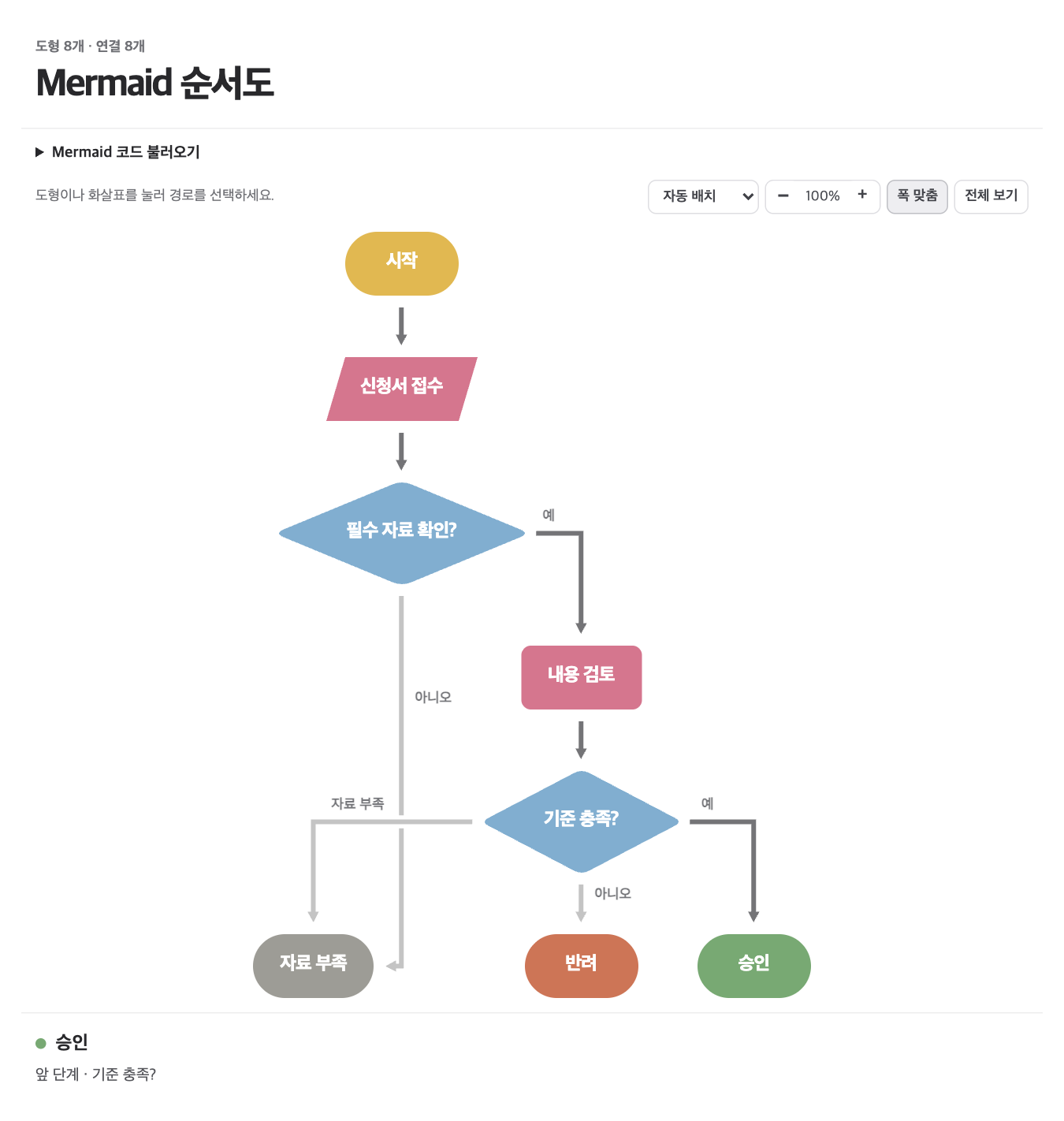
- Step through large charts. A flowchart with 15 or more nodes opens in 단계별 보기 (step-by-step view). Select an answer to move forward. The faded nodes show nearby steps. Use 이전 to go back or 처음 to return to the first decision.
- Adjust the view. Choose 세로 배치 for a top-to-bottom layout. Use 폭 맞춤 to fit the note width, 전체 보기 to fit the entire chart, or − / + to zoom.
- Open a separate viewer. In the command palette, search for Mermaid 흐름 뷰어 열기. If the note has several flowcharts, you can choose which one to open.
The plugin reads flowchart and graph blocks. Obsidian displays sequence diagrams and other diagram types in its built-in viewer. Use :::success, :::failure, or :::unknown on a result node to set its outcome color. Arrows that point to the same node ID converge on that node.
Standalone HTML viewer
Download viewer.html and open it in a browser. Choose Mermaid 코드 불러오기 (load Mermaid code), paste your diagram, then select 순서도로 변환 (render flowchart). The standalone importer can also turn the messages and branches of a sequenceDiagram into a flowchart.
To embed the viewer in a web page, place viewer.html beside the page and send the Mermaid source after the frame loads.
<iframe id="flow" title="Request review" style="width:100%;height:680px;border:0"></iframe>
<script>
  const frame = document.getElementById("flow");
  frame.addEventListener("load", () => {
    const source = "flowchart LR\n  A([Start]) --> B[Review] --> C([Approve]):::success";
    const origin = location.protocol === "file:" ? "*" : location.origin;
    frame.contentWindow.postMessage({ type: "mermaid-flow:render", source }, origin);
  });
  frame.src = "./viewer.html";
</script>
Build from source
Run python3 build.py from the repository root. It uses the Python standard library and writes the standalone HTML file, the install ZIP, and the mermaid-flow-viewer/ plugin folder under dist/.
License
The plugin and standalone viewer are distributed under the MIT License. The bundled parsers are from Mermaid 11.12.0, and the layout engine is Dagre 3.1.4. Mermaid license · Dagre and graphlib licenses
For plugin developers
Search results and similarity scores are powered by semantic analysis of your plugin's README. If your plugin isn't appearing for searches you'd expect, try updating your README to clearly describe your plugin's purpose, features, and use cases.