by Nooshin Java
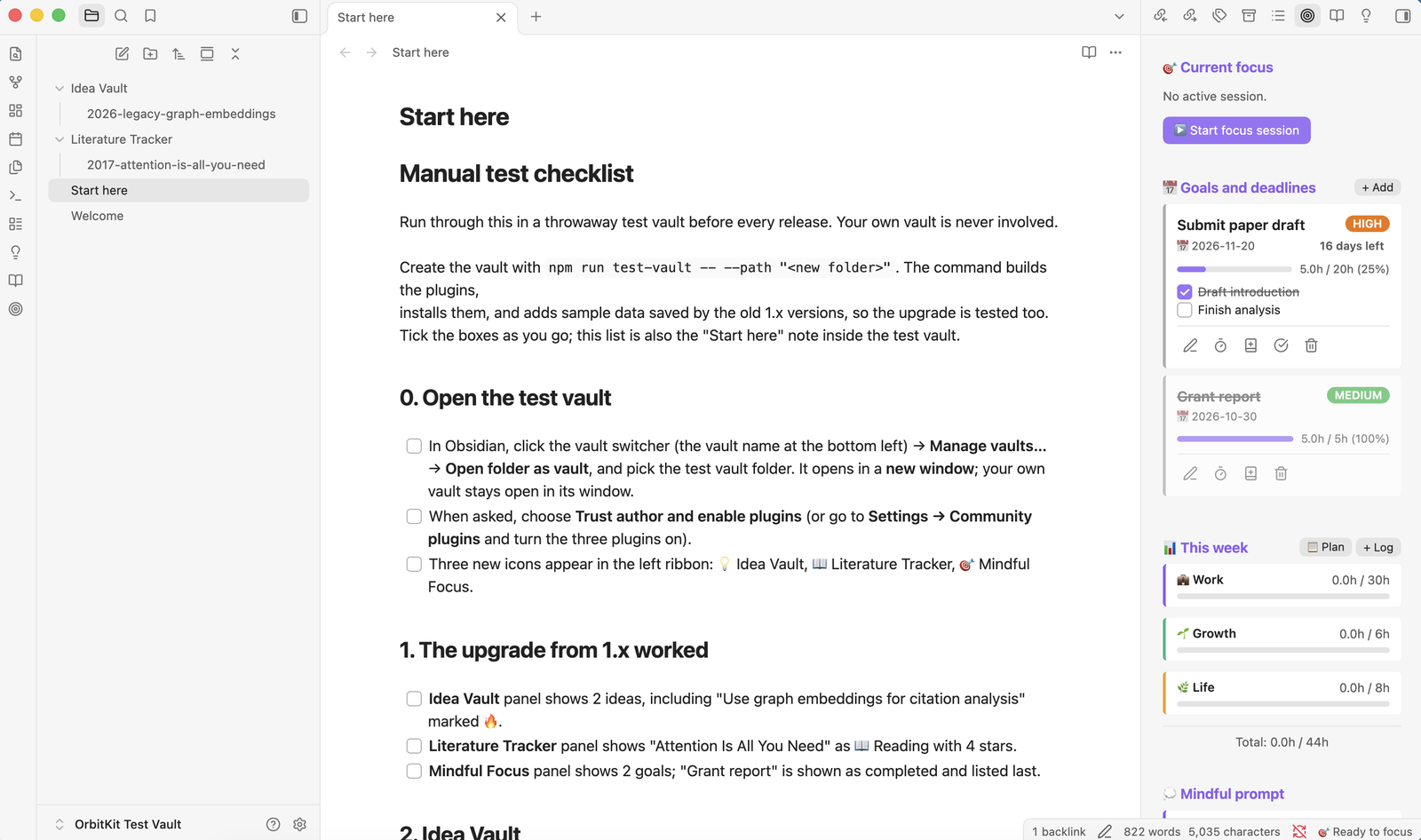
Focus sessions with a status-bar timer, deadline-based goals with labbooks, daily and weekly notes, and a weekly project report.
Mindful Focus
Track what you're focusing on, log deep-work sessions, and plan around deadline-based goals.
Features
- Focus sessions. A status-bar timer runs while you work. When the session ends, its time is recorded right away, and you can add an optional reflection afterwards. If a session stays open far longer than planned (overnight, say), you're welcomed back and asked how much of the time to record: as planned, all of it, another amount, or none. Nothing is recorded until you choose, and "Keep it running" leaves the session open.
- Goals. Each goal has a deadline, priority, estimated hours, milestones and logged progress. Goals are sorted by urgency, with completed goals last.
- Labbooks. Link a goal to a folder or note. You can open it in one
click, add dated notes, and logged time and reflections are appended
under
## Running Notes. - Daily notes with an hourly plan and a
## 📝 Logsection. New entries go at the top, and anything you wrote yourself is never overwritten. - Weekly plans (
YYYY-Www-Plan.md, ISO weeks starting on Monday) and weekly time tracking per life category. - Weekly project report. Compares this week with last week: hours by project, goal progress, time by category, and insights.
The 🎯 target icon in the left ribbon (or the status-bar timer) opens the panel.
A gentle tone
Mindful Focus is meant to support you, not judge you. It never says "overdue" or "failed". A passed deadline is shown calmly ("Deadline passed 3 days ago"), goals that need a bit more time are marked Needs attention with the option to adjust the plan, and a quieter week is described as quieter, with a reminder that rest counts too. Reflections and next steps are always optional.
Commands
Start focus session · End focus session · Quick journal entry · Log progress · Open panel · Open today's note · Plan a future day · Plan a week · Log weekly time · Add goal · Review goals · Generate weekly report
There are no default hotkeys. Assign your own under Settings → Hotkeys.
Settings
| Setting | Default | Used for |
|---|---|---|
| Daily notes | Mindful Focus/Daily | One note per day, YYYY-MM-DD.md |
| Weekly plans and reports | Mindful Focus/Weekly | YYYY-Www-Plan.md and Weekly_Report_<Monday>.md |
| Labbooks | Mindful Focus/Labbooks | Suggested parent folder for new labbooks |
| Default session length | 90 minutes | Pre-filled when starting a session |
| Show timer in the status bar | on | Status-bar timer |
| Prompts | 5 prompts | Journal and session prompts |
Folder paths must be inside the vault. Paths containing .. or hidden folders are rejected.
Weekly categories, targets and display names (lifeCategories,
weeklyTargets, categoryNames) can be customised in data.json.
Your data
Goals, settings, the time log and the running session are stored in this
plugin's data.json inside your vault. Nothing is sent anywhere. The time
log keeps about 400 days of entries. Deleting a goal asks for confirmation,
and it keeps that goal's notes and logged time.
Install
From Obsidian: open Settings → Community plugins → Browse, search for Mindful Focus, then click Install and Enable.
By hand: download main.js, manifest.json and styles.css from the
latest release into
<your vault>/.obsidian/plugins/mindful-focus/, reload Obsidian and enable
Mindful Focus under Settings → Community plugins.
Feedback
I'd love to hear how Mindful Focus works for you. Please open an issue for bugs or ideas.
Mindful Focus is part of OrbitKit, where I develop it together with my other Obsidian plugins. This repository is generated from there.
Acknowledgements
I designed and built Mindful Focus. I used Claude, an AI assistant by Anthropic, to help with parts of the code, tests and documentation.
License
MIT © Nooshin Javaheripour
For plugin developers
Search results and similarity scores are powered by semantic analysis of your plugin's README. If your plugin isn't appearing for searches you'd expect, try updating your README to clearly describe your plugin's purpose, features, and use cases.