by ghertel
Focus on one task at a time, measure the time you invest, keep a done list, and reflect weekly. Quests, tasks and time logs are plain Markdown.
Questlog
Focus on one task at a time, measure where your time actually goes, keep a done list, and reflect every week — with all data stored as plain Markdown in your vault.
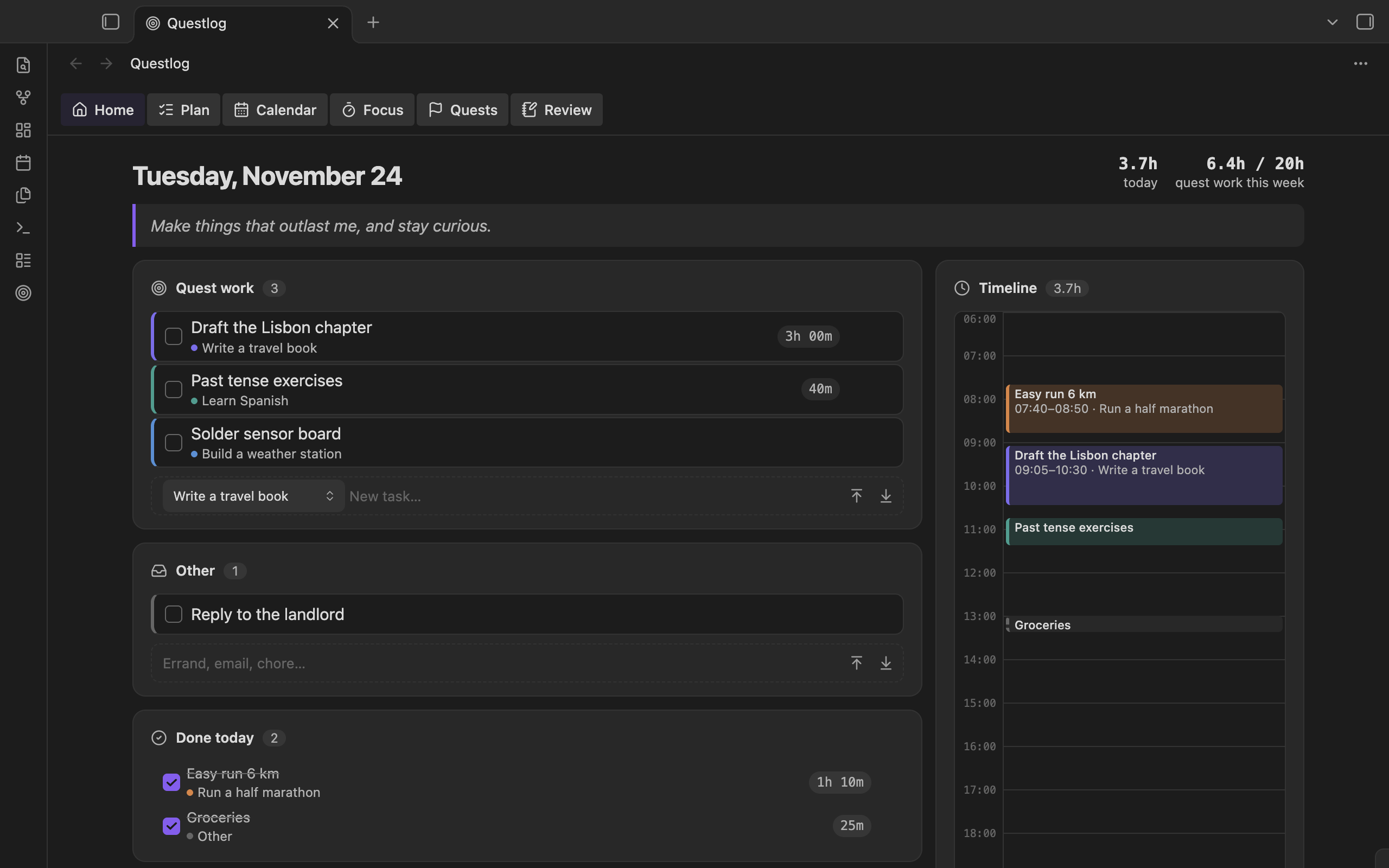
Questlog is built around six principles:
- Only one task visible. The Focus tab shows exactly one task: the one you are working on, or the next one in today's plan.
- Measure time. A timer records how long you spend on each task. Every session lands in your calendar automatically.
- A done list, not a to-do list. Home and Review show what you finished, not only what is left.
- Ritualised reflection. A weekly review with charts and a few questions, saved as a note.
- Input over output. A weekly hour target for quest work overall and per quest. Plan, Quests and Review compare the hours you invested against it.
- Vertical coherence. Your personal vision sits on top of Home, and every quest has a why.
Questlog is standalone: it only writes into its own folder and never touches your daily notes or other plugins' files.
Installation
In Obsidian, open Settings → Community plugins → Browse, search for Questlog, then install and enable it. Requires Obsidian 1.7.2 or later; works on desktop and mobile.
Manual installation: download main.js, manifest.json and styles.css from the latest release into <vault>/.obsidian/plugins/questlog/ and enable the plugin.
Getting started
- Run Questlog: Open from the command palette, or click the target icon in the ribbon.
- Create a quest in the Quests tab and give it a why and a weekly hour target.
- Add a few tasks to today in Home or Plan.
- Open Focus and press Start.
Privacy
Questlog works offline. It makes no network requests, collects no data, and only writes to its own folder and its plugin settings.
Tabs
| Tab | What it does |
|---|---|
| Home | Today: quest work and Other tasks (each with an add field), the done list, the backlog, and a timeline of today on wider panes. |
| Plan | A week board: backlog plus one column per day. Drag tasks between columns or use the task menu. Unfinished tasks of past days carry over to today by themselves. |
| Calendar | A week view filled from your timer sessions. Click an empty slot to add time, click a block to edit it. |
| Focus | One task, a large clock with an optional time box (25 / 50 / 90 min), a session note, and the next tasks of the day. |
| Quests | Quest cards with weekly progress; open one for its tasks, stats and settings. Create, pause, finish and reorder quests. |
| Review | The week in numbers: quest work vs. Other, hours per quest against target, a per-day chart, an 8-week trend, the done list, and the weekly questions. |
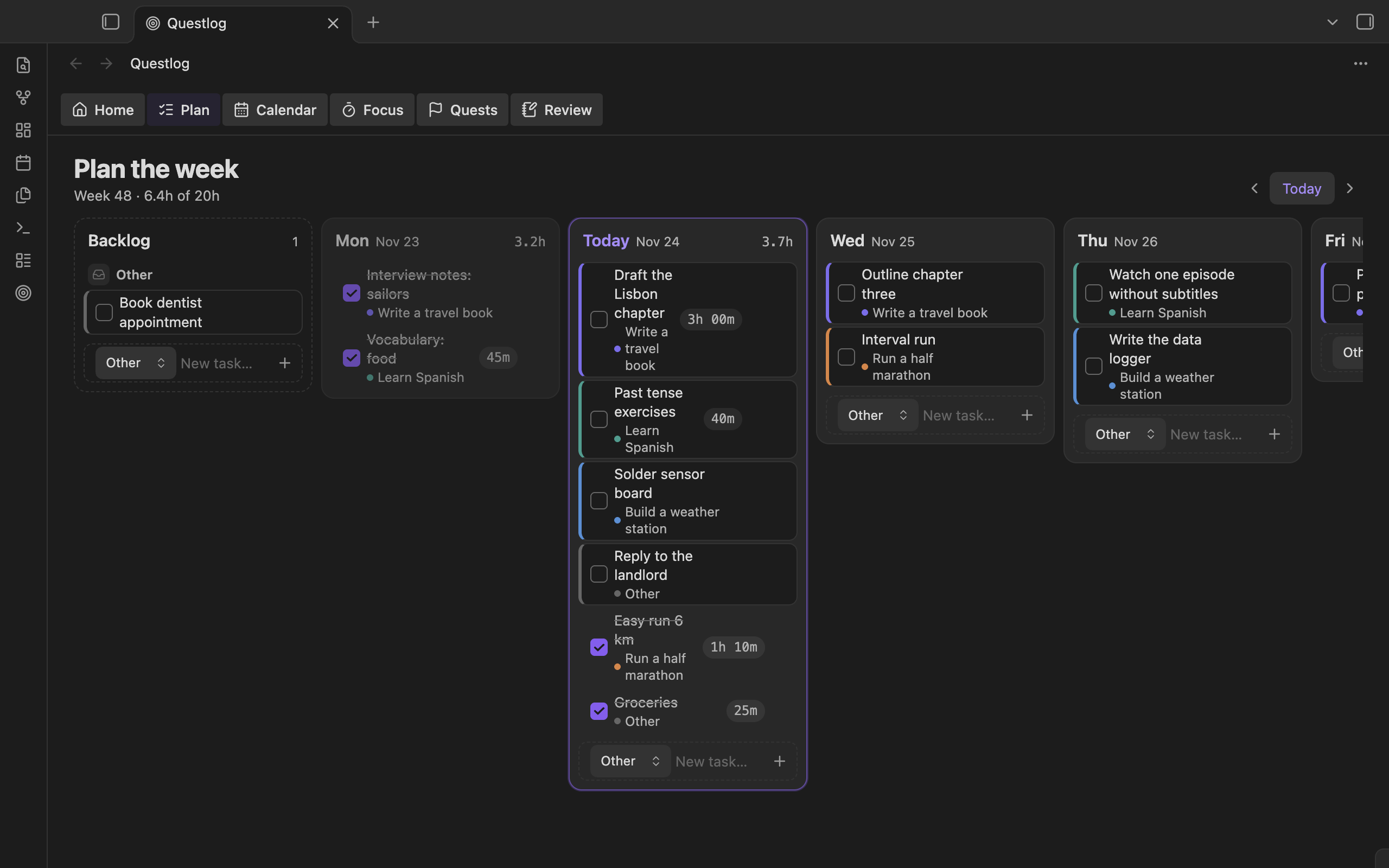
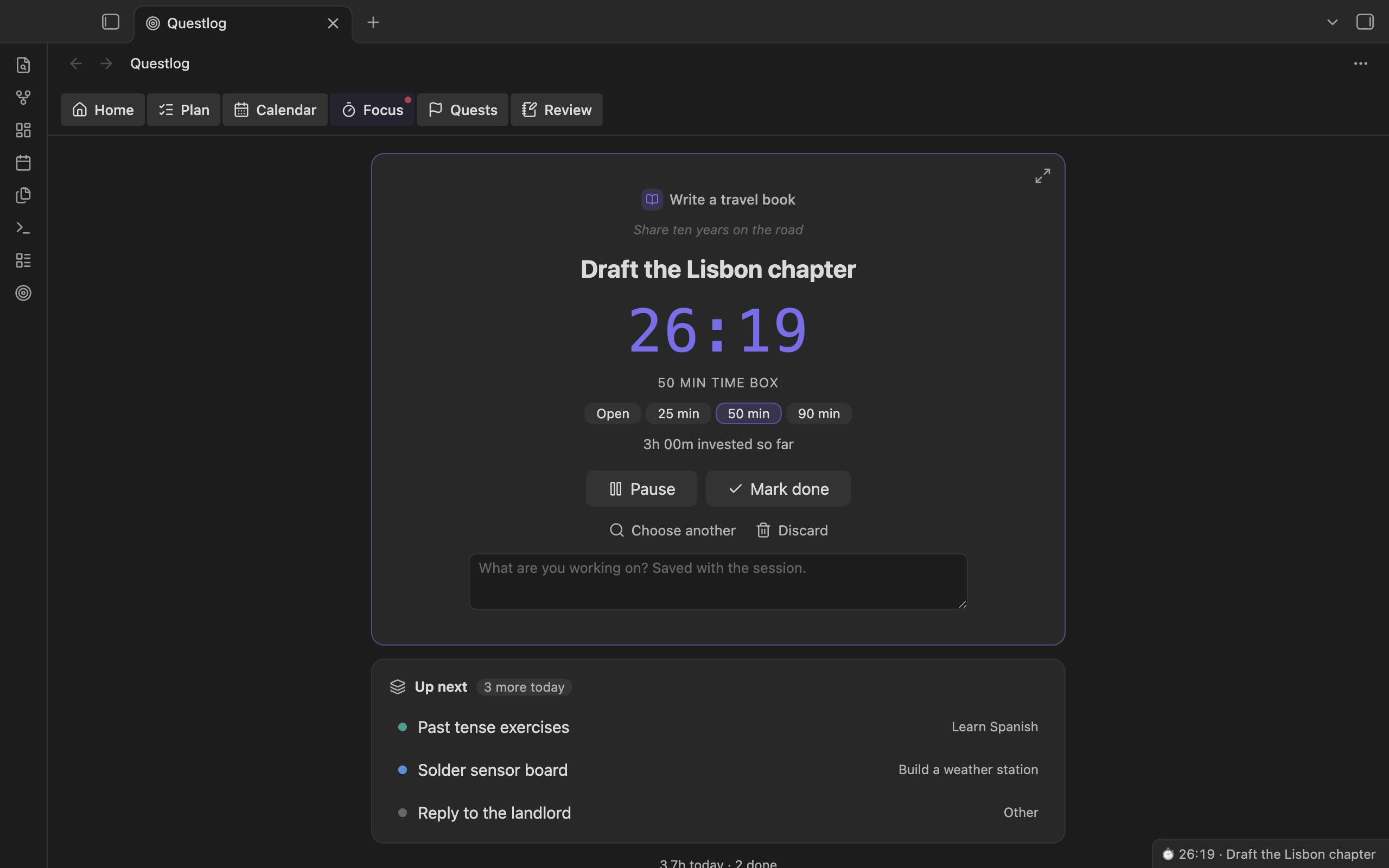
The layout adapts to the pane: a wide main tab, a narrow sidebar, or a phone. All controls are visible without hovering.
Commands
- Open Questlog (and one command per tab)
- Start / stop timer
- Start a task… (fuzzy search)
- Complete current task
- Add task…
The status bar shows the running timer; click it to open Focus.
Data format
Everything lives in one folder (default Questlog/, configurable):
Questlog/
  Quests/Write the book.md
  Other.md
  Days/2026-11-20.md
  Reviews/2026-W47.md
Quest — frontmatter plus a task list. The task syntax is compatible with the Tasks plugin.
---
type: quest
status: active        # active | paused | done
why: Share what I learned in ten years of teaching
weekly_hours: 5
color: "#7c6cf0"
icon: book-open
---

## Tasks
- [ ] Outline chapters 🆔 k3j9x2
- [x] Research ✅ 2026-11-19 🆔 p0a8mf
Other — Other.md is the inbox for everything that is not quest work. Same task format, no frontmatter needed. Time spent on it counts as Other, not as quest work.
Day — the tasks planned for the day (by id) and the timer sessions, each with an optional note.
---
type: questlog-day
date: 2026-11-20
plan: [k3j9x2]
---

## Sessions
- 09:15–10:05 Outline chapters · [[Write the book]] 🆔 k3j9x2 — first draft of part one
A task belongs to the latest day it was planned for. If that day is in the past and the task is still open, it shows up today; otherwise it sits in the backlog.
Review — the weekly answers, plus summary fields (hours_total, hours_quests, hours_other, tasks_done, hours_<quest>) in the frontmatter, so you can query them with Dataview.
You can edit any of these files by hand. Questlog picks up the changes immediately.
Language
The interface is in English and German and follows Obsidian's language setting. Headings written in either language are recognised.
Development
npm install
npm run dev            # watch build
npm run check          # type check, Obsidian lint rules, unit tests
npm run build          # type check + production bundle
VAULT=/path/to/vault npm run install:vault
To release, run npm version patch|minor|major, then git push --follow-tags. GitHub Actions creates a draft release with main.js, manifest.json and styles.css; add notes and publish it.
Credits
Inspired by Niklas Steenfatt's Quest app. Questlog is an independent project and not affiliated with it.
License
MIT
For plugin developers
Search results and similarity scores are powered by semantic analysis of your plugin's README. If your plugin isn't appearing for searches you'd expect, try updating your README to clearly describe your plugin's purpose, features, and use cases.